[Giveaway] MacKeeper Is An All-In-One System Maintenance & Security Tool For OS X

We’ve covered a lot of small tools that help you clean up your Mac, make it run smoother, securely delete files, recover deleted file, or search for them. Though OS X does most - if not all - of these things natively, it doesn't offer as many customization options, or work as well as several third-party offerings. You can always look for apps that are meant to solve individual problems, or you could invest in an app that does everything for the right price. MacKeeper is a very famous app that acts as an antivirus and anti-theft app for your Mac. It also lets you encrypt data, recover deleted files, securely shred files, create backups, remove junk files, find duplicates, estimate the disk usage and break it down for you, uninstall apps and the many files they can sometimes leave behind, help you optimize start-up apps, and edit the default apps for different file extensions. Read More

Undelete Navigator Is A File Recovery Tool With Better, Structured Browsing

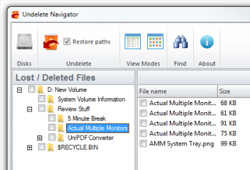
When you delete a file or folder from your hard disk, only the reference to the file data in the File Allocation Table is market as deleted and until more data is written over it, the content is not actually erased from the disk. From a security perspective, this can prove to be a problem if you don’t permanently delete the data using file shredders such as Super File Shredder and Eraser. However, this feature can be quite good to recover files that are accidentally deleted from the drive. You can use a file recovery application that checks the free space for deleted files and provides you with a list of files that can be restored, letting you restore the original file if new data hasn't been written in its place yet. Undelete Navigator is another app that allows you to browse for and recover deleted files from your hard drive using this method. The key feature of the app is the ability to browse different partitions in a way similar to a normal file browser, and recover any of the files that you want. Read More

This Windows File Rescue Suite Even Lets You Recover Deleted Emails

How many times have you accidently deleted an important file only to feel regretted later down the road? Accidents do happen, and can be a common practice when you’re getting rid of some unwanted junk from your PC or simply want to make transition to a new OS and forget to backup some files. File recovery software amount in tens or maybe hundreds. Recuva, for instance, is a competitive tool to easily recover lost or deleted data from the hard drive. There are countless other alternatives that you may easily find on the internet, and we have covered a pile of them, too. UndeleteMyFiles Pro is another such application that’s worth giving a try. The application is like a file recovery suite that comes packed with several data salvation options and features. For instance, you can specify search filters for groups such as Pictures, Documents, Videos etc., to quickly select all the related extensions pertaining to the selected group. Apart from bringing your data back to life, it also lets you shred the files using the integrated files Wiper tool. What’s more, there’s a Mail Recue feature, which can come in handy to recover deleted mails from MS Outlook, Netscape, Outlook Express, and Eudora. Read More

PrivaZer Is Arguably The Best System Cleaning Tool For Windows

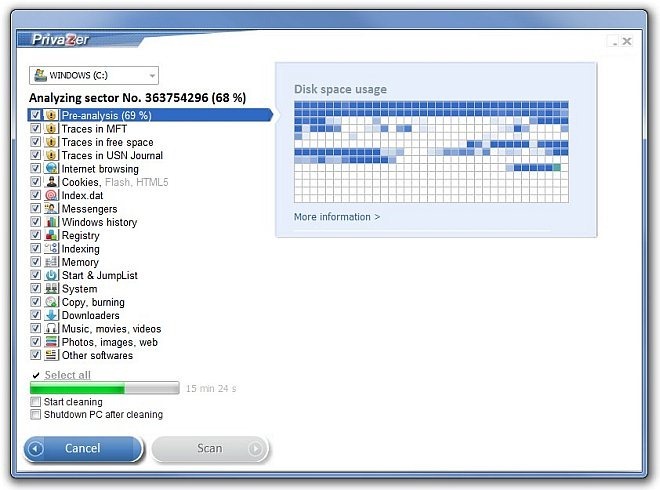
System cleaners literally add a new life to your PC, as various unwanted file traces, registry keys, invalid programs, browser history and other objects gradually deteriorate your system’s overall performance. Whilst the integrated Disk Cleanup utility comes in handy to get rid of those traces, third-party tools simply provide you with a lot more; for instance, the recently covered Clean Temporary Files, an open source system cleaning tool with myriad of features and top-notch performance, exceeded our expectations. If you somehow didn’t find Clean Temporary Files much useful, or simply were looking for another alternative, try PrivaZer, which definitely won’t disappoint you. The features we found on PrivaZer are unique, powerful and perform as they are being promoted. The In Depth scan is simply amazing, performing a complete system clean up within a few steps. Then you have cleaning options for secondary storage, external drives, USB flash drives, iPod, MP3 Player, SD memory card and NAS, which makes this tool a lot better than other counterparts. What’s more, there’s an integrated file shredder and file recovery option, too. Read More

Eassos PartitionGuru: Create & Manage Partitions, Recover Files, Shred Disk Sectors & More

With every new iteration of Windows, Microsoft opts for many new enhancements to existing tools. Same holds true for the integrated Disk Management utility, which has seen a lot of improvement with every new release. Creating new partitions via Disk Management works like a breeze, and anyone can create a new drive partition within a few clicks. However, various third-party tools go far beyond than what Disk Management has to offer, by throwing in plethora of additional goodies. If you’re looking for a feature-rich disk management tool, then you have probably hopped onto the right place. Meet Eassos PartitionGuru, a partition management application that does the job it’s supposed to do, and does it surprising well. Apart from creating (or deleting existing) partitions, of course, the application emphasizes on a number of additional features that are not to be found on other free tools, such as Partition recovery, Partition cloning, file shredding, file recovery, building USB bootable disk, verifying and repairing bad tracks, and much more. We all know that how RAID improves data read/write speeds, but this comes at the cost of higher risk of data loss (in case of power failure). Folks who run their hard drives on RAID would be pleased to know that this application also offers RAID support, and thus provides recovery from your RAID drives. Read More

Recover Lost Disk Partitions & Deleted Data Using Eassos Recovery

It happens quite so often that we accidentally delete files from the computer that we did not mean to. For this reason, it's highly advisable to create backup of your important files. In the past, we have covered some great backup and restore tools, which allow you to easily create backups of important files and folders and recover them later in case the original ones get deleted. However, if you're not among those who regularly backup their important data, and have accidentally deleted some critical files, you can use file recovery utility. The file recovery applications are designed to recover deleted files and folders. You may know that whenever you delete a file from a storage device, only the reference to the file's data in File Allocation Table is deleted, and unless more data is written over it, the content is not erased from the disk. That's the reason why the deleted data can be recovered. Today, we have a file recovery application for Windows called Eassos Recovery, which provides you with a step by step wizard to recover files, lost partitions, disks and data deleted from the Recycle Bin. Details to follow after the break. Read More

Undela: Easily Recover Deleted Files From Removable & Local Hard Drives

The data recovery utilities are designed to scan the free space (created by the OS after removing the data pointers to the files) in order to recover the deleted files and folders. Often, we come across situations where we need to restore a deleted file. Since the original file can be restored only before any data is overwritten on that space, you can use an application that checks the free space for deleted files and provides you with a list of files that can be restored. In the past, we have covered a simple, yet powerful data recovery tool named Recuva that can recover Pictures, Music, Documents, Videos and other files even after they have been removed from the Recycle Bin, but if Recuva hasn't been able to recover all the required data from the hard disk, you can consider giving Undela a try. Read More

How To Recover Lost Partitions And Hard Disk Data [Guide]

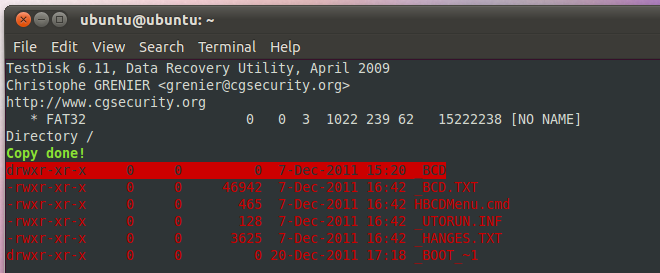
In our previous guide on securely wiping the hard disk and removable media via Ubuntu Live and DBAN boot CD, we discussed that Windows based disk shredding applications don’t allow wiping the disk partition where Windows is installed. Similarly, there are a great deal of data recovery applications available for Windows such as Recuva, Power Data RecoveryUndelete 360, RecoveryDesk etc, which can seamlessly perform the data recovery operations over not only auxilirary disks, but also removable disks including USB drives, external hard disks, SD cards and so on. What if you want to recover data from disk partition that holds Windows? What would be the most convenient way to run disk recovery operation over an entire disk (including all basic, extended, logical partitions and unallocated space), especially when system fails to boot up? Read More

Recover Your Deleted/Lost Files On Android With Undelete Beta

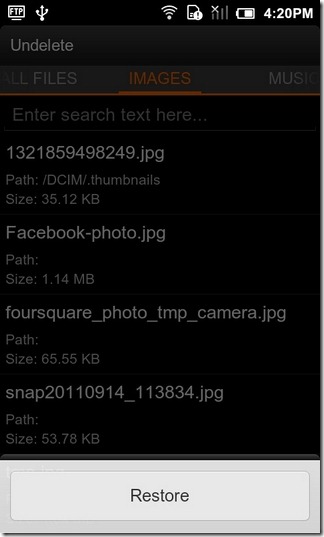
Looking for an effective way to recover your lost/deleted files on Android? Thanks to the efforts of Fahrbot Mobile – developers of the feature-packed Call Master app – we now have a file recovery tool for Android called Undelete that lets you easily retrieve deleted files of your device’s storage as well as SD card. The app, currently in beta, works only on rooted devices, and supports just the FAT format. If you have a Tegra 2 device, you would be able to use the app with external SD only. Although the app has capacity to recover almost any file type, including images, videos, music or archives/binaries etc, the only caveat in achieving said purpose effectively is that no further data must be written over the disk location where the deleted files were stored. Read More

Recover Deleted Windows Registry Keys From Selected Hives With Yaru

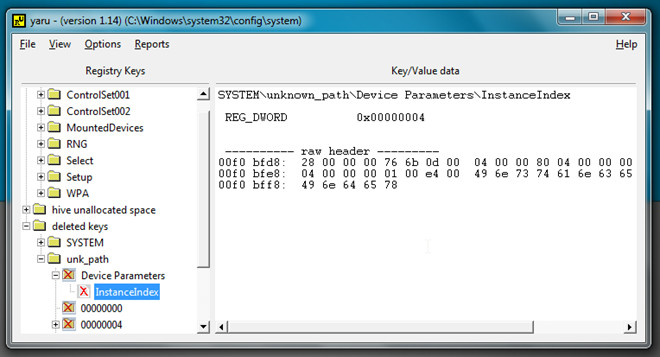
Tweaking with Windows Registry requires in-depth knowledge about registry hives. Users who need to tweak with Windows or installed applications behaviors, reveal hidden features, and change non-customizable utilities’ settings are always advised to backup all relevant registry keys before making changes, so they can be easily restored if any system catastrophe happens. But what if you failed to backup your registry? Yaru (Yet Another Registry Utility) helps in restoring previously deleted keys from user-selected registry hives.
Note: Yaru is a low-level registry tool which is only meant for proficient Windows users. Before tweaking with keys and settings through it, make sure that you’ve ample understanding of Windows core registry hives.
Read More

Recover Files From Damaged Disk Partitions And CD / DVD Discs

Data recovery from your auxiliary storage disk, external hard drives, SD cards, USB drives can be performed through many tools available out there. We have also advocated some prominent utilities in the past, such as, RecoveryDesk, Restore Deleted Files Now, Undelete 360, and Recuva, but seldom do we come across a tool which claims to be efficient enough in recovering data from damaged partitions or partially broken storage mediums including optical discs (CDs/DVDs), disk drives, etc. Power Data Recovery is a rare addition to our recovery tools archive, which upholds the idea of recovering precious data from damaged and lost disk partition whilst letting user retain files back from CD/DVD. With this tool, data can be recovered in numerous ways and from multiple types storage mediums. Moreover, It allows user to filter files by extensions, by size, and creation and modified date / time. Read More

Disk Drill Is Completely Free Data Recovery Software For Mac

Disk Drill is a new application for Mac which not only recovers your hard drive, but also your partition, damaged files, photos, and any type of media. It can recover data from HFS/HFS+, FAT, NTFS, and other file systems right from your Mac. Apart from recovery, it also protects your data from unexpected loss by using build-in Recovery Vault. Read More

Easily Recover Your Lost Data With RecoveryDesk

RecoveryDesk is a multi-lingual data recovery utility, which comes in handy to restore deleted files without much effort involved. Unlike other recovery tools available, it is small and efficient data recovery tool to restore precious data exhibiting complete files/folders tree structure. It allow users to completely scan the system for deleted files & folders and let them choose specific files & folders. While supporting almost all File allocation structure (FAT 16, FAT 32, NTFS, etc), it is capable of recovering data from other removable media such as; SD cards, CompactFlash, Multimedia Card (MMC), and a lot more. Read More

Recover Deleted Data, Files Or Photos For Free With Recuva

Did you accidently delete a photo from your digital camera, memory card, or hard disk? Maybe you accidently deleted an important file from your computer? In both cases, you can recover any type of lost data with a free windows utility. Recuva  is a great little application that recovers all your deleted files with a single click, it even recovers the data that have been deleted from the Recycle Bin.

Read More