Get Highly Customizable Grabber-Like App Shortcuts On iOS Lock Screen With Axis

Lock screen launchers for iOS are pretty popular among the Cydia community these days, but with tweaks like Atom, there is always the possibility of inadvertently launching apps due to lack of proper preventive measures. To avoid this, a lot of people prefer Grabby - the popular tweak that adds four camera grabber-like app shortcuts to the lock screen. While Grabby is great, there are a few areas where it might have been a little better, or at least that is what trying out Axis has made us realize. Axis is pretty similar to Grabby, but offers a ton of customization options that aren't there in any of its competitors. To make the shortcuts look good, there are plenty of icon choices available for each shortcut. You can pin any app that is installed on your iDevice, and most of the popular ones have custom icons of their own to help users spot them at one quick glance. Axis also lets you pin one app more than Grabby to the lock screen, which offers four slots. Read More

SubIc0ns Adds A Gesture-Enabled Side Bar Of App Shortcuts To iPhone

There can be no denying the fact that Cydia tweaks that are loaded with features usually end up garnering a lot of attention and popularity, but an average user is rarely after all the extra baggage that comes with these feature-rich tweaks. Cydia packages that stay on our iPhones for long periods of time usually focus on providing just one or two features to users, and this is why SubIc0ns might have a chance of gaining popularity despite the presence of the seemingly better Deck tweak in the jailbreak store. Deck lets users place a bunch of system toggles and app shortcuts on the SpringBoard, but SubIc0ns focuses just on apps, and that too in a really uncomplicated manner. The tweak is really simple, and doesn't come with too many configurable options, making it something a lot of users will feel comfortable with. SubIc0ns can be invoked using any Activator gesture of your choice, making sure that the shortcuts collection remains accessible even on the lock screen or within apps. Read More

Atom Adds A Sleek Custom App Launcher To The iPhone Lock Screen

All it takes is a single app or tweak to bring a certain genre back in vogue. Prior to the release of JellyLock, there hadn’t been a similar tweak released in the Cydia store for a long time, but now we have an even newer way of adding useful app shortcuts to the iOS lock screen. atom lets you pin six apps to the lock screen, and to make sure you don’t end up launching them by mistake, it uses a clever dragging gesture to get to the shortcuts. To make the unlocking mechanism conforms to the rest of the tweak, atom adds the unlock shortcut in the middle of the app icons, which looks pretty neat. atom might not have as many customizing options as ICSLock Pro, but its default look is good enough to keep most users satisfied. Read More

Create Customizable System Tray Shortcuts For Any Windows App With Tray Tools

Your possessions often end up defining you just as much as you define them, be it your couch, your car, your cat, or even your computer. Especially your computer, since it is essentially a digital extension of you. Most of us prefer to keep our possessions clean and tidy, yet miss out on applying the principal to the contents of our computer. Simply keeping your digital content neat and clean can go a long way in enhancing your productivity. Tray Tools 2000 aims to help you with that by letting you add shortcuts for your programs as small icons in the Taskbar's system tray area, thus reducing desktop clutter. Read More

Easily Add Favorite Google Services Shortcuts To Firefox Toolbars

Google’s black bar that appears at the top of all its services is a convenient way to quickly access the major Google Services you use, but it isn't necessarily loved by everyone. It's safe to say that some users find it both ugly and distracting since your Google Plus updates are always there to divert your attention from the task on hand. There are also those who find the black bar indispensable, and you might even find some complaining about the bar not being omnipresent across the internet. Google Shortcuts is a Firefox add-on that fixes this; it provides you with Google Services’ buttons that you can place in your URL bar. Users choose which buttons will appear there, so that they aren't bothered with services they don’t use. Provided you're signed in to your Google account, your Google Drive, Calendar, and mail become just a click away. Read More

Organize Apps, Files & Folders Into Dock-Like Menus On OS X Desktop With DockMenus

The Dock in OS X is where your favorite apps and folders go, providing quick access to apps and files that you need frequently. Though apart from being limited in capacity, it also wouldn't let you group apps together unless you put them into a folder, and doing so means losing quick, one-click access to them. DockMenus is a Mac app worth $2.99 in the Mac App Store that gives you extra docks. You can create any number of Dock-like menus and add apps, files or folders to them. The menus can be named, set to stay on top of all windows, and snapped to the side where they disappear much like the default Dock’s auto hide feature. The menus can also be ‘pinned’ so that their position isn’t accidentally changed. You can also add Trash to a menu, and dragging & dropping a file its icon will send it to Trash. The opacity of a menu and its background can be changed from one of the presets available in the menu’s settings. Read More

Easily Fix Or Delete Broken Desktop & Start Menu Shortcuts

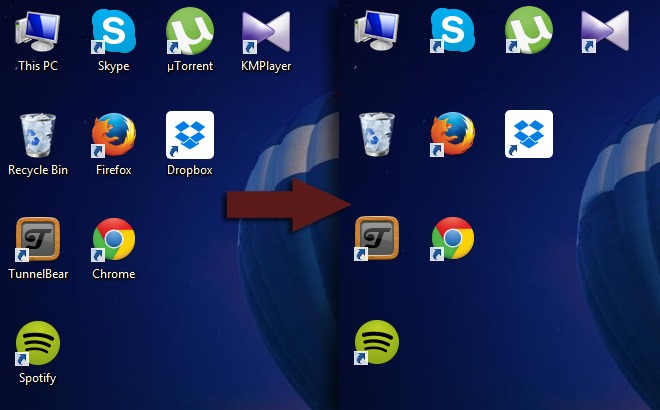
We all tend to create desktop shortcuts of our favorite applications and files for quick access without having to go to their actual location on the computer. Though sometimes, while moving a file or program from one location to another, one can simply forget to relink the shortcut to its associated item. Likewise, sometimes after removing an app, Windows Add/Remove Program utility doesn’t remove any of its manually created shortcuts. If you frequently face this issue or have various broken shortcuts lying around on your desktop or Start Menu, we've got a tool for you that might help out. ShortcutsMan is a nifty little application that automatically scans all the shortcuts on your desktop and Start Menu, highlights the broken ones as red, and provides you options to fix or delete them. Read More

10 Firefox Shortcuts For Faster Navigation & Feature Access

Browser shortcuts are pretty standardized. Unless you’re working on different operating systems, it isn’t likely that you will have to learn new keyboard shortcuts when you decide to use a different browser for a while. Chrome and Firefox - two of the most popular web browsers - have very similar keyboard shortcuts, but if you were to compare the two, Firefox has quite a few extra ones, some of which you might just like in Chrome and a few other browsers. Apart from the normal keyboard shortcuts for navigating web pages, or just using the basic Firefox features, here is a list of ten other shortcuts that work in the latest version of Firefox (and probably will in all future versions to come). Read More

Keyboard Shortcuts Manager: Easily Create Custom Key Combinations In Windows

The basic purpose of keyboard shortcuts is to save time normally spent in navigating Windows using your mouse and keyboard. An action, such as opening a window, a menu or a settings panel, which might normally take you 5 or 6 clicks or keystrokes, can be performed in a much lesser time by pressing down a couple of keys on the keyboard. There are some built-in shortcuts in Windows, such as Ctrl + C to copy files, and Win + D to show desktop, while some third party programs allow you to create custom shortcuts for opening programs, URLs and accessing different settings. In 2009, we featured an article with a list of 30 Windows 7 hotkeys. Previously, we have covered different keyboard shortcut related applications, including KeyRocket, an application for Windows that recommends you keyboard shortcuts to use when using different programs and suggests the useful ones when you are working, and KeyboardExt, a versatile tool that allows you to completely manage keyboard shortcuts, launch applications and do a lot more. However, if KeyboardExt is too complex for your simple needs, give Keyboard Shortcuts Manager a try. It is an application for WIndows that allows you to create and edit shortcuts to perform system actions, open different windows and URLs. Read More

Speero: Gesture Activated System Toggles, Shortcuts & App Switcher For iPad

SBSettings might be perfect for the smaller screens of iPhone and iPod touch devices, but it loses some of its awesomeness if you try using it on an iPad. The tweak is not optimized for big screens, and that makes it a little less useful, and a lot less pleasing to the eye. However, as there is no good alternative available for it on the iPad, jailbreak users are forced to keep using SBSettings. Not anymore! Speero is a tweak that has the potential to replace SBSettings on iPad. The tweak has a lot of system toggles, app shortcuts and other similar features. In addition to that, one thing that really sets Speero apart from SBSettings is the presence of App Switcher within the tweak’s menu. You can also add app shortcuts and customized actions to the mix. Read More

Launch Multiple Apps & Websites With A Single Keyboard Shortcut [Mac]

App launchers and shortcut creating tools are some of the best types of apps to use if you’re trying to organize the way you start work, simplify launching apps or maybe impress any onlookers when you’re working on your Mac. Either way, apps like these are very popular and occasionally pricey, and, sometimes, ugly and complicated, too. Launch it! is a free Mac app that lets you launch apps with shortcuts you add yourself for each one. You can record URLs to open as well and when the associated shortcut is pressed, the website is opened in your default browser. If the browser isn’t running, the app will launch it. Launch it! runs in the Menu Bar, has no Dock icon and is perhaps one of the easiest apps to configure. You can add as many apps and websites as you like. The app will not warn you if you record a shortcut that is already in use by the system and will override system shortcuts. Read More

Place Widgets & App Shortcuts On iPhone Lock Screen With AnyLock

The introduction of Notification Center in iOS 5 really made widgets popular among users of jailbroken iDevices. There are many NC widgets available in the Cydia store, and tweaks like Dashboard X have gone one step further by bringing widgets to the iPhone Springboard. AnyLock is not a competitor of Dashboard X, as it does not add widgets to the Springboard, but the functionality it offers is rather similar to Dashboard X. Users of this new tweak will be able to customize the lockscreen of their iPhone by placing any widget or app icon there. If that isn’t enough for you, you can even choose to remove a few stock features of the lock screen, in order to optimize it for the accommodation of more app shortcuts and widgets. Read More

AnyMenu: Open Frequently Used Files & Programs via Middle Mouse Button

Shortcuts placed on your desktop allow you to have an easy and quick access to the frequently used applications, files and folders. Right now, when you have to open a program, for instance Skype, you just click either its desktop icon, or taskbar shortcut, depending on where you have placed it. Now, imagine if, instead of just clicking the shortcut, you had to open up the Windows Explorer and locate the Skype installation folder inside the Program Files directory and run the application from there. A lack of shortcuts would have taken a lot of time to perform simple tasks. However, like me, a lot of people like to keep their desktop as clean as possible. Shortcut Managers are a decent solution to this problem. They allow you to have both have shortcuts and keep your desktop clean at the same time. Today, we have a simple, portable application, called AnyMenu, which lets you have a custom shortcut menu that can be brought up by clicking the middle mouse button. You can add custom shortcuts for files, folder and applications, and create submenus for organizing similar shortcuts together. Read More

RapidLinks: Create A URL List & Access It From Anywhere Using An Activator Gesture [Cydia]

It is almost impossible to overemphasize the importance and usefulness of Activator. It plays an essential role in the working of many Cydia items, and the latest to benefit from the gesture control tweak is RapidLinks. This new Cydia tweak allows users to create a list of their favorite URLs, which can then be accessed from anywhere in iOS by simply performing a selected Activator gesture. This means you don’t have to launch Safari, tap the address bar and then key in the address of your favorite websites; you just have to use the designated gesture to access them all from one place. This functionality is pretty similar to the Add to Home screen feature in Safari, but the RapidLinks tweak can prove to be more useful than that as you don't have to create separate entries for single URLs, and in addition to that, the gesture control supported by the tweak makes the whole thing more accessible and streamlined, in addition to keeping your Springboard uncluttered. Head past the break to learn all about this time-saving and useful Cydia tweak. Read More

CheatSheet: View A Complete List Of Keyboard Shortcuts For Any App In Mac

Shortcuts are remarkably convenient, and discovering a shortcut is possibly the equivalent of panning for gold and finding a large nugget. New and neat tricks in Mac are discovered all the time, since there isn’t a very detailed official manual of all the cool things you can do on your Mac using just the keyboard. The same goes for apps; normally, shortcuts for apps that work in the Menu Bar can be found in their preferences, but that is true only for the select few that are well developed. For apps that work from the Dock, there’s no simple way of finding all shortcuts. CheatSheet is a free Mac app that makes it easy to view keyboard shortcuts for any app. It is particularly useful when you install a new and complex app that will likely take time to learn. Read More

Windownaut For Mac OS X: Window Management via Keyboard Shortcuts

Window management in OS X is something that third-party developers have been trying to fix for quite a while. Assigning apps or windows to desktop spaces is the Apple way of doing it, but honestly, that is focused more on capitalizing on the full screen feature in Lion rather than to help utilize display real estate when working with wide screen monitors. Windownaut is yet another one of those remarkable window management apps for Mac, worth $4.99, which rely heavily on shortcut keys and allow you to define a shortcut for each region that you can move a window to. Understandably, it isn’t easy to remember so many shortcuts, which is why the app has the added feature of viewing the different layouts along a window’s title bar. Read More

Keyboard Shortcuts For Gmail, Twitter, Dropbox, Facebook & YouTube [Web]

Who doesn’t love a nice, convenient hotkey? I personally think the only thing that can replace keyboard shortcuts (on PCs and Macs), could be the ability to transmit commands via brain signals, and that doesn’t appear to be happening any time soon. Keyboard shortcuts have transcended beyond desktop, and work on many websites and web apps, making it easier to navigate them. Almost all popular sites support keyboard shortcuts, and the following is a simple compilation of keyboard shortcuts for Gmail, Twitter, Dropbox, Facebook, and YouTube, some of the most visited and used portals across the world wide web. Since they are shortcuts, there isn’t much of an opinion to have about them, but for what it’s worth, this list is arranged with respect to which site has the best to worst keyboard shortcuts. Read More

CmdTab: Access Useful iOS Shortcuts From Anywhere Using Gestures [Cydia]

Seems like these days, the developers over at the Cydia store are really interested in providing jailbroken iOS users with a lot of handy shortcut tweaks for their iPhone, iPad and iPod touch devices. This assertion is supported by the likes of Deck, Appswitch and even Imperium to some extent. Now, another tweak has joined the rank of Cydia tweaks which are focused on bringing shortcuts to iOS devices, and providing users with a replacement for SBSettings. While CmdTab isn’t anywhere near as comprehensive as SBSettings, or even Deck, the tweak has a strikingly beautiful interface and lists some of the most used shortcuts for easy access. CmdTab is compatible with Activator, and uses an Activator gesture to be invoked. Read More

NCSettings: Elegant System Settings Toggles For Notification Center [Cydia]

Designed to let users toggle system settings quickly, SBSettings is undoubtedly one of the most useful Cydia tweaks for jailbroken iPhone, iPad or iPod touch. The tweak is so popular that there are many others that try to emulate its functionality. It is always convenient to have an easily accessible way of using Settings without having to launch the stock Settings app, and navigating through a lot of options. With the release of iOS 5, Notification Center became the most easily accessible area of iOS, other than the Springboard. This is why the new Cydia tweak named NCSettings might prove to be an instant success among users, as it provides yet another way to bring system settings toggles to the Notification Center, and the icing on the cake is that it fits perfectly with the stock UI. Read More

Grid: Snap App Windows To Any Screen Corner via Shortcut Keys [Mac]

Divvy is a very popular app window manager for Mac that costs $14.99, which is more than most people would be willing to pay just to snap their app windows to the side of their screen. The app is definitely feature rich, enough for it to be ported to Windows in the form of Windy, but if you’re looking for a similar app that’s more affordable or free, Grid might be a possible solution. Grid is a free Mac app that lets you use keyboard shortcuts to snap a window to one of four screen quadrants. Unlike Divvy, it doesn’t let you record shortcuts or divide the screen into custom parts for window resizing. It does, however, let you snap windows to the side, and resizes them automatically. Read More