Cairo Dock Is A Mac Style Dock For Ubuntu Linux
Unity has no doubt added eye-candy to the Ubuntu desktop, however, it has also made it slightly more recourse intensive. Moreover, there have been functionality issues associated with Unity. A better alternative can be to use Cairo Dock (also known as GLX Dock). It is a Mac style dock for Ubuntu, which has now been upgraded to version 2.3 with new applets. It is fully compatible with the latest Ubuntu 11.04 and I personally found it much quicker than the Unity launcher. You can use it with the classic Ubuntu style or Unity 2D. However, once you have installed Cairo Dock, obviously you wont be needing Unity launcher. Another good feature of Cairo Dock is that it also works as a task manager like Avant Window Navigator. However, it is more feature rich than the former, with a MintMenu, Drop to Share and Messaging Menu applets, keyboard indicator, Ubuntu Me Menu, Network Monitor, weblets, Application Menu, notification area, Power Manager, Terminal, System Monitor, Shortcuts Administrator and much more.
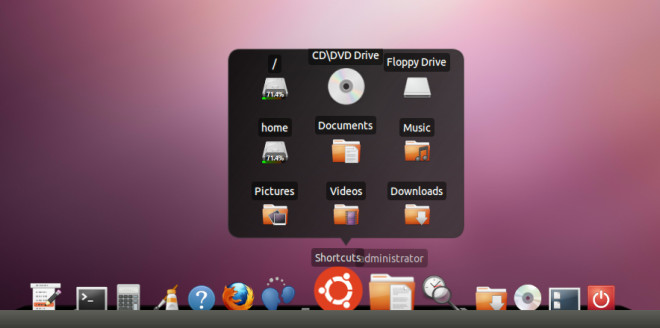
You can get Cairo Dock from the following command line or the download link at the end of this post. Please bear in mind that it requires being launched from Applications –> System Tools (after installation).
sudo add-apt-repository ppa:cairo-dock-team/ppa

sudo apt-get update

sudo apt-get install cairo-dock

How can you uninstall it
copy/paste this into a terminal:
sudo apt-get remove cairo-dock
+1 for this dock, a very great replacement for Unity !
You can even customise it to look like Unity (a kind of “Super-Unity” with many valuable features).
It’s strange to keep the gnome-panel above the dock but note that you can easily remove it by right clicking on this black panel / Remove this panel 😉
I like the Gnome Panel.
Well, if you like the Gnome panel – and so do I – in fact it’s quite easy to change Cairo Dock’s setting so that it floats just above the panel (you can set the vertical position with pixel precision, and use auto-hide so that the dock won’t interfere with your working windows)…
Auto hide is enabled by default in Cairo Docks.