Access Windows 7 Local Settings Folder
A short tip for Windows XP users who have migrated to Windows 7, the local settings folder has been moved. If you are trying to access the Local Settings folder at the following destination:
C:\Users\<User Name>\Local Settings
then you are looking at the wrong place. You will get the following error message, “Location is not available” or “Access Is Denied”.
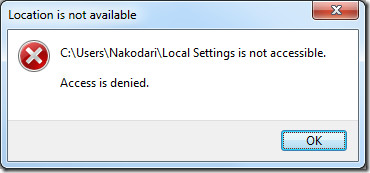
In Windows 7, the Local Settings is a junction point, i.e, a hidden and protected OS system file that is not meant to be accessed by the users. Instead it points to a user-accessible folder at the following destination:
C:\Users\<user name>\AppData\Local
If you are trying to find some files saved in Local Folder, make sure you are looking in the right place.
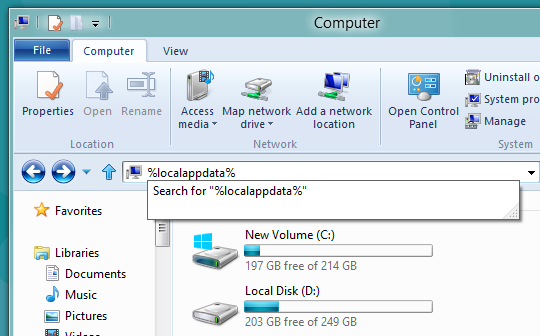
Update: As the reader points out below, the quickest way to access the Local Folders in Windows 7 is to type %localappdata% in Windows Explorer and hit Enter. Thanks Wander!

thank you thank you thank you thank you for this!
i wot to open local settings. i know it’s recovery folder. but anyway. i wot 100% control of my PC
After a long search I found your solution/ explanation. Thank you very, very much!
Really great, it helps!
Thank you brother
Yeah, it’s because there’s a “deny list permission” on local data by default.
Great,
Thanks.
click right on the folder “local settings”, in properties\security tab\, everyone has a restriction, simply take off that restriction, and you will can access the content, but, i don’t know why you want to go there
@peter brady: hey lamer – no, you are wrong: even when you set those acceesses you still won’t be able to open that folder(s), moron 😛
thanks!
thanks, it works. i am a MCITP certificate holder yet i don’t know this. thanks anyway.
yes that works great! again microsoft tries to make it difficult for the basic user, but the hackers still know how to work around anything
Just always use %localappdata%, i believe that works in all latest windows versions
Wander you are so right.