Auto Disable Mouse Touchpad When Typing
It is a common annoyances with netbooks and laptops which lack the disable touchpad button. Most blogs out there are covering a single method to disable the touchpad, i.e, go to Control Panel > Mouse Properties and then disable the touchpad from there.
The above method is not suitable for those who need to disable the touchpad frequently for short periods of time. Who in his/her right mind would navigate back and forth just to enable/disable touchpad? This could be quite a hectic process.
TouchFreeze is a brilliant little app that solves this problem. It disables the touchpad temporarily the moment a keystroke is pressed. In layman’s term, it disables the touchpad automatically when you are typing and enables it back when the typing is stopped.
It will sit silently in the system tray without disturbing any of your work. Just start typing and don’t worry about the touchpad any more.
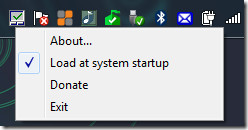
I prefer using this app even though my notebook has a disable touchpad button. Please note that this app might not work with certain laptops, but should work with most netbooks and laptops that lack the disable touchpad button.
It works on Windows 2000, Windows XP, Windows Vista, Windows Server 2003/2008, Windows Server 2008, and Windows 7. Enjoy!

I need the opposite. my pad turns off when typing and it makes playing games very frustrating. Please help. im on a emachines windows 7
This thing does not work, the touchpad of my dell latitud is still ruining my pathetic life!
Awesome! Thank you
Thank you very much
This is freaking beyond awesome. Took only a couple of minutes to download and install and instantly stopped me from the horrendous frustration of my cursor having a life of its own. I can’t thank you enough and my netbook is now functional and likely not to go in the bin! Totally great program and not a single issue with its running as yet!
Thank you!
And look, I typed all that and it still appears in order on the screen. Did I mention awesome yet?
u know what i have fustration with, when the company auto has this on the laptops and doesnt have a function to remove it, cause im trying to play a game on the damn laptop and if i try to strafe and with the keyboard, and trying to aim with the mouse my mouse locks up and makes it so i cant turn now thats just stupid, this function is the worse thing i have seen yeh maybe for businesses, but it should come with a turn off switch. like how dumb can a person be to not put that in its common sence that someone may not like it.
Love this program. Saved me so much headache while blogging. THANK YOU!
I recommended you on my site: http://www.zachstravels.com/archives/1336
You can also try “Paradisoft Touchpad Locker”
Thank You NewHope for mentioning the Paradisoft Touchpad Locker. TouchFreeze wasn’t working for me on Windows 7, but Touchpad Locker works.
I updated my Synaptic drivers to the latest from their website… did the charm
I had the same frustration as lostboykev and richriot where my computer was simulating this behavior automatically. I constantly found myself having to wait for my mouse to “unlock” after I typed a search in my browser and it was *very* annoying.
I have a Lenovo Thinkpad W510 and I uninstalled the Ultranav driver and installed Synaptic’s generic driver off their website. I still have all the features that I had with the Ultranav driver (plus more) and it doesn’t have the annoying delay.
arrgh i have a acer timeline 5810tz… with windows 7.. for some reason this feature is on my system without using your program…. I hate it…. it lowers my productivity when im typing and wanting to switch over to mousepad which takes a second to “renable”. Does anybody know why this is? I have a synaptics touchpad…. Note: again i have never used this program…
Doesn't do a thing on my notebook… Can type all I want, tray icon stays the same, touchpad not disabled. Got not special drivers installed for my touchpad, how about you guys?[Windows 7 x64]
arrgh i have a acer timeline 5810tz… with windows 7.. for some reason this feature is on my system without using your program…. I hate it…. it lowers my productivity when im typing and wanting to switch over to mousepad which takes a second to “renable”. Does anybody know why this is? I have a synaptics touchpad…. Note: again i have never used this program…
Doesn't do a thing on my notebook… Can type all I want, tray icon stays the same, touchpad not disabled. Got not special drivers installed for my touchpad, how about you guys?[Windows 7 x64]
arrgh i have a acer timeline 5810tz… with windows 7.. for some reason this feature is on my system without using your program…. I hate it…. it lowers my productivity when im typing and wanting to switch over to mousepad which takes a second to “renable”. Does anybody know why this is? I have a synaptics touchpad…. Note: again i have never used this program…
Lostboykev have you found a soloution to your problem i feel the same way : ( please reply
Same here! Email me if you found something… frogboythatsme@yahoo.com
Doesn't do a thing on my notebook… Can type all I want, tray icon stays the same, touchpad not disabled. Got not special drivers installed for my touchpad, how about you guys?[Windows 7 x64]
mine tooo
Nice! You guys posted my suggestion! 😉
Awesome! Thank you for this, you've saved my touchpad from certain death (as I was going to kill the darn thing pretty soon 😉