Change Default Printer For Different Print Jobs
Do you have multiple printers connected to the system and want to use each of them for different print jobs? Suppose you want to use “Printer A” when printing a PDF document, “Printer B” when printing an image, and so on. Instead of having to manually switch the printer, wouldn’t it be easy if an application can do it automatically for you.
Automatic Printer Switcher, as the name says, is a tool where you can map a printer to a specific window. The application will then monitor the open window and make the selected printer, the default.
Once you start the program, click Add Program and a new window will pop up listing all open windows. Select one window from the list and choose the printer before clicking Add Mapping.
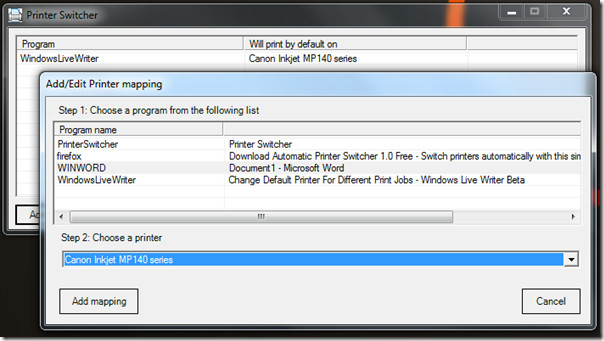
When done, you will find all printers mapped with the windows on the main interface. You can change the printer, remove program, or choose to set a default printer.
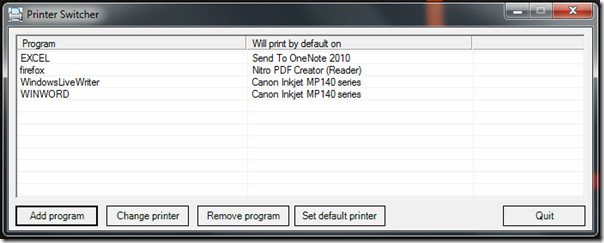
When minimized, it sits silently in the system tray monitoring the open windows. It is a useful tool for corporate users since they do not have to worry about mistakenly printing the document in a wrong printer and then cancelling the print job. All you have to do is, click the Print button and the application will automatically assign the mapped printer as default, and then use it to print the document.
The application is not portable. It works on Windows XP, Windows Vista, and Windows 7. We tested it on our system running Windows 7 32-bit.
For more useful printing tools, check out PrintConductor and Stalled Printer Repair.
