Change Windows Desktop Icons Into Explorer List View
A lot of us have an habit of throwing files on the desktop for quick access. What happens when the desktop gets cluttered and there is no more space to add files, shortcuts, and applications? One solution is to use Ctrl+ Mouse Wheel method to make icons smaller (read the tip here) but there is another way which is equally (or better) effective. DeskView is a small portable tool that will change the Windows desktop icons into Windows Explorer list view in just one click.
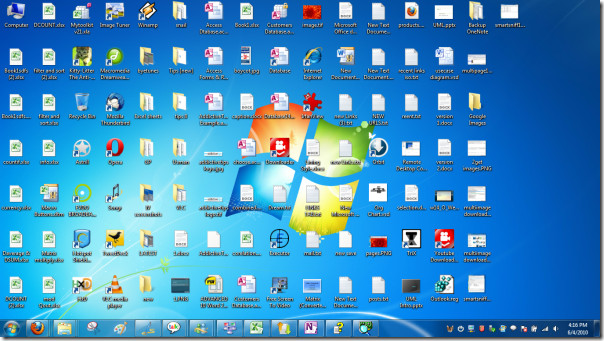
Take a glance at my desktop and note of the cluttered icons. This was before using DeskView.
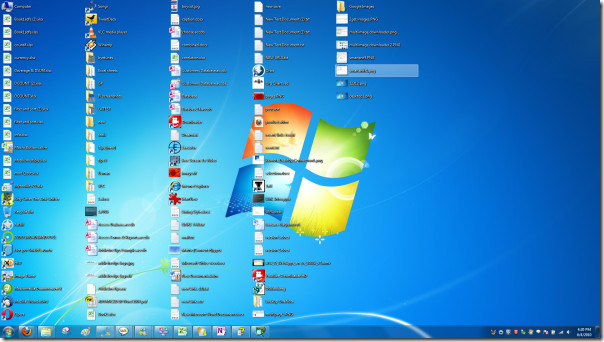
Now take a look at the screenshot below showing the icons in list view, thus maximizing the desktop area. To revert back to the default icon size, you will have to run DeskView again.
It is one of those small tools which does one thing best and makes us wonder why it was not implemented in Windows 7 by default. Note that we tested it on Windows 7 32-bit only. It also supports previous versions of Windows, including both XP and Vista.

this is nice! i like!
Deskview that has been working for 8 months on my 64bit Pro 7 suddenly stopped working today. I will try the alternatives, (i did in the past, and non of them were close to deskview, they all modified desktop really bad in a “column” like mode)
im on 7(64) run “D-Color XP” > set tile icons , then run deskview and you’ll get the same small icons as on XP
I found a great little freeware software and am spreading the word. If you have a 64 bit system then Deskview will not work for you but this does… IconRestorer and it just so happens to have a list-view option which still gives you control over the size of the icons on your desktop! Learn more here… http://helpdeskgeek.com/windows-7/save-desktop-icon-layout/
Finally! I have been spending days to find something that works for 64 bit systems and all i keep stumbling upon is deskview.
Thanks James you’re the boss 😀
Hi All…
Is there no way that this can be done through the registry?..
Regards
I remember using a registry hack in XP that did the same thing & it did help with cleaning up the desktop somewhat. But know that I use Windows 7 I absolutely love using Fences
Not only will it allow you to gain more real estate on your desktop, but it will allow you to organize your icons into subjects as well as hide them when needed.