Free Customizable File Converter And Processor
For users who often need to convert several files or process them in any way across various formats, here’s a life saver tool. File Blender is a portable, extensible, and customizable file conversion and processing tool that is not only free, but also takes the cake in being very light on resources.
As for the software itself, it offers a very plain, straightforward interface for dropping files onto. In the background, the software utilizes external command line programs to convert or process files.
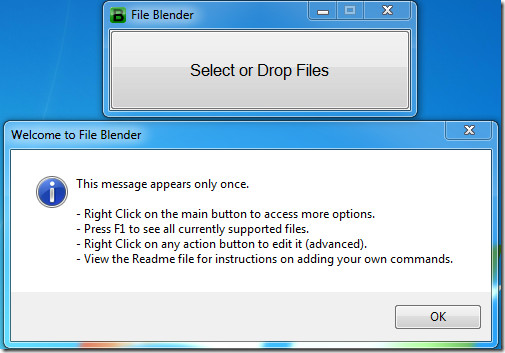
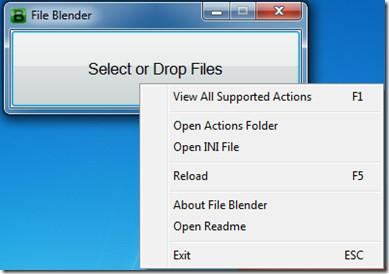
Right-clicking this interface will give further options.
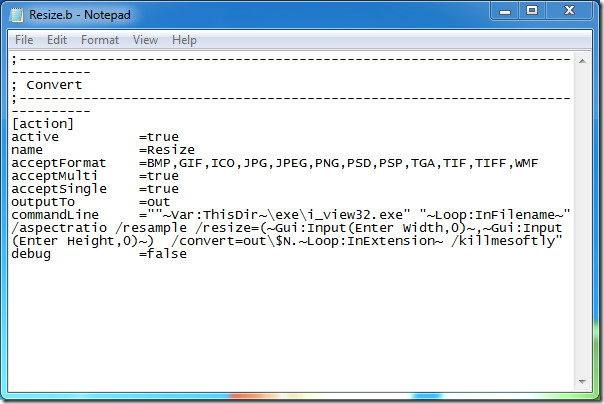
The great part of File Blender is ease of customization. Simply add any program that supports command line arguments to its Actions folder, along with a configuration file telling the software which files should be handled by what action, and how.
The default file is preconfigured with the following actions, and more…
- Image Converter (BMP, JPG, PNG, GIF, TIF)
- Audio Converter (MP3, WAV, FLAC, OGG)
- PDF/TIFF Splitter and Joiner
- JS/CSS Minifier and Obfuscator
A sample of the action configuration file for resizing images is presented below.
The application is portable, in that it consists of just one exe file and another configuration file. The rest of the files users are free to add or remove as per their choosing. Worked fine in our Windows 7 test machine. For more, you might want to have a look at Oxelon Media Converter.
