How To Automatically Restart Crashed Application
If you are a geek like me running multiple applications on your computer, there is a good chance that some app will crash while you are away from your computer. Or perhaps you are running a server and an important app crashes while you are away. Application Monitor is a free tool that monitors the applications you specify, thus whenever your app will crash it will restart again instantly.
All you have to do is run the program and click Add and enter the details about the program you want to monitor.

Finally click Create button and it will be added to the list. You can enter as many programs as you want, but they will not be monitored. To monitor any program from the list you will have to check the checkbox as shown in the screenshot below.
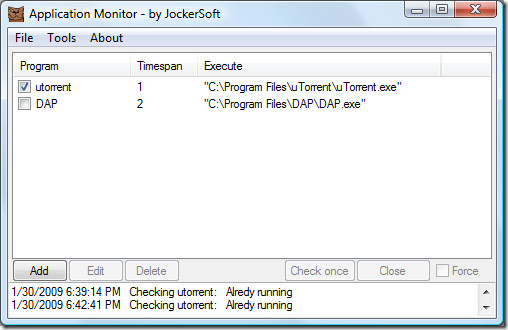
Entering the time span is very important, e.g for utorrent I have entered one minute which means that this tool will check for it every minute, if it is not running then application monitor will automatically start it. If you are running a server and important applications are running 24/7, then you can set the time span for 30 seconds or more/less depending on the applications priority. Enjoy!

I have a similar problem. I’m required to a horrible app called ‘Ruijie supplicant’ to connect to the net. It doesn’t like my VPN and stops every 50 seconds requiring me to click ‘enter’ twice to relaunch it (once to clear an ‘ error XXX has stopped the application screen and once more to relaunch it).
Is there any way I can configure Application monitor to solve this?
the program I am monitoring need to press Enter key or “shift” + “S” after the program lunches. How do I make it work so I don’t have to press the enter key.