How To Backup And Restore Important Files/Folder In Windows 7
In the world of computers, always prepare for the worst. Almost all versions of Microsoft Windows provide some data backup utility but these are limited to some basic features only. Now, Windows 7 provides you with an enhanced utility to backup and restore your important data in a very easy way. Windows 7’s Backup & Restore utility can back up files on the basis of the schedule you set. It can back up files to another drive, over network, to a DVD, etc.
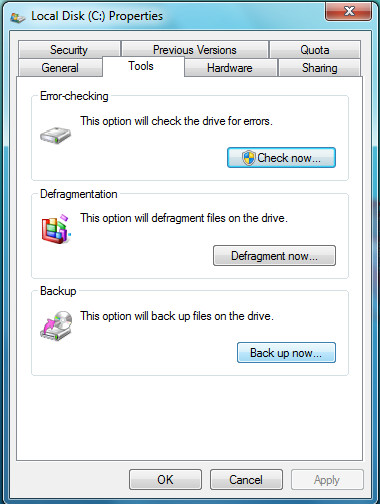
Now to set backup, open Computer, right click the local drive and choose Properties, then click Tools tab and click Back up now as shown in following screenshot.
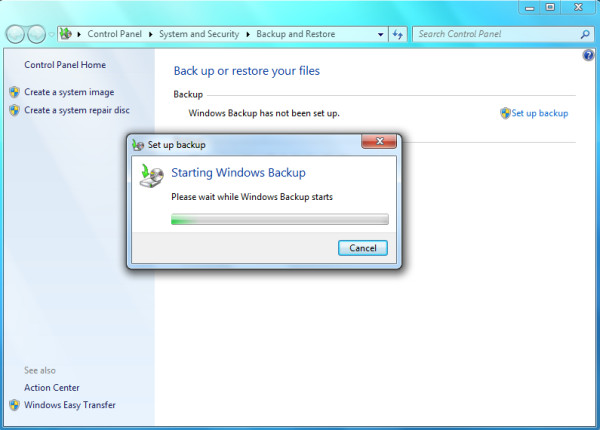
Now in the next window click Set up backup and Windows 7 will start preparing for the backup.
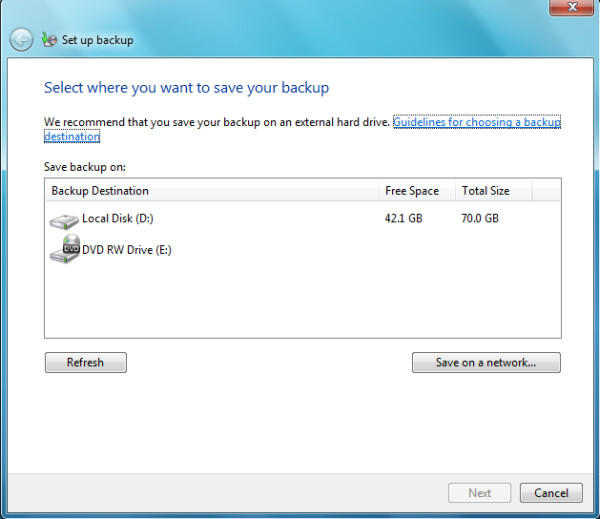
Select the location to save the back up, you can also save it on network by clicking save on network option.
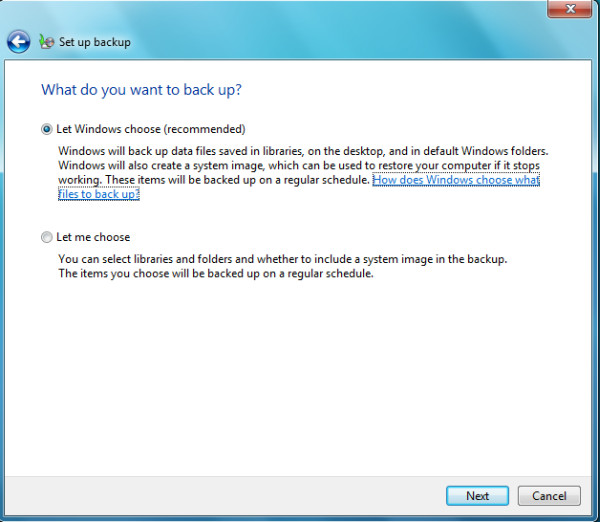
In the next step you will need to choose what data you want to backup – You can choose Let Windows choose (Windows will backup the system files and other important data like libraries etc) or Let me choose (You will need to manually specify which folders to backup). Once done with this setting click Next.
Review you backup settings and click Save settings and run backup.
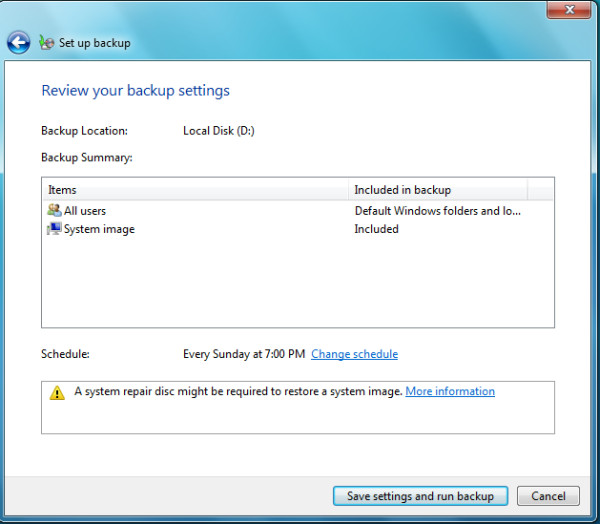
Now windows will start backing up your data on the specified location.
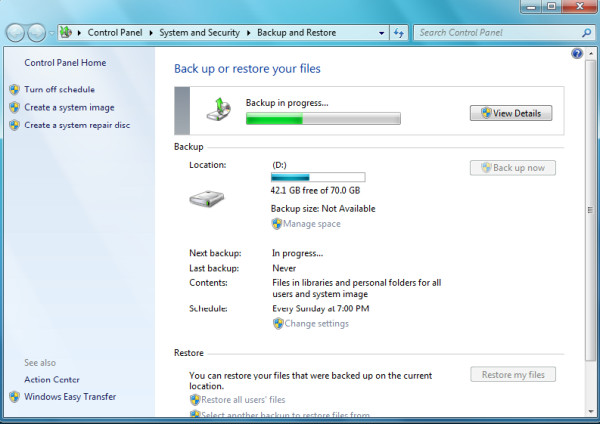
By default it schedules the backup on Sunday, you can change the schedule for the backup by clicking Change settings option located under schedule category. Once backup is complete, you can restore it by clicking Restore my files button. Enjoy!

so after doing this, how do you change what needs to be backed up? (and why isn’t this obvious?)
Great solution another way would be to use SyncToy. http://www.mmncs.com/2011/05/how-to-synchronize-two-folders-on-windows-7-with-synctoy-2-1-a-windows-7-backup-solution-2/