How To Install Windows 8 From USB Drive
Gone are the days when installing Windows from USB was a complicated job. You don’t need to perform any such tweakings today since there are hundreds of 3rd party tools that can do the job for you. Which better tool to use than the one from Microsoft themselves. Yes, you can use the popular Windows 7 USB/DVD Tool from Microsoft to create a bootable DVD or USB device of Windows 8.
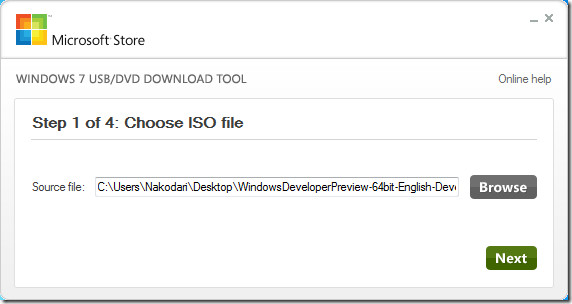
Grab Windows 7 USB/DVD Tool (link given at the bottom of the post) and install it. In the first step, select the Windows 8 ISO file that you downloaded and click Next.
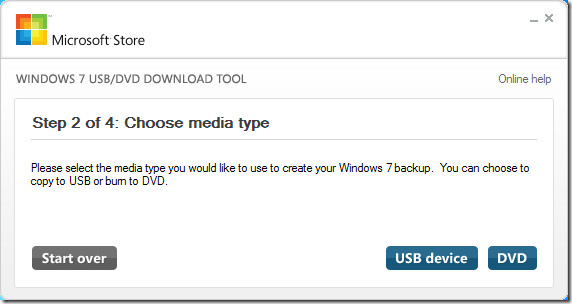
In the second step, click USB device.
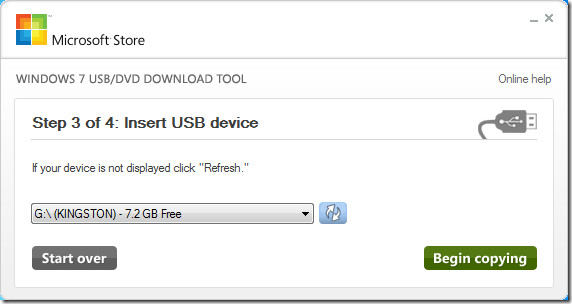
In the third step, select the USB drive which you want to convert into bootable Windows 8 drive and click Begin copying. The USB device must be larger than 4GB.
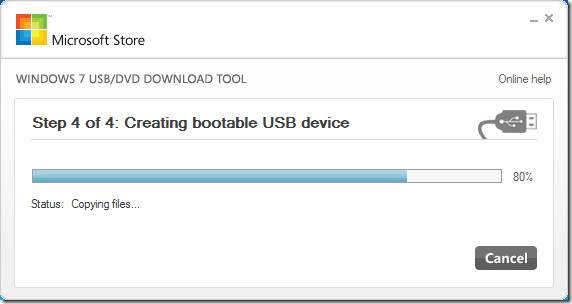
It will start copying the files and after some time your USB will be ready.
That is it. Now restart your computer and boot from USB drive to begin installation of Windows 8. If you are worried about Windows 8 system requirement, then you will be glad to hear that according to Microsoft, the system requirement for Windows 8 will be equal or less than that of Windows 7.
Download Windows 7 USB/DVD Tool

i have problems in my booting…
samsung windows 7
will i able to reboot my laptop after this ?
Will my data lose ?
after upgradation ,can I expect my some data to get lost ?? O.o
Thanks a lot 🙂
Tenso!!
error HDD driver… help!
how big should the usb device be?
USB Device needs to be larger than 4GB.
I have Windows 7 and I want to install Windows 8 DP on my computer, but i want to keep Windows 7.. How to do it? My CPU doesnt support VT, so I cant install on Virtual Machine.. PLEASE reply..
Thanks
Is Usb Just Remove the Usb and boot normally to W7