How To Protect USB Drive From Virus When Attached To Infected Computer
Have you ever attached a USB to a computer and later found out that the drive is infected by a virus? I have definitely faced this situation many times. If you attach your USB drive to the infected computer the virus is transferred to the drive in no time infecting all the important documents in USB drive too, depending on the nature of the virus you may loose important data from the USB drive and never recover them back. But there is a solution to protect your USB drive from virus infection when it is connected to already infected computer.
If you make your USB drive into non writable mode then any kind of data can’t be written to it which means that if a virus infected computer is going to transmit any virus to drive, it won’t be able to because USB drive is write protected.
Write Protect Switch
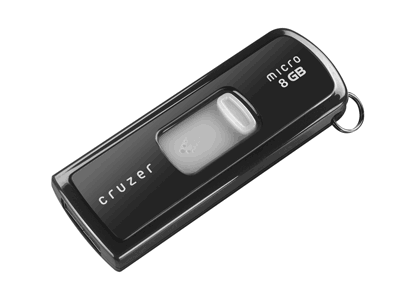
Certain USB flash drives comes with write protector switch in them, using which you can write protect the USB flash / pen drive or make them read only drives. If the write protect feature is missing in the USB flash / pen drive then you can use USB Write Protector utility.
ThumbScrew
Thumbscrew is a freeware application that lets you write protect your USB drive so that virus, Malware, Trojan or any kind of infection from host computer would not be able to write anything on your USB.

Now right click the system try icon and choose Make USB read only. This would make the USB drive write protected which makes it completely protected from infections to to spread onto your drive.
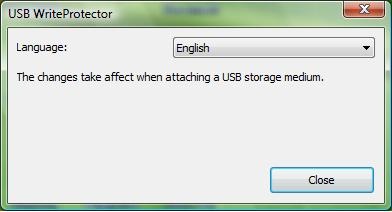
USB Write Protector
USB Write Protector is another free utility that allows you make write protect your USB flash / pen drives just like Thumbscrew mentioned above. This is a very small utility that you can always carry with you in your portable drive.
By these applications your pen drive would be protected on that shared system but it is still recommended for you to use a quality antivirus software, and keep it updated regularly.
Editor’s note: I am currently using AVG antivirus, and my readers prefer NOD32, both are great antivirus software. So you can use any one of them.

still not clear but i will keep on the research to protect my drives. thanks!
OK just a Thought try using a SD Card (they have phisical Lock) so U cant write to them + a SD to USb converter add your files lock it use it IF U must write to it on a unsecure PC say Library OR Internet Cafe try the added layer of protection U get from Panda USB Vaccine and U Can always use attrib +r on the autorun.inf so it cant be modified to load payload.
May not be a total solution but it’s way better than nothing
If I use this softw- I go to cybercafe, and I want to download files from INternet, how can I transfer to the USB to later read at home in my PC? It would be better a filter that prevents any virus to infect the USB.
Most antiviruses scan i/o from connected devices. Futher, many of them are free, so no need to spend money as well. For a list of free antivirus softwares, see here-
http://www.skipser.toolsbysk.com/p/2/p/best-free-antivirus-softwares.html
Visit below link
Http://anupgharat.blogspot.com
You can Protect data in Flash Disk from Viruses use Smadav Anti Virus too
i think using a firewall or a portable antivirus would be a better option to stay safe…check out here http://www.jasica.in/2011/04/bestever-tips-to-protect-your-usb-pen.html
i think “Bitdefender” or “Kaspersky” perfect….today when i returned from my university i scaned my usb by bitdefender and it removed each and every virus present in my usb……and saved my data from destroying….A common virus in my university is that which makes shortcuts of each and every file….and autorun.inf also is a great headache for me……………
how i make wright protect pendrive for all computer? help me if any one know
Some cool guy has invented a condom concept to protect pcs from USB viruses… USB antivirus is nowadays common, but this concept simply rocks.. 🙂
http://www.skipser.toolsbysk.com/p/96/p/general/usb-condoms-to-protect-pcs-from-virus-infections.html
try this secure method against viruses
http://www.mackstores.com/blog/?p=49
i want to disable autorun from my computer but i still can’t disable autorun how can i do
Hi friends, i have a sloution for ur issue.
You can make ur normal pen drive to virus protected pendrive. for that u want 1 pc which having windows vista 0r 7 os installed. Follow the below steps……..
1) Connect ur pen drive to pc which having widows vista or windows 7 operating system. (The user must having Administrator rights)
2) Open ‘My Computer’ & right click on pendrive icon then select ‘Format’ option. Before formatting you must take a back up of all of your data because it deletes whole data from ur pen drive.
3) In Format window select file system tab & change it to ‘NTFS’ then click on ‘Start’ to start formatting.
4) After formatting done close the format window & open ur pendrive.
5) create one folder in pen drive & rename it to ‘secured’.
6) Back to ‘My Computer’ & again right click on pendrive & now select ‘Properties’ tab.
7) In properties window select security tab then click on edit & tick on ‘Deny’ for ‘Write’ permission then press ok to apply the settings.
8) Open pen drive again, right click on ‘Secured’ folder select ‘Properties’ then ‘Security’ tab.
again click on ‘Edit’ tab & set ‘Allow’ permission to ‘Full Control’ then click ok to apply settings.
9) Open ‘Secured’ folder, create one folder into that & rename it to ‘Secured.exe’.
10) Right click on ‘Secured.exe’ folder select ‘Properties’ & make it hidden by selecting ‘Hidden’ attribute then select ‘security’ tab click on ‘Edit’ & set ‘Deny’ permission to ‘Full Control’ .
10) Press ‘Ok’ to apply the settings.
Now ur pen drive is virus protected. but u can’t copy files into that directly. u need to copy all of ur files to the secured folder & I recommand that copy ur software setup files to the zip folder so, virus can’t access software’s exe files.
Thanks
Anup Gharat
NIce Idea. But what is the purpose of creating “Secured.exe” folder full control denied. Inside the secured folder?
you can not copy/view files to the “secured.exe” folder if you deny by “Fulll Control” may be its more appropriate to deny by “Read” and allow by “Write”. It does not allow any applications to see the content of the folder. And you can still copy files by right click ->paste the folder.
or
Except you intend to fully deny your that folder to any computers you think its unsafe without any writing or reading of files to that folder. And remove the restriction to that folder on safe computers for accessing of files
I do hope you realize that NTFS was not designed for flash drives. The risk of data loss is greater, and when using NTFS you need to make absolutely sure that you have used the safely remove function, or you risk losing data.
I’m sure there is a lot more info concerning NTFS and flash drives on google, just do a search.
no need for that, unless u switched windows settings (hardware/property tab) from “fast remove” to “better performance”. only then its needed. using fast remove on all my usb drives without any data loss (without using safe remove).
as always, know the facts…
I’ve created small utility for protecting usb drives. It creates or modify dummy file with takes all free space and there is no more space for viruses – http://code.google.com/p/usbdummyprotect/
To prevent infection of your files on portable drive it’s necessary to hide them until you are sure that comp is clean. For example by SecureNtfs . It allows creating an invisible area and open it as a disk.
my computer has been attacked by a virus called sohanad, i use f-secure anti -virus, now what f-secure has done is: all the word docs infected it changed them to 0.exe and .1xe files, now both my usb and my computer is infected. how do i remove it and return all my docs to word?
i have installed some free anti-viruses but they are not helping. please help am in a terrible situation.
taitai
try to used noob killer, it works for me
try commercial antivirus not free antiviruses….
Panda USB Vaccine disables ‘auto-run’, and can be installed on a USB drive &/or on a computer. You maintain the ability to write to your USB drive.
You know how I protect my USB….I go to My Computer, then right click on Removable Disk and then Properties. After that see how much free memory Ihave and than I make file adding exact number of free bytes….That’s it…PROTECTED
Note: If you want to add a new file to USB, first delete the file you made and then check free memory and create file again……THANKS
Hahaha…..
If I do that (Write Protect) in My USB drive. In other session I can't transfer file to USB, and I think it's Useless.
why can't someone just make a firewall, or security program, that work ON THE USB, not any computers so that the USB has its own firewall. that would be sooooooo much easier!
if you prefer that how about you make one smartass….do you know how to make it?
Try Autorun Protector, it protect your PC and removable device from autorun worms.
hi i m tired of cleaning viruses n i want better security for my USB
Maybe this could help you out
Link
http://www.studentalways.com/2011/06/protect-usb-stick-from-viruses/
It only write protected the computer you are working on, it does not change the USB’s protection when u attached in a different computer.
If I take the USB and attached to a different computer, it still can copy contents to the USB stick.
I want a program that can turn on/off write protection within the USB stick, so anywhere I go the USB will be write protected.
fk yea thats what i want :v
try naevius usb antivirus