Microsoft Word 2010 Templates
Microsoft Word 2010 provides some built-in templates which can be used to create attractive looking documents, you can also download and install additional templates.
There are many standardized templates which can be used in creating commonly used documents as well as the templates which can be used for some specific purposes like creating a resume, calendar, agenda, job descriptions, invitations, etc.
While creating new documents, hit File > New and choose your desired template from the available templates which are installed by default with Office 2010.
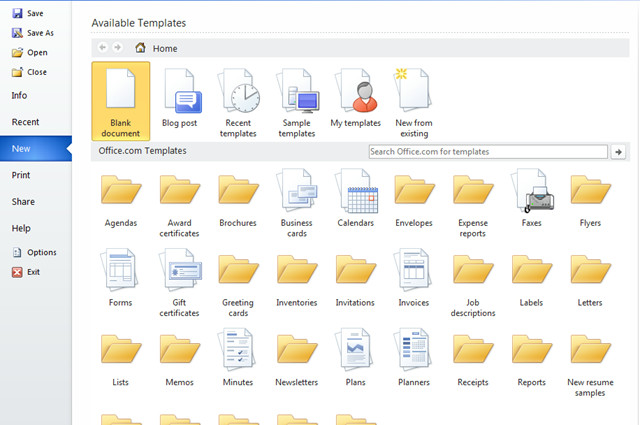
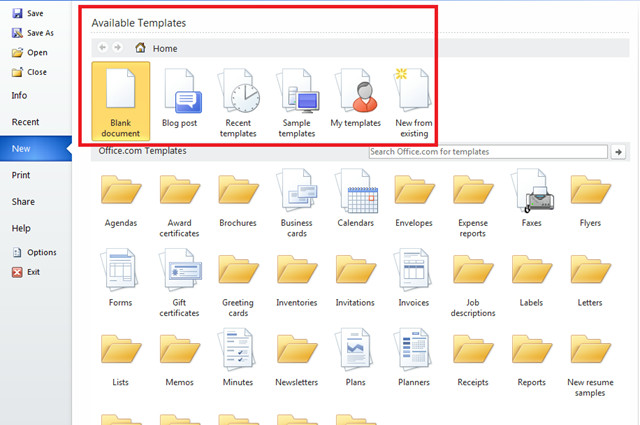
How To Install Additional Templates
In Word 2010, installing additional templates is quite easy, you can find lots of free and attractive looking templates from Office.com. Hit the Template name from the list displayed under the Office.com Templates section, and click the Download button located in the left side, under the preview image of the template.
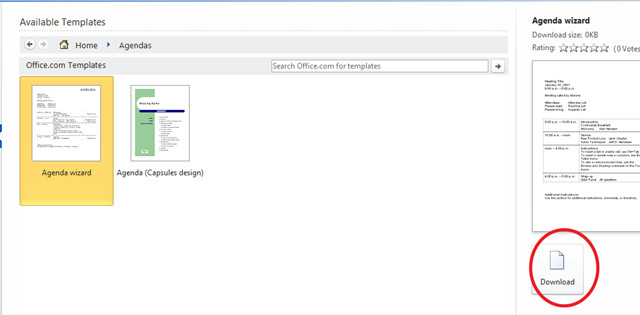
It will download the template immediately.
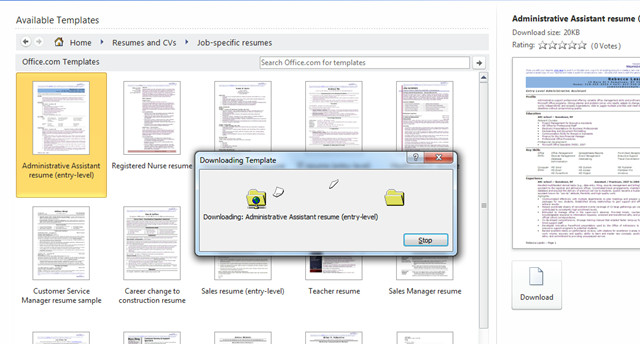
Once the download is completed, you will find the template listed in the available templates list.

stupid
Can I delete from “Available Templates”?
I PURCHASED MICROSOFT OFFICE 2010. CAN I SET UP AND FAX FROM MY COMPUTER? IF SO, HOW DO I DO THIS?
I created a simple template in MS word for company bulletins. It has 3 text blocks. When the 2nd ‘description’ box has more text than will fit on 1 page, I would like it to spill onto page 2 along with the 3rd ‘action’ text box below it, and continue auto numbering page 2 of 2. There has to be a simple way to do this. Any thoughts?
I thought I’d finally managed to use one of my 2003 word templates to create a new document. But instead I overwrote the template itself. Thus I wanted to delete this ruined template. But when I select the file the new document appears to the right of it and I get the message that I cannot delete it because it is open in Word. However, there seems to be no way of closing it. The same is true with all my other .dot templates in the folder labeled ‘My Office templates’ and now located in my documents library.
This seems a rather bizarre and ridiculous situation to me. What can be done about it?
I have the same with you, can’t open the document that saved on template, it is not showing there but instead on my library, i did try to work on all the advice i have found on here but seems doesn’t for at all 🙁
Is there anyway to create a word document with buttons that when clicked will take you to specific pages in that document?
How do you create a template with the ability to typ in information without moving the other field locations? For Example, Name: is on the template, when I type in the actual name, the field to the right which is Phone Number: is tabbed to the right. I thought template creates the hard coded form for typing in the information.
This is ridiculous. You have so much junk in word 2010 that we can’t use it. All I want to do is have a format for my documents that I can understand and change as necessary. Where is your “dot” file? Is it a dotm?
How do you reset to the stupid default.
Boo on Microsoft. Apple will do you in eventually.
Oh how true I have created my template in word 2007 and I want to save it to my templates in word 2010 – it saves it in ‘new from existing’ so why on earth is there an icon for ‘my templates’ and how can you save it to there? MS too clever to be sensible!!!
I need documentation on how to build a decent template in the first place!
Where is there something I can use please. TIA
It’s wdoenfrul to have you on our side, haha!
how do i get a tshirt template that looks like the shirt
In your first screenshot, you have an “Office.com Templates”. How does one enable that? All i have is the first section, and i simply cannot figure out how to get the second.
How do you make your own templates appear in this section? I am used to using word 2003, where I could nominate the templates directory and save my templates there. Where does 2010 save its templates?
To nominate your templates directory go:
1) File > Options > Advanced
2) Under the General section select File Locations and browse to choose your location.
🙂
I can’t find ‘File > Options > Advanced’ in Word 2010. Could you be more specific? I really need the help.
you know, if you put your template (or a folder with templates) in C:UsersAppDataRoamingMicrosoftTemplates, you can choose it creating a new document later in MS Word
you know, if you put your template (or a folder with templates) in C:UsersAppDataRoamingMicrosoftTemplates, you can choose it creating a new document later in MS Word
File – New – My templates
Thank you Soulist, that worked. However, all of my templates are still in compatibility mode. How can I change this? Is there a way to change all of them at once, or do I have to open each one of them? And I still can’t delete the ruined one, because it is still considered ‘open’ with no way of closing it.
I did manage to close, then delete the offending file, by selecting File, New, My templates, then I opened the ruined file as a template, closed it, then deleted it without any further problems.
Here is how I solved this problem:
Open the document you wish to save in ‘My Templates’
Press Ctrl+A to select all
Select ‘File’
Select ‘New’
Click on ‘My Templates’
Click the radio box for’ Create New Template’
Press Ctrl+V and paste using the ‘Keep Source Formatting’ option
Select ‘Save As’ and give the template an appropriate name.
The next time you create a new document your template willl be found under ‘My Templates.’
Hope this helps
Brilliant – really helps
If you save your file to your desktop as a template. Open your windows explorer and right click on the file. Click copy then click file new in Word and click my templates. When the window opens, right click and click paste. Your template will now be in with your templates the easy way.