Speccy is an advanced system information tool which gives ordinary users complete information about the system. It is developed by Piriform, the folks behind the popular CCleaner, Defraggler, and Recuva apps.
It is developed keeping advanced users and system administrators in mind, but can be used by common users too. Suppose you want to upgrade your RAM, Speccy will show you how many memory slots are there and how many are already installed so that you can go and buy the right type of RAM.
You can choose to view the detailed information of each part of the system from the left sidebar. They are Operating System, CPU, RAM, Motherboard, Graphics, Hard Drives, Optical Drives, and Audio. The Summary pretty much sums up everything that is installed in your system.
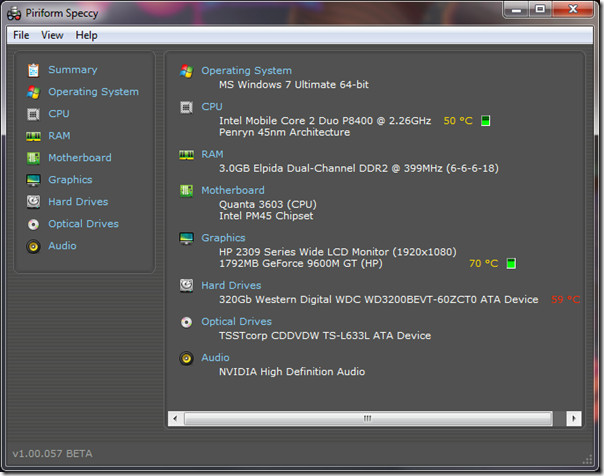
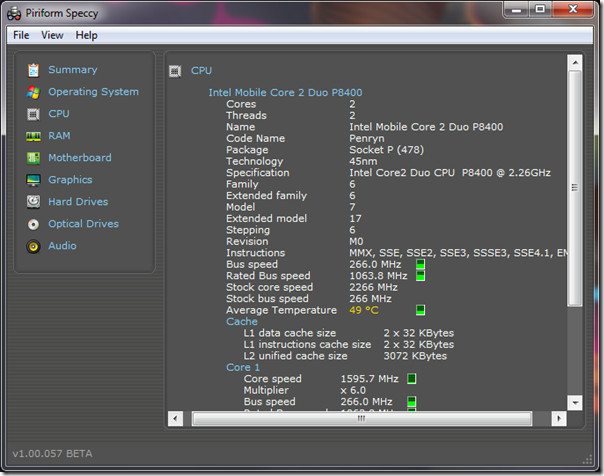
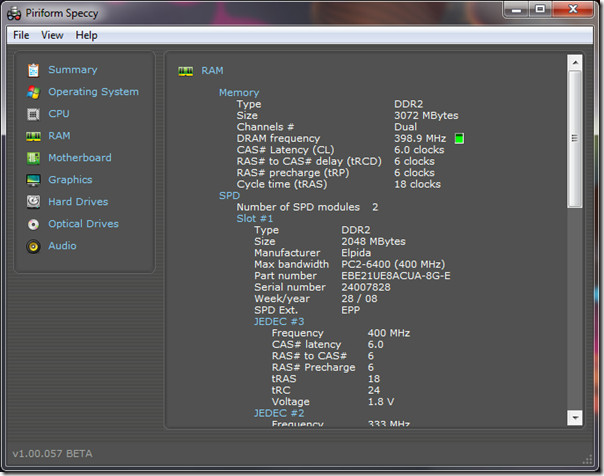
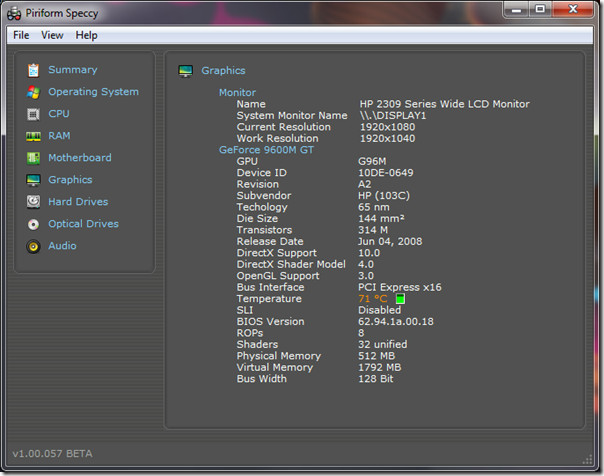
The unique part of this tool is that some information are displayed in real-time, such as, Bus Speed, DRAM Frequency, and Temperature, among many others.
Even though it is in public beta, it has been tested to work on all versions of Windows, including the latest Windows 7. Both installer and portable version of the apps are available which work on both 32-bit and 64-bit OS. Enjoy!



Pingback: Mash123 » Speccy Gives You Detailed Information About Your Hardware
Pingback: Speccy – Systeminformationen auslesen und übersichtlich darstellen lassen - Webdomination
Pingback: Speccy Gives You Detailed Information About Your Hardware [Downloads] · TechBlogger
Pingback: Speccy Gives You Detailed Information About Your Hardware | Lifehacker Australia
Pingback: Speccy Gives You Detailed Information About Your Hardware | Atomfire Tech News
Pingback: Speccy: Consigue la información de tu sistema | Punto Geek
Pingback: Windows 7 System Profile
Pingback: System Hardware Monitor - Windows 7
Pingback: Faça um raio-X do seu PC sem abrir a máquina | Notícias Tecnologia
Pingback: CPU-Z Displays CPU, Motherboard, Memory, And Graphics Related Information
Pingback: Pop quiz! How many GHz is your processor? How much RAM do you have? - The Coupon Cupboard Coupon Forum
Pingback: Monitor Temperature Of System Components In Ubuntu With Psensor
Pingback: Flitskikker Info Tool: Compare System Specs With Game Requirements
Pingback: How To Prevent Your Laptop From Overheating [Windows 7]
Pingback: Ideanate – How To Prevent Your Laptop From Overheating [Windows 7]
Pingback: Kiwi System Info Lists Detailed Hardware & Security Information
Pingback: Kiwi System Info Lists Detailed Computer Hardware & Security Information « « Cool Tips n Tricks Cool Tips n Tricks
Pingback: How To Prevent Laptop From Overheating [Windows 7] | Welcome to www.zee2o.com