Surf Anonymous Free: Hide Online Credentials To Protect Privacy
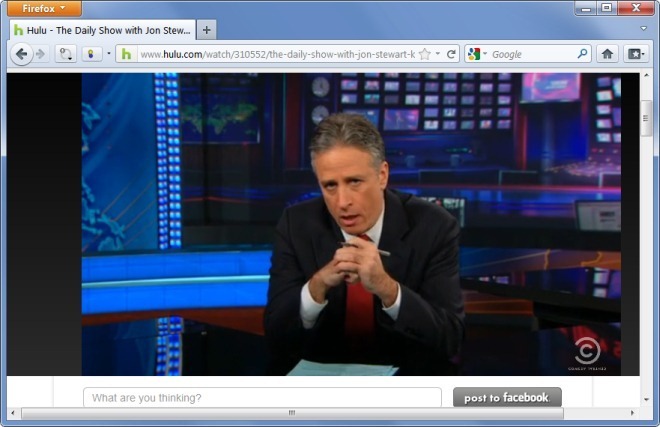
Using anonymous surfing by concealing your actual credentials is a much safer way to browse the internet, rather than using your actual information. This is because, phishing websites and hackers attempt to log IP addresses for malicious purposes, as certain spyware applications and harmful codes require personal IP addresses to initiate attacks. Similarly, hackers try to use IP information in order to obtain home addresses, credit card information, social security numbers and bank account credentials. For this reason, using an anonymous proxy can trick such malicious sources by providing them with alternative, dummy credentials. Surf Anonymous Free is an application that adds a browser extension (on installed browsers) to provide you with alternative credentials. Moreover, it also provides a US-based IP, which enables non US users to access location restricted websites. While another application, Tunnel Bear, provides similar functionality, unlike Surf Anonymous Free, it restricted by bandwidth limitations.
To obtain alternative credentials, launch Surf Anonymous Free and click Hide IP from the system tray menu. You can also enable or disable browser extension from Options –> browser. Although, the options section does not show Chrome as a supported browser, however, during testing, we were able to access location restricted websites using Chrome as well.
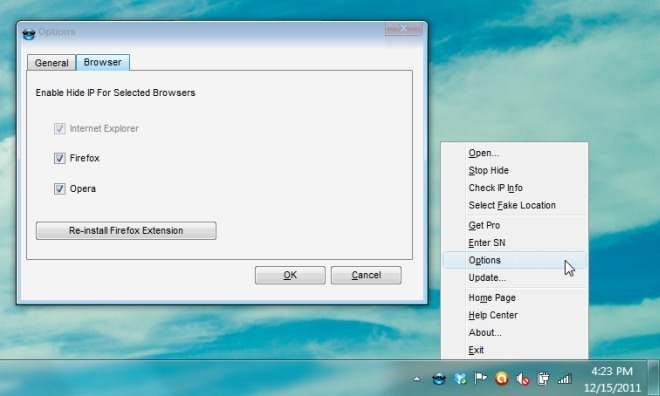
You can also check your alternative credentials by going to Check IP Info from the system tray.
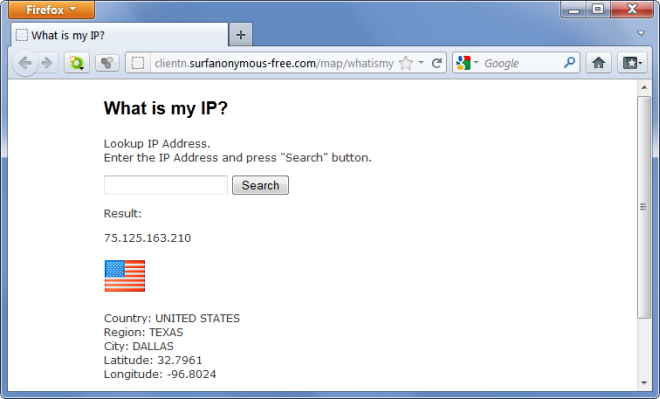
Although Surf Anonymous Free has quite smooth functionality, it does have a downside, i.e., it provides a few prompts during installation, and after being launched, to upgrade to the paid version (worth $24.95-$29.95). The free version only allows obtaining U.S. IP credentials, which, for many non-US users, is definitely an advantage, rather than the other way around. However, the paid version allows obtaining IPs from more than 50 countries.
Surf Anonymous Free works on Windows XP, Windows Vista and Windows 7.

I love the idea, but it didn’t work for me at all. I had to disable, uninstall, and restart my computer just to get web pages to load. Also Thunderbird would not get my e-mail.
I wish it worked on my system.
This is not working here in UAE, Tunnelbear does.
Do ihave to restart my pc?