Get Galaxy Note II Style Smart Screen Rotation On Any Android Device

The Galaxy Note II by Samsung brought along with it a pretty useful feature in Smart Rotation – an alternative Android screen rotation mechanism that relies on facial recognition instead of the accelerometer to switch between screen orientations. The feature utilizes your device’s front facing camera to determine your facial orientation, and controls the screen orientation accordingly. So far, the feature was exclusively available to a select few Galaxy series devices including Note II, S II & S III, but thanks to the efforts of XDA member StupidIdea and his colleague, we now have GMD Smart Rotate – an awesome Android app that brings the Note II-style Smart Rotation feature along with various other goodies to any rooted or non-rooted device running Android 2.3 Gingerbread or above. As evident from the above description, the app is meant to work only on Android devices that sport a front-facing camera. Read More

AntennaPod Is A Feature-Rich Podcast & Vodcast Manager For Android

Over the past few months, quality podcast management apps for Android have slowly but surely started to show up in the Play Store. Just recently, we saw a very promising Holo-themed podcast app Volksempfanger that supported some nifty features such as auto-downloading of new episodes, downloading over Wi-Fi or in charging mode only, and plenty more. Today, we’ll take a look at AntennaPod – a full-featured podcast and vodcast manager for Android. Besides sporting a gorgeous Holo-themed UI with multiple shades, AntennaPod boasts quite a few handy tools that are hard to find in a single package, and that too for free! Read More

EasyTodo Is An Android To-Do App With Google Tasks Sync & Auto Task Creation

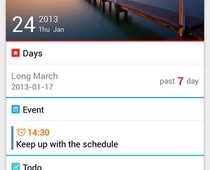
To-do list and task management apps – whether free or paid; minimalist or option-rich – are available by the dozens in the Play Store, and there are enough quality options to fit the task management and reminder needs of everyone. Amidst such a plethora of similar apps, it can sometimes prove tough to part the best from the rest. As is often the case, we keep a close eye on apps that offer something new and is worthy of recommending to our readers. One such app is EasyTodo that has just arrived in the Play Store. Barring a home screen widget, EasyTodo has almost all the features one would expect from a quality to-do list manager. From complete online syncing of your task lists with the cloud, to automatic contact and action suggestions for creating new tasks, EasyTodo has plenty of options for everyone. Read More

Upload & Transfer Videos Across Cloud Services With Vilynx For Android

Just yesterday, we covered the official Android app of the photo aggregating, sharing and hosting service, OpenPhoto. The service caters to your online photo backup needs by aggregating images from your local storage as well as various social networks, and then uploads all of them to a cloud storage service of choice. If you feel that you need something similar for your videos as well, take a look at Vilynx – a multilingual cross-platform video backup and sharing service capable of uploading to transferring videos between multiple cloud storage services. While the iOS and Kindle Fire variants of the app have been around for a while, the Android app has just recently been released. As of this writing, Vilynx for Android supports uploading to Dropbox, Box, Google Drive & YouTube, and lets you share these clips on two of the world’s most popular social networks, Facebook and Twitter. That’s not all – like its web and iOS variants, the official Android app of Vilynx generates multiple 5-second clips of each hosted video to provide you with a glimpse (summary) of the shared content. Read More

Photo Aggregating & Sharing Service OpenPhoto Launches Android App

Created by a former Yahoo engineer, OpenPhoto is an open-source photo hosting, sharing and aggregation service that supports photo backups both locally and on various renowned cloud storage services like Dropbox, Box, CX and Amazon S3, etc. When we reviewed it earlier in April, OpenPhoto was only available as a web and iOS app. However, the company recently decided to expand its user base by releasing a companion app for Android in the Play Store. Sporting a clean UI, the official Android app is capable of displaying your OpenPhoto images aggregated from various affiliated services in an elegantly laid out gallery. Using the app, you can filter your uploaded images by albums and tags, sync images between your OpenPhoto cloud and device, share public photos with your social or mail contacts, and upload fresh or existing photos to your OpenPhoto account after applying custom tags and effects. In addition, the Android app supports Facebook, Google+ and Dropbox-style instant, automatic photo uploads, as well as the option to limit uploading to Wi-Fi only. Read More

Movie Twist For Android Recommends Movies By Mood, Tags, Genre & More

Who doesn’t love watching movies and adding new titles to their personal movie collection? However, the problem lies in the lack of quality and reliable sources to get useful and accurate movie suggestions from. Everyone has their own personal tastes and preferences, which could vary considerably from yours. Therefore, relying solely on the word of your friends or anonymous IMDB commenters regarding ‘good’ movie recommendations might not always prove to be too useful. How about a mobile app that helps you get near-perfect suggestions regarding the movies based on your mood, choice and liking? This is what Movie Twist brings to the table. Fresh to Google Play Store, Movie Twist is a free Android app supporting a well-crafted online movies exploration platform that lets you discover and bookmark some of the best film titles in a number of ways. Furthermore, each movie title suggested by the app is supplemented with relevant IMDB rating, star cast, YouTube trailers, tags, brief description and a slew of assisting tools to find more relevant matches. Read More

Sharable Allows Cross-Platform Public & Private File Sharing Over WiFi

When it comes to instant and wireless file sharing across devices, Android users have an extensive pool of tools to choose from. From relatively new data sharing techniques like Wi-Fi Direct and NFC Beam to various file sharing apps and services out there, you have countless means to share files from one device with another. We have already covered numerous tools that allow remote content sharing from desktop to mobile, mobile to mobile and mobile to desktop. However, we were yet to come across a multi-platform tool that allows quick and convenient file sharing among your desktop, iDevices and Android. Say Hello to Sharable – a cross-platform file sharing app for Windows, Mac, Android, and iOS (soon) that not only impresses with its universal sharing capabilities, but also comes as one of the most user-friendly apps belonging to its genre. Sharable can be used to share data with select devices over the same Wi-Fi network or through the Wi-Fi hotspot of another device, meaning you don’t have to face the restrictions of staying at a specific spot in order to transfer content to your recipient's device. Read More

Kii Keyboard For Android Offers Gesture & Predictive Input, Split Layouts, Themes & Much More

As with all other aspects of its mobile OS, Google has constantly been working hard to improve the stock Android keyboard app to bring it at par with some of the popular alternatives such as Swype, SwiftKey and TouchPal. However, there is still a long way to go before the stock Android keyboard offering can claim to be in the same league as the big names in the business. To make the competition even more intense, new candidates keep emerging on to the scene, trying to impress with their own products. Same is the case with Kii Keyboard – the latest entrant in the list of powerful and hyper-customizable third-party keyboards for Android. Currently in beta, Kii Keyboard combines the best features of some of the aforementioned names, from Swype-like gesture-based text input to Thumb Keyboard-style split key layout, thereby vying to become the ultimate Android keyboard. Read More

MightyText Now Lets You Send & Receive SMS Messages On Your Android Tablet

The "iMessage for Android", MightyText (formerly Texty), is undoubtedly one of the most downloaded and highly-rated Android apps that allow wireless syncing and sharing of your phone's SMS messages directly from your desktop browser. A few weeks back, the company launched a private beta of its tablet-optimized app that allowed users to send and receive SMS messages as well as get notifications for incoming & missed calls. The good news is that the private phase of the beta version is over and it is now available for all in the Play Store. The app is available for free, and boasts some neat features such as complete thread-by-thread syncing of your SMS inbox with your tablet, option to send and receive text messages on the tablet, real-time notifications for new SMS/MMS as well as missed & incoming calls, and lots more. Read More

Discover & Share Statistics And Infographics With Numbeez For Android

Numbers, facts and figures play a vital role in our lives. Various numbers and figures - when recorded over a period of time and put together in the form of statistics and infographics - can reveal an entire story about various facets of your life. For instance, you might be interested in getting an overview of statistics such as your daily intake of fluids, the number of emails you send in a month, the amount of calories you burn everyday through workouts, your total hours of sleep, time spent in transit, monthly savings and what not. How about a mobile app that helps you keep track of these figures and presents you with neatly-laid out infographics whenever you want? Better yet, how about getting crowdsourced statistics from worldwide users regarding general topics of interest? This is what Numbeez is all about. Fresh to Google Play Store, Numbeez for Android is a unique statistics and social networking app based solely on user-submitted numbers and infographics regarding interesting topics. You may use the app as a personal information tracking app, or discover various statistics shared by other Numbeez users from different parts of the world. Read More

SoundTracking For Android Gets Widgets, YouTube Integration & More

Almost a year after its debut in Google Play Store, the official Android app of Shazam-style online music recognition and sharing service SoundTracking, has been bumped to version 2.0 with a slew of exciting and sought-after features. For starters, SoundTracking for Android now supports a dedicated home screen widget (and lockscreen widget for Android 4.2 devices), allowing for instant identification and sharing of your favorite music without having to launch the app itself. It also supports integration with YouTube for directly watching music videos of shared tracks from within the app. The brand new Path-style flowout buttons make song recognition, searching and sharing from the app’s main screen a breeze, whereas the real-time search suggestions help you look for the required local and online tracks in virtually no time at all. The app’s built-in music scanner is capable of automatically scanning local tracks stored on your device, and the new tagging feature can be used to tag friends while composing new posts. More details on the update to follow past the break. Read More

Remotely Manage Multiple Android & iOS Devices With Droid Manager

If you want to remotely manage a single Android device from your desktop browser over your home network, AirDroid and several similar alternatives can suffice quite adequately for the purpose, but what if you wanted remote control of multiple devices from your computer over Wi-Fi as well as the internet? Enter Droid Manager – a comprehensive mobile management & security app for Android and iOS to remotely define and trigger location-based notes & events (system settings), wipe mobile data, secure sensitive apps, lock device screen, manage your device’s multimedia & other files, push custom URLs to it, track call logs & text messages, check current device settings status & unattended phone notifications, and keep a close tab on multiple devices right from your browser. All in all, Droid Manager could prove to be a very handy utility for individuals as well as small-scale organizations, since it puts you in complete control over remotely accessing and managing several mobile device in just a matter of a few clicks, without having to rely on a dedicated desktop server. Read More

Backup, Share & Sync Data Securely Across Platforms With Norton Zone

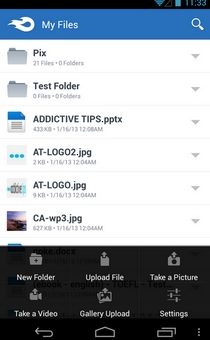
With the likes of Bitdefender, Acronis, Comodo and numerous other renowned system and internet security providers already having released their dedicated cloud storage solutions, it was about time that Symantec came up with a solution of its own. Available as a free (limited) beta, Norton Zone Cloud Sharing is a cross-platform online data backup and sharing tool for web, Windows, Mac, Android and iOS laced with quite a few sought-after features. As with several already existing services, Norton Zone Cloud Sharing is offering an initial 5GB of free cloud storage to each registered member, which can be further expanded by subscribing to various paid plans. In addition to the conventional online file backup, restoration & sharing tools, the app also offers stringent data protection mechanism through patent-pending encryption key management, complete control over shared folders, multi-account online collaboration, universal file format support, on-the-fly malware scanner integration, and the luxury to track, browse & restore file versions dating back as far as 3 months. Read More

RockPlayer2 Comes To Android; Offers A Sleek UI, WiFi Media Sharing & Online Streaming

It’s been quite a while since RockPlayer2 was made available to iOS users, and now it’s time for Android fans to enjoy the revamped version of one of the most feature-rich cross-platform media playing and streaming apps for smartphones and tablets. RockPlayer2 has just been released to the Play Store with a completely redesigned UI and a whole bunch of powerful features including universal media format support, wireless media sharing across devices via RockShare, the reinvented seek bar (aka FreeSeek), native UPnP client, improved media file management, subtitles support, HDMI mirroring, fully customizable control bar, and various gesture to control media playback on your device with minimal effort. All in all, it’s a massive update considering the significant changes in terms of the revamped UI as well as the new features. Read More

Voxeet Brings Free HD Voice Conferencing To Android & iOS

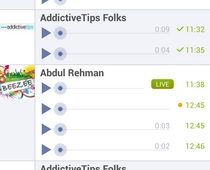
Voxeet is a cross-platform VoIP conferencing app for Windows, Android and iOS that is acknowledged for its high quality voice technology, 3D audiovisual indicators to easily identify the currently speaking participants, and the option to transfer ongoing conferences across devices on-the-go. Besides being a handy voice conferencing tool for individuals and professionals alike, Voxeet happens to be one of the most user-friendly apps of its type. It requires minimal configuration, and its intuitive virtual conference table UI helps you with recognizing and organizing participants to make the experience as close to real life conference as it gets. Once a conference is initiated, you may invite new participants or leave the meeting without interrupting the current setup. You may also initiate a private one-to-one conversation with select participants from within an ongoing conference. In case you’re required to switch locations, you can carry your current conferences along with you without having to disconnect and then redial afresh. More to follow. Read More

TeeVee Is A Virtual TV Guide For Android With Detailed Per-Season Info

Can’t recall how Michael Scofield managed to escape the Fox River State Penitentiary in Prison Break? Want to find out when you’ll be able to see The Big Bang Theory’s Sheldon Cooper and his friends in action next? Want to sync airing times of your favorite TV shows with your Google Calendar? If your answer to all of the above questions is ‘yes’, you should give TeeVee a try. Developed by XDA member Masterwork and his mate, TeeVee is a Holo-themed Android TV guide that aims to keep you in touch with your favorite shows in a variety of ways. Be it the synopsis of the show itself, the complete episode-by-episode details of its various seasons, or its TV schedule, this multilingual app lets you follow and sift through all this information through a well-laid out interface.  Read More

Hands-On With New Features In Google+ For Web, Android & iOS

Google’s been pretty busy in the past few days updating almost all its major Android and iOS apps with some significant feature additions, and there’s no way the company was going to leave the official mobile client of its dedicated social network, Google+, out in the cold. In fact, big G seems to have reserved the biggest update of the season for it. The latest update to Google+ is aimed at web, Android and iOS users, and it covers no less than 24 different features, with each platform getting its own share of goodies in one way or the other. So fasten your seat belts and get ready to learn in detail about the various features that the latest Google+ update has in store for all of these platforms. Read More

memoloo Is A Free, Location-Based Social Photo Sharing Android App

Whether you want to get a collection of the best landscape-centric images out of your favorite photo sharing apps, or simply want to feast your eyes on some of the most awe-inspiring photos from different locations the world over, we've got a great solution for you. Available exclusively for Android devices, memoloo is a social photo & video sharing app that allows you to explore, track and share some of the most scenic locations of the world. Each image and video shared via memoloo is a short story in itself, describing its significance to the user and the specific category under which it appropriately falls. Also, memoloo automatically geotags each shared image and presents it on a map via its individual placemarker to help users learn about the exact location where it was captured. Moreover, the app supports several customary socializing tools to rate an image/video, comment on posts, follow a user, explore trending locations, share your own memoloos, and keep a close tab on your activities on the memoloo network. Read More

Extend Android Battery Life With Deep Sleep Battery Saver

On Android devices, deep sleep is a power-saving state automatically enabled after a certain period of inactivity. Basically once you lock the device or turn off the screen, the device goes into sleep mode. After a certain duration, that turns into deep sleep, which results in termination of all the low priority tasks, background apps, and unwanted processes as well as radios. The main purpose of this state is to keep your device’s various resources from being needlessly consumed, thereby extending battery power. By default, the OS governs the default delay after which the deep sleep state is activated. However, there are certain tools out there that let you take control of this particular feature, but not many surpass Root Uninstaller’s Deep Sleep Battery Saver – an option-packed Android app featuring multiple profiles to control your device’s deep sleep duration, scheduling and behavior exactly as you wish. Read More

Facebook For Android Goes Native, Brings Story Bar & More

Back in August, the official Facebook app for iOS was updated with significant speed improvements and overall performance enhancements, courtesy the company’s decision to finally let go of its heavy reliance on HTML5 in order to rebuild the app using native code. As expected, this resulted in an improvement in the app’s ratings in the iTunes App Store, as more users opted for the official Facebook client instead of using one of the various third-party alternatives or the web interface. It’s been four long months since Android fans have been waiting for a similar update to head their way and today, Facebook has finally put an end to their wait. The official Facebook Android app has been updated in the Play Store with noticeable speed improvements, a brand new stories bar and better photo viewing. The most significant change in the entire update remains the use of native code for the app’s development, which makes it much snappier and way less annoying, especially while switching back and forth between various screens and features. More to follow. Read More