What’s the font? Identifies Selected Fonts On Any Website [Chrome]
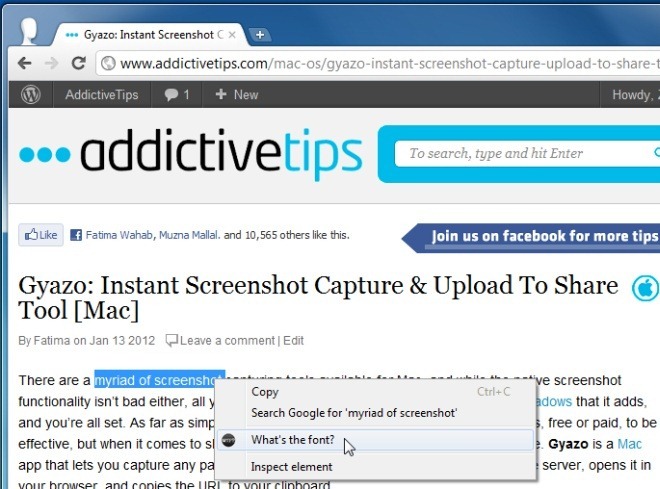
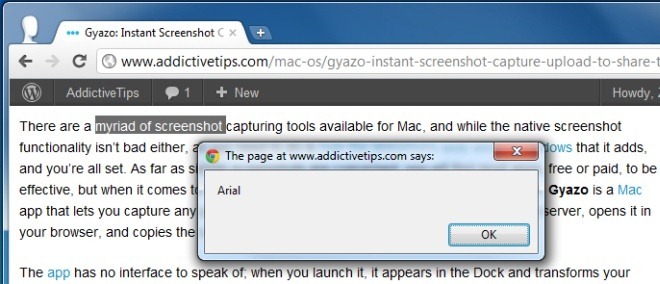
Want to know what fonts have been used on a particular website? Whats the font?, a Chrome extension, quickly lets you find the font name of any highlighted text on a webpage. With it, you no longer need to go through the lengthy process of checking the HTML and CSS of websites, trying to figure out what fonts have been used on the said page. The extension can particularly come in handy for web developers and designers who regularly need to identify font names on various websites. Once you’ve installed the extension, a What’s the font? option will be added to the right-click context menu. Simply highlight text on webpages, select the What’s the font? option, and the font’s name will instantly appear in a pop-up.
To start off, highlight text and click What’s the font? option from the right-click context menu. The font name will appear in a pop-up in only a few seconds. Click Ok to exit or repeat the process for different websites to identify more font names.
This extension is unobtrusive and has no options or buttons, whatsoever. While providing a very limited scope of functionality as of yet, we hope that the developer will consider including pulling of other relevant information, such as font size, font family etc, in future releases.
The extension is comparable to WhatFont, a chrome extension that we reviewed a while back that gives you more detailed information about the font in use and its various attributes. While it does not give you the convenience of engaging the extension from the right-click context menu, it is still very good.
Whats the font can use additional features and a better interface as well. As a simple extension it is useful for checking if fonts are being rendered correctly on a website but for more details like perhaps the size of the font, you will have to turn you attention to some other extension. Install Whats the font from the link below, try it out, and drop a comment.
Install What’s the font? For Google Chrome
