Customize Android Phone Vibrate Pattern For Calls And SMS Messages
Hyper customization is an aspect of Android that sets it apart from most of the contemporary mobile operating systems. And Google’s mobile operating system not just lets you alter its looks according to your preferences, but you may also tinker with various settings, such as sound profiles, security settings, so on and so forth. Not that none of the dumb phones never supported modifying sound profiles according to user’s liking, but the way modern day smartphones put the users in control over personalizing these things is almost peerless. Tired of not so clean default vibrations set by the manufacturer? Missing a lot of calls just because you are not able to feel the vibrations? Now you can customize your Android phone vibrations with the help of Smart Vibrator. It’s a free app which lets you customize vibration for incoming calls and messages. Vibrations can be composed by defining different patterns.
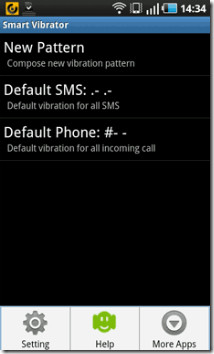
Before we get into the core actions of the app, make sure to turn off the default phone vibration from Settings > Sound & Display. Now adjust the ringtone a little bit higher. Open Smart Vibrator and you will be able to see two default patterns on your screen for SMS and incoming phone calls. New pattern can be composed in terms of short, long and strong pauses. You can set your patterns by using the combination of ‘.’, ‘-‘, and ‘ ‘(space). From the settings, vibrations can be enabled /disabled for calls and SMS.
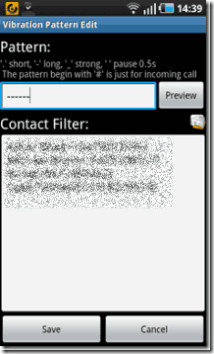
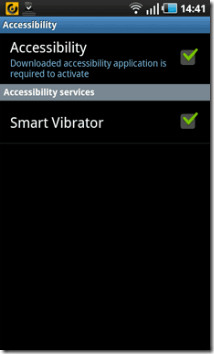
You can set different patterns with contact filters, allowing you to set different vibrations for different contacts. Accessibility has to be turned on so that reminder vibrations can be sent via the app for missed messages and calls. It will do so by repeating the vibrations every 3-6 minutes. Of course, it will stop vibrations provided you turn on the device.
All in all, Smart Vibrator can be deemed as a neat app to customize your vibrations for SMS and incoming calls with the help of contact filter. The app is available in the Android Market absolutely free of cost and can be downloaded via the link provided below. As useful a tool Smart Vibrator may be, it supports a concept that definitely can be expanded even further. For instance, how about getting your hands on an app that allows you to set a different vibration pattern for individual contacts. Going by the pace of development in the Android domains, the day doesn’t seem far enough when this concept will be substantiated.
Download Smart Vibrator For Android

get a different screenshot, the blur of the phone numbers and names are still quite visible and readable
thanks durango, its fixed!