Hands-On With Google Hangouts Unified, Cross-Platform IM & Video Chat

The Google I/O keynote yesterday brought a lot of important announcements, but the revamped Hangouts service seems to have managed to cause the most excitement among them all so far, probably because it has already been rolled out for users all over the world. The iOS app is available in the App Store, while  lot of Android users have managed to get their hands on the Hangouts update for their Google Talk app as well. Google already offered its Google Talk (also called GTalk, Google Chat and Gmail Chat) already enjoyed integration with Google+ and Gmail but compared to the Hangouts feature of Google+, it wasn't too heavy on features. Some of you might have wondered why the plain old chat can’t become as cool as its Google+ variant. Even if you have never thought of that possibility, Google seems to have been thinking along those lines. The new Hangouts can be considered a consolidation of Google Talk and Google+ Hangouts that works on Android, iOS, Google+ and Chrome. The service offers everything from video calling to group chat, and even a huge collection of emoticons. Read More

How To Get Facebook Chat Heads Feature On Your iPhone Right Now

Like many other users, I am still getting used to the revamped Facebook app for iOS, but the update is pretty good overall. The interface is much cleaner now, and gives the app a very uncluttered feel. Apart from UI changes, the app also offers two new options related to chat - Chat Heads and Stickers. Seeing as how attractive a feature Chat Heads is, we wouldn't be surprised if Facebookers stopped using Facebook's Messenger app a great deal until it gets these features as well. Although many have received Facebook’s latest iOS update in its entirety, not everyone has been lucky enough to gain access to Chat Heads and Stickers just yet. Facebook has decided to roll out these features gradually over the course of a few weeks. If you are one of those annoyed Facebookers who are in the waiting list, there is a way of enabling the features on your account right now. You don’t need to have a jailbroken device, but some basic knowledge of the iOS file system is sure to help. Read More

Easily Manage Or Delete WhatsApp Data On Android With WCleaner

WhatsApp has become ubiquitous as the free mobile texting solution of choice for millions of users around the world. The service enables you to not only send and receive text messages but also images as well as audio and video clips. The messages are stored on your SD card in an encrypted format that isn't directly readable in general purpose file viewers or text editors. Over time, all this content can keep on accumulating over your device, consuming significant amount of space and not serving a purpose for those who don't care about keeping all their old conversations. Therefore, it may be desirable for many to periodically delete it. Also, if you are selling or giving your device away to someone else (lets say a family member) without performing a full factory reset, you'll likely want to manually remove your personal content from it, including all those Whatsapp conversations. WPCleaner Beta is a free app that lets you view all the content sent and received over Whatsapp categorically, and allows you to quickly delete any or all of it. Let's find out how after the jump. Read More

Talk.to Brings Its Facebook Chat & GTalk IM Aggregator To Windows 8

There have been countless instant messaging services around for nearly two decades. Social networking has also become incredibly popular during the past few years, particularly after the popularization of smartphones, and everyone wants to stay connected with their friends and family. Following this norm, services like Facebook also offer their own chat platform. Since a lot us now use multiple chat services, it can be quite tedious to handle all these accounts from different apps. Fortunately, there are multi-protocol chat clients for that. Previously, we covered the Windows 8 app of the renowned IM+ that allows you to chat on multiple services under one hood. Talk.to is yet another such app for Windows 8 and RT that has recently landed on Windows Store. The app lets you sign in to four different accounts simultaneously, and supports Facebook, Google, Windows (Microsoft account for Windows Live Messenger) and Pingpong. Read More

Cryptocat Brings Its Private, Encrypted Group Chat To Mac

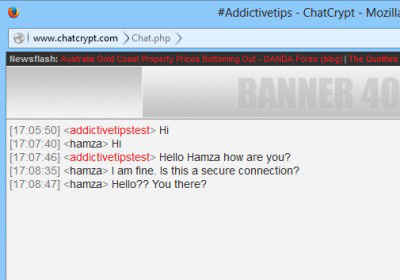
Two of the most important things the internet gave us are anonymity and cat pictures. While you do have the choice and many methods to remain anonymous on the internet, being so doesn't necessarily mean you’re entirely untraceable. Cryptocat is a web service that works via its browser extensions to provide you with a way to have truly secure and private conversations, and the service has just released its first desktop app for the Mac platform. Cryptocat is a free app available on the Mac App Store that lets you initiate a secure private conversation, join one initiated by someone else, or chat with many people in a public lobby. Read More

Chat & Share Dropbox Files With Nearby iPhone Users With ProxToMe

Sharing photos with nearby people using Bluetooth isn’t much of an issue even on iOS, since the App Store offers plenty of apps for this purpose. When it comes to sending and receiving other files though, things get a little tricky. Sharing music, videos and documents takes some extra effort, but recently some easy ways of doing this have finally started to emerge. ProxToMe is a new iOS app that allows you to connect with other users of the service who are nearby to chat with them and send them any file stored in your Dropbox account. The app uses Bluetooth to find the nearby users. Any files that you receive can be stored in the ProxToMe folder created by the app in your Dropbox. Read More

Poke Is An iPhone Chat App From Facebook With Self-Destructing Messages

Whenever one of the big boys of the tech world launch a new app, there are bound to be comparisons with existing services. For that reason, you might think that Facebook Poke getting called a Snapchat rip-off is nothing out of the ordinary. In this case however, the allegations aren't a mere snap response (pun intended); the new Poke app not only has the same basic concept as Snapchat, it even copies its features and interface to a large extent. If you don’t already know, Snapchat is touted as the most efficient real-time picture messenger that has the ability to automatically destroy messages after a fixed period of time. Facebook Poke does all the same things, but it might gain popularity owing to the fact that you don’t have to create a new account and invite all your friends to the app; every Facebook friend of yours who is on iOS gets listed by Poke automatically, and you can start a conversation with a single tap. Read More

How To Disable And Delete Chat History In OS X Messages

iChat, OS X’s stock chat client, became Messages when Mountain Lion rolled out. For the most part Messages is the same as iChat with one major difference; it now saves your chat history and given someone has iOS 6 on their iOS device, you can make / receive FaceTime calls from them in Messages. Chat history was welcomed by many users given old conversations can be revisited, images and files can be sent, and reminders can be created from date and time mentioned in chat. Though chat history is a good feature, there's nothing to say that users wouldn’t like to disable it or occasionally clear their history. The process is extremely simple and detailed below. Read More

IM+ Comes To Windows 8; Lets You Manage Multiple Chat Services Under One Hood

Logging in to different chat services and social media accounts can be quite a hassle, as one needs to use multiple desktop chat clients, or separately access each online chat service through the browser to keep a tab on all IM accounts. All of this can waste a lot of time. And time is money, right? IM+ copes with this nuisance by letting you sign in to various chat services and social media accounts under one roof. The chat aggregating application has been available on all major platforms for quite a while now, including desktop (Windows, Mac, Linux), iOS, Android, Blackberry and Windows Phone, and now, it is available for Windows 8 as well. The latest variant lets you connect to Facebook, Skype, Google Talk, AOL, Yahoo, ICQ, Vkontakte, Mail.Ru Agent, Odnoklassniki, Yandex Chat, Mamba, Ru, Mig33, SINA Weibo, Renren, Fetion, Gadu-Gadu, MeinVZ and Jabber. It also shows you all the conversations from different accounts in a single window. The app merges all the contacts from the logged in accounts and shows them in a separate section, so that you can easily start conversation without having to manually find a contact from within a certain chat service. Read More

GeoCha: Location-Based Chat & Information Through Interactive Map [Web]

Ever wanted your map to tell you more about the location of interest. Many would wonder how exactly a map would benefit the common user. Imagine emergency situations at specific locations, a talk or a seminar that would interest you, being highlighted on a virtual interactive map. Moreover, private and public chat rooms according to location would definitely knit the community closer. GeoCha is a web application that allows you to locally communicate with the society with emphasis on events, happenings and details of locations. In addition, you can create POI (Points of Interest) to guide people on the road, the geographic interface simplifies the requirements of reporting and journalism as every individual begins reporting updates on the platform. In addition, features like real-time chat, meeting setup and channel pulse allow you to stay connected and alerted to every useful detail happening around you. Read More

InstaTalks Is A Chat Client For Instagram Users [Android, iOS]

When it comes to mobile-only social networks, Instagram needs no introduction. The insanely-popular photo sharing network for iPhone and Android has gathered countless fans across the globe in a rather short span of time. However, it holds true for Instagram as well that nothing’s perfect, and there’s always room for improvement. Take the interaction among the service’s users, for instance. The only interaction options that you get are through comments and “loving” a picture, but that’s about it – there are no direct messages, chat or anything else of the sort. While Instagram itself seems to deem it sufficient, third party developers disagree, and that’s perhaps the reason we see InstaTalks released in the iTunes App Store. Developed by Natrobit S.r.l., the app allows you to chat with any of your Instagram followers that also use InstaTalks. You can even search for the app’s users in your vicinity and connect with them on the go. Update: InstaTalks is now available for Android. We've added a link to its Play Store page at the end of the article. Read More

RetroShare: Private, Secure Platform For File Sharing & Messaging

IM (Instant Messaging) platforms are notorious for the lack of privacy and security, as viruses and bugs can easily penetrate into the system. Most users find it hard to verify the identity of the peers (seeming too good to be true). With these cases set aside, formal communication on the internet regarding sensitive matters, require an extreme level of security, identity verification and privacy.With SOPA and other regulations in view, interest in anonymous file sharing applications is rapidly increasing and slowly finding precedence over public networks like Bittorrent.  RetroShare is a server-less cross-communication platform, which provides file sharing, forums, channels and chat; authenticated by GnuPG and secured by OpenSSL encryption. With secure email, Video or VoIP and other sharing features, this powerful application allows you to communicate in all forms without any eavesdropping or unwanted monitoring. Read More

LINE: A Fun & Free Cross-Platform Instant Messenger For WP7

Although the Windows Phone 7 Marketplace now boasts more than 100,000 apps, WP7 is usually labelled as the smartphone platform with the least number of apps. Having said that, there is no shortage of text chat apps for Mango phones, and WP7 has steadily accumulated all the popular chat clients available on Android and iOS. Samsung’s ChatOn (reviewed here) is the latest major messenger app to arrive in the Marketplace, but that doesn’t mean that the flow of such apps has finally subsided. WP7 developers have more to offer to users, and LINE brings a new dimension to the whole niche of messenger apps for Mango. Like all good chat apps, LINE is cross-platform, but rather than taking the whole business of communicating with your friends too seriously, the app makes chatting more fun and attractive. Instead of emoticons, LINE relies on packs of stickers that let users express their feelings even more thoroughly. The app is highly customizable in terms of its looks, and you can choose any background for separate chat windows. Read on for details. Read More

Samsung’s ChatON Messenger Now Available For Windows Phone 7

ChatON – Samsung’s multi-platform mobile instant messaging app – has finally made it’s way to devices running Windows Phone 7 and 7.5 Mango, adding Microsoft’s smartphone operating system to its list of platforms including Android, iOS, BlackBerry OS and Windows Mobile. With several players like iMessage, Whatsapp, Kik, GroupMe, Viber and Tango already in the game on WP7 amongst others, does Sammy’s offering come up to par against the competition? Let’s find out after the break. Read More

SportsYapper For Android: Have Real-Time Discussions With Fans Of Your Favorite Sports

Chanting, cheering, booing, arguing and challenging are a few characteristics that you are almost certain to find in any sports fanatic, and why not, for the best way to enjoy any game is by sharing it with your mates. There are plenty of apps available across various mobile app stores that connect you to worldwide fans for sharing sentiments and insights about your favorite sports with each other. Inject a dose of additional social networking to said concept, and you get SportsYapper – a real-time communication platform for sports fans. Initially launched as an iOS-exclusive app, SportsYapper is now available for Android devices too. Encompassing almost all renowned global sports and teams, the app lets you indulge in real-time conversations regarding anything from live games to a team or player, with other fans (referred to as Yapps within the app). Read More

MyEmotions Adds A List Of Graphic Emoticons To Facebook Chat [Chrome]

Facebook chat has evolved over time. At first it was simple text chat with a few emoticons and now Facebook has integrated video and group chat. Although the chat feature has come a long way, many people still prefer to use the simple text chat. A while back, if you were using Facebook chat, chances were that you’d only discover the emoticons it supports if you typed in the smiley face symbol. With a little more investigation, you would likely discover that some of the most common emoticons are graphically supported. Facebook then introduced a small smiley button in the chat field that lets you see 21 common shortcuts. The thing is, it supports more than 21 emoticons.  If you love using emoticons to express your mood while you chat, then you will love MyEmotions for Chrome. This extension lets you quickly insert emoticons with a single click, enriching your chatting experience on Facebook. With it, you will no longer have to remember all those different emoticon codes, you can quickly view all the emoticons that Facebook supports, select one from the list, and it will be added to your chat field. Read More

FanBus: Live Chat With Football Fans Across The World On Android

Ask true sports fanatics (like myself), and they'll tell you that the true essence of enjoying your favorite sport lies in following it as closely and as keenly as possible. When it comes to Soccer, things are no different at all. There are numerous apps available in the Google Play Store that let soccer-maniacs keep an eye on almost each and every facet of their favorite sport, however, when it comes to finding an app that connects you to soccer fans from all across the globe, quality options are few and far between, though the small genre now has another member, one that might very well lead the pack. Meant for soccer purists and ‘pundits’, FanBus is an Android app that serves as a medium to connect fans of virtually any national or club soccer team with each other, allowing them to share their thoughts through live chat. Whether you wish to pass on good wishes to your favorite club, discuss team strategies, or indulge in banters with the fans of a rival team, FanBus is the way to go. Read More

Delete Messages Chat History For Any Date Or Contact On Mac [Tip]

We reviewed OS X Mountain Lion’s Messages when it first debuted its Beta version, and at that time, one of its noteworthy features (which we duly noted) was the chat history. For those of you who forget what you were talking about yesterday, chat history lets you keep every one of those conversations forever. Regardless of whether you were discussing ways to hack into top secret government files and change your name to James Bond, or just trying to decide where to eat, those conversations will be saved. The slight problem here is, while some conversations should be saved for future reference, others should be wiped off the face of the earth (or atleast your Mac), and Messages has no way to delete your chat history. It doesn’t even have a help topic on deleting chat history, so it is safe to assume there is no button or menu that can do it. That doesn’t mean it’s impossible, it just needs to be done manually. Read More

ICQ Brings Its Official Messenger To Windows Phone 7

There was a time when Facebook didn’t exist, and the internet was ruled by the likes of Orkut, mIRC and ICQ. Times have changed, and those services are still around, although they are nowhere near as popular as they once were. It’s still nice though, whenever you see those services doing something new, as is the case with the recent release of the official ICQ client for Windows Phone 7. Admittedly, not many people use the service now, but to be fair to the app, the Mango client looks pretty decent and can hold its own against most messenger apps available in the WP7 Marketplace. The best thing about the app is its integration with the People hub, and thanks to that feature, it is possible to chat with your Facebook, GTalk and Mail.Ru friends as well as the ones you have got in your ICQ messenger list. Read More

Join Chat Communities, Text Your Friends & Groups With Text+ For WP7

TextPlus is one of the most popular messengers for smartphones, with iOS and Android versions of the app around for quite a while. It seems that after those two platforms have been covered by most developers, they invariably turn to Windows Phone 7, and that has been the case with TextPlus. The famous messaging app just became available for Mango users, and it brings all the features to the Metro platform which have made it a hit on other platforms. If you download this free app, you can send free SMS to friends (US & Canada only), join communities of like-minded people and chat with them, and there are a few bonus features as well, like the push-to-talk options and the ability to add multiple contacts to a single conversation. Read More