Turn Your iPhone Or iPad Into A Server For Sharing Media Between iOS Devices Over WiFi

To highlight iOS’s ability to let its users transfer files via Bluetooth or over Wi-Fi, we recently published a list of all the best iPhone and iPad apps that let you transfer files wirelessly between two iDevices. Our list consisted wholly of free apps, and that means there are some other good file sharing solutions available for iOS that didn’t make it into our compilation . Fortunately, one of those apps, SuperShare, has just gone free. SuperShare acts as a server for whole photo albums or documents on your iPhone, and this means that the recipient can download anything at will, and you won’t have to upload unnecessary data. Of course, both the receiver and the sender of files will need to have SuperShare on their iPhone or iPad, but the features and variety of file formats supported by the app overshadow this limitation. Read More

Edit, Rename & Share Files From Your iPhone/iPad With FileApp Pro

For iOS users having jailbroken devices, iFile is the best file management app. If you are not a fan of the Cydia store, however, there are a lot of apps in the App Store that can help you gather your important files in one place, and then edit them with convenience. FileApp Pro is one such file manager for iPhone and iPad that can be used for file sharing and editing. The app supports file transfer via USB and over Wi-Fi, and once you have gotten a photo or document inside FileApp Pro, you can make a lot of changes to it, or share it with anyone else quite easily. The file formats supported by FileApp Pro are numerous, and include the likes of iWork files, images, PDFs, MS Office documents, archives and media files. Read More

Maxxo: Yet Another Cloud Storage Service With Private & Secure File Sharing

Whenever I come across a cloud storage service now, the feelings inside me stay quite placid. One of the reasons maybe – as there are now numerous of them at disposal – there is nothing to get excited about, really. For all my cloud storage and file sharing needs, Dropbox or SkyDrive pretty much suffice the job. And of course, I never needed to upgrade beyond their free plans (even 5 gigs do for me). So, in order to leave that flabbergasting impression on users, companies are trying to approach with new ideas and thoughts, to win a share of your wallet. One serious effort has been made by Maxxo. It isn’t your another Google Drive inspired cloud storage clone (the concept isn’t something unique, though), but the service mainly focuses on making file sharing a lucid experience among your peers, friends, clienteles etc, meanwhile keeping everything private and secure. Maxxo is still in its initial stages and currently invitation only (more of a public Beta, I’d say), so it might take sometime before you get an account activation email, as their servers are currently flooded with requests. I received my approval within a couple of days and proceeded to give it a try. Read More

WebDisk Provides The Easiest Way To Share Files Between iPhone & Desktop

There are more ways of sharing files between computers and iOS devices than anyone would care to know. You can use the official method and stick with iTunes, or if you want something that isn’t likely to wipe your entire music library without warning, there are plenty of third-party apps available for iPhone that let users transfer files without creating a lot of fuss. WebDisk is one such app, and it can be used to share files between iOS devices and your desktop computer over Wi-Fi. So, what’s really special about WebDisk when there are other apps capable of performing the same feat? The biggest advantage WebDisk has over its competitors is its simplicity. In a couple of steps, you can transfer any file from your PC to an iPhone or iPad. In addition to that, WebDisk has a pretty decent file viewer of its own, which supports a lot of file formats and ensures that you don’t have to open most received files in other apps just to view their content. Read More

WiFi Shoot! For Android Allows Photo & Video Sharing Over Wi-Fi Direct

No matter from whatever perspective you look at it, the emergence of Android as one of the top-notch contemporary mobile operating systems is, to say the least, quite encouraging. Although each subsequent iteration of Google’s mobile OS is known to bring some innovative and user-friendly features to the table, none has managed to get as much attention and admiration as Android 4.0 Ice Cream Sandwich. Included within this ground-breaking version of Android were a couple of very handy wireless file sharing methods in the form of Near Field Communication (NFC) Beam and Wi-Fi Direct. For those unfamiliar with the latter, it can, at best, be described as a super-fast version of Bluetooth file transfer wherein you don’t require any Wi-Fi router or Access Point (AP) in between to share data from one Wi-Fi Direct compatible device to the other. Instead, it’s direct device-to-device file sharing at super-high speed. So far, we haven’t seen too many apps taking advantage of said feature, but thanks to the developer community, one of the first-of-its kind solutions has finally arrived, and it’s quite a useful one, too. Currently in beta, WiFi Shoot! puts the aforementioned Wi-Fi Direct feature to good use, allowing Android users to wirelessly share photos and videos with each other. Read More

RetroShare: Private, Secure Platform For File Sharing & Messaging

IM (Instant Messaging) platforms are notorious for the lack of privacy and security, as viruses and bugs can easily penetrate into the system. Most users find it hard to verify the identity of the peers (seeming too good to be true). With these cases set aside, formal communication on the internet regarding sensitive matters, require an extreme level of security, identity verification and privacy.With SOPA and other regulations in view, interest in anonymous file sharing applications is rapidly increasing and slowly finding precedence over public networks like Bittorrent.  RetroShare is a server-less cross-communication platform, which provides file sharing, forums, channels and chat; authenticated by GnuPG and secured by OpenSSL encryption. With secure email, Video or VoIP and other sharing features, this powerful application allows you to communicate in all forms without any eavesdropping or unwanted monitoring. Read More

Shynk: Remotely Access & Publicly Share Android Files Over The Internet

Android users have plenty of ways to remotely access and manage their mobile data from their desktop browsers. However, when it comes to a reliable, swift and effective solution, hardly a name surpasses AirDroid. While our comprehensive review of this awesome app is enough to give you a glimpse of its various features, it is worth mentioning that the package is currently missing a couple of very important features. AirDroid works over your home network only, and hence, doesn’t let you share your device’s content with others over the internet. Enter Shynk (beta) – a similar looking app that fills the void quite adequately. Designed to work over the internet (Wi-Fi, EDGE or 3G), Shynk not only lets you remotely access your Android content from your desktop browser, but also enables you to share desired content with others via public URLs. So, whether you wish to access some important documents from your dad’s mobile back in Berlin, or wish to share images of last night’s party with buddies without going through the hassles of emailing or file uploading, Shynk is at your service. Guess what? It even has the capacity to fetch files from your Android’s root directories as well. Read More

AnySend: Easily Share Data Between Android Devices Over WiFi

From the makers of arguably one of the most popular cross-platform to-do list managers, Do It Tomorrow (read Android app review & web app review), comes a very nifty file-sharing Android app, called AnySend. Sporting an uncluttered interface and requiring minimal configuration, the app allows instant and wireless data transfer between two Android devices that are sharing the same Wi-Fi connection. File sharing via AnySend is done on a direct device-to-device basis instead of sending download links of shared content or resorting to FTP servers. When installed, the app automatically detects all other Android devices running AnySend, and lets you easily send files to the required device with just a few taps. The app supports running in the background, and alerts of any new incoming files via sound and status bar notifications, as well as vibrations. A feature that parts AnySend from other similar remote file-sharing apps is that it lets you specify a whitelist containing trusted users from whom your device will automatically receive shared files, without prompting you to select the appropriate action each and every time. Read More

Talpic: Embed Audio Recordings Within Shared Images [Android, iOS]

If you feel that you can’t get enough dose of multimedia content from the likes of Facebook, Twitter, Instagram, Google + and other social networks, then you should take Talpic out for a spin. Based on the concept of crowd-sourced content-sharing, Talpic is a relatively fresh media-sharing social service available to Android and iOS users. Apart from sharing your own content, you can also explore an endless stream of photo and sound-oriented posts shared publicly by other app users. What makes Talpic unique is its feature to supplement all the shared photos with relevant audio recordings. For instance, if you’re attending a debate competition, not only can you capture and share photos of all the participants, but also a portions of their speeches. Read More

SonicShare: Wireless Data Sharing Among Multiple Nearby Android Devices

Looking back at some of the previously reviewed Android apps that let users wirelessly and simultaneously share files in bulk with multiple Android devices, we find that SPRiiD and X-Link are perhaps the only noteworthy options, which not only require the least amount of user intervention, but also support sharing almost any file format at blazing speed. While both said apps were pretty impressive with their functionality, they sported abysmal looks, to be honest. Same could be said of SonicShare – the latest arrival in the Google Play Store that lets you share virtually anything existing on Android device with as many other app users as you like. Sporting a cartoon UI, SonicShare allows you to simultaneously share business cards, contacts, installed apps, webpages from your web history, received text messages, SD card content (files only), system files (without requiring root access), downloaded content, photos, music files, videos, clipboard content, bookmarks, audio recordings, custom text messages and sketches with multiple app users over the internet. Each file that you wish to share first gets uploaded to the SonicShare servers, from where it is downloaded directly to the all the selected recipients’ devices. Read More

SoShare For Android & iPhone: Share Photos & Videos Of Any Size With Your Private Network

SoShare is a relatively fresh private file-sharing web service that lets users instantly share photos, videos and other relatively larger files with each other without placing any restrictions on the storage capacity or the file type whatsoever. It is a social network of sorts that allows you to interact with your contacts and custom-created contact groups by sharing files and commenting on each others’ activities. The service has just launched mobile clients for Android and iOS, which lets you remotely access and manage your file-sharing activities on the network while on the move. Whether it’s sharing files with your SoShare contacts, downloading content shared by other users, commenting on each others’ activities, or creating custom groups with select contacts, the official SoShare client for Android has you covered. Read More

Andmade Share: File Sharing Menu For Android With Batch-Select Support

If you’re an Android user, you must be well-aware of the fact that using the default file-sharing option of the OS, you can only send/share selected data (files, apps) via just one compatible app at a time. What if there was an app that enhances the file sharing experience on Android by letting you share desired data using multiple apps of your choice, so that you don’t have to go through the hassle of sifting through multiple screens and options to achieve said purpose successfully? In fact, what about an app that not only brings said option to the table, but also empowers you to select the exact order in which you wish to share files via all the selected apps? Say hello to Andmade Share – an alternative (and enhanced) file sharing menu for Android that supports both said options. In effect, Andmade Share replaces your Android’s native file sharing context menu, and lets you pick multiple apps at once through which you wish to share your required file(s). That’s not all, you also have the option to select the exact order in which the sharing should be done. In addition, Andmade Share also supports a unique Fast Share option that automatically prioritizes sharing jobs for apps such as Evernote. Read More

X-Link: Transfer Files Between Multiple Android Devices & PC via Wi-Fi

The methods to wirelessly transfer data between an Android device and computer keeps getting better, quicker and expansive. Just yesterday, we reviewed an Android app called DropSpot that happens to be one of the very first solutions which allow transferring data back and forth between a computer and an Android device over a local network. Superb concept, especially considering that it frees you from the the hassle of carrying data cables, or setting up extensive remote desktop clients. Based on more or less the same concept, X-Link (beta) by an XDA member, joschi70, is yet another handy tool that brings additional functionality of letting users remotely share files with other Android devices that are connected to the same Wi-Fi network. The dual file sharing mechanism of X-Link allows you to share files from your computer to an Android device of your choice via a Java-based desktop client, or from your Android device to another Android device that is hooked to the same network. File sharing from your Android via X-Link is made simple courtesy of an additional option that you can find in the file sharing menu of the OS. All you need to do is navigate to the required file from within your device’s gallery or a file explorer, and share it via X-Link. Sharing from the desktop client can be done via simple drag-and-drop. It’s all too simple, and way to fast than any other alternative remote file sharing solution. Read More

Windows 8 File Sharing: How To Share Users & System Folders On Network

The Windows 8 ribbon-based Windows Explorer has certainly changed the way of organizing files and folders, as one can easily find all the basic and advance file management options without having to search through Organize and Windows Explorer right-click context menus. Apart from ribbon-based Explorer and extra tools to manage files and folders within a directory, Windows 8 comes with simple, yet more secure file sharing feature, allowing users to share files and folders with users on public network, as well as Homegroup and Work network groups. Just like previous Windows versions, including Windows 7 and Windows Vista, you can easily establish connection with PCs running Windows 8, and start transferring data without having to manually set IP addresses. Since Windows 8 File Sharing feature is an improved version of Window 7 Sharing, it includes some additional file sharing parameters to make shared files secure from external attacks. In this post, we will guide you through the process of sharing Users and System folders across the network, so that you can easily transfer files to network PCs, and share your system folders with Homegroup users. Read More

Proximity-Based Temporary File Sharing App Swarmbit Comes To Android

Swarmbit is a location and time-based cross-platform file sharing app for Android and iOS that lets users remotely share files from their devices with other app users over the web. Using Swarmbit, you can choose to share your data publicly (using your email address) as well as anonymously. In addition, you are in control of whom you wish to share your personal data with, for how long should the shared content remain valid, and the maximum radius (in terms of area) from where shared data can be accessed. Shared files are stored in the form of personalized folders on the Swarmbit cloud from where they can be accessed anytime you like. The app supports importing and sharing content from Dropbox and SugarSync; a feature that makes Swarmbit an even more valuable file sharing tool. Read More

AirForShare: Easy File And Photo Sharing Between Windows, iOS & WP7

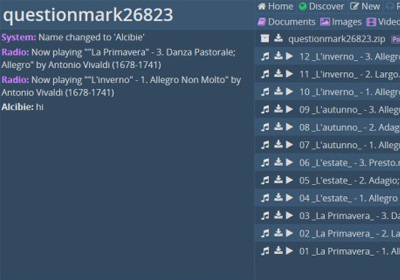
Most people are really put off by the fact that there is no way to easily share files among iOS devices, like Bluetooth file transfer. Same is the case with Windows Phone 7. However, there are ways, using which, you can share files among the devices on these platforms, and even across them. AirForShare provides a free and easy solution for file sharing among iPhone, iPad, iPod touch, Windows, WP7 and Android, as long as the devices are on the same network. The service even has a dedicated app for iOS. One of the best things about the app is that you it does not confine you to just a few file formats. You can share photos, audio clips, music and just about any file that is present on your iPhone. There might be similar methods for jailbroken iDevices, but AirForShare is certainly the most convenient one available for users who have non-jailbroken iPhone or unrooted Windows Phone. Read More

Send/Receive Large Files With Group & Speed Management Using Share

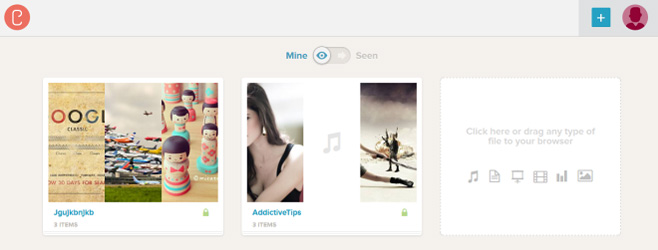
File sharing has become pleasantly easy within the past few years, especially as we now have extremely fast internet connections. Various web services and desktop clients let you share your images, videos, documents and other files, with one another, within a few clicks. One such example is P2P (Peer-to-peer) clients, which connect people through internet via server and client relation. Sometime ago, we covered zeZebra, an application with eye candy interface that let you transfer large files in a very simple way. The only downside of zeZebra is that when you send a file to someone, it prompts the recipient to download and install the application before the file transfer can begin. Some folks simply don't like to go through any additional tasks. However, a new P2P file sharing application from the developers of BitTorrent, Share, takes care of this problem. It is a portable application that lets you send unlimited files, images and videos to your friends. The data is sent over a private and secure connection without any size limits, and the downloads are super-fast. It allows you to send data to individuals or multiple users at a time using Email IDs. Share also lets you create and manage separate groups of recipients, if you have to constantly share data with some particular people. Read on to find out more about Share after the break! Read More

Weezo: Share, Transfer And Gain Remote Access To Hard Drive Content

Weezo is a remote access/file sharing application that lets you gain remote access to the content on your computer, such as photos, music, videos and documents. You can either access the items in your computer from a remote location, or share them with your friends with safe, immediate and unlimited file sharing ensured. Weezo takes the concept of file sharing, and simplifies the process to such an extent that its just a matter of sharing a link and password to give your friends access to your hard drive folders. Other than sharing data, music, videos, documents etc, the application also allows you to give remote desktop access, remote startup and shutdown, and lets others view your webcam in their browsers (with your permission, of course). Even that's not all, as Weezo is not only a file sharing service, but also lets you send whole folders and stream content from your computer. Read on to find out more about Weezo. Read More

Official Kicksend App For Android & iPhone Lets You Batch Share Files & Photos Of All Sizes

Sharing files via email from your iOS device isn't all that convenient. By default, there is no attach option in the iPhone or iPad native Mail client. You can only email files from within other apps. In addition, the stock Mail app places restrictions on the size and number of attached files (for instance, you can attach a maximum of five photos to a single mail). However, now that file sharing web service Kicksend has released its client to the iTunes App Store, users can enjoy sharing files and photos without any limitations on size and number. Kicksend already has a desktop client; it's about time it expanded to mobile platforms. Read on for more on the Kicksend app for iOS. Update: The Kicksend app is now available for Android as well. A link to its Google Play Store page has been added at the bottom of this post. Read More