Smart Launcher For Android Boasts A Fast, Minimal Yet Beautiful UI

While many people buy a smartphone to run apps, check emails, surf the internet (and make phone calls too), it’s the customization factor of Android that really shines and give it an advantage over the likes of iOS and Windows Phone. When we speak of customization, it’s not just merely changing the wallpaper or swapping the Message icon, but the complete interface overhaul that third-party Android launchers bring with them. Smart Launcher Special is a new Android launcher based on the already popular Smart Launcher and Smart Launcher Pro, and has recently gone free in the Google Play Store as a limited time offer. The app brings with it all the features of the Pro variant and is being offered free for a limited time. For more details, read on. Read More

Splay Launcher Redefines Android Home Screen Replacement With Unique, Pie-Like Navigation

Let’s face it, single-handed operation on mobile phone with a screen size of over 4.3 inches gets a bit tricky and as you up the screen size further, it almost becomes a challenge. Developed by Else Ltd., the company behind the smartphone 'First Else' that never made it to the shelves, Splay Launcher for Android is another Home Launcher replacement, but what makes it stand out is its distinct interface that focus on single-handed operation. The app's interface may remind some of you of the the much popular Pie feature from the Paranoid Android ROM. Think of it as a semi jog-dial containing three menu levels that are accessible via some intuitive swipe gestures. The app requires Android 4.0 + to work. Read on after the jump, as we take a closer look at the app and its interface. Read More

How To Install & Run Facebook Home On Unsupported Android Devices

As announced at Facebook's "New Home on Android" event, and a few days after its APK was leaked to the interwebs, Facebook Home was released to the Play Store today, but only in the US, and that too for a limited number of devices, namely HTC One X, One X+, One, Samsung Galaxy S III, Galaxy Note II and Galaxy S4. Where Facebook might be justified in localizing their product, we're sure there are countless users pouting in disappointment at having such a major release kept out of reach, and that too without an ETA on support for other regions and devices. Now, if you're a resident of the US and happen to own one of these devices (two of which are yet to hit the shelves), you needn't read on. If you own a supported device, but are in an unsupported region, you should only need to sideload the APK of the final release. If, however, you don't fulfill any of these requirements, as should be the case with quite a majority of Android-toting Facebook users around the world, join us past the break for a step-by-step guide on making your device Facebook Home-compatible! Read More

Buzz Launcher For Android Boasts Crowdsourced Themes, Multi-Themed Layouts & More [Review]

Ever looked at a friends Android device and envied the home screen layout and theme on it, wishing you could just swap the home screen or replicate the same deal on your device? Android enthusiasts end up spending quite some time tweaking their home screen themes and layout to personalize it to their needs and aesthetic sense, and why not? This is the freedom we get with Android! But what if you were able to replicate home screens from around the world, without the need to have to follow up on complicated setup instructions as presently practiced. Enter Buzz Launcher – the home screen replacement app that brings crowdsourced themes to the home launcher arena. However, unlike themes seen before for launcher apps that more or less focus on just icons and wallpaper, Buzz Launcher themes can completely change the layout and behavior of your home screen whilst including widgets, and work in a smarter and more intuitive manner. In what follows, we take a closer look at the truly unique features of what could become one of the best home screen replacements apps out there for Android. Read More

Install Leaked Facebook Home APK On Any Android Device

This past Friday, Facebook showcased its long-rumored ‘Facebook Phone’ which – as speculated by many but not all – turned out to be not a dedicated device running an entire Facebook-built operating system, but rather a bunch of Facebook-centric Android apps including a launcher that together provide a Facebook experience fully integrated into your phone’s home screen. According to the official announcement, the app will be available on Play Store for select top-end HTC and Samsung phones on April 12th, and HTC First – the first smartphone built by HTC with Facebook’s collaboration that will ship with Facebook Home preinstalled – will also start shipping on the same day. Though if you can’t wait till the 12th to try out the Facebook experience, you’re in luck! Developer builds of Facebook’s new apps have been leaked, including the Home launcher, and they work on many existing Android devices. Let’s take a closer look at them after the jump. Read More

91 Launcher: Android Home Screen App With Great Themes & Transitions

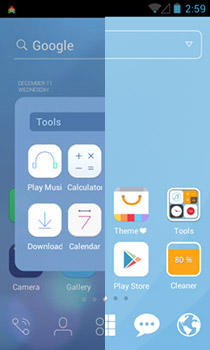
Launchers are custom home screen replacement apps that rank among the most distinguishing features of Android, and they’re available in abundance from third parties. No matter how many high-quality and versatile Android launchers you might have already tried, there is always another one right around the corner. New to the market, 91 Launcher is yet another insanely feature-rich Android home screen replacement that seems to have been inspired from the Chinese-based MIUI custom ROM. Available in the Play Store for free, this promising app has almost everything you could ask from a quality launcher, including gesture-based controls for accessing system features anywhere in the OS, multiple fully configurable home screens and dock items, an impressive array of themes, wallpapers & transition effects, dedicated widgets, shortcuts & folders, native app drawer with folder support, option to import icons from other installed launchers, iPhone & Android 4.0 ICS-style folders with option to encrypt their content, predefined power-saving system profiles, system-wide search support, and needless to say, tons of customizations. Read More

Vire Launcher Is A 3D Android Home Screen With Stunning Transitions

Developed by XDA members navdeepsangwan and winograd, Vire Launcher is a Android home screen replacement app boasting a visually refreshing UI with 3D effects & transitions, real-time lighting & reflections, super smooth navigation, and automatic theming of nearly every element in the entire interface including home screen widgets and icons etc. Currently in beta, Vire Launcher is an attempt to provide Android users with a 3D home screen offering tons of customizations. Besides being one of the most responsive and beautifully-crafted home screen replacements we've seen recently, Vire Launcher impresses with the realistic light reflections on its native metallic clock widget, determined solely by the readings fetched from the device's accelerometer. That’s not all – the launcher has its own applets, shortcuts, animations, themes, wallpapers, transition styles and several other UI tweaks that we shall look at in detail past the break. Read More

Driving Dashboard ‘Sony Car’ Ported From Xperia Z To All Android Devices

Google Play Store has plenty of apps that make it easier to use your phone while docked in your car, and there’s a built-in dock mode available on most Android phones out there as well. However, not everyone is comfortable with fancy voice commands or alerts, and some people just can’t be bothered automating the functions of their phone when driving. With Sony Car app, you can make using your phone while driving arguably safe. Even though it lacks even the slightest bit of automation-related features or alerts for the driver, what it does have is a clean and well laid out interface that is essentially a launcher with really big icons optimized for using in dock mode. There is more to it than meets the eye, so read all about it after the break. Read More

Get Ubuntu’s Vertical App Switcher On Android With Unity Launcher

At the beginning of the year, Canonical announced its Ubuntu for phones project that will soon enable you to enjoy a full-fledged, standalone version of the popular Linux OS on your mobile devices. While it’s the lucky Galaxy Nexus owners who will be getting the first taste of the fully-functional OS, they are still waiting for a release by Canonical. However, what you can have for now is Ubuntu’s vertical app switcher/launcher on any device running Android 2.2 Froyo or higher, thanks to the brand new app called Unity Launcher. Resembling the looks and functionality of Ubuntu’s standard app switcher, Unity Launcher is a third-party customizable multitasking and app switching solution for Android that lets you switch back and forth between your favorite apps form anywhere in the OS by simply swiping in from the left edge of your device’s screen. Read More

2nd HOME: Android Multitasking App With Power Toggles & PIN Protection

We've been seeing Android app switchers and launchers making their way to the Play Store quite frequently these days, each claiming to offer a better multitasking experience than its competitors. Ranging from the stripped-down and minimalist ones like GYF Side Launcher to the heavyweights like SwitchApps, there are plenty of options available to suit anyone's needs. 2nd HOME aims to offer a unique combination of an app switcher, privacy manager and memory cleaner that also sports Android 4.2 Jelly Bean-style notification power toggles, all accessible from the same UI throughout Android via an omnipresent on-screen trigger as well as a notification panel shortcut. Read More

LMT Launcher For Android Updated With Pie-Style Multitasking Shortcuts

Paranoid Android is arguably one of the most popular custom ROMs available for Android these days, offering the best features of Android smartphones and tablets in a single well-blended package, along with several other goodies and customizations. PIE is one of the ROM's features that is fast gathering attraction from Android developers and users alike. The feature can be cited as an enhanced version of Taskarou Launcher that we already have covered at Addictive Tips, which in itself takes inspiration from an optional interface offered in the stock ICS browser. As with the said launcher, PIE allows quick and convenient multitasking on Android by offering a Chinese fan-like menu overlay containing conventional hardware emulation keys and various other ones supporting user-selected actions. In addition, you get to see information regarding current time, date, battery & Wi-Fi status and unattended notification count. If you wish to enjoy a similar feature on your rooted Android device without having to flashing the entire ROM, XDA member noname81 brings it to you the latest update to LMT Launcher – a fully gesture-controlled and highly customizable multitasking app that hasn’t yet made it to Google Play Store despite being around since 2011. Read More

Access Recent & Favorite Apps From Anywhere In Android With HomeFlip

Such is the popularity of Android app launchers and task switchers that every few days, we come across a brand new concept of multitasking and quick app switching that appears to be more convenient and user-friendly than its predecessors. Today, we have another candidate vying to become your default Android app switching solution, especially for those who love to have a few favorite apps of theirs available just a few taps away from anywhere in the OS. With a file size of just 44 KB, HomeFlip (beta) by XDA member id0x12345 is easily among the most lightweight Android app launchers that we have come across so far. However, don’t let the meager file size of the app fool you; it boasts some very handy features that expedite multitasking on Android better than most existing solutions. Available for ICS and Jelly Bean devices, HomeFlip lists your recent apps/tasks anywhere in Android upon tapping the Home key. From the app’s dedicated recent tasks list, you can use various touch and swipe gestures to switch to required apps, pin select apps as favorites, hide items from the list and reorder favorite apps to your liking. Read More

Give Your Android A Google Now-Inspired Home Screen With SF Launcher

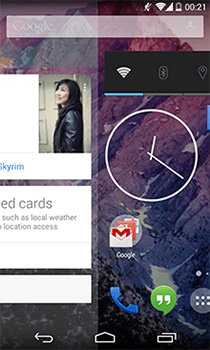
The revamped, smarter and intuitive Google Search app for Android might have earned a lot of praises from users around the world, but that’s mainly because of the app’s tremendous improvement on the functionality front and more specifically, due to the inclusion of an immensely intelligent search assistant with a Smart Cards-filled UI in form of Google Now. That said, Alamo Apps seem to be inspired enough by the Google Now's interface to design a full-fledged Android launcher replicating its look and feel. Currently in alpha, SF Launcher is an Android home screen replacement app that takes cue from the stock search app included within Android 4.1 Jelly Bean and higher devices. The app’s main interface is split into three segments supporting multiple widgets and custom favorite apps. Read More

Tile Launcher Brings The Windows 8 Start Screen To Android

Android is all about customization. From widgets and wallpapers to locks screen, custom ROMs and what not, purchasing an Android device puts hundreds of customization options at your disposal. Unlike most other operating systems, Android even allows you to customize its home screen interface itself in form of custom launchers. Previously, we have covered a wide array of Android launchers and today, we have another one for you - Tile Launcher. Based on Android 4.2 Jelly Bean’s native launcher, Tile Launcher brings elements of the Windows 8 Modern UI to Android in a fast and minimalistic package. Tile Launcher is currently in early BETA and doesn't contain as many options as you’d find in other insanely popular launchers such as Apex, Nova, GO Launcher EX, etc. However, it provides a fast and snappy user experience that favors speed over number of features. Read More

Launcher8 Is A Great Windows Phone 8 Style Android Launcher With Live Tiles

In LauncherWP8, we found a very effective solution to give your Android’s home and lock screen a Metro Modern makeover. Seems like our beloved launcher has just got some serious competition, as the QiHang Dev Team has just released a similar alternative to the Play Store by the name of Launcher8. Filled with Windows Phone 8 style Modern goodness, Launcher8 is a free Android home and lock screen replacement app that pips ahead of the aforementioned alternative in a number of ways. For instance, it sports live tiles for contacts as well as Gallery photos. It also has a dedicated lock tile to help you quickly lock your device without requiring to reach for the power button. Unlike LauncherWP8, this app allows you to switch the app drawer between list and grid views, and offers as many as four different themes for the lockscreen. Launcher8’s home and lockscreen is customizable in a number of ways, and to top it all, you can backup and restore the app’s themes, complete with your custom alterations. Read More

ADW Launcher For Android Receives A Complete Overhaul [Review]

Before Android 4.0 Ice Cream Sandwich and its Holo goodness became mainstream, and the likes of Nova Launcher and Apex Launcher quickly emerged as two of the best contemporary custom Android home screen replacement apps, there were a select few home screen replacement apps that dominated the market. ADW Launcher is a name that instantly comes to mind in this regard. The launcher stayed out of the game for a long time, unable to keep pace with the changing competition. However, it seems ADW has will be making a strong comeback with its latest update (1.3.3.7), which has just been rolled out into the Google Play Store. Designed from scratch, the popular custom Android home screen replacement of yesteryear is back in contention, courtesy of loads of new features, enhancements, transitions and buttery smooth performance available for all Android devices running anything from Donut to Jelly Bean (and above). Read More

Get Windows Phone 8 Lock & Start Screen On Android With LauncherWP8

Originally released in the Google Play Store in Chinese and later on translated into English by a couple of XDA members, LauncherWP8 is a Metro Modern UI-based free, customizable home and lock screen replacement app for Android. The launcher replicates the Windows Phone 8 UI to quite an extent, and puts you in complete control over the modification of various home screen elements, including the overall theme, the number, title, placement & layout of tiles and the associated app shortcuts & widgets. LauncherWP8 comes with a search tool for apps and a Windows Phone-like app drawer that displays all apps in alphabetical order on a vertically scrolling list. In addition, it comes packed with a customizable lockscreen whose layout, background image and font color can be tweaked as desired. While the launcher impresses with its extensive set of customizable features, it has leaves much to be desired when it comes to performance. However, if you are willing to overlook the slight lag, you will find the Windows Phone 8 launcher a treat to use. Read More

Qsel: Maintain A List Of Frequently Used Items For Quick Launch

No matter how diverse your program use may be, there will always remain a set of of applications that you frequently use. In order to save time, one can change the usage methods to achieve the most in a minimum amount of time. For instance, rather than opening notepad by typing or browsing in the start menu or a desktop shortcut, you can add it to a list of priority programs on the basis of which multiple actions can be applied. Qsel is a lightweight application launcher supporting documents, web links and applications. You can choose in what state a program opens up when accessed. With the flexibility to organize entries in different categories, automatic drive letter handling in USB drives, system-tray mode and hotkey support, it promises to improve efficiency both at home and the workplace. Read More

Claystone Launcher 2 Shows Apps, Contacts & Online Feeds In An Amazing 3D UI [Android]

Android homescreen replacement apps are certainly improving along with the OS itself, an ideal testament of which can be seen in the form of the revamped version of Claystone Launcher. The app has been around in the Play Store for quite some time now, but owing to its inconsistent performance and laggy transitions, hasn’t been able to catch the attention of hardcore Android fanboys. However, that all seems to be a part of history now, as the team behind said launcher has just launched version 2.0 of Claystone in the market. Dubbed as the first ever ‘tandem’ launcher, Claystone Launcher brings to your Android’s homescreen some visually refreshing animations, plethora of up-to-date content from multiple online resources, ultra-convenient accessibility of, and navigation to, favorite content, and an interface that works in concurrence with whatever homescreen app you’re currently using. The app utilizes the concept of a unified 3D homescreen to present you with your favorite Android apps, contacts, latest news & Facebook feeds, Amazon Apps & Videos et al, on a vertically scrollable screen. Also present on the same screen are a handful of shortcuts to your frequently used Android apps, such as Phone, Email, Messaging and Camera. Read More

Get Functional Windows XP Experience On Android With XP Mod Launcher

Launchers are a great way to mod your Android’s homescreen to give it an altogether different look. Although there are numerous homescreen replacement apps, layout tweaks and themes available in the Google Play Store that let you change the entire complexion of your Android as per some other operating system or firmware, we were yet to come across an alternative that brings the true colors of Windows XP to Google’s mobile OS. Developed by team.fluxion, XP Mod Launcher is a free Android homescreen replacement app that replicates the looks, sounds, and (to some extent) functionality of Windows XP, and lets you explore as to how one of Microsoft’s most popular operating systems might’ve looked on your Android device. The launcher brings several XP goodies to Android, including the login screen, start menu, desktop interface, folders, multi-windowed browsing, taskbar, and the digital clock. The best part? You don't have to install any drivers to enjoy all of that! Read More