Download Multiple Files From Command Line In Ubuntu Linux
If you work on remote linux servers then you often need to download multiple files. The utility which is used to download files from the command line is called Wget. Lets see how we can download multiple file from the command line using the Wget command.
The following command is used to download a single file using wget:
wget URL
Replace URL with the exact url of the file to download.
wget https://www.addictivetips.com/app/uploads/2009/12/InternetTesterUpdate.jpg
Now what if you want to download multiple files, it’s time consuming and tiring to run the above command for each file that you want to download. Here is the trick, just create a file and put all the urls in that file. To create a new file(named Download) run the command:
gedit download
Now enter all URLs in this file.
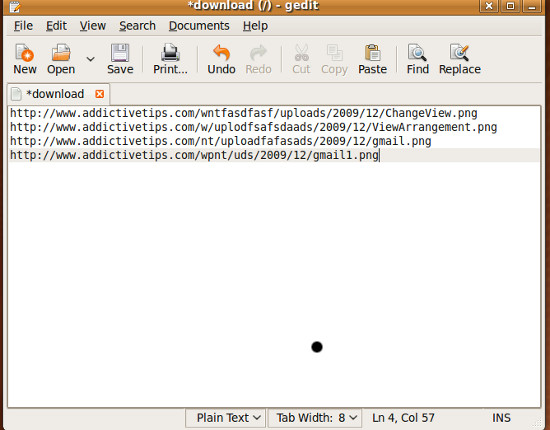
Use this file as a parameter for wget. The following wget command will download the multiple files as per your given setting, in this file.
wget –i download
It is that simple and easy. Enjoy!

If here are files with *.tar.bz2 extention at download.mobatek.net/sources, then we can download all those sources with “wget” such way:
lnx#> wget -r -l1 -A bz2 download.mobatek.net/sources
where -r –donwload recursively
-l1 one level of recurcivity
-A files extention
awesome!! Thank you!!
Like the tip very much. Added it to my library:http://fosslib.tsakf.net/record/317
Like the tip very much. Added it to my library:http://fosslib.tsakf.net/record/317