Integrate Hulu Desktop In Windows 7 Media Center

Lets be straight here, Windows 7 Media Center is an excellent tool to watch videos, news, shows, and more. The same goes with Hulu Desktop that brings thousands of shows at your fingertip. But what is lacking here is the integration of both apps.

Note that we are not talking about integrating Hulu in Windows Media Center, rather we are talking about integrating the ‘Hulu Desktop’ in Media Center.

Hulu Desktop Integration does what Hulu and Microsoft failed to do together, it adds Hulu Desktop inside Windows Media Center so that users can switch between both apps with a click of a button.

Now you can sit back and relax, when you need switch from Windows Media Center to Hulu Desktop, just select Hulu Desktop from the remote control. Doing this will will close the Media Center and open up Hulu Desktop in fullsceen mode. When you close Hulu Desktop by clicking Exit in the main menu, it will start up Windows Media Center back again.
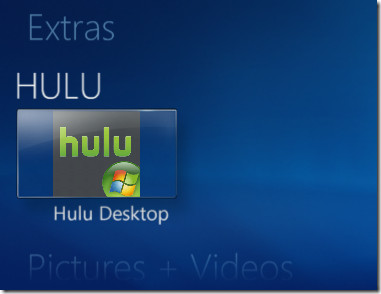
Hulu Desktop Windows 7 Media Center

Switching between the two apps has now become a piece-of-cake. Technically, it saves a lot of headache for those users who need to switch between these apps frequently.  Before installing it, make sure that both Media Center and Hulu Desktop are closed.

Download Hulu Desktop Integration

We have only tested this under Windows 7, we are not sure if it works with Windows Vista Media Center as well. Enjoy!

  • Share this article!

    • Digg this!
    • Bookmark on Reddit
    • Bookmark at Delicious
    • Stumble this!
    • Share this post at Facebook
    • Tweet this!
    • Share on Yahoo! Buzz
    • Add AddictiveTips to your Technorati favorites
    • Share on Friendfeed
This entry was posted in Windows and tagged , , , , . Bookmark the permalink. Post a comment or leave a trackback: Trackback URL.

6 Trackbacks

  1. [...] Hulu Desktop Integration is freeware, works with Windows 7. Unfortunately it doesn’t work with extenders. Hulu Desktop Integration [via AddictiveTips] [...]

  2. [...] Hulu Desktop Integration is freeware, works with Windows 7. Unfortunately it doesn’t work with extenders. Hulu Desktop Integration [via AddictiveTips] [...]

  3. [...] Hulu Desktop Integration is freeware, works with Windows 7. Unfortunately it doesn’t work with extenders. Hulu Desktop Integration [via AddictiveTips] [...]

  4. [...] with Windows 7. Unfortunately it doesn’t work with extenders. Hulu Desktop Integration [via AddictiveTips] Courtesy [...]

  5. By 22 Windows 7 Freeware That You Should Know About on March 19, 2010 at 2:53 pm

    [...] allowing users to have one-click switching between the two applications. Efficient and simple.Hulu Desktop IntegrationYou must have noticed that all popular tools have been excluded from the list. This is because we [...]

  6. [...] Hulu Desktop Integration is freeware, works with Windows 7. Unfortunately it doesn’t work with extenders. Hulu Desktop Integration [via AddictiveTips] [...]

Post a Comment

Your email is never published nor shared. Required fields are marked *

*
*

You may use these HTML tags and attributes: <a href="" title=""> <abbr title=""> <acronym title=""> <b> <blockquote cite=""> <cite> <code> <del datetime=""> <em> <i> <q cite=""> <strike> <strong>


More in Windows (5 of 5 articles)