Make A Slideshow With Music And Audio Using PhotoStage
Remember, last year we discussed about making a free DVD slideshow(with music) in Windows Vista. Well it got a lot more easier and professional with PhotoStage. It is a free tool for Windows that lets you create a professional slideshow with any media file. You can add photos, videos, music, and also add your own recorded voice to the slideshow all from within a simple-to-use interface.
The slideshow feature in Windows DVD Maker contains basic features only, while in PhotoStage you can edit every aspect of the slideshow to give it a professional look.
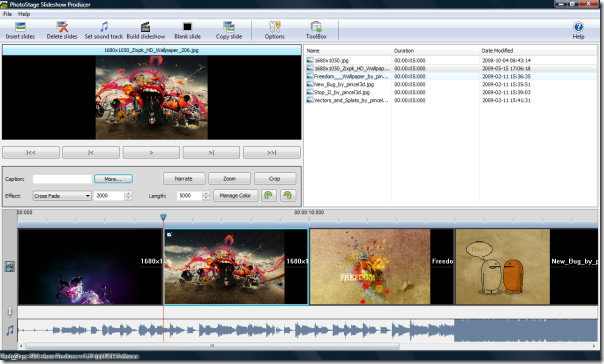
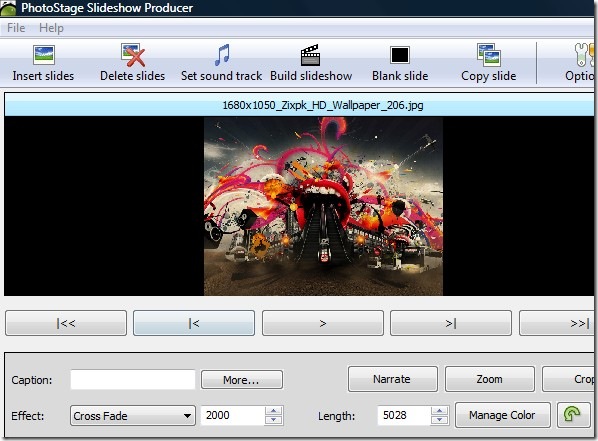
Click Insert Slides to add the photos/videos in the timeline, you can adjust their effects and manage colors from the main control buttons. To add music, click Select Soundtrack.
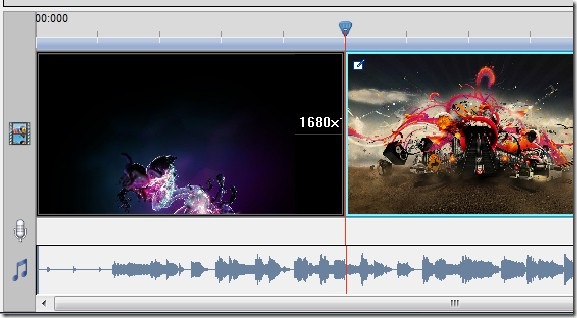
To increase the duration of a slide, drag it’s border and move it in the timeline. Note that the sound track’s length will increase along with the slide too.
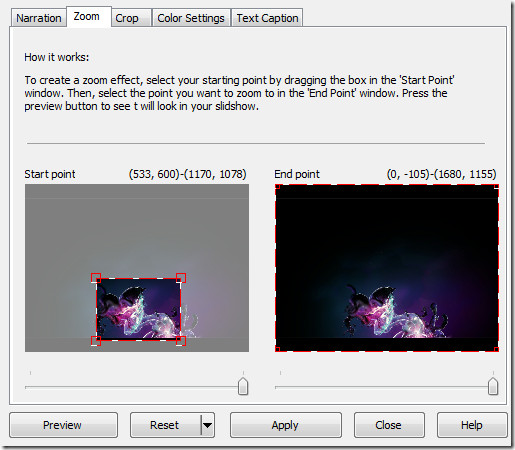
There are three options that can give your slideshow a great look, Narration, Zoom, and Crop. Narration allows you to record your own voice for every slideshow, Zoom adds the zooming effect inside the slideshow, while Crop lets you show a limited portion of any image or video.
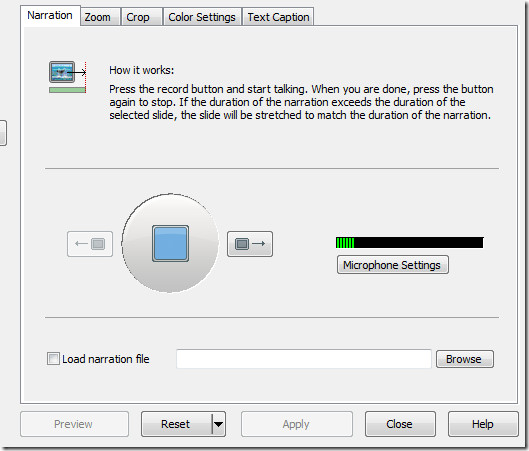
While you are narrating, the music soundtrack will be disabled automatically. You can choose for which slide you want narration and music to run. In the zooming effect you have to provide the start and end point only, it will handle the rest automatically.
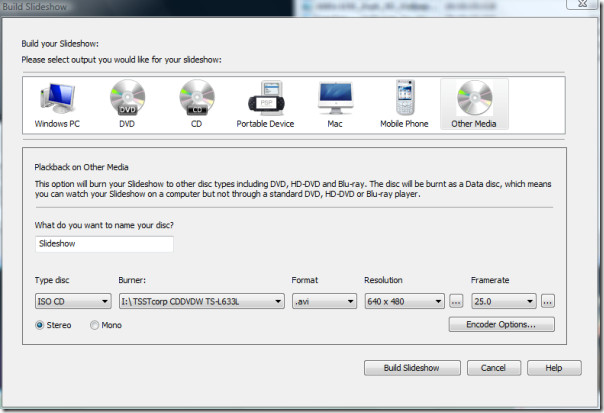
Once your slideshow is ready, click Build Slideshow. You can then save the slideshow to run in Windows PC, DVD, CD, Mac, Mobile Device, or some portable device. The slideshow video can be saved in various formats, such as, avi, mov, flv, wmv, asf, mpg, 3gp, etc.
And yes, the slideshow made using this tool can be easily uploaded to YouTube, without having to follow this method. Overall, its a must-have tool for every Windows user, even if you are satisfied with your current slideshow maker, I would recommend that you give this tool a run too. It works on Windows XP, Windows Vista, and Windows 7. Enjoy!

this software is a keylogger included spyware
Repeating others above. How do I add more than one song. My slide show is in the middle when the song ends. I need to add a second song to last the duration of the show.
how do I add more music to my slideshow?
How do you add more then one music file to the slideshow
Exactly what I was looking for. I need it for wedding collages and this looks perfect. Can’t wait to try it. Thank you for sharing. I’ll be keeping an eye on your blog 🙂
To make photo collages, have a look at this tool.
https://www.addictivetips.com/windows-tips/how-to-make-pictureimage-collage-from-your-photos-with-shape-collage/
Looks impressive, I’ll definitely give it a try. Thanks for sharing.