Windows 7: Quick Way To Take Ownership Of File/Folder
Guess what is the most annoying part of Windows 7? Every time you try to access a system file/folder you get “Permission Denied” error. The only way to override this error is to take ownership of that file/folder, which is quite a lengthy and tiresome process which is hated by almost every system administrator.
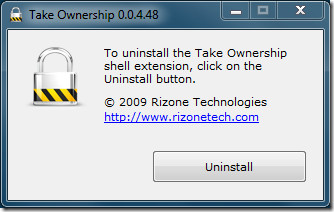
Thanks to Take Ownership Shell Extension developed by Rizone, taking ownership of file/folder in just a click away. Just launch the tool, hit Install, and you will find Take Ownership option in the Windows Explorer right-click context menu. Launch the app again, hit Uninstall, and the option will be removed.
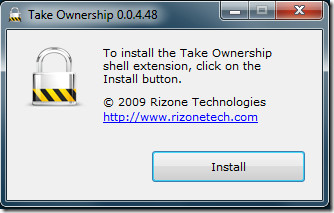
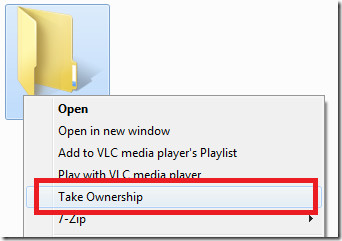
Compared with the default method of taking ownership, this small portable utility can indeed come useful and is perfectly safe to use.
Apart from Windows 7, it works on Windows XP, Windows Vista, and Windows 2003/2008 Server. Both 32-bit and 64-bit are supported.

Thanks…. 🙂
great app
Run the downloaded file again. After installing the “install” button changes to “uninstall”. So I assume rerunning the downloaded file again will display that uninstall option.
Can I kindly enquire now that I have completed what I wanted to do with the Take Ownership Shell Extension. How can I got about removing it from the system? So that it will not appear on the context menu? Thank you!
Taking ownership is a 'hated' and 'tiresome process' because it is a big deal!Think about this, Windows makes it hard, someone writes an app to make it easier, user thinks it's the bee's knees, person with bad intentions exploits this great little app to take ownership of user's files, user cries.It's nothing more than a glorified way to circumvent your security. Good idea, bad practice.
XDN-Tweaker has that option amongst its tweaks. Most Tweaking tools these days do.
I will have to agree with you. But at AddictiveTips we review every sort of interesting app we come across. There must be some users out there who want such an app but do not want to install a tweaking app. 🙂
I agree! This is a great Little Tool, I used to use a little registry script for this but some people think scripts are viruses and they trust apps more.