Windows 8 Start Tweaker: Change Metro Start Screen Background & Color
Just a few days back, we covered Windows 8 UI interface hack to change the background of login screen, start screen and right side bar panels. The tweak involves changing the RGBA color code values of uxtheme.dll file in System32 folder via Hex editor. Although, Windows 8 UI tweaking requires extra effort along with complete knowledge related to handling color Hex values and Hex offsets in a editor, you can change almost all the user interface elements in Hex Editor by editing the uxtheme library file. Today we came across a small yet powerful tool called Windows 8 Start Tweaker, which is a GUI based, portable application to change background color & image of login and Start Screen with a single click.
When launched, it shows the default green background color with green shade texture of Windows 8 start menu. You can either change only background images, color or both. Just click the image and then specify the image you want to apply as background. For instance, you can create a custom texture for any solid color and replace the Metro Background Image with it. Similarly, solid background image can replace the Metro Background Color.
![Windows 8 (Snapshot 1) [Running] - Oracle VM VirtualBox_2011-09-22_11-34-22](https://www.addictivetips.com/app/uploads/2011/09/Windows-8-Snapshot-1-Running-Oracle-VM-VirtualBox_2011-09-22_11-34-22.jpg "Windows 8 (Snapshot 1) [Running] - Oracle VM VirtualBox_2011-09-22_11-34-22")
Once done, Click Apply and open Start Menu. Now from user account menu, log off from Windows and log back in to change login screen background color and Start Menu background image and texture.
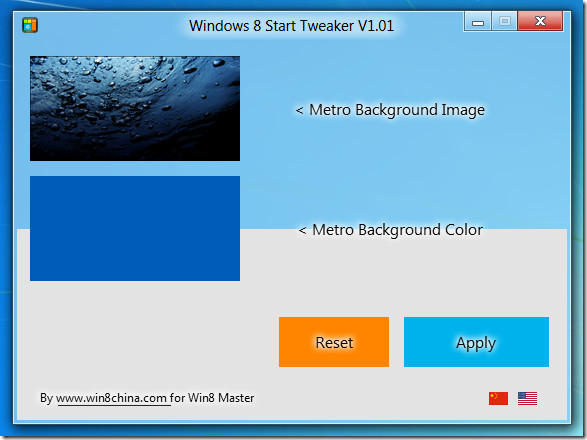
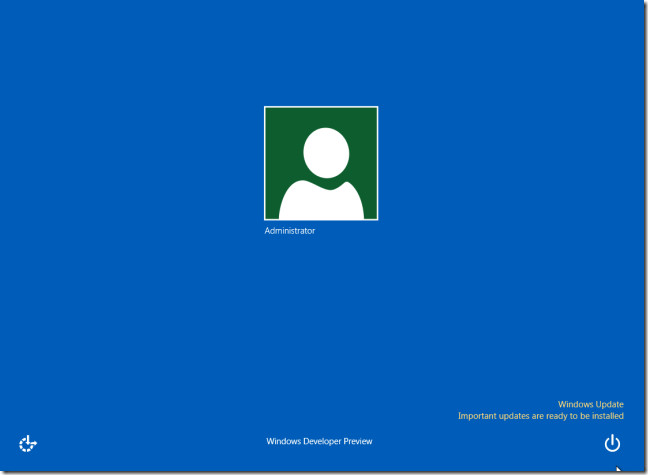
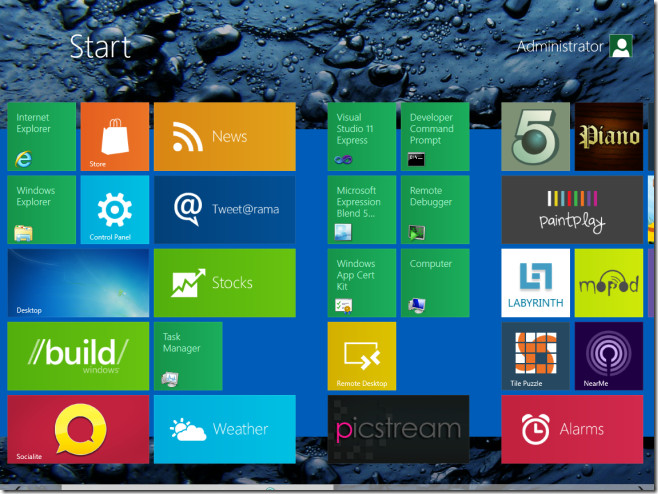
Windows 8 Start Tweaker supports PNG, BMP, JPG,GIF image formats. According to the developer, the height of the image should be double the height of screen resolution to fill the whole screen. The default user tile color (green) doesn’t change with Windows 8 Start Tweaker but you can manually change the user tile image from Metro Control Panel that matches with applied color scheme. We hope that developer will add an option to change the Windows 8 user and app tile colors in next version.
Download Windows 8 Start Tweaker

I was looking for this information
thanks for the knowledge 🙂
Yet another fail of win 8
Is it possible to change to Full Background? Just like in Windows 8 Consumer Preview
made in china ……good!
Is there a version for build 8250
you can change the Windows 8 user and app tile colors with this:
http://leonardorg.deviantart.com/#/d4bw4cn
I don’t know why tech geeky like you reviewing in depth about windows 8, Microsoft has reLeased only a preview version of Windows 8,(Its not Even Alpha or Beta Release) its for app developers only, it is not ment for Average home user, Installing Preview version of Windows 8 and tweaking it makes you definitely a home of Security risks.
One more time… Wait till Microsoft Releases its Standard Windows 8 (Definitely with Price Tag), till then stay away from it.
ignorant.
the t00l so nice~
good job!