HTC One M7 Toolkit: Unlock Bootloader, Install Recovery, Root & More

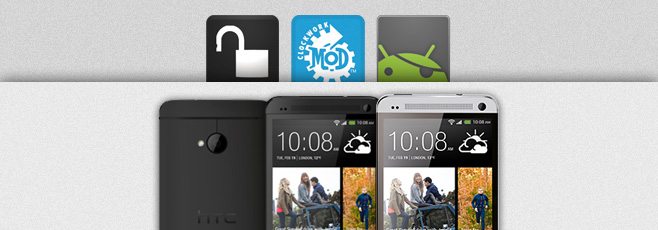
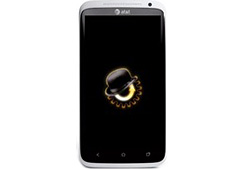
The HTC One is becoming HTC’s biggest hit to date, and rightly so since the phone is not only amazingly beautiful to look at, but also packs quite a punch when it comes to specs and features. The device was rooted soon after getting released, and we brought you our rooting guide for the device as always, though it required you to do everything manually. If you are looking for an easier way to unlock your HTC One’s bootloader, flash ClockworkMod, TWRP or any custom recovery to it, root the device or any combination of the above, there’s now an all-in-one toolkit available to help you with the process. Read More

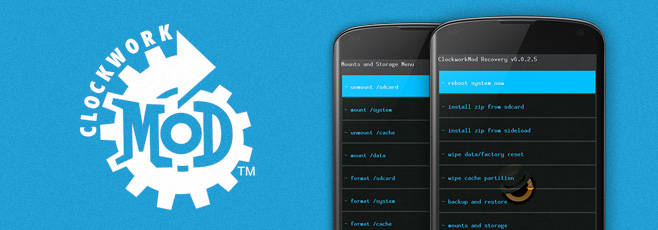
How To Root Google Nexus 4 & Install ClockworkMod Recovery

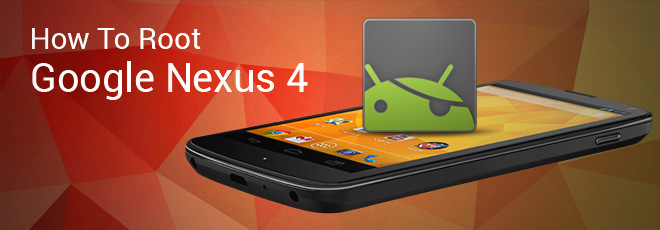
And just like that, we have rooted the Nexus 4! Running Android 4.2 Jelly Bean, Google’s latest Nexus device by LG has started hitting the shelves in the US and UK, but the remaining parts of the world still hold eager fans who have yet to get there hands on this device. Luckily – as is the case with all that is Nexus – expectant users can now not only root their Nexus 4, but install ClockworkMod recovery on it as well just as soon as they get their hands on it. Having already brought to you an overview of the new features of Android 4.2 Jelly Bean, gaining root access will throw even more fun your way. Wondering why you should root? View our guide on the top 10 reasons to root your Android device. Ready to root and install ClockworkMod? Read on for the detailed instructions. Read More

Make Nandroid Backups On Android Without Booting Into Recovery

Want to back up your Android phone or tablet without having to reboot it into recovery? Better yet, want to do it without even having a custom recovery installed (as long as your phone is rooted)? You can do exactly that now, thanks to a tool that makes them for you right from Android itself, eliminating the step of rebooting into recovery. For more details and the complete method, read on. Read More

Install Unofficial ClockworkMod Recovery On Galaxy S III I9300

The Samsung Galaxy S III gets an unofficial ClockworkMod recovery port. This comes in from renowned XDA-Developers forum member and developer, Chainfire and has reportedly been altered a lot by him since the CWM source isn’t built to correctly deal with the Samsung setup where the internal storage vs. SD card persists. The recovery offers nothing fancy, but a stock ClockworkMod recovery which has been thoroughly tested by Chainfire through backup/restore to both internal and external storage, wipes and installation if ZIP files from both internal and external storage. Read More

All-In-One Hack ToolKit For HTC One X, One S, Vivid, Rezound, myTouch 4G Slide & Amaze 4G

Tool kits for Android devices are a blessing literally. With the abilities to perform multiple functions from one app and mostly via a convenient one click method. XDA-Developers recognized member hasoon2000 has been hard at work developing a toolkit for the latest HTC devices out there, but best of all, he has released versions of the toolkit that are particular to the device at hand. The tool kit covers the recent HTC One X, One S, Vivid, Rezound and the likes of myTouch 4G Slide and the Amaze 4G as well. The tool kit lets you not only root the device, install a custom recovery, flash a custom kernel, but brings with a few very useful extra commands as well. We talk more about it, and how you can use this tool, in detail after the break. Read More

DoomRecovery Brings Touch Based Custom Recovery For Sony Xperia S

The Xperia S gets a touch based custom recovery, called DoomRecovery, based on the famous ClockworkMod Touch recovery, thanks to the efforts of renowned XDA-Developers forum member and developer DooMLoRD. Credit also goes to Napstar from Team UtterChaos for adding in the touch capabilities to the recovery, Frosty666 for the vibration triggers, FreeXperia Team (Bin4ry & jerpelea) and of course, Koush.The recovery is based on the sources from the CWM 5.0.2.x but quite a few changes have been made to bring you the DoomRecovery including some really cool aesthetics. Read on after the break for a preview of the recovery running on the Xperia S and a tutorial on how to get this recovery running on your Xperia S. Read More

Flash ClockworkMod Touch Or Stock Recovery With One Click On Optimus 3D

Custom recovery for a rooted Android device should not be an option, but at times, the procedure involved puts off most users who try and do without a recovery installed. The Optimus 3D is not exactly a new phone on the market, but certainly one of the most popular Android devices out there. For that said device, recovery installation never really came easy, or if it did, you never got the option of 3 recoveries in one package. Yup, thanks to the efforts of XDA-Developers forum member Paki0402 the device gets a recovery toolkit containing the option to flash ClockworkMod recovery, ClockworkdMod Touch recovery and if things get really out of control, the stock LG recovery. Read on for more on how you can use this app for your Optimus 3D. Read More

Install Official ClockworkMod Touch Recovery On HTC One X And One S

The HTC One X (GSM) and One S get ClockworkMod Touch recovery! This touch based recovery from Koush has been released for quite a while, for a handful of Android devices, but has just made it’s way onto the newly released HTC One X and the One S just after the device was released over a week back. The touch recovery is a serious improvement over the older ClockworkMod recovery and gives the user a very intuitive way of using the recovery. You can always install it via ROM Manager by paying a meager $1.99, but if for some reason you don’t want to do that, there’s always the manual, and cheaper method. We take a look at how you can manually install the recovery on your HTC One X and One S, after the break. Read More

Install Custom ClockworkMod Recovery Touch On AT&T Galaxy S II Skyrocket

ClockworkMod Recovery touch is already available for the AT&T Galaxy S II, but the Skyrocket is yet to find itself getting the touch goodness. Since Koush released his touch based ClockworkMod recovery onto a handful of devices, porting the recovery onto devices that are yet to get the touch based recovery, is all the rage right now. Guess what, XDA-Developers forum member sk8erwitskil has managed to port and already ported recovery by gweedo767 to the Skyrocket, but in doing so, has tweaked up it up a notch as well. We’ll show you what those changes are, along with how you can install this recovery on your device as well. Read More

Install ClockworkMod Recovery On MOTOACTV Android Watch [How To]

The MOTOACTV (F100) Android watch gets ClockworkMod recovery 5! The tiny 1.6” screen sized Android device is trying to compete with the big guns here, where it was rooted almost as soon as it came out, and a few weeks later, it gets an Alpha version of ClockworMod recovery 5. Does this spell future custom kernels and ROMs for this device? We wait and see, but for now, if you have the Actv rooted, here’s ClockworkMod recovery for you, courtesy of RootzWiki forum member utkanos. Read More

ClockworkMod Recovery Installer App For Sony Ericsson Xperia Phones

The Xperia lineup of phones get’s its own take on the ROM Manager. Xperia CWM Auto-Instaler (not a typo) is an app that will download, and flash the ClockworkMod recovery onto your Xperia device in no time. Even better, once the recovery is flashed, you can easily boot into it via the app. The most important bit, is the fact that you can now flash the recovery while still having a locked bootloader. The app currently supports the Xperia Arc, Arc S, Mini and Mini Pro (not X10 Mini / Pro), Active, Play (mixed reports), Neo and possibly more, but only these are known to be compatible right now.

Read More

ClockworkMod Recovery Touch For Nexus S & Galaxy Nexus [Install]

If you haven’t been living under a rock, you would know that Koush has been working on a touch based ClockworkMod recovery for our Android devices. Touch based recoveries are becoming more and more demanded since a few have already been launched in the Android world. However, to this date, a lot of users remain committed to the ClockworkMod recovery. So after teasing us with what the Touch based rcovery will be like, Koush has now released the recovery for the Galaxy Nexus (CDMA & GSM) and the Nexus S (GSM), but it’s a beta for now and remains largely untested. So if you own one of these devices, you can flash the recovery to your device quite easily. Read More

ClockworkMod Recovery Ported To Lenovo ThinkPad Tablet [Install]

Just a while back, the Lenovo ThinkPad tablet was rooted, and now ClockworkMod recovery has been ported onto the Honeycomb device powered by the Tegra 2 chipset. The porting of the ClockworkMod recovery comes from jcase over at XDA-Developers and should open the gateway for future custom kernels and ROMs. However, the recovery remains largely untested for now. Credit also goes to  More on the recovery and how – if you wish to – you can install it. Read More

How To Root Samsung Galaxy R & Install ClockworkMod Recovery

Rooting and custom recoveries go hand in hand for all Android devices. If you own a Galaxy R I9003 and still haven’t rooted the device, you can now do so thanks to the instructions by legion1911 over at XDA-Developers. The process is neither a one click one, nor a complicated and lengthy one. You will be flashing the recovery via ODIN and moving on to rooting via flashing Superuser from the recovery. Read More

How To Install ClockworkMod Recovery 5 On LG Nitro HD

The Nitro HD gets CWM 5! Soon after the device was rooted, users had their hopes pinned on a custom recovery so that custom ROMs and kernels and more could follow. That day is here, thanks to XDA-Developers forum member bytecode64 who has released the CWM v5.0.2.7 for the Nitro HD. Installation is easy, and quick, so if you have a rooted Nitro HD – yes you need root access – let’s take a quick look at what this recovery has to offer. Read More

Install Touch Based ClockworkMod Recovery On Galaxy Nexus [How To]

Galaxy Nexus gets a touch based ClockworkMod recovery. This comes in from RootzWiki forum member unstableapps along with Chris Ennis. The recovery is an Alpha build right now, and is only meant for advanced users at this point. The recovery while sporting touch functions via the on-screen navigation controls (Up, Down, Back and Enter), retains navigation controls via the hardware keys as well. Read More

Root & Recovery For Motorola Xoom On Android 4.0.3 ICS

If you have just installed the Android 4.0.3 Ice Cream Sandwich ROM for the Xoom that we covered, you would now have lost all root access on the device. However, thanks to XDA-Developers forum member anidrin, we now have a confirmed working root solution of the Xoom on Android 4.0.3 ICS. If you flashed the CWM packaged ROM, you will have the recovery intact on the Xoom, even if not, no worries, you can get it back easily. All that, after the break! Read More

Install ClockworkMod Recovery 5.0.2 On Droid X [How To]

A rooted Android device without a custom recovery, is like a battle tank with no turret. Motorola’s Droid devices have always been a tad bit hard to tackle when it comes to root and recoveries, or if not hard, they come with their own set of requirements. The Droid X for instance, once rooted, can be flashed with the latest ClockworkMod recovery, but you need the bootstrap app installed form the market, which essentially becomes a system app from that point onwards. So if you have a rooted Droid X and want to flash custom ROMs to it but do not have a custom recovery installed, no worries, we’ll show you how you can install the ClockworkMod recovery on the device in no time. Read More

Install ClockworkMod Recovery 5 On LG Thrill 4G Without PC

Earlier we covered a guide on installing ClockworkMod recovery on the LG Thrill 4G, but that process involved the use of ADB, and for some, that is just downright tedious and complicated. Thanks to XDA-Developers forum member rdannar, users can now get ClockworkMod recovery up and running on their device in no time at all without the use of ADB, or for that matter, a PC. Ok you will need the PC to download the recovery and copy it onto the root of your internal SD card, but that’s about it. However, if you can, you can always download the recovery straight from the phone as well. Up to you.

Read More

Install ClockworkMod Recovery 5 On Xperia Phones With Locked Bootloader

Sony Ericsson Xperia users with locked bootloaders lamenting on their inability to install custom ROMs and mods on their devices due to the lack of ClockworkMod recovery support, we've got some great news for you! You can now install ClockworkMod Recovery 5 on your Xperia devices very easily, without having to unlock the bootloader.The method works for devices such as the Xperia Arc, Neo, Neo V, Mini, MiniPro, Active & Live with Walkman. Excited about it and can't wait to get ClockworkMod up and running on your Xperia device? Read on for the complete guide. Read More