Metroon Brings A Working Windows 8 Experience To iPhone

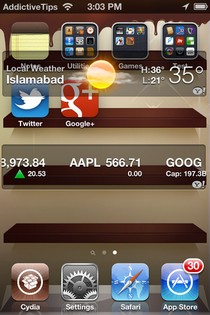
I remember back in the day when customization was one of the bigger reasons behind jailbreaking an iPhone. Over time, the jailbreak aesthetics scenario evolved much like the platform itself, and Winterboard was no longer the sole theming platform for iOS devices. Of the many contenders that surfaced (and vanished), Dreamboard remained the sole worthy alternative to the much-acclaimed Winterboard, and brought with it perhaps an entirely new scope for iPhone and iPod touch themes. Not only was theme switching made dead easy, but the themes and skin packs themselves were much refined and more customized on Dreamboard. We even did a roundup of our top 5 picks in free Dreamboard themes back in November 2011. What that roundup was missing, however, was the new Metroon theme, a fresh release in Cydia that brings a complete and (surprisingly) functional Windows 8 experience to jailbroken iPhones. Whether you hate Microsoft’s latest operating system or deem it a right step towards the future is another debate, but Metroon is one Dreamboard theme you have to try out, and we’ll explore it in depth just past the jump. Read More

QuickIM For iPhone: Google Talk & Facebook Chat Client With Quick Reply

One of the biggest advantages of smartphones is connectivity on the go. Although you get that with almost any phone (that’s the whole purpose of a mobile phone, anyway), these devices allow internet access without restricting mobility, and that makes the whole idea all the more practical and useful. In today’s world, Google Apps have replaced plenty of enterprise suites for a lot of organizations, and even outside that, many users prefer using Google Chat due to its deep integration with Gmail and lightweight desktop client. Then, Facebook being the most popular social network, its chat service, too, is one of the most convenient methods of staying connected on the go. All the major smartphone platforms – iOS, Android, Windows Phone et al – have a plethora of multi-protocol chat clients that allow connection to various instant messaging services. The problem, however, is that not all solutions are equally effective; some may be resource intensive, others may lack (push) notifications, while still others may have an ugly interface. Furthermore, for iPhone and iPad, even though we have Facebook Messenger, it’s not that efficient, and on the Google chat front, neither is there any official client, nor are the third-party solutions that impressive. Perhaps that’s the reasoning behind the Cydia app, QuickIM. Currently supporting Facebook Chat and Google Talk, this app for jailbroken iPhone, iPod touch and iPad makes it super easy to stay connected with your buddies on these platforms, employing an easy interface, push notifications, and quick reply & compose features. Read More

Apply Filters & Effects To iOS Icons With Aicon

There are a lot of themes available in the Cydia store that can be used to completely revamp the looks of your jailbroken iPhone or iPad. These themes, however, have one disadvantage: they change every aspect of your iOS device, and do not let users tinker with individual areas of the platform (not easily, at least). So, if you want to have complete control over your iDevice (and that’s exactly what jailbreak is for), then Aicon is a new cosmetic option you are sure to appreciate. This fresh Cydia app allows users to change the appearance of their Springboard icons in numerous ways. You don’t have to go through a lot of complicated steps to re-theme your icons, as the app has plenty of filters of its own. You can apply a new filter to all the icons with a single tap, and there is also the option to apply a combination of multiple filters simultaneously. Read More

Prevent iPhone Banner Notifications From Obscuring The App In Use

Has it ever happened to you that you were deeply immersed in the intense gameplay of perhaps a tower defense game on your iPhone or iPod touch, laying down your strategy to prevent the oncoming hordes of enemies from reaching your base, when suddenly, the whole world comes to a halt! You hear the game’s mystifying soundtrack fade out as the familiar chime of a text notification takes its place, and the game pauses itself to give room to the banner notification dropping down from the top of the screen. If you’ve experienced this, or anything similar to what I described, you’d know what a big annoyance this whole situation is! What’s worse, the dropping banner notification covers the top part of the screen, so if any navigation controls are there (which is quite common across the iPhone ecosystem), they’re temporarily (and unnecessarily) blocked, and should you accidentally tap in that area while the notification is visible, you’ll immediately switch to whatever app sent the notification. Considering all this, and perhaps many other similar scenarios, one can only deduce that Apple has made a fundamentally erroneous judgment call with iOS banner notifications. CoverMeNot is a new Cydia tweak in town that addresses this seemingly-small yet highly annoying banner behavior, and modifies it in the simplest of ways to make our lives easier, which we’ll discuss just past the jump. Read More

Check: Batch Select Multiple Items In iOS Mail With A Single Touch

The stock Mail app in iOS is one of the features of Apple’s mobile platform that is used by almost all iPhone and iPad users. There are a few pretty good alternative email clients available for iOS (like Sparrow and the official Gmail app), but none of them have the completeness and efficiency offered by the stock Mail app. However, once you take away the fact the Mail app is developed by Apple, it is a pretty minimalistic and simple one that does not have too many complicated options. While this can prove to be a good feature for most users, for anyone wishing to have a few advanced features in Mail, the app is sure to be a bit disappointing, and, at times, annoying. If you are a regular user of iOS’ Mail, you are sure to know that there is no way of selecting messages in bulk, and you have to tap each email separately if you want to move lots of them to trash or have to mark them as read. Check is a new Cydia tweak that resolves this issue, and using it, you will be able to select or deselect as many messages as you want, and that, too, with just a couple of taps. Read More

Get Chrome-Like Omnibar With “Find On Page” In iOS Safari

It is a known fact that competition always improves the quality of a product. Ever since the awesome Chrome for iOS came out (along with a slew of Cydia tweaks aimed at Google’s web browser) there have been some pretty decent tweaks for Mobile Safari as well. Most of the recent Safari tweaks are trying to bring Chrome’s features to the stock iOS web browser, but Safari Omnibar does a bit more than that. Admittedly, this tweak borrows the Omnibar from Chrome, but it also adds a new functionality to Safari’s address bar. Safari Omnibar will remove the search box from Safari, and in addition to that, you will also be able to find anything on the current page from the same area of the browser. Read More

Open Any URL In Chrome For iPhone & iPad Through iOS Action Menu

Chrome for iPhone and iPad took the Apple fanboys with a storm, and the speed with which it reached the top free app slot on Apple’s mobile platform is a testament to the popularity of Google’s most-popular web browser. Then, it wasn’t just Chrome that made its way into iTunes App Store and then to millions of iPhones, iPod touches and iPads worldwide; a lot of Cydia tweaks and hacks for the mobile browser sprouted in the very week of its release. Just a few days back, we covered Jon Abrams JavaScript-based bookmark for opening any Mobile Safari link in Chrome, and then did a compilation of some of the most useful Cydia tweaks for Chrome on iPhone/iPad, catering to our jailbroken users, and featuring the likes of immensely-useful BrowserChooser and Chromizer. A new contender in town in this regard is Chrome for Action Menu. Courtesy of r_plus, the package essentially adds a ‘send to Chrome’ shortcut to iOS’ action menu, letting you view any link in Google’s browser rather than Apple’s own offering. Read More

MultiStorey: Get Enhanced Music Controls & An Extra Row In iOS App Switcher Tray

About a month ago, we covered a Cydia tweak named Switchy that adds an extra row of icons to the App Switcher tray. Although the functionality offered by Switchy was really useful for almost everyone, many shied away because it was a paid tweak. MultiStorey is a new tweak for jailbroken iOS devices that serves almost the same purpose as Switchy, but without some of the more fancy features and the price tag! This free tweak doubles the App Switcher tray’s height, thereby letting you see 8 icons in a single view (make that 12 for the iPad). Not only that, MultiStorey makes the App Switcher music controls much more convenient for users, and adds the volume slider to the same screen as other music options. Read More

5 Great Cydia Tweaks For Chrome [iOS]

Looks like Mobile Safari has finally met its match, and if you don’t believe that, just take a look at the number 1 app in the Free section of the iOS App Store. In less than a week, the intuitive Chrome web browser for iPhone and iPad has managed to become the favorite iOS app of many users. People seem to absolutely love the fact that they can now literally carry the tabs from their desktop browsers right on their iDevice. Apart from that, there is the familiarity factor, as Google has kept iOS Chrome’s interface pretty similar to the desktop version. Having said all that, Chrome is still not perfect. For one thing, there is no simple method of making the app your default browser, and the browser can certainly use a healthy update, too. Luckily, you don’t have to wait for Google to roll out the app’s update in order to make the browser more awesome, there are a few Cydia tweaks available in the jailbreak store that will let you make some really useful changes to Chrome for iOS. Read More

PhotoExif: View EXIF Metadata Of Images In iPhone’s Stock Photos App

If you take your photography pretty seriously, and don’t use your iPhone’s camera just for Instagram, then chances are that the lack of iOS’ ability to let its users view EXIF data of photos has bothered you at one time or another. Apple’s smartphone platform does not even have options to display an image file’s name, and that can cause a lot of trouble if you are trying to keep the stock Photos app organized. PhotoExif is a Cydia tweak that allows its users to view all the backend information associated with pictures on their iPhone, iPad or iPod touch. Unfortunately, the tweak does not have options for editing or removing the EXIF data from photos, but being able to see relevant information about the image can prove to be really helpful in a lot of situations. PhotoExif lets you view the color information of an image, its resolution and even the details of the camera with which the photo was shot. Read More

Now Playing For NC: Control & Tweet Music From iOS Notification Center

The stock Music app in iPhone and iPad is something that Apple has got absolutely right. It does not have too many options, which helps in keeping things elegant and simple, and on the other hand, it has all the features that are enough to ensure that most users don’t need any third-party app to play their favorite songs. Music controls are pretty thorough too, and users aren’t restricted to the in-app controls to navigate between tracks, thanks to the presence of these controls on the lockscreen and in the App Switcher tray (not to mention the earphone buttons). Now Playing for Notification Center is a tweak that provides users with yet another option to control their music, adding some pretty cool options of its own to the mix as well. Via this Notification Center widget, you can change tracks, rewind, forward, pause or play them, and there is also the Twitter button in the tweak, using which you will be able to scrobble your music with a single touch. Read More

Automatically Enable Your iPhone’s Wi-Fi Upon Launching Certain Apps

With the advent of 3G and faster data speeds, the reliance of users upon Wi-Fi might have diminished slightly, but a vast majority of apps that require internet connectivity are still predominantly run on Wi-Fi. An iPhone isn’t exactly useless without internet, but it isn’t too awesome, either. There are a lot of iOS apps that need a good internet connection in order to function properly, and some of them won’t even start if you are not connected. Look at the Facebook app for instance. You can launch it without a data connection, but it won’t do any good and you will not be able to see anything inside the app. For such apps, the new Cydia tweak named (rather dramatically) Thor is the perfect thing to have on your jailbroken iPhone or iPad. The tweak lets you define a set of apps, and whenever any of the chosen apps is launched, your Wi-Fi connection will be switched on automatically. Read More

HiddenHelper Keeps Siri’s Interface Invisible Unless It Displays Certain Info

Although Siri is pretty popular among iOS fans, there is still room for improvement. Some really good changes are coming to Siri in iOS 6, but there are Cydia tweaks in the jailbreak store that can make Apple’s personal assistant even cooler. HiddenHelper is a tweak that makes your conversations with Siri more convenient and natural, and thanks to the tweak, you are sure to feel like you are talking to your iPhone rather than an app. HiddenHelper lets you use Siri without launching its interface. You can still ask Siri any questions, but if the answer does not require any text or graphical support, Siri will just speak the answer out loud, and there will be no visible change on your device’s screen. The best thing about HiddenHelper is the fact that it is up to the user to decide what they want to view in Siri’s interface, and what they want to remain hidden in the background. Read More

Get The iOS 6 Notification Center Twitter Widget In iOS 5

There can be no getting around the fact that iOS 6 has borrowed a lot of its good stuff from a slew of Cydia tweaks. You might remember InstaTwitter, a tweak we covered a few days back. By a lucky chance, we combined the widget with InstaFacebook in our review, and a few days later, Apple did exactly the same thing when they announced the official social widget for iOS 6. The iOS 6 Notification Center widget will let users tweet and update their Facebook status right from the NC. However, there are still a few months separating iOS 6 from iPhone users, and if you can’t wait to get your hands on all the great features on offer in the update, there are plenty of Cydia tweaks that will let you recreate those functionalities even in iOS 5. So, if you own a jailbroken iPhone or iPod touch, you can have a taste of Apple’s official social widget right now (at least, to some extent). iOS 6 Twitter Widget for Notification Center is a new addition to the Cydia store that does not have the Facebook button, but imitates the Twitter part of the iOS 6 widget pretty accurately. Read More

How To Jailbreak iOS 6 Beta & Install Cydia [Complete Guide]

Apple announced iOS 6 during WWDC 2012, and the world went into a frenzy (as it always does with any Apple offering). The 6th major iteration of the OS brought with it a lot of bells and whistles, like revamped Maps, more knowledgeable Siri, shared Photo Streams and loads more (you may want to check out the entire list of new goodies). On the same evening, iOS 6 beta became available for developers, ensuring that apps – the life and blood of iOS platform – became optimized before the operating system became available publicly. However, many, like us, just couldn’t wait to get their hands on the newest iOS for iPhone, iPod touch and iPad, and many devices, despite not belonging to developers, got the new OS up and running in a matter of days. However, doing so resulted in one thing that most jailbreakers don’t like at all – breaking the jailbreak! The good news is, iOS 6 is jailbreakable, publicly, and even Cydia can be installed through some unconventional methods. We’ll get to that just after the jump. Read More

“iOS 6 Photo Menu” Revamps Sharing Options In iOS 5 Stock Photos App, Adds Facebook & Google+

It has been a week since Apple announced iOS 6, and by now, everyone who is even remotely interested in iPhone (or any other iDevice, for that matter) knows a thing or two about iOS’s sixth major update. The knowledge of Siri enhancements, Facebook integration and all the other sweet features expected to be released with iOS 6 has only served to whet the appetite of all Apple fans. So, if you are one of those people who just can’t wait till fall to get their hands on iOS 6, there’s at least one feature you can try on your jailbroken iPhone right now! The new Cydia tweak named iOS 6 Photo Menu will replace the boring old photo sharing menu in iOS 5 with the new and glossy one from iOS 6. The sharing menu in the stock Photos app has been enhanced in iOS 6 both cosmetically and in terms of functionality. The tweak adds a few changes of its own to this menu (like the omission of the Photo Stream button and the addition of Google+ sharing option), but basically, it emulates iOS 6’s menu pretty thoroughly. Read More

View iOS Apps Download Percentage & Disable Deletion While Loading

Downloading a large-sized app on iOS devices can prove to be a total nightmare at times. The download might get paused if you inadvertently touch the app’s icon once, or your Wi-Fi might become inactive without warning if you keep your iPhone in sleep mode for too long. Even if you ignore all these problems, the whole App Store download experience is not one of the neatest features of iOS. Although the blue download bar gives you a rough estimate regarding the remaining download time, it is not as good as having a concrete download percentage. That’s what AppCent is here for. The new Cydia tweak will display the percentage of downloaded content instead of the Loading moniker. If you want to make the App Store download procedure even more streamlined, give I’m Downloading a shot. This second tweak disables the delete button for all incomplete downloads, ensuring that you at least give the app a try before trashing it. Read More

AnimateLockscreen: Apply Animated Backgrounds To Your iPhone’s Lock Screen

A lot of people are iOS fans due to its interface and design. The iPhone operating system does have a really refined and polished look, but that doesn’t imply that users can’t get bored of its uniformity. Consider the lockscreen as an example. Although you can set as many new wallpapers as you want, they have got to be static images, and there is no way of using animations on your device’s lockscreen. Fortunately, if you own a jailbroken iPhone or iPod touch, you can now set animations to appear on the lockscreen, thanks to the newly-released Cydia tweak 'AnimateLockscreen'. The best thing about the tweak is the fact that it is compatible with all the boot animations available in the Cydia store, so you can have a new animation on your lockscreen every day! Read More

AddNote: Select Text Anywhere In iOS To Save It As A New Note In The Stock Notes App

Developers and tech-savvy people measure an operating system’s efficiency in terms of processing time, but a common user just cares about the number of steps it takes to perform any given task on a smartphone or computer. AddNote is an addon for the Action Menu Cydia tweak that has been designed for the convenience of all jailbreak users who often find the need to quickly create notes for, say, things they're reading on the web. The functionality offered by AddNote might not appear too significant at first glance, but when you think about it, almost everyone can make use of a tweak like this. AddNote adds a new button to the text action menu of jailbroken iDevices, tapping which allows you to save any selected snippet of text as a new note in the stock Notes app. Users are saved a lot of trouble by the tweak, and you just have to hit the AddNote button after selecting the desired text to make it magically appear as a new, standalone note in the stock Notes app. Read More