Enable Facebook Chat Heads & Stickers On Your iPhone In A Couple Taps

Only a few days have passed since Facebook released version 6.0 of its iOS client, but a lot of the features offered by the update have already gained popularity among the masses. Chat heads are the biggest addition to the app in its latest update, with the equally interesting chat stickers garnering plenty of attention as well. Unfortunately, both these features are not yet available to everyone using an iOS device. According to Facebook’s App Store page, the social networking giant plans to roll out these features to all users gradually. For now, a lot of people have been able to use chat heads and stickers on their iPhones, but iPad owners have generally not been so lucky. Even on smaller devices, a considerable number of users are awaiting the features. There is a rather difficult way to enable chat heads on any iDevice, while getting stickers requires even more effort. If you have a jailbroken device though, you don’t have to do much to get chat heads and stickers working for your account right away. Read More

Add Support For Viewing Emoji On Any Web Page In Chrome With Chromoji

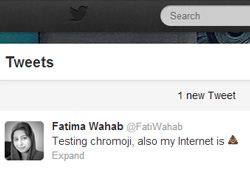
Emoji have been in use in OS X since Lion and with iOS 6, Apple added native support to its mobile platform for these cute emoticons that depict a wide variety feelings, events, and everyday items. Compared to the limited choice you have with everyday emoticons in several apps, emoji are rich with options. Chromoji is a Chrome extension that allows you to see emoji icons wherever they've been used. The extension works in the background and replaces the block characters that would normally appear in place of an emoji icon, with the real one,  loading the picture the same time as the page itself loads. You can limit the extension to loading only the emoji that are available in iOS, and exclude the ones for symbols like trademark and copyright etc. Read More

How To Get Facebook Chat Heads Feature On Your iPhone Right Now

Like many other users, I am still getting used to the revamped Facebook app for iOS, but the update is pretty good overall. The interface is much cleaner now, and gives the app a very uncluttered feel. Apart from UI changes, the app also offers two new options related to chat - Chat Heads and Stickers. Seeing as how attractive a feature Chat Heads is, we wouldn't be surprised if Facebookers stopped using Facebook's Messenger app a great deal until it gets these features as well. Although many have received Facebook’s latest iOS update in its entirety, not everyone has been lucky enough to gain access to Chat Heads and Stickers just yet. Facebook has decided to roll out these features gradually over the course of a few weeks. If you are one of those annoyed Facebookers who are in the waiting list, there is a way of enabling the features on your account right now. You don’t need to have a jailbroken device, but some basic knowledge of the iOS file system is sure to help. Read More

Facebook For iOS & Android Gets Tagging In Comments, Post Re-Sharing & More Emoji

The official Facebook app for iOS and Android has just been bumped to its next version, only a few days after the gifts and chat update was released. The latest update adds the much-desired Share button to posts on your News Feed, but that’s not the only new thing in the app. You can tag people in posts and comments now, and there are a lot of new emoticons that you can use in messaging. The Android app has been updated with the option to create albums. The tagging works just like in the Facebook website, provising you with suggestions as soon as you start typing a name. The share option has just been enabled for links, so you still won’t be able to share someone’s status update or other posts. Read More

Add Emoji Keys To The Default iPhone Keyboard With QuickEmoji

iOS really values emoticons, and that is why there is a separate, comprehensive Emoji keyboard in the OS. If you aren’t too big of an Emoji fan, though, chances are you have never bothered to enable the Emoji keyboard in iOS. It is a rather strange omission on Apple’s part that by default, there is no indication that iDevices have such a vast stash of emoticons hidden in keyboard settings. QuickEmoji is a new Cydia tweak that makes iPhone Emoji a whole lot more accessible than they originally are. With this tweak, five of the keys on the keyboard are permanently replaced by Emoji shortcuts. The good thing is that the keys replaced by QuickEmoji (all keys in the third row from top in symbol view) are virtually redundant, as they appear twice in the default (QWERTY) keyboard layout - once in the number view, and again in symbol view. This essentially integrates Emoji with the keyboard, eliminating the need for a persistent button and separate keyboard for Emoji. The tweak also supports AZERTY, QWERTZ and HEBREW layouts. Read More

GO SMS Comes To iPhone With Themes, Emoji & Quick Reply Pop-Ups

GO SMS is among the most popular SMS apps for Android, and has successfully turned many people away from the stock messaging app in Android devices. The app offers everything you could ever want in a messaging app, and its integration with GO Messenger is the icing on the cake. Due to Apple’s strict App Store policies, the GO Dev Team hasn’t been able to bring their famous SMS client to the iOS Store, but that’s where Cydia comes into play. The official GO SMS client for iOS has just been released in the Cydia store, and you can start using it on your iPhone right now if you happen to be running iOS 4. We know that most of you have upgraded to iOS 5 and won’t be able to use the app, but GO SMS for iPhone gives the impression of being in a really early phase of development, and we might see major improvements (and the addition of iOS 5 support) in the app in the near future. However, the app is fully functional even now, and has the full potential of becoming a complete replacement for the stock Messaging app for iOS 4 users. Read More

[+]EMOJI: Get All The Emoticons You Will Ever Need On Your Windows Phone

They might appear to be a bit childish at times, but smileys can certainly spice up any boring conversation. Apart from that, it almost becomes necessary to use emoticons in some situations to convey the full meaning of everything you are trying to say in a text. Due to this importance of emoticons, all smartphones (and even most feature phones) come with a keyboard that has some menu for smileys. Windows Phone has always had a dedicated emoticon button on its texting keyboard, and things took a turn for the better when graphical emoticons were added to the mix in Mango. However, there is still no clear way of using all the supported emoticons, unless you memorize them by heart (something that is sure to require a few months of practice, because there are around 500 smileys available in Mango). EMOJI is an app that will take away the need for all this memorizing, as you can compose your texts within its text editor, making use of all its neatly categorized emoticons! Read More

MyEmotions Adds A List Of Graphic Emoticons To Facebook Chat [Chrome]

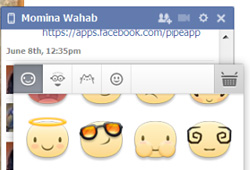
Facebook chat has evolved over time. At first it was simple text chat with a few emoticons and now Facebook has integrated video and group chat. Although the chat feature has come a long way, many people still prefer to use the simple text chat. A while back, if you were using Facebook chat, chances were that you’d only discover the emoticons it supports if you typed in the smiley face symbol. With a little more investigation, you would likely discover that some of the most common emoticons are graphically supported. Facebook then introduced a small smiley button in the chat field that lets you see 21 common shortcuts. The thing is, it supports more than 21 emoticons.  If you love using emoticons to express your mood while you chat, then you will love MyEmotions for Chrome. This extension lets you quickly insert emoticons with a single click, enriching your chatting experience on Facebook. With it, you will no longer have to remember all those different emoticon codes, you can quickly view all the emoticons that Facebook supports, select one from the list, and it will be added to your chat field. Read More

BeMe: Android IM With Audio Emoticon, Video, Photo & File Sharing

Fresh to the Google Play Store, BeMe is an innovative and fun-filled instant messaging Android app with plenty of exciting features. Using BeMe, you can start chatting with other app users from any part of the world, and share texts, photos, videos, audio clips, conventional emoticons, location, contacts, files, or various audio-based emoticons with them over the internet (Wi-Fi/3G/4G). Whether it’s a freshly grabbed photo, video, voice clip, or an existing one from your device’s local storage, the app lets you share all in an instant right from your Android. BeMe is a welcome addition to list of world-famous instant messengers, like WhatsApp, Viber and plenty of others that allow users to share messages and multimedia content with their mates in real-time over the internet. All you need to start indulging with your friends is a valid mobile number and a nickname that the app will use to create a unique BeMe identity for you. Once an account is created, you can start chatting with your friends, and share virtually anything from your Android on the go. The app maintains a detailed log of all your conversations with your friends, as well as the total amount of data shared with contacts via the BeMe chat interface. Read More

SMSmileys: Convert Emoticons To Emoji Automatically In Texts [Cydia]

You might not realize it at times, but a lot of people (and not just teens) are fans of emoticons and smileys in text conversations. Sometimes, it is very important to use smileys in your text messages to convey the mood and tone of your SMS properly. If you don’t add a teasing face at the end of a taunt, some of your friends might take offence, and apart from that, emoticons go a long way towards breaking the monotony of text conversations. There is, however, something even better than text emoticons which can lighten up your SMS - Emoji. The graphical smileys do look good, but you have go through a few extra steps to add them to your messages, which might interfere with your texting speed. That is why the new Cydia tweak named SMSmileys can prove to be a really useful addition to your iPhone. If you have this tweak installed on your iOS device, all your text emoticons will automatically be converted to their Emoji alternatives as soon as you send them. Read More

Messaging Emoticons: Send SMS Using The Full Range Of WP7 Emoticons

Mango is pretty old now, but you might recall that Windows Phone 7’s fruity update caused quite a stir when it was released. In addition to some major changes in Mango, a few minor, but equally welcome, features were introduced as well. Once such feature was the introduction of graphical emoticons to WP7. There is a minor problem though, the stock keyboard does not list all the available emoticons, and it is almost impossible to memorize all of them (despite Microsoft’s release of WP7 emoticon cheat sheet). That’s where an app like Messaging Emoticons can prove to be really useful. Using this free app you can copy all Mango-supported smileys, and the app also has the option to let its users compose their SMS within it and then export to the Messaging hub. Read More

TextPics: Send ASCII Pictures/Text Art In SMS From iPhone

If you have been using social networking services before Facebook took over the field, you must be aware of Orkut. The initial social network allowed every person’s friends to post testimonials about them to their profiles. It was through those testimonials that text art became quite famous. Text art is the name given to pictures and designs created by using nothing but ASCII characters found on an ordinary keyboard. The characters are arranged in such a way so as to create a wonderful image, or whatever the creator intended them to be. It is next to impossible to create some of the more complex text pictures, and that’s why there are many tools which help in creating them (like ASCII Generator for Windows). If you are an iPhone, iPad or iPod touch user, and like images created from alphabets, then you are sure to love TextPics. Read More

An Extensive List Of WP7 Graphical Emoticons With Key Combinations

We were pretty excited when Windows Phone 7 released its Mango update. In addition to all the awesome new features that came with WP7.5, there were a few small yet attractive changes that initially went unnoticed. Among these changes were graphical emoticons. While Mango was still in its beta testing phase, it was discovered that if you send smileys in a text message, they will, like in Android, automatically get converted to images (we covered the feature soon after its discovery). Sadly, not all graphical emoticons are displayed within WP7’s keyboard. Many people have been caught by surprise when they sent a smiley in a text message, and it got turned into its graphical form as soon as the text was delivered. Apart from that, it is no mean feat to memorize the whole cheat sheet of MSN emoticons. But, not having a cheat sheet at all is worse than memorizing it. So, if you have ever wanted to see the character combinations for each and every one of those smileys, help is finally here. Microsoft just posted the ultimate cheat sheet for all emoticons supported on Windows Phone in their graphical form. Read More

Windows Phone 7.5 Mango To Support Windows Live Messenger Emoticons

As we have boasted about the 500 magical new features coming to Mango on a number of occasions, you must be pretty familiar with the ongoing discovery of these features almost on daily basis. This time, however, we are talking about the lighter side of things. All of us text, and most of us put smileys at the end of our sentences (occasionally, at least). Windows Phone 7 keyboard even has a dedicated emoticon button on it, which just shows that Microsoft takes expressing your feelings quite seriously. With Mango, they have gone one step further, graphic emoticons are now supported on Mango! Read More