MIUI’s MiHome Launcher Officially Released For Android 2.3 & 4.0 or Higher

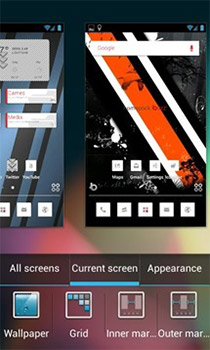
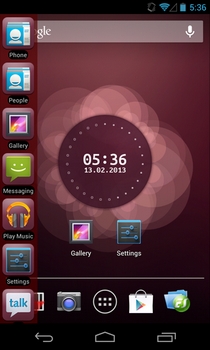
Back in May, we first caught sight of MiHome, the ICS-exclusive standalone homescreen replacement app based on the latest build of MIUI (v4.0). The launcher has been specifically designed for any Android device rocking Ice Cream Sandwich, meaning no luck for Froyo and Gingerbread users. While Froyo users might have to wait a tad longer to get their hands on the launcher, those with Android v2.3.3 or higher on their devices can rejoice, for a Gingerbread-exclusive version of MiHome has just been officially released in the Google Play Store. In fact, if you’re an ICS user, there’s a separate version of said launcher available in the market, too. If you didn’t get a chance to check out MiHome so far, you might be interested to know that the app has plenty of visual goodness and customization on offer. Both the recently released official variants of the launcher sport more or less the same set of features. Read More

Holo Launcher Brings The ICS Home Screen To Older (2.2 & Higher) Android Devices

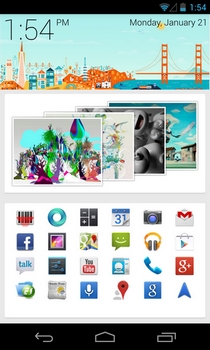
According to the latest numbers, approximately 7% of all Android devices are now rocking Ice Cream Sandwich. No doubt, this progress has been steady so far, but it’s way too slow for the liking of a large contingent of Froyo or Gingerbread users who’re yearning to get their hands on the latest Android version. While there have been numerous attempts by developers to present such Android users with Holo-themed custom homescreen replacements, none of them matches the comprehensiveness of Holo Launcher, which is arguably the closest that a prior-version Android launcher has come to matching the looks and functionality of Android 4.0 Ice Cream Sandwich, making it the best option for ICS-yearning users stuck on older versions of the OS. Read More

The Best Free Android Launchers For Home Screen Replacement

What makes Android different from many of its competitors is the degree of customization it offers its users, which goes to the extent of even letting users choose what is essentially the primary user interface of any operating system – the home screen Launcher! With Android, you can choose from a plethora of available launchers offering a diverse user experience range, and it’s just as simple as installing the launcher like any other app. In what follows, we will take you on a feature tour of some of the best Android launchers available, to help you choose the one that’s right for you. Read More

FSL Launcher: Tabbed Shortcut Manager With Backup/Restore Support

The Windows 7 taskbar and Jumplist feature certainly provide a quick and convenient way to access most frequently used applications and files, but if you're already dealing with a cluttered taskbar, then you probably need an efficient application launcher to categorize your favorite applications and regularly accessed files. We've covered a lot of useful application launchers, such as Gizmo Toolbar (lets you enable multiple toolbars on your desktop in different styles and themes and provides you with extensive customizations to change the style, color, size, font, opacity, behavior, placement etc., of shortcuts) and MadApp Launcher (allows you to add application shortcuts, and access them via hotkeys). Today, we stumbled across FSL Launcher, an application launcher that supports adding application shortcuts via drag and drop, and categorizing them under separate tabs. It allows you to group similar items, like applications, URLs, files and folders together, and provides you with options to create, delete, rename, back up and restore the icon groups. Read More

MIUI 4 Launcher Now Available For All Android ICS Devices

To those Android ICS users who’ve been missing the MIUI look and functionality, but don't want to flash the whole ROM and stray to far away from stock ICS, here’s some good news. XDA member, ZACQ8, has managed to successfully port the fully-functional MIUI v4 launcher and lockscreen to any Android device rocking Ice Cream Sandwich. Apart from the usual MIUI goodness, which includes an iOS Springboard-inspired homescreen (with multiple transition effects), the conventional homescreen widgets, countless downloadable themes, ringtones and lockscreens, the port also includes a customizable app drawer that can be set to house user-specified apps and is launched by swiping in and down from either edge of the status bar. The best part about the entire deal is that you won’t have to flash any ZIP files or go through extensive configurations to get your hands on the ported launcher, since side-loading a couple of APKs will suffice. Read More

Mobo Launcher: A Unique Dual-Pane Home Screen Replacement App For Android

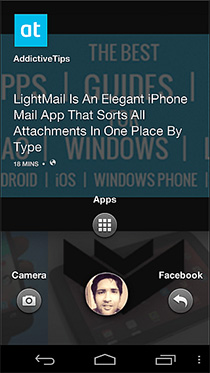
No matter how much you like your Android’s homescreen replacement app, or how conservative you are regarding modifying the looks of your device's UI, there comes a time when you feel like going for a change, and this is exactly where all the gorgeous and highly customizable launchers come into play. Adding to the long list of such apps is Mobo Launcher, which focuses mainly on presenting users with quick navigation to their favorite apps and widgets through a unique split-screen interface that is as simple to use as it is to customize. Read More

Espier Launcher HD: iOS Home Screen-Style Launcher For Android Tablets

Remember Espier Launcher, a homescreen replacement Android app that gives your Android a taste of iOS Springboard? The launcher became an instant hit among Android users at the time of release, courtesy of all its iOS-style gorgeous looks and features. Well, if you happen to own an Android tablet, then rejoice, for the team behind said launcher are back in the market, this time with a tablet-optimized version of Espier Launcher that has been introduced by the name of Espier Launcher HD in the Google Play Store. Read More

CLCL Lite: App Launcher, Switcher & URL Opener Using Hot Keys [Mac]

We’ve reviewed app launchers before; Chuck and Dammit are two that are worth mentioning. Chuck is a free download while Dammit will cost you $2.99. CLCL Lite is yet another app launcher for Mac, which is free and not like your usual app launchers. The app works using only two keys, and you can assign any function that will be triggered by those keys. You can chose to either open an app, bring the last app you were working in to the front, or create a successive list of apps that will open as you hit the the hotkey. It runs unobtrusively in the background, and can be toggled on/off from the menu bar. Read More

App Clip: Quickly Switch Between Android Apps By Swiping In From Edge Of Screen

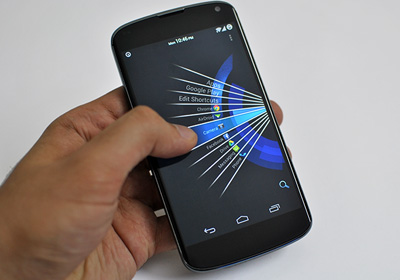
The concept of multitasking is slowly but surely being incorporated into most mobile operating systems, and Android is simply no exception in this regard. The Android Market contains numerous apps such as SwipePad, previously reviewed SwipeSwitcher that let you specify apps that you can easily launch from anywhere within the OS by swiping in from the edges of the screen. Based on the same concept, App Clip is a free Android app that not only supports multitasking, but also lets you bookmark apps so that you don't have to sift through the entire list of installed apps to search and launch your favorite one. Using the app, you can also opt to display shortcuts of your favorite apps within the notification panel. App Clip sports a native app drawer, a custom as well as a favorite app list, and can be launched by swiping in from the right edge of your Android screen or long-pressing your device’s Search key. Read More

ssLauncher: Highly Customizable, Metroish Home Screen Replacement App For Android

ssLauncher is a highly customizable multi-lingual homescreen replacement app for Android that takes after the WP7 Metro interface. Apart from letting you personalize its layout to the very core, the launcher provides you with a few built-in layout templates (including one that mimics the Windows Phone 7 Start screen, complete with customizable tiles), and lets you create and save your own, filling each up with personalized shortcuts and widgets of your choice. In addition, you can customize the sliding or page-flip transition effect that appears between the launcher's many homescreens, one of which is the app drawer. You can also import and set any fonts of choice, and alter every single homescreen in several different ways. Read More

Launch Applications In Windows Using Keyboard Hotkeys With MadApp Launcher

The beauty of Windows operating system is the amount of customization features it provides, both aesthetically and ergonomically. Talking about ergonomics, there are various ways to make your applications and utilities easily accessible. Even though you can use desktop shortcuts to make your applications easy to approach, the other way is to use App Launchers. App launchers are applications that are designed to hold your frequently used tools and apps at one place. Instead of browsing through directories or cluttering your desktop with shortcuts, the easier method is to use launchers, which keep things more minimalistic and less cluttered. There are many application launchers available including Gizmo Toolbar or OldBar, just to name a few, that add application shortcut toolbars on your desktop, allowing quick access to your favorite and frequently visited applications. MaddApp Launcher is another great addition to the ever increasing list of launchers. It allows you to add application shortcuts, and access them though pre-assigned hotkeys. It basically maps and assigns application shortcuts to your keyboard using the F1, F2, F3…. F10 keys, and all the alphabetic and character keys. You can add application shortcuts to MadApp Launcher using the simple drag and drop method. Configuration of the whole application map can also be saved, in case you want to copy it to another PC, or should it get corrupted. Read More

Trebuchet CM9 Home Launcher App For Android 4.0.3 ICS ROMs

The Trebuchet launcher that is to come with the CyanogenMod 9 ROMs has been made available as a standalone app for Android 4.0.3 ICS based ROMs. So while CM9 is not ready for release just as yet, at least we have something to get us started with. This comes in from XDA-Developers forum member nebkat and there are still features that the developer is working on to add to it, in the future. For now let’s take a look at the already existing features and some screenshots of the launcher app. Read More

A-WAL: Metro-ish App Launcher Home Screen Widgets For Android

If you love having the apps on your Android device nicely organized, then you must’ve liked recently reviewed App Man – a free, comprehensive app management tool for Android. New to the Android Market, A-WAL provides you with yet another handy alternative to organizing your apps, allowing you to launch them via customizable, category-based homescreen widgets. Apart from sporting a neatly-designed and nifty little app launcher, A-Wal lets you decorate your homescreen with customizable widgets, each containing a group of apps of your choice. The app bases its design around tiles slightly reminiscent of the Windows Phone 7 metro UI. You can easily circle through and launch your favorite apps from within these widgets. Read More

Full Screen Launcher: Homescreen Replacement With 3D Folders [Android]

Love tinkering with the looks of your Android’s screen? Try Full Screen Launcher – a free homescreen replacement app for Android that takes an altogether different route to display your homescreen and the various contents that are present on it. Apart from sporting graphically appealing UI and a brand new concept of merging various homescreens into one large, unending wall, all packed with contacts, shortcuts, widgets et al, Full Screen Launcher provides you with 3D folders that are displayed on your screen as rotating cubes, whose each side carries thumbnails of the content that is present within. What’s best is that you can even place widgets, as well as contacts, within those folders, and access them in the same way as your homescreen or app drawer.The eye-catching animations and transition effects while navigating to various segments of the launcher and reflection of all the icons at the bottom of the screen are nothing but sheer feast for the eyes. The ability to zoom in/out of the walls (screens), effective support for the launcher in landscape/portrait orientation and the extension of all the elegant animations/effects to the app drawer are some of the other highlighting features of Full Screen Launcher. Read More

Get The iOS Springboard On Your Android Homescreen With Espier Launcher

While most die-hard Android fans would cringe at the thought of iPhone-izing their devices’ UI, there is quite a majority of Android users who would actually prefer doing so. The iOS-inspired interface of the MIUI custom ROM and GO Launcher EX homescreen replacement for Android is one of the major reasons the two have such vast fanbases. Now, where the aforementioned only mirror certain elements of the iOS UI, there have been quite a few attempts to clone it entirely, the newest (and by far, the best) of the lot being Espier Launcher. Espier Launcher is probably the most accurate clone of the iOS Springboard yet. The launcher replicates everything from the look of the icons and folders to the App Switcher tray, Jiggle Mode and Spotlight search. Read More

FinderPop: Access Desktop, Apps & Custom Folders From Anywhere In Mac

FinderPop is an application which extends contextual menus using its own custom folder items. The latest version 2.4 supports both Mac Snow Leopard and Mac OS X 10.7 Lion, featuring numerous new options to access Desktop, mounted disk images, processes, and user-selected items residing in its FinderPop Items folder. For those who are not familiar with FinderPop, it adds convenient options and menu to Mac OS X default context menu allowing users to quickly access desktop items, processes and frequently used files and folders. Read More

How To Install Xperia Play Games Launcher On Xperia X10 [Guide]

Finally there is some great news for Sony Ericsson Xperia X10 owners as some fellow Androiders have managed to port Xperia Play Games Launcher on this phone. The hack basically allows you to experience the Xperia Play launcher’s awesomeness that’s currently restricted to Xperia Play users only. All credit for this tweak / port goes to DikeJ and DCQua at XDA developers. Read More

First Android 2.4 Ice Cream Sandwich Launcher Clone Emerges

About a month back, unofficial screenshots of the Android Ice Cream Sandwich running on a Nexus S were leaked on the internet without confirmation whether the OS carried the 2.4 label or 4.0. With Ice Cream Sandwich scheduled to be launched somewhere in October this year, developers from Syndicate Apps decided not to wait around and released their take on what the Ice Cream Sandwich Launcher could be like. The leaked screen shots only showed the main home screen with the launcher dock visible alone, leaving the developers to build the rest purely on imagination. The launcher is in fact the first replica of the Ice Cream Sandwich Launcher and your chance to have a feel of what future Android updates/devices have in store for us. Read More

GO Launcher EX Gets Its Own Switch (Power Control) Widget [Android]

As expected, the GO Launcher Dev Team is back again – barely a couple of weeks after their last endeavor – with yet another handy addition to their acclaimed home screen replacement app. GO Launcher EX now has a downloadable switch (power control) widget. And it’s not one of those run-of-the-mill toggle widgets. Switch GOWidget sports a total of 12 toggles, out of which it allows you to select 4 toggles to appear on the home screen. The widget takes after Tencent Switcher and QQLauncher’s native Quick switch widget in the way it looks and works but it does have a greater number of toggles and additional sliders for adjusting ringer and media volume levels. More after the break. Read More

22 Awesome ADW Launcher Themes [Android]

Bring one of the oldest and most popular home screen replacement apps on the Android Market, ADW.Launcher has been adopted as the base for many other home screen replacement apps and as the stock launcher for the popular series of custom ROMs called CyanogenMod. The opensource launcher probably has the most active lot of theme developers out there. No surprise there. ADW.Launcher has a humongous fan-base - at least 63000+ strong as of this writing – all of whom are constantly looking to spice up their home screens with new themes, dock backgrounds and/or icon packs. If you’re one of the aforementioned lot, join us after the break our compilation of 22 of the best (free) ADW themes on the Android Market. Read More