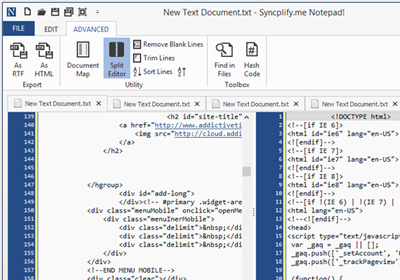
This Notepad2 Mod Sports Code Folding, Word Auto-Complete & More

Usually when we talk about text editing or word processing apps, we often get a mixed bag of opinions from people. Some like minimalistic, Notepad-like utilities that provide distraction free editing, while others favor apps that come packed with a horde of features and options. If you’re a programmer or a web developer, you probably already have your own favorite text editor. Though in terms of choice, there are a bunch of text editing tools available for Windows on the internet, both free and paid. Notepad2-mod is a Windows app inspired by Notepad2, which itself builds upon the minimalism of Notepad while adding certain useful features from other, more advanced text editors. The application provides a full-featured text editing workspace optimized for writing code, whether you require some basic HTML editing or do some advance coding with syntax highlighting. The application has a ton of advance features that you won’t find in Notepad, and many that aren't there in Notepad2. Read More

AkelPad Is A Multi-Panel, Less Cluttered Alternative To Notepad++

If you prefer to stick around with Windows Notepad for your note-taking needs, you might be missing on a lot of things that third-party text editors provide. Yes, I’m talking about various feature-rich alternatives like Notepad++ and its truckload of plugins that we have covered so far. If you’re looking for an app that looks similar to Notepad while providing some of the flexibility and control of Notepad++, AkelPad is worth giving a shot. It’s an open-source text editor for Windows that surpasses the default Notepad in many ways. Its feature-laden design is quite simple yet provides plentiful options to tinker with your text files and write code in an effective manner. It also boasts  tabbed view that enables you to work with multiple text files in the same window, instead of opening each in its separate window. Read More

Get An Omnipresent Clipboard, File Storage Area & Notepad In Mac With Unclutter

Unclutter is a very simple Mac app available for $2.99 in the Mac App Store. It acts as a clipboard manager, a file storage area, and a note pad. You can probably find other apps that do this, but Unclutter is different in two very significant ways. It is a clipboard manager and file storage app in one. Most clipboard managers only capture multiple instances of copied text and do not support images. Unclutter supports all types of files, and the storage area acts as a temporary file repository that helps move files around. The best feature, though, is how easy it is to call the app. It comes down to ease of access, and Unclutter does an excellent job in that area. Where most apps rely on keyboard shortcuts or Menu Bar icons, Unclutter makes use of gestures and mouse movements. It is omnipresent; you drag your mouse to the top of your screen and scroll downwards to get the Unclutter panel to open. Text or files on your clipboard are automatically copied to the clipboard section, files are dragged & dropped to the File Storage area, and the note can be edited to include important information. Read More

QikPad: Create, Modify & Share Documents In A Collaborated Environment

When dealing with large volumes of work whether at a small setup or large scale organization, effective team management depends on work distribution and coordination. It is essential to maintain a collaborated environment where the supervisor analyzes the overall team effort. Moreover, individuals look for guidance from fellow co-workers while playing a meaningful part in achieving the set goals and tasks. QikPad is an online collaboration tool that empowers individuals to create, maintain and modify information in a collaborated environment. Using author color codes, one can easily identify the source of changes in accordance with the relevant color assigned to a particular team member. The EtherPad Lite Timeslider function allows you to track each change by viewing activity. With comprehensive sharing options (using popular services like Facebook, Twitter, Google+ and the like), exporting in the form of plain text, HTML and Wordle documents coupled with an integrated chat bar, it will surely increase overall work productivity. Read More

SnippetPlus: Notepad++ Plugin For Quickly Inserting Pre-Defined Code Snippets

Notepad++ is arguably the most widely-used text editor that comes packed with both text & source code editing features. Apart from being highly customizable, it supports a number a third-party plugins that help software developers code web as well as desktop applications. It's tremendous amount of features has helped it to become our top favorite application as well. We often covered various Notepad++ Plugins for our readers and today we have yet another one for you. If memory serves you well, previously we covered a Snippet plugin for Notepad++ (reviewed here), a very handy plugin that allows you to easily add various snippets for W3C (World Wide Web Consortium) Doctypes: such as HTML, XHTML, SVG, CSS and so on. Today, we have pretty much a similar (and with more features) plugin for you labeled as SnippetPlus. This Notepad++ plugin might come useful in various instances. It contains sets of pre-defined code snippets that you can easily insert into your code files. It supports all major programming languages including  C, CPP, CS, CSS, HTML, JS, VB and XML. The pre-defined code samples will help you quickly define the structure of your code files. For instance, if you're a web developer, you may know how much time does it take to add HTML's elements' tags such as <p>, <div>, <ul>, <li> etc., in a web document. Using the plugin, you can easily add HTML tags by just selecting them from the list. It will add both starting and ending tags, letting you quickly write the required line(s) of code within the tags. More details after the break. Read More

Spell-Checker: Notepad++ Plugin For Adding Spell Check Functionality

Notepad++ is an open-source text editor that offers a slew of basic and advanced text & source code editing features that are not found in integrated notepad utility. It is very comprehensive and probably the best of its kind. Apart from supporting a number of programming languages, it includes a syntax highlighting feature, a great feature which simply enables application developers to easily detect and correct syntax errors in their source code files. It also supports an umpteen number of third-party plugins that help users extend native source code editing functions. The application is mostly favored by developers as it greatly helps then in programming and coding various scripts, however, there are lots of plugins available for people who are not coders and still find quite handy. Earlier, we have covered quite a lot of Notepad++ plugins, including details on how to install them. Today, we have another one at your disposal called Spell-Checker. Spell Checker, as its name implies, allows you to quickly correct spelling mistakes in plain text documents. The plugin supports multiple languages, including English, French, Spanish, Danish, German and more. Not only does it mark spelling errors, it also helps you fix spelling mistakes and even lets you ignore selected or all errors. Moreover, you can add new custom words to its dictionary after reviewing all the suggested words for the misspelled word. Don't stop reading for more details Spell Checker just after the break. Read More

NppCrypt: Notepad++ Plugin To Encrypt & Decrypt Files & Selected Text

There are many tools featured on AddictiveTips that allow you to encrypt and decrypt files and folders, and calculate hash values of any file. File encryption can be done using a password to scramble text, and even hide text inside images, which can then be unscrambled or extracted using a password, depending on the encryption criteria used. However, to perform these functions, you need to install separate tools for everything. Installing a lot of software in your computer clutters up the system and sometimes, even slows down the PC. Notepad++ is a third party text editor that can easily be classified as one of the most powerful and feature-rich alternatives to the default Windows Notepad. The plugins available for Notepad++ increase its utility more than the features available in the application itself,. Here at AddictiveTips, we constantly keep covering any useful plugins that come out for Notepad++, which can help users in increasing its functionality. Today, we have a plugin for Notepad++ called NppCrpyt, which allows you to easily Encrypt and Decrypt your data using a password. You can encrypt selected text as well all open files in a batch operation. Read More

NPPEasyMenu: Notepad++ Plugin That Lets You Search For Menu Options

Notepad++ is one of the most powerful alternatives to Window Notepad, which supports a wide range of programming languages with syntax highlighting and code editing features. Being an extensible application, it supports a number of plugins, which not only extend its native text & code editing functions, but also allow users to quickly use off-the-shelf code modules in their development projects. If you're an avid Notepad++ user, and have installed a number of plugins, then you must've been dealing with a lot of menus and options' dialogs. Since Notepad++ doesn't provide an option to quickly search a menu or options' dialogs, it becomes quite a wearisome task to manually search menus for accessing the required options. NPPMenuSearch is a plugin for Notepad++ that allows you to quickly search for a particular option from the available menus. For instance, if you are looking for the Settings dialog box of a particular plugin, use the NppMenuSearch's search box to find the option or settings window you want to open. Read More

Session Manager: Create, Save & Load Notepad++ Editing Sessions [Plugin]

Notepad++ is one of the most powerful and widely used text editors out there. It supports countless plugins that help users extend native text editing and source code handling functions. At AddictiveTips, we all use Notepad++ for text and source code editing and have covered many useful Notepad++ add-ins in the past, such as NppJumpList that adds Windows 7 Jumplist support to Notepad++,  ToolBucket a plugin to add  Multiline Find and Replace functions, the option to generate GUID and Lorem Ipsum text, and much more, and Translate that allows you to translate text between multiple languages. Today, we have yet another handy plugin for avid Notepad++ users that lets you save and work with different sessions. It means you can work with all the files related to one project during one session, and save it before closing it. When you restore the session, all the files that you had open will be restored instantly allowing you to resume your work right where you left it off. Session Manager, as its name suggests, brings enhanced session management support to Notepad++, letting you create, manage and load Notepad++ editing sessions within a few clicks. Read past the jump for more. Read More

Tiny Notepad Is A Metro-Based Text Editor For Windows 7, Vista & XP

Notepad is the most basic text editor available for use in Windows. It is meant to provide users with the most basic options for editing text-only documents, such as cut, copy, paste, word wrap, change font etc. There are no options to include and edit images, include page margins etc. For those type of advanced editing functions, Microsoft Word in the Office instalment can be used. Previously, we have covered some very good applications that provide you with an alternative to the default Notepad, such as Glass Notepad, a free portable notepad for Windows that is similar to the default notepad but its interface is transparent, and Notepad7, a text editor with all the options included in the default Notepad, but it has a different ribbon-based GUI. Today, we have another notepad for you, called Tiny Notepad, with almost the same options, albeit with a completely different user interface based on the new Metro UI of Windows 8. Keep reading to find out more about Tiny Notepad. Read More

Create/ Share Colorful Notes & Convert To PDF With Cool Writer HD [iOS]

By now, the iOS app collection has reached a point of saturation where very few apps have the potential to surprise you and entice users to download them. The same holds true for notes app, and there are many good contenders which offer a variety of features for people wishing to experiment a little with the way they write on their iPhone, iPad and iPod touch. Cool Writer HD is another notes app, and the customization options it brings to the mix are impressive, to say the least. Not only does it have many cosmetic features, the app can also be used to sync notes to Dropbox and convert them to PDF or image formats as well. Read More

NewFileBrowser: Create Custom File Templates For Programming In Notepad++ [Plugin]

When working on a programming project, developers have to constantly open new files, both new files to write new lines of code, and saved files to edit previously written code. If you are not using a relevant tool, it can be time taking. For instance, when working on an HTML project, a developer might have to frequently create new HTML and CSS files and edit the old ones. Writing all the code from scratch each time can be a tedious task, and it can turn out to be quite time consuming if you dont have the proper tool. Today, we have  just the tool that can help you in saving important time. Notepad++ is a very powerful open source text editor with lots of useful plugins available for increasing and matching its capability according to your needs. It is useful for both basic text editing and writing code in different programming languages. The main strength of Notepad++ lies in the massive number of plugins available for the software. Each plugin adds a previously non-existent functionality to the software, allowing you to perform more complex tasks. Coming back to the topic, we have a Notepad++ plugin called NewFileBrowser that allows you to open templates of different programming languages, such as HTML, CSS, SQL, Pascal, XML, JS, PYTHON etc. You can use the default template or edit it to your own liking. Read More

TED Notepad: Editor With 312 Hotkey Supported Text-Processing Features

The Windows Notepad has not seen a lot of development in the different releases of Windows. You can justify the lack of features by arguing that Notepad is supposed to be simply, as Wordpad is available in Windows for the advanced editing operations. However, we have covered a lot of Notepad replacement applications, such as Notepad7, Glass Notepad, Letterpress and EditPad. All of these programs have their own strengths and weaknesses; for instance, Glass Notepad has a transparent interface, Letterpress offers declarative customization and EditPad Lite provides you with a tabbed interface. TED Notepad is a portable tool that can be used as an alternative to Windows Notepad. It presents you with 312, easily-accessible, innovative text processing functions that allow you to save a lot of time when editing documents. Not only does it have a massive number of features, all of them can be accessed though hot key combinations, enabling you to quickly create and edit your document. Read on to find more. Read More

Dashboard For Chrome: Take Notes & Perform Calculations via A Pop-up

Often, while we work online, we need to jot down important tasks, reminders, contacts or perform simple calculations. *Dashboard For Chrome* is a extension that offers users with a compact side-by-side notepad and calculator with an autosave feature, as well as a handy search tool. The extension allows you to take notes and everything is automatically saved. The search toolbar supports multiple search engines, such as Google, Yahoo!, Bing, Wikipedia, YouTube, Facebook and more. The numbers on the calculator have a similar layout to your numeric keypad, so you can easily use it to enter numbers. Moreover, the cursor focus is always on the notepad, so press tab for it to go to the search toolbar, and again to go to the calculator. Read More

WebEdit: Use Text Expansion & Integrate Code Snippets Into Notepad++

Notepad++ is a light-weight, yet powerful application development IDE that supports a great number of native and third-party plugins to speed up the application development process. If you are a web developer, and looking for a way to create text expansion functions and code templates in order to quickly use them in code files, WebEdit is just what you probably need. It’s small Notepad++ extension that includes all commonly used code templates with an option to create new code templates and edit existing ones. The extension is highly customizable in terms of configuring the code completion and template settings; it saves the settings and code templates in a ‘WebEdit.ini’ file, allowing you to share it with other Notepad++ users. Unlike other code completion and template collection managers, it has the ability to send the code templates to Notepad++ toolbar, so that you can write specified code template with a click. Read More

CalcMadeEasy Free: Auto Record Calculations To Editable Notes [Mac]

We previously reviewed a Mac app called Numi, a very basic editor that allows you to add text within your calculations. The app is ideal if you do multiple interrelated arithmetic calculations and forgot why or how you arrived at a particular amount. CalcMadeEasy Free is a Mac app that automatically records the calculations you perform using the app’s built in calculator. You can add notes, and have the app record all calculations to it. The notes are simple text that can copy and paste anywhere. The app is ideal if you don’t want to be bothered with writing down your calculations, but would like a record of them nevertheless. Read More

NppFTP For Notepad++: Access, Download & Edit Code Files On FTP Server

Software Development IDEs like Dreamweaver, Eclipse, Visual Studio, Netbeans etc., support establishing and managing remote connections including FTP and SFTP. This enables developers to directly connect with FTP server without having to manually download the files to access and edit the source code files of live development projects. If you’re an avid Notepadd++ user, and want to bring this very feature to manage remote connections, add NppFTP to your plugin list. It’s a lightweight extension that allows you to add as many FTP profiles as you want to directly connect with your web servers for uploading and downloading code files. It’s been specifically designed to eliminate the need of using a separate FTP client to first download the files from FTP server, and then import them to Notepad++ to make the required changes. Read More

NppExport For Notepad++: Export Highlighted Code In HTML/RTF Format

Notepad++ is becoming more and more versatile and useful text editor with every new plugin added to its arsenal. Each new plugin brings something different to the application allowing users to perform more and more functions and edit documents with ease using Notepad++. The default Notepad++ does not allow users to export the edited text or code in HTML or RTF format. So, if you want to generate an HTML report of a piece of code you have just written, you will have to use another tool for that. Today, we bring you another plugin called NppExport that allows you to generate reports of your source code in HTML and RTF format. You can also copy the source code to Windows clipboard in specified format (HTML or RTF), and paste it in your default Word Processor to get highlighted syntax of code. It may come helpful in situations where you need to share the code with those who don’t have the required software IDE to view the code with highlighted syntax. Using NppExport, instead of making the other person install the same tool on his system, or letting him view the code with the wrong syntax, you can easily generate an HTML report that will retain the complete syntax of your code in the generated report. Read More

QuickText: Visual Studio ReSharper Like Text Expansion For Notepad++

QuickText is a multi-purpose text expansion/text substitution plugin for Notepad++, that lets you create tags for most frequently used code modules and structures, so that you don't have to write them over and over again. In a nut shell, QuickText is to Notepad++, what ReSharper is to Visual Studio. While it offers a convenient configuration console to define the tags and their substitution text, you can easily make changes to defined substitution text, and edit and modify ‘tags’ text. The Tab key is a trigger key. Once you’ve defined the tags and substitution text, all you need is to write the tag, press the trigger key, and it will replace the tag text with defined substitution text. Read More

Notepad7 Is Ribbon Based Alternative To Windows Notepad

The default Notepad of Windows hasn’t seen much GUI changes since a very long time. Even when Windows 7 came out, we were presented with a lot of changes in the user interface, but there was not anything different about the way Notepad looked. To be honest, the current GUI is pretty lame in my opinion. There are no tabs, no buttons to access the settings and you have to access simple document editing options such as Cut, Copy, Paste, Select All, Find, Replace, Font Style, Size, Bold, Italic etc from the menus at the top. Having the same options in as quick access buttons can save a lot of time of the users, since they will not have to open up a menu every time they want to perform a simple action. If you too find the default Windows Notepad boring and somewhat annoying, you can check out Notepad7. It is an application for Windows, more like a replacement for the default Notepad, which provides you with all the options of the default Notepad, but all on the main interface. Notepad7 removes the need to open a menu every time you have to perform an editing action. Read more about the application after the break. Read More