Access Windows 8 Start Screen, All Apps & Search Charms From Desktop

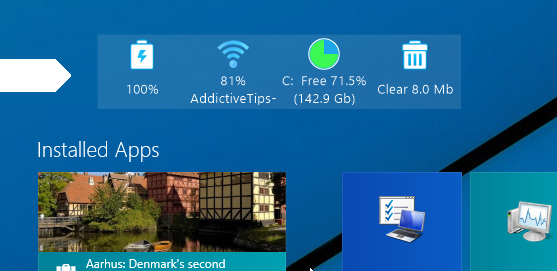
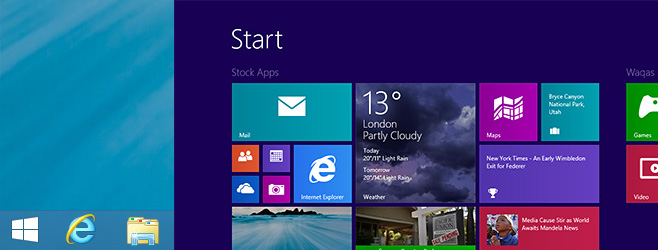
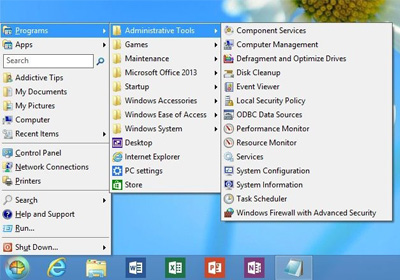
Even though, applications like Start8 and Pokki for Windows 8 successfully restore the Start Menu, if you want play around with Start Screen a little bit, then Start Charming just might be what you’re looking for. The application is yet another Start Screen modifier (like we haven’t seen plenty of them already) that lets you display Start Screen within desktop in a manner similar to Immersive Taille and the likes. The application is pretty handy if you want to spend most of your computer time within the Desktop mode and seldom find the need to jump back to the Metro interface. The application also lets you invoke the Charms Bar from a system tray button. Read More

Change Size & Position Of Windows 8 Start Screen With ImmersiveTaille

Windows 8 has entered its fifth triumphant month since general availability, and a lot of developers have already built an umpteen number of Start Screen tools to let you customize this latest Windows feature to your heart’s content. One such example is ImmersiveTaille that lets you customize the Start Screen in a few different ways. This portable application is basically designed to change the size of the Start Screen, and move it to to user-defined positions on the screen i.e. top, bottom, left or right. Its works in pretty much similar fashion to our previously covered Start Screen Modifier from WinAero. For instance, it enables you to specify a custom Start Screen resolution, or display it along with the Taskbar when in Full screen. More details after the jump! Read More

Get Classic Start Menu & Disable Start Screen On Windows RT Tablets

The Start Menu vs. Start Screen menu has been going on endlessly since Windows 8 was first showcased by Microsoft to reveal the lack of a Start menu. Fans of the classic Start Menu have since released several third-party apps to bring it back on Windows 8 devices, and we have brought you several such tools here at AddictiveTips over the past few months, which you can check out in our compilation of best Windows 8 Start Screen modifiers and Start Menu apps. However, all these previously mentioned applications only work for the x86 and x64 versions of Windows, i.e. Windows 8 and if you have a Windows RT tablet that uses ARM architecture, you will not be able to take advantage of these apps. What we have for you today is a port of previously featured Classic Shell for jailbroken Windows RT tablets (like Microsoft Surface RT) that bring the Start Menu back on the device and disables the Start Screen. Read More

Add Custom Program & Website Tiles In Bulk To Windows 8 Start Screen

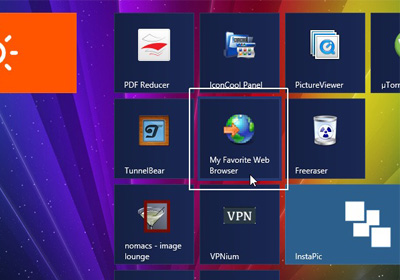
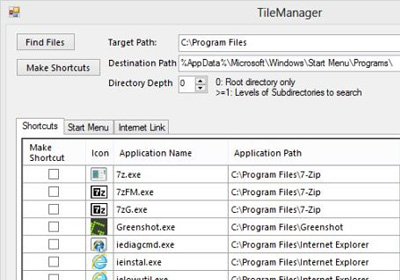
The Windows 8 Modern UI has had a mixed reception from its users, with some of them asking for a return to the conventional Windows style, and others welcoming the bold new look and feel. Most of the discussions have been about the Start Screen that has replaced the desktop in terms of being the default workspace, while the desktop has become more like another app running over the Modern UI framework. Whatever side you are on, one thing is for sure – if you want to continue using Windows, you will have to get used to the new interface. There are a lot of tools available that allow you to get the Start Orb back but if you want Windows 8 to look like Windows 7, why would you upgrade in the first place? At AddictiveTips, we often bring you tools that extend the functionality of Windows. The latest one we've come across is TileManager that allows you to create tile shortcuts in batch on the Start Screen. You can edit the names of shortcuts before placing them on the Start Screen, and change their icons. Read More

Tile Launcher Brings The Windows 8 Start Screen To Android

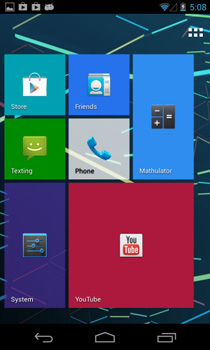
Android is all about customization. From widgets and wallpapers to locks screen, custom ROMs and what not, purchasing an Android device puts hundreds of customization options at your disposal. Unlike most other operating systems, Android even allows you to customize its home screen interface itself in form of custom launchers. Previously, we have covered a wide array of Android launchers and today, we have another one for you - Tile Launcher. Based on Android 4.2 Jelly Bean’s native launcher, Tile Launcher brings elements of the Windows 8 Modern UI to Android in a fast and minimalistic package. Tile Launcher is currently in early BETA and doesn't contain as many options as you’d find in other insanely popular launchers such as Apex, Nova, GO Launcher EX, etc. However, it provides a fast and snappy user experience that favors speed over number of features. Read More

Pin Steam Games To Windows 8 Start Screen With Steam Tile

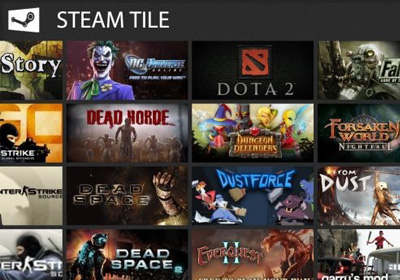
Steam is a digital distribution and communications platform developed by Valve corporation. Other than allowing people to play games with each other on the network, it lets you communicate with your friends, and manage your games across multiple computers. It provides gamers with a stable platform mostly free from glitches and crashes, to get together and enjoy their free time. Being a Steam user myself, I use game shortcuts placed on the desktop to run my games, instead of the steam library. Just like on Windows 7, you can place the shortcuts on the desktop in Windows 8 as well. However, since Start Screen is the home screen for Windows 8, opening the desktop first before launching the games just adds an extra step to the process. Today, we present to you an app for Windows 8 called Steam Tile that lets you pin your steam games to the Start screen and launch them directly from it. Read More

Disable Windows 8 Start Screen Launch Animation To Make It Feel Faster

As many of you already know, Windows 8 follows Microsoft’s “Modern UI” design language, which emphasizes “content” over “chrome”, with heavy use of typography and empty space. Now, the use of elaborate animations throughout the user interface are one of its biggest, most distinctive features, and these are most prevalent in Windows 8’s Start screen, logon screen and “Modern” apps that can be downloaded from the Windows Store. Read More

Change Windows 8 Start Screen Dimensions And Show Taskbar On It

Don’t listen to the naysayers; Windows 8 is as good as gold, and so is its refreshing Start Screen that many are apparently finding hard to adapt to due to the conventional resistance to change. Although Microsoft has put certain constraints on Start Screen customization, third-party developers have been working hard to overcome them with their own apps and hacks. Previously, we covered a Start Screen personalization tool called Start Screen Modifier that allows Windows 8 users to decrease the size of Start Screen, display it within the desktop, and use hotkeys to instantly switch between the default and custom modes. The developer behind the app has released a major update for Start Screen Modifier, which adds the option to display the Taskbar within the Start Screen, so that you don’t have to switch to desktop mode in order to tinker with something requiring the Taskbar. Read More

Launcher8 Is A Great Windows Phone 8 Style Android Launcher With Live Tiles

In LauncherWP8, we found a very effective solution to give your Android’s home and lock screen a Metro Modern makeover. Seems like our beloved launcher has just got some serious competition, as the QiHang Dev Team has just released a similar alternative to the Play Store by the name of Launcher8. Filled with Windows Phone 8 style Modern goodness, Launcher8 is a free Android home and lock screen replacement app that pips ahead of the aforementioned alternative in a number of ways. For instance, it sports live tiles for contacts as well as Gallery photos. It also has a dedicated lock tile to help you quickly lock your device without requiring to reach for the power button. Unlike LauncherWP8, this app allows you to switch the app drawer between list and grid views, and offers as many as four different themes for the lockscreen. Launcher8’s home and lockscreen is customizable in a number of ways, and to top it all, you can backup and restore the app’s themes, complete with your custom alterations. Read More

Set Windows 8 Start Screen Background To Change After Specific Time

The Windows 8 Start Screen has been the topic of discussion for a long time now. The Start Screen is the main workspace for the users of Windows 8. Instead of downloading and installing the applications in desktop mode, the Windows Store will contain all the apps that you can get on your Windows 8 device, just like the Android and iOS platforms. Since the Start Screen is the main interface that you will be looking at whenever Windows starts or whenever you exit an app, customizing it to your own taste seems like a good idea. The default Windows options for the Start Screen lets you change the background color and apply themes; however, a much-needed option i.e. the ability to set a custom wallpaper is still missing from PC Settings. Windows 8 Start Screen Customizer is a tool for Windows 8 that lets you change the Start Screen background, choose the number of app rows to show, and tweak the opacity settings for Start Screen and app tiles. Moreover, you can choose a large number of images and set the background to change after a specified time interval. Read More

Pin Any File To Windows 8 Start Screen Using Tile A File

Since jumping on the Windows 8 bandwagon, I spend a lot of time fiddling with the Start Screen. I don’t like the fact that Microsoft been liberal with putting certain constraints regarding Start Screen personalization. For instance, you can easily pin both Modern and Standard UI apps to this revolutionary tiled grid (no pun intended), but you’re simply not allowed to pin custom files, folders or other system tools without the use of a third party utility. Back in October, we reviewed two third-party tools (ObyTile and Start Screen Pinner) that allow pinning most of the items to the Start Screen. However, those of you looking for a way to do the same without leaving Windows 8 Modern UI environment (and more importantly, those who are on Windows RT) can use Tile A File. Tile A File is a new application that - as the name implies - lets you pin any selected file to the Start Screen, thus providing an instant way to access it right from the Start Screen. Read More

How To Disable Pin To Start Screen Feature In Windows 8

When you install an app on your Windows 8 machine, its shortcut is pinned to the Start Screen by default. It is a useful feature when you are dealing with Windows Store apps; however, the system does not differentiate between the Windows Store apps and desktop apps as well as it should. Since shortcuts for desktop applications are created by the setup process itself, many wouldn't see the need to have an additional shortcut in the form of a tile on Start Screen. The problem doesn't end here. Sometimes, multiple shortcuts are created for the same app. For instance, if you install Google Talk, one tile shortcut is created for the app, while another is added for its diagnostic tool. You can remove these tiles using the app bar menu, but it can be annoying if you have to do it often. AutoPin Controller is an app for Windows 8 that allows you to disable the Pin to Start Screen feature in Windows 8. Basically it locks the Start Screen so that no changes can be made to it, allowing you to install new applications without worrying about them cluttering it. Read More

Windows 8 Start Screen Personalization With Decor8

Most of you would probably have made a switch to the heavily advertised Windows 8 by now. Admittedly, Microsoft’s latest incarnation feels so nice once you get the hang of it. One of Windows 8’s distinctive features is the Start Screen. It’s been both lauded and loathed by users around the globe. And I have personally found it a good move from Redmond. Even though, I like the new Start Screen, I also hate the lack of some customization options. For instance, the OS doesn’t allow swapping Start Screen background with a custom image, which makes me wonder, why would Microsoft not include something this very basic. I have tried a couple of freeware tools to change the background, but none of them really worked for me, until I came across Decor8, a new app from Stardock. Read More

Here Are Two Useful Registry Hacks To Make Windows 8 Seem Faster

Windows 8 is awesome. Once you get past the initial shock of having your Start menu replaced by a Windows Phone-like Start screen, you realize the magnitude of effort that’s been put into the operating system to make it faster, safer and more easy to use. But that doesn’t mean you can’t further improve upon it. We’ve already covered some of the best Windows 8 tweaks, hacks and tips and in this article, we’ll be discussing two more registry-based hacks that will improve your Windows 8 experience. Read More

Read EPUB Books & Pin Them To Start Screen In Windows 8

If you are a bookworm who has just upgraded to a Windows 8 or bought a tablet that runs Windows 8, we have an app for you. BookReader lets you read DRM-free EPUB and plain text books, pin them to the Start Screen, and launch them directly without opening the app. It supports multi-column as well as single page display and allows you to change the background theme to mimic 3 different reading environments. Moreover, it allows you to increase and decrease the font size and change the font style to have the text appear according to your own preference. The ability to pin books to the Start Screen lets you directly launch your current read, which is marvellous. Read More

Get Windows 8 Start Screen & Charms Bar In Windows 7

Even before its release, Windows 8 has been under a lot of scrutiny, by both users and critics of the operating system. One of the major points of this discussion has always been the removal or Start Orb and its replacement by the control center for everything new, the Start Screen. Now, instead of clicking the start orb to access installed software, users have to use the Start Screen and search for the items stored in their computer. It would be safe to say that Windows has seen, effectively, a replacement of the Desktop with the Metro Start Screen, and now Desktop is also just another app. We have covered apps that allow you to avoid the Start Screen, bring the Start Orb back to Windows 8 and provide users with a comfortable and well known environment to work in. Today, we have a tool called WinMetro that does exactly the opposite and brings the Windows 8 Start Screen in Windows 7. It allows you to get a taste of the Start Screen, get to see and experience the live tiles, and play around a replica of the Charms bar. Read More

Best Windows 8 Start Screen Modifiers And Start Menu Apps

One of the most talked-about UI elements of Windows 8 is its Start Screen. Microsoft believes that Start Screen provides the ideal environment to interact with the latest operating system, but most Windows enthusiasts think otherwise. Needless to say, it’ll take some time for users to adapt to the new interface, but right now, absence of certain features that we've used for so long makes the whole experience a tad awkward for most. One of those features is the Start Menu. Many of us are so attached with it that the abrupt change seems almost like an anomaly. From what the word around the web tells us, users have little or no grudge against the Start Screen itself, but simply want to be given the choice to switch between the Start Screen and Start Menu. If you’re among those folks who miss the Start Menu in Windows 8, here’s a rundown of ten amazing, free third-party Start Screen modifiers and Start Menu apps that may satiate your needs. Read More

New Pokki Adds A Rich Start Menu To Windows 8 With Controls For Start Screen & Hot Corners

Ever since Microsoft announced Windows 8, the latest OS has been at the helm of discussion. One element that has faced incessant backlash, is the removal of Start Menu and Start Orb. Why Microsoft took such a bold decision is a different story, but it’s been in the spotlight for a while now. We have covered quite a few Windows 8 Start Screen modifiers in the past, Power8ViStart and Start8, just to name a few. Pokki For Windows 8 is a new addition to the genre. If you’re unfamiliar with Pokki, it is a Windows application that lets you use a multitude of web services such as Facebook, Gmail, Twitter, eBay, Instagram etc., right from your superbar.  It also offers an Apps Store that contains a plethora of absolutely free apps. Pokki For Windows 8, in addition to this, adds its own sleek Start Menu to where the original one should have been in the first place. Although it doesn't allow you to customize the menu, it surely is one of the best looking Windows 8 Start Menu replacement apps available to date. Read More

Get Windows Phone 8 Lock & Start Screen On Android With LauncherWP8

Originally released in the Google Play Store in Chinese and later on translated into English by a couple of XDA members, LauncherWP8 is a Metro Modern UI-based free, customizable home and lock screen replacement app for Android. The launcher replicates the Windows Phone 8 UI to quite an extent, and puts you in complete control over the modification of various home screen elements, including the overall theme, the number, title, placement & layout of tiles and the associated app shortcuts & widgets. LauncherWP8 comes with a search tool for apps and a Windows Phone-like app drawer that displays all apps in alphabetical order on a vertically scrolling list. In addition, it comes packed with a customizable lockscreen whose layout, background image and font color can be tweaked as desired. While the launcher impresses with its extensive set of customizable features, it has leaves much to be desired when it comes to performance. However, if you are willing to overlook the slight lag, you will find the Windows Phone 8 launcher a treat to use. Read More

Pin Any Program, Folder Or Item To Windows 8 Start Screen

Microsoft replaced the Start Menu with the Start Screen in Windows 8, and since then, this new UI element has been in the spotlight. The Start Screen displays everything, such as apps, web URLs, pinned folders and files in the form of tiles. Even though it faced harsh criticism, it seems like people are now learning to embrace it. Every now and then, a new application hits the internet, usually focused on making the Start Screen more user friendly. One such tool is Start Screen Pinner, which allows you to pin Windows special folders, user profile locations, Library folders and numerous other frequently used functions such as Auto Play, Connect to etc., to the Start Screen. Although Windows 8 lets you pin custom app shortcuts to the Start Screen (all you need is to select Pin to Start from an application’s right-click context menu), it doesn't allow you to pin every type of program, file, folder and Windows special folders to the Start Screen. To do so, you need to tweak the registry to specify the target locations of the items that you wish to pin to the Start Screen. Start Screen Pinner makes this task much simpler. Read More