Advanced SystemCare Ultimate: Antivirus, Registry Cleaner & System Optimizer All In One

Developed by IOBit, Advanced SystemCare Ultimate is a powerful anti-virus and system optimization tool that offers a one stop shop for almost all types of system performance, administration and management related issues. Apart from protecting your PC from malware, viruses and similar threats, it can also boost your PC’s performance by applying various registry and shortcut fixes, removing junk files, scanning local disk volumes for system vulnerabilities, etc. Sporting a simple  interface, it’s a comprehensive system care utility that acts as a first aid kit to diagnose a diverse range of computer problems including invalid registry keys, temp data, cloned system & user files, broken shortcuts and more. Read past the jump for details. Read More

EaseUS CleanGenius Offers 20+ System Maintenance, Optimization & Other Utilities

System cleanup and optimizer software come in handy when your PC starts experiencing performance issues. Most users download and install multiple cleanup and optimization utilities to enhance the overall system performance and carry out regular system cleanup operations. Users looking for an all-in-one system maintenance package, need not look beyond EaseUS CleanGenius, an application for Windows that offers a comprehensive solution for almost all types of system cleanup, optimization and performance issues and maintenance tasks. The major features other than cleanup and optimization include file splitter/joiner, driver backup, uninstall manager, file encryption/decryption, empty folder finder, file shredder, shutdown scheduler and more. Read More

Monitor & Tweak Key System Resources And Receive Alerts When Needed

Although the Resource Monitor in Windows tries its best to provide real-time system information both in listed as well as graphical forms with emphasis on CPU, Disk, Network and Memory performance variables, it lacks user-friendliness, especially for the novice users. Moreover, there is little room for user customizations, tweaking and system tray monitoring alerts. AbpMon is an all-in-one system monitoring solution that allows you to keep track of performance variables. By setting thresholds, you can easily set alerts and specify the actions to perform if any issues occur. Using the application, you can acquire detailed information relevant to CPU and Memory usage, TCP/IP Input/Output, Virtual Memory, File data rates, Swap File, Active Windows, and more. The alert meter keeps a check on the overall performance by keeping in view, the user-defined alert level triggering alerts from the system tray whenever required. This is usually caused by Low Virtual Memory, Low GDI/User resource, large number of active windows etc. Read More

How To Prevent CPU & GPU Temperature From Hindering System Performance

Have you ever felt the heat emitted from your PC when subjected to high-end games that demand high system resources? Now, you can easily manage both your CPU and GPU temperature levels and set rules of action for situations where a violation occurs. By viewing the CPU and GPU performance from various aspects with emphasis on core-by-core or overall temperature readings, you can become fully aware of the heat building up inside your computer. With TThrottle, an application for Windows, you can easily define, monitor and react to temperature changes in the processor and GPU in multiple modes, which enable performance throttling for the greater good. In addition, programs running in Virtualization software like VMware or VirtualBox are also monitored for an effective operation optimization experience. Read More

Game Fire: One-Click Windows PC Performance Booster For Gamers

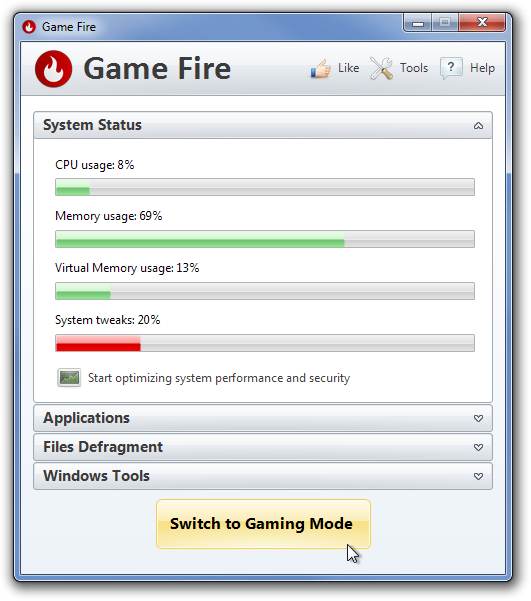
Games such as Battlefield 3, Crysis 2 and Skyrim, all require a high-end system to play them without any lags and video rendering issues. Even though buying a new gaming computer or upgrading your current one is always advisable, there is another way to free up system resources to get that extra boost for running the latest games. For instance, you might have run into a situation where your PC was able to run a game, but you experienced lag during game play. If you are tired of having low system resources available for lag-free gaming, you can check out the previously covered performance boosters including JetBoost (reviewed here), Game Booster (reviewed here), and Toolwiz Game Boost (reviewed here), to optimize the system resources usage. Game Fire is another Windows PC performance booster that lets you optimize PC’s resource usage for playing HD games, by shutting down unnecessary programs and services, so that you can play a high-end, resource intensive games without encountering any system performance issues. It actually does nothing except freeing up system resources needed by the game to run smoothly on your system. Read More

Benchmark PC Hardware To Diagnose System Issues With Ubuntu Live Disk [Guide]

There are certainly sheer number of benchmarking utilities available for PC, which put primary system components, including CPU, Main Memory, GPU etc., through a diverse range of tests to measure their health, ability and performance. The benchmarking apps are generally built to diagnose PC problems and check the actual ability of a component and its performance in presence of other installed system devices. For instance, a high-end GPU may not be able to perform at its peak ability with one or more incompatible system components. Similarly, main memory requires compatible motherboard and CPU to give its best performance. Unfortunately, there isn’t a simple way to benchmark all the system components, and therefore, one needs to manually check each component’s performance while using the installed OS. Read More

How To Create Customizable Multiboot System Rescue Disk

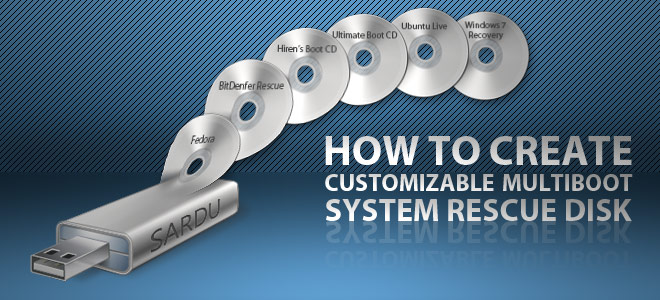
System Rescue bootable disks are built to help users easily troubleshoot those PC problems, which are generally quite difficult to fix such as corrupt boot sector, malware infected system files, physical & logical hard disk bad sectors, disk write failures and so on. In our previous guide on completely wiping the hard disk, we recommended using DBAN (Darik’s Boot And Nuke) Boot CD to shred the auxiliary and removable hard drives. Like any other boot disk, DBAN runs in a complete isolated environment to perform the disk wipe operation. Tools like DBAN, eScan Rescue, MSSS, Hiren’s Boot CD etc., require burning the ISO file on a separate disk for creating a bootable disk to fix PC issues, but what if you want to create a customizable bootable USB or CD/DVD disk to use all your favorite system diagnostic utilities without having to change the bootable disks on system startup? Read More

How To Remotely Manage & Fix PC Issues With Soluto

Last year, we covered Soluto - an anti-frustration utility for Windows that allows users to optimize system performance by disabling those applications, services and scripts etc, which bog down the system startup process. Since our review, this utility has seen quite a lot of changes and improvements including Soluto’s Windows error/crash handling mechanism replacement, Lighten Web Browser (feature to disable Firefox, Chrome and Internet Explorer add-ons & plugins), option to keep track of crashed applications and more. Soluto has just launched a new web-based application (currently in invite only beta), which enables proficient users to manage their friends and family PCs, and provide technical assistance in resolving routine PC problems without having to establish a remote connection over internet. Read on to find out how Soluto can help you fix your friend/client’s PC problems. Read More

PC House Keeper Provides All-In-One PC Maintenance & Tweaking Solution

Just like your car, keeping your computer in shape is necessary for its performance to be top notch at all times. With time, junk files, unwanted software, redundant startup entries and services clog up the system causing it to slow down. Cleaning it from time to time is necessary for keeping it from crashing down while working. PC House Keeper is a very comprehensive PC maintenance application with a host of tools to diagnose and improve your system’s performance. It provides users with a centralized and easy-to-navigate interface, enabling you to clean junk, uninstall redundant and unused applications, regain hard drive space by deleting temporary files, scan and fix registry errors, manage Windows startup, regain used memory, specify network and internet settings and securely delete files permanently from your system. Read more about PC House Keeper after the break. Read More

Auslogics Benchtown System Benchmark Tool Lets You Test And Share Results

Benchmark utilities are written to measure the capability of software and hardware components installed on the system to provide a detailed compatibility and system performance report. Both Windows Vista and Windows 7 have the option to rate PC through build-in Windows Experience Index which actually does the same; it assess the capability of software configuration and hardware components but instead of providing a report on installed software and hardware devices, it shows result as a number, referred to as base score. Depending on that number,  you can infer the overall performance of your PC. But If you’re not satisfied the way it measures your PC performance, you can consider using advance third-party benchmark utilities like Auslogics Benchtown to evaluate system capability to withstand immense stress and resolve performance-related issues under low resources. Read More

IceClean – Optimize, Repair & Cleanup Files In Mac To Keep It Stable

Similar to previously featured OnyX for Mac, IceClean is multi-featured system optimization and maintenance tool which provides front-end for numerous Unix built-in system tasks. IceClean has been optimized for Mac Snow Leopard, offering all the basic and advance tools and maintenance functions to keep your system clean and safe from native conflicts which may disrupt core system functions. For those who never tried it before, IceClean enables you to easily execute various Unix system tasks, System cleanup, Finder customization, Screen lock, Force empty Trash, Secure deletion, Show hidden files/folders, and System maintenance process, just to name a few. Read More

iTuneUp – Fix Performance Of Slow And Unresponsive Mac In Real Time

If you’re facing some unexpected crashes, program halts and exceptions, with your whole Mac system going completely numb unless you reboot it, you must consider using an optimization and inspection tool to find out root cause of all such issues. iTuneUp is created to address such problems. It is a Mac optimization utility which offers a slew of inspection techniques to not only find and repair system and application crashes but also to boost overall performance as well. iTuneUp works on a simple principle. It consistently checks different areas of your system to optimize them without requiring your direction. The real-time monitoring also checks currently running applications for errors and attempts to repair them as they happen. Read More

Fidelizer Optimizes PC Performance To Run Heavy Music Workstation

Producing professional musical piece involves using a range of dedicated music software which are responsible for recording, editing, and mastering the recorded tracks with all the subtle sound variations. Many of you may already know that best track production quality with high fidelity is not attainable unless you customize your high-end system to fit the needs. Since PCs are not cut out for such heavy tweaking with layers of recorded sounds through music production software, you’d need a tool like Fidelizer to get best results out of music software you’re using. Fidelizer claims to give audiophiles exactly they want from their system running heavy music workstation. Read More

HeavyLoad: Check System Performance Under Heavy Stress

HeavyLoad is designed solely to test the system performance under heavy stress. It uses multiple methods to load the system’s main memory whilst  creating a heavy process file in Temp Folder. The multi-core technology manufacturers always pledge best system performance under heavy stress and load. This little application has an ability to the put the multi-core processors under tests to measure the stress handling capacity. The real usage can be observed on the file server machines, which are designed to streamline all the running processes even under extreme strain. Read More