UnloadTab: Unload Inactive Tabs & Reduce Resource Usage [Firefox]

Do you usually forget to close inactive tabs? A large number of opened tabs does not only increase the memory usage, but it can also be a pain to work with them by making it harder to find the right and relevant ones. UnloadTabs, a Firefox add-on, unloads tabs that you haven't visited for a while, thus saving system resources. Tabs may also be unloaded manually using the right-click context menu. Any unloaded tab is restored back to its original state when you need it again. All settings are configurable from the add-on's options. Read More

2D Browsing: Easily Switch Between Multiple Windows And Tabs [Chrome]

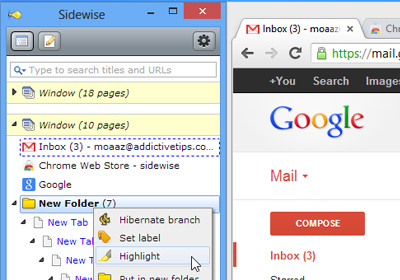
Switching between multiple windows and tabs can sometimes be a pain, especially when you have to work with a large number of either. Also, looking for a particular tab in multiple open ones can just be too annoying. 2D Browsing, a Google Chrome extension, simply adds a separate tab browsing panel to the left of your browser, which allows you to quickly and easily switch between multiple windows and tabs. Furthermore, you can drag & drop tabs from one window to another, pin them in place, delete, or open others. More after the break. Read More

Prevent Closing Multiple Tabs Accidentally With Close…Not! [Chrome]

How many times have you accidentally closed your browser and lost all your open tabs? Closing tabs or windows accidentally without a warning message can be really frustrating, and even more so for Chrome users, since Firefox and even Internet Explorer both prompt a warning when closing multiple tabs. close… NOT!, a simple Google Chrome extension, displays a dialog box with a warning message when you attempt to close tabs/windows, whether intentionally or by accident. When you’re browsing the web or typing something important, just click the close...Not! button once to enable the extension. In case you accidentally close a tab or window, a dialog box will appear and ask for confirmation whether or not to leave the page. Read More

Tab Mix Plus Enhances Firefox’s Tab Browsing Capabilities

Tab Mix Plus is a Firefox add-on that enhances your browsing experience by letting you customize tabs. It features a large number of options, such as tab duplication, reloading, closing, renaming, merging, focus, undo closed tabs and much more. Furthermore, you can use your scroll wheel to browse tabs or control tab switching. There is even an option that prevents annoying blank tabs when you download files. In addition to that, it also shows warning messages when you are about to close a tab or window. The add-on does not only improve the browser's tab capabilities, but also features its own robust session manager with crash recovery. Read More

URL Opener Allows You To Open Multiple Links At Once [Web]

When you have to view multiple pages, or go through a list of URLs for any reason, clicking each link one by one to open them can become quite frustrating, not to mention time consuming. URL Opener is a handy web app that lets you open multiple website links by simply using the copy-paste function. With one click, all links will open in new windows or tabs, decided by your choice. There is no restriction on the number of links that you can open, making it even more convenient. Once you’ve selected your links, just paste them in the box and hit the Open URLs button. Read More

How To Restore Recently Closed Tabs In Safari For iOS 5

The choice for a web browser is a bone of contention across all platforms and among a variety of users. Some prefer browsers that are fast, while others go for a convenient interface. No matter which camp you belong to, if you are on iOS, there is no way of avoiding Safari. Even if you use a third-party browser, usually other apps still open links in Safari by default, bringing you back to it again and again. So, getting the most out of Safari is absolutely essential. With iOS 5, the browser has got some enhancements too, not the least of which is tabbed browsing for the iPad version. Now, tabbed browsing is extremely handy and all, but what do you do if you accidentally close a tab while a bunch of them are opened? In most desktop web browsers, there are usually keyboard shortcuts for restoring accidentally closed tabs. Since I use Google Chrome, I am aware that you can restore tabs in Google's web browser simply by pressing Ctrl+Shift +T. Amazingly, there is just such an option hidden somewhere in Safari too, and you don't even need to have a jailbroken iDevice in order to apply it. Read More

Bundle, Organize And Manage Your Tabs With Dossier [Chrome]

While browsing, do you, ever, suddenly notice that you have 20 or so tabs open, and you wonder where all those came from? It's quite natural to have tabs upon tabs opened during a normal browsing session, and sifting through them can become rather frustrating. This is where Dossier, a Google Chrome extension, comes in handy. It lets you organize and group your links into one new tab, enabling you to surf the internet more effectively. Dossier has a pull-down menu displaying all your opened tabs, and you can just choose the tabs and bundle them out of the window. It provides you with neatly-arranged sets of tabs that are far easier to manage than what Chrome natively offers. Read More

Tab Position Customizer Lets You Personalize Tab Behavior In Chrome

Just about all top browsers support tabbed browsing and it is possibly one of the best things to have come to browsers. The thing is that while everyone loves tabbed browsing, they may not like how it behaves when opening links. Some of you might not mind if a link you click opens a page to the right of the current tab but others might find it annoying and would prefer it open at the very end. Tab Position Customizer, a Google Chrome extension, lets you personalize the behavior of tabs so you can get them to open just the way you want. By default, Chrome opens new tabs to the right of the current tab, while staying on the current webpage. This extension changes this default setting by offering you with different tab opening and activating options, such as first, last, right and left of the current tab. Read More

CleanupTabs Sorts And Automatically Closes Unused Tabs [Firefox]

Creating a mess in your browser is one of the easiest things to and cleaning it up is practically one of the hardest. If you’re a compulsive clicker who clicks at every hyperlinked text or twitching image, it’s more than likely you browser window looks like it is ready to explode. While there aren’t any proven methods of solving the habit of compulsive clicking, there are many ways of keeping your tabs organized. CleanupTabs is a Firefox add-on that automatically closes unused tabs and sorts all tabs in order of the ones most recently viewed. Additionally, it numbers tab and reduce overall memory usage. It allows you to choose the maximum number of tabs that you can have open at a given time and define webpages that the add-on will never close. Read More

Selection Links: Open & Download Multiple Links With A Click [Firefox]

Tired of clicking on each link one by one to open it? In order to open multiple links, we usually click each one of them separately and select open in new tab from the context menu. Selection Links is a handy Firefox add-on that lets you open multiple links by highlighting them and then using the context menu for launching them in new tabs. With one click, all links will open in new windows or tabs as per your choice. At the same time, it also allows you to download multiple files contained within these links. Read More

theTabs – Preview And Switch Between Tabs In Any Window [Chrome]

Are you an Internet Explorer fan while secretly being a closet Chrome or Firefox user or is it the other way around? You love a browser that isn’t Internet Explorer but there are times when you wish a certain feature from the Windows’ default browser would be added to your favorite one? One feature that would rock if added to other browsers would be how all open tabs in Internet Explorer 9 can be previewed using the Windows Aero Peek feature. If you preview either Chrome or Firefox, you only see the active tab for each window and that makes it hard to find the tab you’re looking for. theTabs is a Chrome extension that allows you to preview all open tabs in any window in a new tab. While it doesn’t add anything like the tab previews that Internet Explorer has, it makes it easier to find tabs in a window.

Read More

NewTab – Open Links In New Tab Without Middle Mouse Button [Chrome]

When working on a laptop, a tablet or with a really old mouse that does not have a scroll wheel/ middle-click button, opening a link in a new tab means going through the right-click context menu. Not only is it inconvenient but it gets annoying after awhile especially if you have a fully functional mouse on your desktop but a not so functional touch pad on your laptop. NewTab is a Chrome extension that resolves one functionality that comes with the absence of a middle-click mouse button; it gives you the option to open a link in a new tab when you mouse over it.

Read More

‘Prevent Duplicate Tabs’ Keeps Chrome From Opening Pages From Same URL

The number of tabs you have open in a window can quickly get out of hand; the number of tabs might get particularly out of control if it’s early morning and you’re going through your feeds and feeling all trigger happy or click compulsive. Prevent Duplicate Tabs is a Chrome extension that prevents you from opening multiple tabs of the same site. The extension can ensure that there is only a single page open of a particular domain or that there are no duplicate URLs open across any one window. Read More

Replace Currently Open Tabs When Opening Bookmarks [Firefox]

Do you open tabs and forget to close them later? That means you’re likely to end up with a whole bunch of tabs open with no clue as to what to do with them. What you need to do is to click that little cross on a tab and learn to say good-bye. Alternatively, you can save several joules of energy by using Tab Replace, a Firefox extension that opens bookmarks in currently open tabs instead of opening new ones. While this doesn’t decrease the number of tabs you might have open, it does make better use of them and does not open new ones to add to the clutter. Read More

Chrome 13 – Tile Tabs To Side, Multiple Profile Support & Tab Grouping

Chrome 13 is now stable and many users must have upgraded or are in the process of upgrading. The features that everyone is looking forward will probably be the ones announced on the official Chrome blog but there are three other tweaks to the browser apart from Instant Pages, Print Preview and the previously covered hide Omnibar option that we reviewed in Chrome Canary. Chrome 13 now lets you sign in and sync multiple profiles. Each Chrome window can now associate itself with a separate profile. You can now list all open tabs in a vertical panel on the left as opposed to the top and finally, you can select and separate tabs from the same domain or tabs opened  from the same page, to another window by grouping them together and dragging them out. All options must be enabled from about:flags. Read More

How To Handle Multiple Internet Explorer Tabs In Windows Phone 7 Mango

Windows Phone 7’s newest update Mango is making waves all around the world even before its official release. For now the update is available to developers only and has recently been released to manufacturers. Microsoft announced that Mango will come equipped with 500 new features! That means a lot more new functionality compared to the previous big update (Nodo). The official list of all the changes has not been made public yet and developers are left to discover new features by themselves. However, one feature that doesn’t require much thorough searching is the availability of multiple tabs in the new OS. It is there, and it looks awesomely cool! Read More

Multi Commander – Customizable, Tabbed File Manager With Dual-Panel Layout

Multi Commander is a portable dual pane, tab-based file manager which is designed as an alternative to Windows Explorer. It has many of the commonly used file manager features lined up on the main interface in the form of buttons to make it convenient for users to find and apply useful options like system drive access,copy, move, rename, view, etc. The main feature of Multi Commander includes auto-unpacking and auto-sorting of files, fast file browsing, customizable layout, scripting, search bar, as well as quick access option to connect to an FTP server. You can also use Multi Commander to extract , Zip, 7-Zip, Rar , Tar , GZ , Bz2 and Jar  archives with it's file unpacking utility. It has many complementary features like movie information from IMDB/Rotten Tomato, extensions and plugin support. Read More

QTTabBar 2 Brings Instant Tab Closing Options, Updated After 2 Years

Remember QTTabBar? The tool which allows tabbed browsing within Windows Explorer? Unfortunately, back then (in Summer 2009) it had some minor issues such as the occurrence of an error when desktop tool menu was closed and some issues with apply button dialog window. QTTabBar has recently been updated (after almost 2 years) and has come a long way. QTTabBar 2.0 beings some bug fixes, an upgraded toolbar, and more customization options to make it better than ever before. Read More

Control The Loading Of Tabs After Firefox 4 Restart With Absolute Load Control

What happens when you have 20 open tabs in Firefox browser and due to some memory related issues, it suddenly crashes? Firefox presents two options Restore or Start a new session. We all know that Firefox is capable of recovering all the tabs back, but if you reload 20 odd tabs again simultaneously, chances are high that Firefox would crash again. Since it is near impossible to manually stop every tab (when you have hundreds of them), you can instead try Absolute Load Control, which can handle tab stop and reload processes with a single click. It is a small Firefox 4 extension which adds a handful of tab stop and reload controls in right-click context menu. Tab stop controls will come useful when you want to stop loading of all opened tabs, all other tabs but current tab, and to stop all those tabs which got stuck in loading process. Similarly, the reload tab controls can reload all broken tabs, all other tabs but currently opened tab, and all stopped tabs which are loaded completely. Absolute Load Control also lets you reload tab from memory and reload bypassing tab cache through simple hotkey combinations – Shift + left mouse click and Control + left mouse click, respectively. Read More

Quickly Split Off Tabs In A New Window With Tab Split [Chrome]

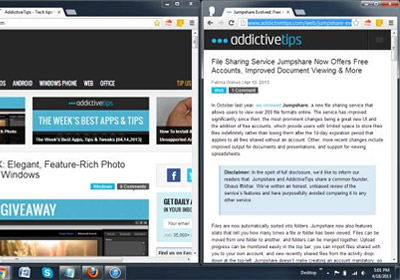
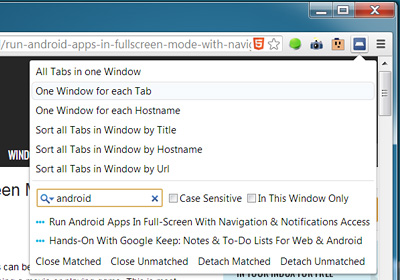
When dealing with too many tabs, we often group them up into separate windows. Tab Split an extension for Google Chrome which polishes this very idea of organizing tabs. It splits a set of tabs and open all of them in a new window, so you can easily organize them in any required sequence. For instance, lets say you’re researching to gather some information for your project and alongside research related tabs, you have opened some social media network websites. Now if you want to split all those tabs which have no relevance with your project work, you should try Tab Split. It will split all the tabs which you want to open in a new window with a single click. Read More