Adobe Photoshop Express Now Available On Windows 8 And RT

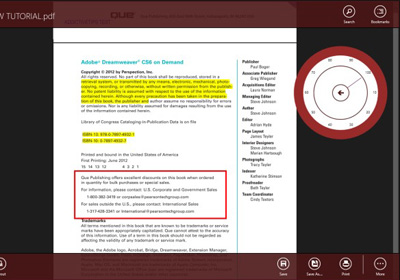
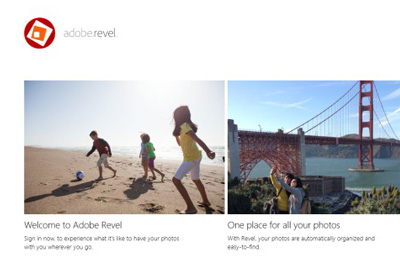
Photoshop is like air to professional image editors but with its Pandora’s box of options and features, it can be quite gushing for novice users. Usually what I’m looking for in an image editor are a few Instagram-esque filters accompanied by some basic styling and editing tools - nothing with a steep learning curve. Adobe Photoshop Express for iOS and Android has been around for quite a while, but now Adobe feels it’s time to up the ante and bring it to Windows 8 and RT. Though many would consider the free software 'infantile', here’s still a good opportunity to size it up against your favorite image editors, and see if it earns a place at your editing table. Read More

Get A Tiled, Option-Stacked & Customizable Start Menu In Windows 8

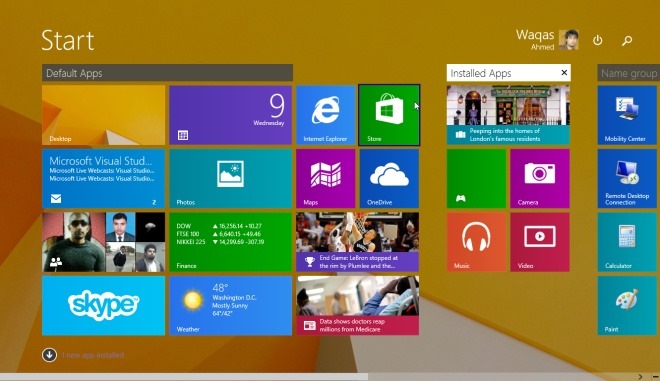
Whether you like it or not, the new Start Screen in Windows 8 is here to stay. But if you’re having a hard time getting used to it and prefer to get things done the old way such as accessing applications, shortcuts and files, you just need to install a Start Menu replacement app. We've already covered a handful of Start Menu apps and Start Screen modifiers for our readers, including the likes of Pokki, Classic Shell and Start8. Today, we’re bringing to you yet another similar application called Start Menu Reviver. It’s a great option for those avid Start Menu users who think that the Start Screen simply slows them down. It offers almost all the features of Start Screen and lets you access your programs and favorite websites right from the desktop. Read More

Create & Share Rich Photo-Music Slideshows On Windows 8 Using Whip

If you like to share your photos with friends, family or others in general, you should really consider trying out Whip. It’s a Windows 8 and RT app - with mobile versions available for iOS and Android - that enables you to create slideshow-style photo presentations spiced up with music, varying background styles and templates, depending on your preferences. These meticulously curated  photo albums can then be shared with other Whip users. It’s a fascinating app that - despite not bringing something unique or groundbreaking to the table - holds on to a fun factor of its own. Lets see how it works. Read More

Baconography Is A Reddit App For Windows Phone 8 & Windows 8 With Easy Subreddit Management

Until now, Windows Phone users have had some pretty satisfactory Reddit clients at their disposal. Baconit and InstantReddit exemplify the kind of Reddit apps that have been available in the WP Store in the past. These apps might not be too heavy on features, but are great for everyday use, owing to their neat UI and easy navigation options. With the release of WP8, however, the demands of users have changed to some extent. Since Microsoft has been trying to work towards merging Windows 8 with their mobile platform, a lot of developers have started coming out with apps that are great on your phone, but can also come in handy on your Windows PC or tablet. Baconography is among the first Reddit clients that are available on both Windows Store and the WP Store. The app is perfect for all Reddit users who have very particular preferences regarding subreddits, since Baconography allows them to pin any subreddit to the app’s main screen. The comments view is great in both apps as well. Read More

Popular Windows Phone YouTube App Metrotube Comes To Windows 8 & RT

YouTube can be considered one of the biggest and most lucrative acquisitions by the company. The video streaming service has become so popular that most internet users hardly spend a day without browsing a few videos or YouTube channels, whether on mobile or desktop. Google however, has been quite dismissive when it comes to releasing a YouTube app on Windows 8, leaving video streaming fanatics on this very platform rely on third-party apps or the web version. We have covered a few Windows Store apps that provide a handsome YouTube experience without leaving the metro environment such as PrimeTube, YouVue and Your Tube 8. Metrotube – a renowned Windows Phone YouTube app – has now joined the party, and with its release, the YouTube experience on Windows 8 and Windows RT is finally setting its foot in the right direction. Read More

Unification Brings Cross-Platform Notification Sync To Windows 8 & RT

The lock screen notifications in Windows 8/RT isn't entirely a new concept, but it’s quite refreshing for Windows OS as it was never seen in any of its prior versions. These push notifications allow third-party apps to display real-time on-screen notifications for events like new email, weather updates, Facebook messages, Twitter mentions and the like. Although, its quite a nifty features that can save one a lot of time, there’s no central location where you can view all your pending notifications related to every app together. Earlier this month, we covered a Windows Phone app named Unification, aimed for somewhat similar purpose i.e. to bring all your notifications under one roof. The app has now arrived on Windows 8 and RT as well. Unification, being a cross-platform app, is designed to to automatically sync your notifications across all Windows based devices, including WP7, WP8, Windows 8 and Windows RT. Read More

Photos+ Is A Unified Local, Facebook & Google+ Image Gallery And Editor For Windows 8

Photos+ is an image aggregator for Windows 8 and RT that lets you bring together your pictures from your social media accounts and local drive, allowing you to view or manage them under one roof. Although the social media support is fairly limited at this time – the app only supports Facebook and Google+ as of now – it does boast an elegant interface which will make photo management a breeze  and leave you impressed with its awesome photo editing and photo management features. The app makes use of the integrated photo editor by Aviary to provide you with a powerful set of editing tools for effectively fine-tuning your favorite images before uploading them to social media. Read More

Auto-Hide Taskbar On Surface & Other Windows 8 Tablets Based On Screen Orientation

Microsoft seems pretty confident regarding Windows 8, despite the rather mixed reception the OS has received so far. With a lot of Windows 8 tablets like Surface Pro and many third-party ones out there already, the tablet-optimized interface of the OS has started to see wider adoption on devices it was built for. Those who have used Surface Pro would be aware that the tablet can be used both in portrait and landscape modes, with the built-in sensor changing the screen orientation accordingly. If you’re one of those users who keep the Taskbar to the left side of the screen for thumb access – which basically makes navigation a tad bit easier – you must have noticed that when you switch the tablet to portrait orientation for a task like browsing the web or reading eBooks, the Taskbar can nag your experience and waste precious screen real estate. Although Windows 8 allows auto hiding the Taskbar, this option hides it in landscape mode as well. If you want to auto-hide the Taskbar in portrait mode only, we've got an awesome app for you called Surface Taskbar Helper. Read More

How To Fix Adobe Photoshop CS6 Background Flickering In Windows 8

Microsoft took a leap of faith with Windows 8, and for the first couple of weeks after its release, it seemed the dramatic change of direction wouldn't pay off the way the Redmond giant hoped it would. The new OS and its Modern UI seem to be catching on, but at a snail's pace. Apart from the fact that quite a majority of users find themselves out of their confort zone when using the new interface, Windows 8 currently has quite a few compatibility issues as well; some with drivers and others with apps. One of the latter happens to be with the (currently) latest version of Adobe Photoshop, namely CS6. Read More

Nokia Music Comes To Windows 8 & RT; Impresses On Every Front [Review]

Nokia’s foray into the world of music started quite a while back, when the company used to sell its XpressMusic line of mobile phones that focused on music playback. Even though the series had its moments when it shined, it was quickly overshadowed with the demise of Symbian phones. Fortunately, the concept still lived on as Nokia Music and translated over to Windows Phone back in September as a music streaming service and online store. So far, this offering by the Finnish phone maker has been enjoying its success on mobile platforms only, but that changes today, as Nokia has released the Nokia Music app for Windows 8 / RT. From what we have seen so far, it seems to be an awesome addition to the Windows Store. Read More

ModernNote Is A Multi-Format Modern UI Text Editor For Windows 8 & RT

Windows 8 comes with tons of useful features and apps, and while Microsoft's latest OS includes Modern UI versions of many of them including Windows Media Player, Internet Explorer and Calculator among others, Notepad has unfortunately been neglected in this regard, and still looks like its antecedents. Even though most of you might not be seeking a metro version of Notepad, those with Windows RT devices must be missing it to jot down their notes without entering the desktop mode. ModernNote is a Windows Store app that - as the name suggests - aims to get rid of this nuisance by providing users with a feature-rich text editor with a touch-friendly Modern UI. Read More

Unification Is A Combined Notification Center For Windows Phone & Windows

Since the days of Windows Phone 7, Microsoft has been claiming that the ‘Me’ section of the People hub is fully capable of serving as the notifications area of your phone, but most users haven't been satisfied with the somewhat limited functionality the Me tile offers. The People hub is enough if you are only interested in social media updates, but what about all the notifications you might miss from third-party apps just because the device was in your pocket when the toast notification showed up? Unification is a new app that has the potential to act like a notification repository for all the apps you use on your Windows Phone. The app has been released only on WP8 at present, but it is slated to arrive for Windows Phone 7 and Windows 8 pretty soon, which is sure to make it a truly universal notification center for the entire Microsoft ecosystem. Read More

Get Windows 7 Gadgets On Windows 8 Desktop With Gadgetarian

Although Windows Vista was a major flop, the desktop sidebar feature that Microsoft introduced in the OS was really fascinating. This sidebar allowed users to place several useful gadgets in it,  such as calendar, clock, CPU and network monitor, photo slideshow, search, RSS feeds etc. that provided them with quick access to information as well as many tasks. Windows 7 also came with desktop gadget support, and Microsoft took it one step further by removing the constraint added by the sidebar. With Windows 8 though, Microsoft decided to totally remove this feature, which is a serious turn off for those of us who liked having them on our desktop. If you want to bring desktop gadgets back to Windows 8, Gadgetarian might be a decent solution. It works in a slightly different manner than 8GadgetPack, but the purpose is the same. It provides you with 14 different desktop widgets, and you can even download more of them from the developer's website. Read More

Talk.to Brings Its Facebook Chat & GTalk IM Aggregator To Windows 8

There have been countless instant messaging services around for nearly two decades. Social networking has also become incredibly popular during the past few years, particularly after the popularization of smartphones, and everyone wants to stay connected with their friends and family. Following this norm, services like Facebook also offer their own chat platform. Since a lot us now use multiple chat services, it can be quite tedious to handle all these accounts from different apps. Fortunately, there are multi-protocol chat clients for that. Previously, we covered the Windows 8 app of the renowned IM+ that allows you to chat on multiple services under one hood. Talk.to is yet another such app for Windows 8 and RT that has recently landed on Windows Store. The app lets you sign in to four different accounts simultaneously, and supports Facebook, Google, Windows (Microsoft account for Windows Live Messenger) and Pingpong. Read More

WeatherFlow Is A Windows 8 Weather App With Gorgeous Animated Backgrounds

Whether you're planning a trip across the vast shores of Australia, doing some mountain climbing in the Alps, or just going about your daily routine,  keeping an eye on the weather forecast plays a significant role in determining what to do, when to do it, and what to wear for it. But given the amount of weather apps that are now available on both desktop and mobile platforms, it can be fairly difficult to select one as your daily forecast guide. Previously, we have covered some really fascinating weather apps for Windows, Mac, iOS, Android, Linux, Web, Windows Phone et al, and today we're taking a look at another such app - WeatherFlow. Contrary to our previously reviewed Breezy that looked quite minimalistic from top to bottom, W000eatherFlow sport a host of gorgeous weather effects that dynamically change according to the weather conditions in the selected location. Read More

Send Digital & Printed Copies Of Your Photos From Windows 8 & RT With Kicksend

Kicksend is a service that has made its reputation for letting users share high resolution photos with anyone. What sets Kicksend apart from other similar solutions or alternative methods like email and social media is that it doesn't compress images in the transfer process, thus the original quality of the photos remain intact. After earning its fair share of success on desktopAndroid and iOS, the app has now landed on Windows Store. Even though it looks quite simple on the surface, the app still gets the job done the way it's been doing on other supported platforms. Read More

Launch, Backup & Uninstall Modern UI Apps From Windows 8 Desktop

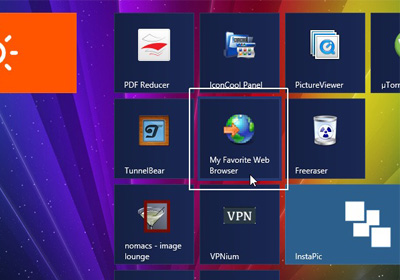
Those of you who have already joined the Windows 8 club should be aware that the Start Screen is the only place from where the OS lets you manage Modern UI apps. The Start Screen allows users to pin legacy apps to the Taskbar, unpin any app from Start Screen, uninstall them or change the sizes of their tiles. However, all that doesn't seem very convenient, particularly if you’ve also pinned additional items here, such as files, folders or desktop apps. That’s where Windows App Boss comes to the rescue. This freeware allows users to manage Windows 8 applications right from the desktop. It can also help developers and testers easily add signed packages for testing purposes. Keep reading past the break for further details. Read More

Create A Personal Dashboard & Sync It Across All Your Windows 8 & RT Devices With Qool

When was the last time you saw something and said "cool"? Can’t recall? Well, today you just might, when you check out Qool clever name, no? Qool is an app for Windows 8 RT that can boost your productivity in a number of ways. The app lets you create your own fully customizable dashboard, on which you can paste sticky notes regarding to-dos and important events, graphical charts related to an important business presentation, images and videos, and various files of other types. What's even more impressive is that everything you add to your dashboard automatically gets synchronized across all your Windows 8 and RT devices via your Microsoft account, which can be really useful if you have let's say, a Windows 8 PC and a Windows RT tablet, or a Windows 8 PC at work and one at home. Read More

Access Windows 8 Start Screen, All Apps & Search Charms From Desktop

Even though, applications like Start8 and Pokki for Windows 8 successfully restore the Start Menu, if you want play around with Start Screen a little bit, then Start Charming just might be what you’re looking for. The application is yet another Start Screen modifier (like we haven’t seen plenty of them already) that lets you display Start Screen within desktop in a manner similar to Immersive Taille and the likes. The application is pretty handy if you want to spend most of your computer time within the Desktop mode and seldom find the need to jump back to the Metro interface. The application also lets you invoke the Charms Bar from a system tray button. Read More

View Your Facebook Feed Items In Tiles With Metro Social For Windows 8

Just yesterday, the official Twitter app hit the Windows Store, and I loved every bit of it. It’s great to see that the world's largest microblogging service has kept things minimal yet intuitive on the Metro platform. On the other hand, Facebook users are still waiting for an official Windows 8/RT app from the world's largest social network to join the club, and it might not happen anytime soon either. You don’t have to worry much though, as Windows Store is riddled by a number of third-party Facebook apps like MINEFacebook Touch and many more. Already tried those but want something different? Metro Social is yet another one that seems worth a shot. Read More