Disable & Delete Zeitgeist Logs In Ubuntu With Activity Log Manager
Zeitgeist service comes pre-installed in Ubuntu and logs all activity such as files accessed, visited websites, etc. Activity Log Manager Zeitgeist is a GUI based application which lets you gain control of the information that Zeitgeist logs. It allows creating blacklists according to file or application type to disable logging for specified applications and user activities. This ensures that your personal information can be controlled from showing up in Zeitgeist logs. For example, you can use Activity log Manager to disabled logging for visited websites, certain file types (e.g. Libre Office files) and so on.
Activity log manager can be installed from the following PPA.
sudo add-apt-repository ppa:zeitgeist/ppa
sudo apt-get update
sudo apt-get upgrade
zeitgeist-daemon --replace
sudo apt-get install activity-log-manager
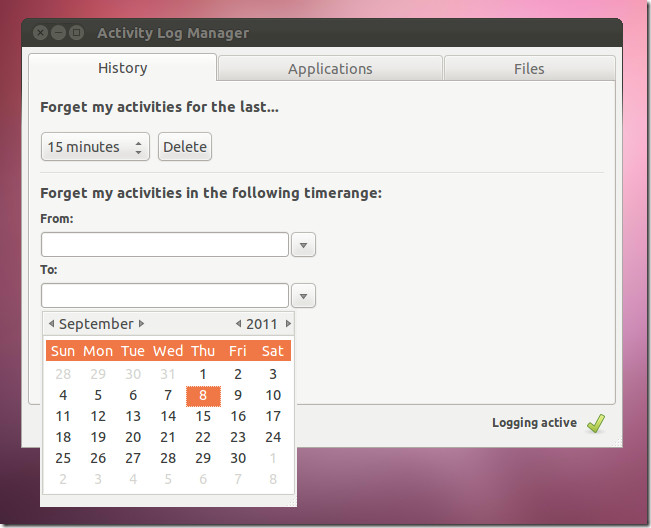
Once done, launch it from the Unity Dash. From the History tab you can select a time frame for deleting Zeitgeist history. This can be done according to specified hours, minutes, days weeks or only selected dates.
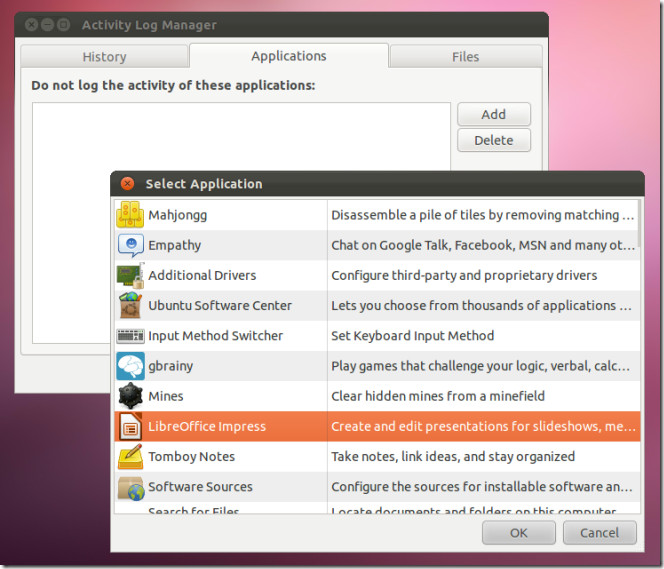
The Applications tab can be used to add applications to a block list. The added applications are no longer logged and their activity is not recorded by Zeitgeist.
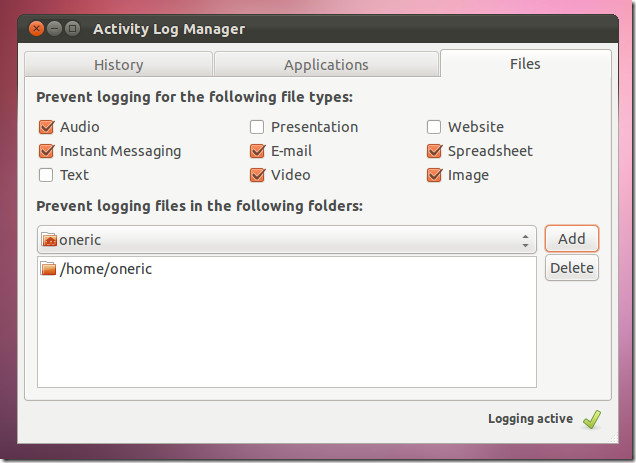
Similarly, you can disable file types from being logged by specifying the kind of files which are to be added to the exception. The available file options include audio, video, instant messenger files, presentations, emails, spreadsheets, website data and images.
You can also download and compile the Activity Log Manager package from the Launchpad link given below..
Download Activity Log Manager for Zeitgeist

Thanks. I liked Synapse launcher. But it exposes the whole history of activities to anyone who access the system with a simple down arrow key press! Because Synapse uses and exposes Zeitgeist activity log. To get rid of the unwanted activtiy logs and to keep using Synapse Activity Log Manager is a must have tool.
scrap it please in the next release.
otherwise we have to abandon Ubuntu. this is a spyware and please stop calling it an application….
activity-log-manager Do not want it tracking my habits, having a love-hate relationship with Ubuntu/Lubuntu
Here it is 2017 & this still goes on As bad as Microsoft if not worse. 1984 Yeah Big Brother watching
Zeitgeist is so “Windows” – you can’t really disable it/remove it – it stinks, takes over your system and logs everything or slows system down even when boxes are checked to stop its doing stuff, and that is one reason why after Unity, Ubuntu is going down the toilet
Thanks