Easily Move Windows Between Multiple Display Monitors
In multi-monitor setups, one of the most executed functions is moving windows between the displays. It makes organization convenient and boosts efficiency of work, but what of the irritation of constantly having to drag windows here to there. MonitorSwitch addresses this issue and makes switching windows from one display to another easier and more efficient.
As per the developers description, it “adds two custom buttons in the caption bar of any windows, allowing you to move the window to the next or previous monitor”. However, this did not happen in our test with Windows 7.
What the software did here was add commands to the right-click context menu for any window. We attribute this to the difference between Windows XP and Windows 7 file systems, but found even this solution to be convenient enough.
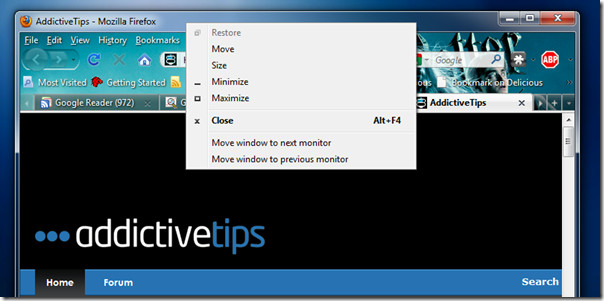
The new options are added to all the windows, regardless of the program to which they belong, hence improving the entire user experience. You may disable the commands or choose to have the tool start with Windows (under Performance tab) through the application’s control interface.
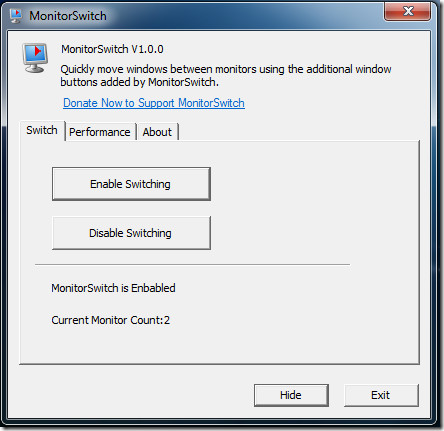
MonitorSwitch is also compatible with x64 architecture.

No special software required: Under Windows 7 Shift+Win+Arrow pushes a window from one screen to the other. This shortcut is not the same as the Win+Arrow “snap” hot key.
In Windows 7, this utility does not work with Windows running under the Administrator context (like a regedit window), there are issues with the titlebar buttons in some apps, and the titlebar buttons cannot be disabled. In Windows 7 just use the Windows + Shift + Left/Right keys to move windows between monitors. The capability is built-in. Much simpler and no utility needed to be installed. 🙂
Your Windows 7 tip works well. Simple. Fast. Intuitive. Thanks for sharing.
It works wonders, thanks for the tip indeed.
Just a suggestion:
Holding shift isn’t mandatory. It will only position the current window in the same position as it was on the first monitor.
If you do not use shift, it will resize to 50% and “scroll” through the 4 possible positions.
Windows key + Up will maximize, windows + down will resize and windows key + down on a resized window will minimalize the window. Awesome, handy and efficient stuff.
My personal recommendation is Actual Multiple Monitors (http://www.actualtools.com/multiplemonitors/). It is a most powerful utility among others and it works fine under Windows 7. Actual Multiple Monitors adds taskbar to second display and the second taskbar has all features of main taskbar like Start button and tray area with notification icons.
Years ago I was searching for a similar app and turned up this little gem: WndHop, via CompuSaff Today! Best part is that it works with a hot key. Just hold down your [Windows key] and then press [Enter]. Bingo! Your app is now on your other monitor, even if you had it full-screen! Works great on XP, haven’t tried it on Win7 yet.
i use Ultramon : it has alot of tools, background management, custom hotkeys, and a lot more !