Remove GeoTag From Photos To Protect Your Location
Most new smartphones and cameras are equipped with geo tags functionality. Every photo you take from such devices are geo tagged, i.e, your exact latitude and longitude are hidden inside the metadata. Therefore, sharing such photos online not only gives predators your information but also the exact location where the photo was taken.
It is always recommended to remove the geotags from your photos before sharing them online, so how do you do that? Geotag Security is a great tool that can remove all Geotags in a given folder without touching any of your other metadata information.
All you have to do is select the folder where Images are residing and hit Start. Please note that once all geotags are removed, they cannot be recovered back.
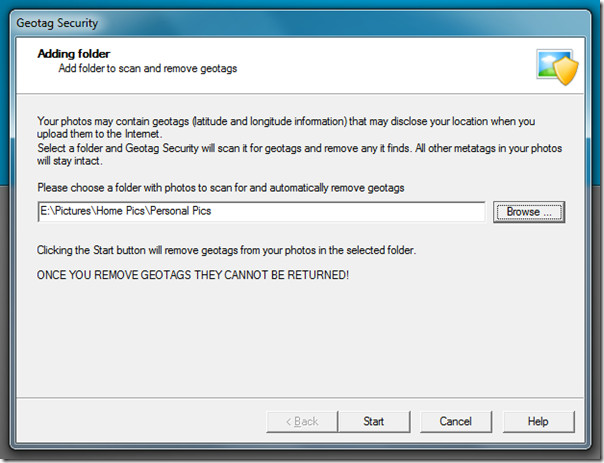
On the next step you will find all scanned files, jpeg files, files with secure geotags found, and files with non-secure getags found and secured.
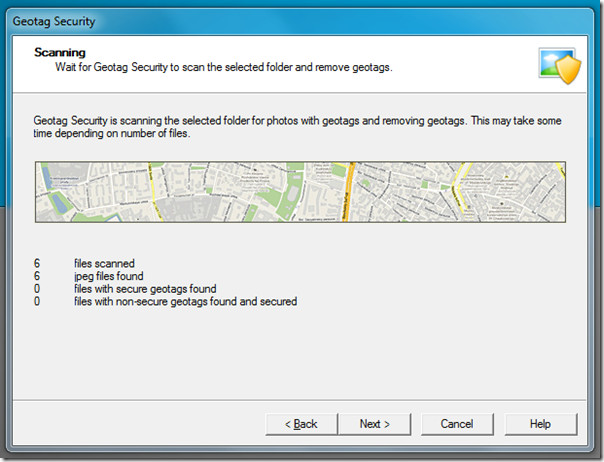
Hit Next and you will find the general report. Finally in the last step it will ask you to select any folder to monitor. Any photo added in this folder will automatically be stripped of its geotags. Sadly, this functionality is only available in paid version of the app.
If you are looking for an opposite trick, i.e, geotag your photos, then check out Picmeta PhotoTracker and GeoSetter.

This app works for PC and it’s simple enough to use. But, I don’t do a much sharing from my PC these days – smartphones changed that. Here’s a good and ‘free’ application for removing personal data on an Android or iPhone; Pixelgarde Photo Privacy Editor. You can search for it on the marketplace or app store, or just go to their website: http://www.pixelgarde.com
Pixelgarde, is nice, but I found another android app – “GPS Privacy”, that removes the GPS coordinates automatically. You just define your “Privacy areas”, and your pictures won’t have GPS tags when taken in these areas. Very useful if you have the pictures uploaded automatically online. Hope this would be helpful for you as well!
Hi all friends,
I want to leave you know of my new website dedicated to geotagging http://www.whereisthepicture.com
It’s a new and free service that I created to geotag your pictures and is very intuitive and easy to use and best of all, you do not need to install anything on your computer because everything is done from the web.
To use it, just upload a picture and if your photo has GPS information whereisthepicture.com shows you, in Google Maps, where the photograph was taken.
If your photo does not have GPS information, maybe because it’s was taken with a camera old whereisthepicture.com gives you the ability to geotag your own photography.
Finally, whereisthepicture.com allows you to send your geotagged picture to your friends so they can show where your photo was taken.
I hope you like!
regards,
Paco Fernandez
I prefer this geotag remover instead of Geotag Security: http://www.superutils.com/products/exifcleaner/ The better fact that it lets to delete not only geotagging data, but also various types of photographic meta-information, such as Exif, Adobe XMP, IPTC, and others.
why would one want to pay $19.95 for this program, when there are free metadata removers like BatchPurifier LITE that can remove all tags, including geotags, from photos?!
I believe you are confused. This tool can also batch remove geotags for free. Paid version only gives you functionality to monitor the folder.
If you just don’t care about geotagging your photos at app, you can just disable the feature on the phone. You should be able to that is.
Can you disable the feature on cameras?