Create Custom Vibrations For Individual Contacts On Android With Vybe

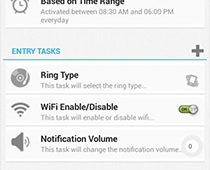
Custom Vibration patterns for a ringing phone is not the latest innovation around on Android, and it has been available in a few custom ROMs for quite a while. Custom vibration patterns for individual contacts can be helpful in identifying the caller without even having to take the phone out of your pocket, especially when you’re in a meeting or driving. Installing a custom ROM merely to gain this feature on the phone would simply be overkill. Enter, Vybe – Custom Vibrations, a new app with an equally fresh interface that is intuitive and simple to use for anyone, and allows you to define and manage custom vibration patterns. Let's take a look what the app has to offer and how well it fares, after the jump. Read More

Boot Into & Run Linux Distros On Your PC From An Android Device With DriveDroid

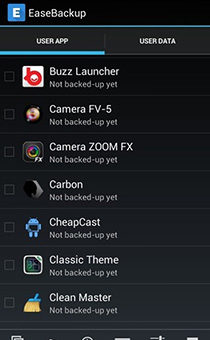
We’ve all heard of live USBs that allow the user to boot right into an operating system on a PC without actually having to install it, a trend that has garnered limelight with Linux distributions. Keeping the need to casually test a Linux distro aside, you might find yourself in a situation where your PC’s current OS is failing to boot, you need a live disk to fix the issue or salvage your data, and your USB drive has everything in it but a live disk image. One solution would be to get your hands on another PC, but what if you could boot into a Linux distro (like Ubuntu or Fedora) straight from your rooted Android device? DriveDroid lets you do just that. What's more, this nifty tool will download the distro of your choice straight to the device, ridding you of the need to have access to a second PC. We take a closer look at how DroidDrive works and what makes it so special after the jump. Read More

GO TouchHelper Is A Gorgeous Quick-Access Add-on For GO Launcher EX

Seldom does one come across an app so beautiful that you just want to keep staring at its UI, even if you have no use for it whatsoever. And needless to say, it's even better when the app is useful and intuitive as well. The name of GO Dev Team is familiar to most Android users, and the guys have done it again! While the name GO TouchHelper may sound a bit misleading at first – I thought it was a touch calibration tool – you will see that it serves an entirely different purpose. According to the GO Launcher Dev Team, it's a tool built to "Mix core features into all-in-one app”, and not only does it hold true to that purpose, but also does so while looking amazing! Acting like a dropdown menu containing frequently accessed settings and shortcuts, the app is a simple ‘two-finger downward swipe’ gesture away when using GO Launcher EX. So what exactly does it have to offer? Let's find out! Read More

Asana Brings Its Official Mobile Project Management App To Android

After a successful run on iOS, the official Asana Mobile app has been released for Android as well. Asana is easily one of the most sought after project management web apps, and its availability on the mobile platform gives any team of people working together, the ability to keep themselves and others updated with every development regarding a task or project. Having been just released for Android, I feel the app's UI needs to be slightly more user friendly for those who have just started with Asana. That said, the app brings almost all the Asana features you'll require for collaboration on the go. We take a look at the app and how it functions after the break. Read More

UNCOPT File Browser For Android Offers Holo UI, Dual-Pane View & Root Access

Dual-pane file managers for Android have been around for a while, and so have others that let you access root level system files. Both these elements offered in one single app for free however, is a rarity that UNCOPT File Browser aims to offer. To build on that, the app sports fantastic aesthetics with a dark Holo theme, along with the ability of browsing  the contents of compressed files like any other folder, support for plugins and much more. Let's take a look at what makes UNCOPT File browser a worthy opponent to most Android file managers out there. Read More

How To Root Sony Xperia Z [Guide]

The Xperia Z - Sony's flagship behemoth of a device running Android 4.1.2 Jelly Bean on a gorgeous 5" 1080p full HD screen - has been rooted before its actual launch. Sony’s new range of Android devices are becoming more and more developer-friendly, with Sony allowing official bootloader unlocks and releasing kernel sources to the developers to support third-party development. This rooting method comes courtesy of XDA Recognized Developer DooMLoRD, who remotely achieved root access via teamviewer without even getting his hands on the device. Planning on getting an Xperia Z for yourself? Here’s how you can root the device in a few very simple steps. Read More

Phonechievements Turns Routine Android Usage Into A Social Game

It is no surprise that user interest in many smartphone-based games is increasingly being driven by social media elements that allow users to share their achievements and scores with friends and at times the general public. Enter Phonechievements for Android - an app that aims to bring similar social media elements into your everyday phone use. The app uses your regular phone usage stats and brings en element of competition to these otherwise ordinary aspects of the phone. In essence, you will be unlocking achievements as you meet their required set criteria, and there are tons of these to unlock. Unlocking an achievement will allow you to share boast it over Facebook, Twitter or Google+ and encourage some geeky competition amongst you and your friends. Let's find out more after the jump. Read More

Install Leaked Android 4.1.2 Jelly Bean ROM On Sony Xperia S

The Xperia S was Sony’s flagship device in its NXT series and while one would have expected Jelly Bean to have hit the device way back, it's still been a seemingly endless wait so far. However, there's finally some good news in this regard, albeit not from Sony itself. You can now install the leaked 6.2.B.0.68 Android 4.1.2 Jelly Bean firmware on your Sony Xperia S, thanks to XDA Recognized Developer DoomLoRD. While this firmware was originally meant for developer (brown) devices, DoomLoRD was able to successfully modify it to boot on productions devices. However, being a leak, you shouldn't expect everything to work flawlessly. If you still wish to given it a shot, you can install it right away. Read More

How To Root HTC Butterfly X920D & Install TWRP Recovery

HTC became the first smartphone manufacturer to release a phone with a screen resolution at 1920x1080 pixels, starting a trend among all major manufacturers who are following suit with their latest flagships. In addition to the Droid DNA, HTC's other flagship featuring this full HD resolution is the recently released HTC Butterfly, and if you've already got your hands on one of these beasts, we've got great news for you! The device has already been rooted, and as it turns out, rooting it is actually just a walk in the park. So if you want to root your HTC Butterfly and install TWRP recovery on it, let's show you how.

Read More

Driving Dashboard ‘Sony Car’ Ported From Xperia Z To All Android Devices

Google Play Store has plenty of apps that make it easier to use your phone while docked in your car, and there’s a built-in dock mode available on most Android phones out there as well. However, not everyone is comfortable with fancy voice commands or alerts, and some people just can’t be bothered automating the functions of their phone when driving. With Sony Car app, you can make using your phone while driving arguably safe. Even though it lacks even the slightest bit of automation-related features or alerts for the driver, what it does have is a clean and well laid out interface that is essentially a launcher with really big icons optimized for using in dock mode. There is more to it than meets the eye, so read all about it after the break. Read More

How To Install Any Digitally Unsigned Drivers On Windows 8

“A digitally signed driver is required” & “The driver installation failed” are a few of the error prompts you may have come across when attempting to install drivers on Windows 8. Unlike its predecessor Windows 7, Windows 8 strictly enforces a driver signature check, verifying the signatures with its own local database. While this means drivers for your old devices are under strict scrutiny, it also spells a bit of a pain for even newer devices, including those for several Android phones and tablets. I came across this issue when trying to flash a soft-bricked Xperia device back to life, but kept running into the dreaded “The driver installation failed” error when installing the crucial fastboot drivers. If you’ve been there, you know the frustration that follows, but what followed after that for me was a ray of light and hope! Ok enough drama. You can install your unsigned drivers - be it fastboot drivers, or drivers for your toaster - in a couple of easy steps, as explained after the break. Read More

How To Increase Video Recording Quality On Nexus 4

Camera quality has never really been the punch line for Google's Nexus series of Android flagships, and the new Nexus 4 does not fall far from the tree either. As the first Nexus phone to hold an 8MP camera, it has caused quite a few users to notice and complain about unwanted level of noise present in videos recorded at HD resolutions. However, a Nexus is the epitome of relentless Android customizations and XDA Recognized Developer enyceckk has just come up with a way to improve the Video quality by increasing the video bitrate from 12Mb/s to 20Mb/s. Based on the developer's claims and user feedback, the mod does improve video recording quality on the device. Read More

How To Unlock Verizon Galaxy Note II Bootloader

The Verizon Galaxy Note II’s bootloader has been unlocked! Verizon is and has been infamous for locking down all the devices it has to offer but fortunately, Android users have had the support of a massive developer community that is determined to defy all such ridiculous restrictions. Earlier, the DROID DNA from HTC had its shackles broken and now, the Note II has joined the list as well, thanks to recognized developer and XDA's Elite Recognized Developer AdamOutler. Custom recoveries and ROMs like CM 10.1 are now a possibility and luckily, the unlock method isn’t that complicated either, unlike the unlock for the DROID DNA. So if you own the Note II and are yearning for an 'in your face, Verizon!' moment, read on after the break! Read More

How To Install & Boot Into Multiple ROMs On Google Nexus 7

Dual booting or multi booting ROMs on an Android device is not entirely unheard of, but it has lacked the simplicity users often require for doing so. Our latest entrant in the multi boot club is the popular Google Nexus 7 tablet, which is now capable of not just running two Android ROMs, but multiple ROMs. What's more - you can even run add Ubuntu to the mix, as has been the trend lately. Yes, you heard it right, the Nexus 7 can now run multiple Android ROMs and Ubuntu, all from the same multiboot setup courtesy of XDA Recognized Developer ‘Tasssadar’ in form of MultiROM. More on this awesome mod and how you can get it up and running on your Nexus 7, after the break! Read More

How To Get The Note II Multi-Window Feature On Galaxy S II I9100

The latest Galaxy S3 Jelly Bean update brought the much talked about and well received Multi-Window feature to Samsung's flagship that was originally a marquee feature for the Galaxy Note II. The leaked and the official Jelly Bean update for the Galaxy S2 however, was a different story as the Multi-Window feature was left out. Don't be disappointed though, as XDA-Developers forum member ‘mythtrandyr’ decided to take matters into his own hands and released a fully working Multi-Window mod for the S2. The official Jelly Bean update coupled with this awesome Multi-Window mod has given the S2 a major boost and appeal to several owners who were considering ditching this phone for something newer. I know I’m not doing that anytime soon now! More on the mod and how you can get it up and running on your SGS II after the break. Read More

CF-Auto-Root Brings Easy Rooting To Nexus 4, Nexus 7 & Nexus 10

If you're an Android enthusiast and haven’t been living under a rock, you must have heard about the famous CF Root kernels that XDA Elite Recognized Developer Chainfire has been releasing, especially for Samsung devices. These kernels simply rooted your Android device once flashed and installed a custom recovery, keeping the rest of the firmware totally stock. Recently, Chainfire moved on to CF-Auto-Root that skips, even ditches, the recovery from the mix to keep the experience as close to stock as possible. Considering the popularity of this method, it is no surprise that it now supports the latest Nexus devices, i.e., Nexus 4, Nexus 7 and the Nexus 10. How does it work, what changes does it bring, and how can you use it to easily root your device while keeping everything else purely stock? Let's find out. Read More

Overclock HTC DROID DNA To 1.8GHz With Beastmode Kernel

HTC finally released the source code for the DROID DNA, while Verizon decided to locked down the bootloader. However, that didn't keep the developer community from doing something about it, and the bootloader was shortly unlocked, paving the way for custom kernel development. In the latest development on the kernel side, ‘Team blackout’ has just released the aptly named  Beastmode kernel that will rev up the DNA’s CPU frequency to 1.8GHz, with added overclocking for the GPU and FSB! You wonder if 1.5GHz is insufficient on Quad Core, and no it is not. Though the way things go in the developer community, if it can be done, why not? More on the kernel and how you can flash it on your DROID DNA after the jump. Read More

Android 4.2 Based Paranoid Android Brings Hybrid UI To Nexus 4 & Nexus 10

Phablet mode hits the Nexus 4 and the Nexus 10! The latest version of  Paranoid Android ROM based on Android 4.2 is one of the most exciting developments headed the Nexus 4 and Nexus 10’s way since the devices got rooted. In case you're wondering why I seem so excited, this custom ROM offers a hybrid interface - a perfect mix of both phone and tablet UI that works wonderfully phones with large screens as well as tablets. Considering Paranoid Android looked good on the Galaxy Nexus, we can already tell it'll look stunning on the new HD IPS display of its successor. As for the Nexus 10, a customizable tablet UI will only add to the pleasure of using it. The ROM is based on the new Android 4.2 AOSP so don’t be surprised if you run across some bugs or issues on the Nexus 4, since full AOSP source code for it hasn't been published yet. More on the ROM and installation instructions for both the Nexus 4 and Nexus 10 after the jump. Read More

HTC DROID DNA Toolkit: Root, Install Drivers & Flash Custom Recoveries

Earlier, we covered a guide on rooting the DROID DNA, and while it wasn’t the most complex root guide we have covered, manual root methods are never newbie friendly. So if you have been reluctant all this time - either out of fear of damaging your device or because you were waiting for a more convenient method - try recognized developer and XDA-Developers forum member hasoon2000’s HTC Droid DNA All-In-One Toolkit. The toolkit will help you easily root your device, install drivers for it on your PC, flash custom recoveries and kernels, install APKs, backup data and more. Note that it is meant for Windows only, and as specified by the developer, will not be getting Mac or Linux variants. Read More

Unlock The HTC DROID DNA Bootloader Unofficially

HTC DROID DNA gets unofficial bootloader unlock! Verizon continued following its trend as it locked down the DROID DNA just as the phone hit the shelves, pulling the plug on the official bootloader unlock method from the HTC Dev website. Those who didn't get a chance to unlock and root their DROID DNA before this should know that thanks to the efforts of recognized developer Justin Case (and a working exploit by Sean Beaupre), Verizon has been outmaneuvered. Users can now unlock the bootloader and proceed with gaining root access on the device. The method involves software mod to change the carrier information, so that the device can be unlocked from HTC Dev. More on it after the jump! Read More