Tiny Apps For Android Combines Five Handy Floating Tools In One Package

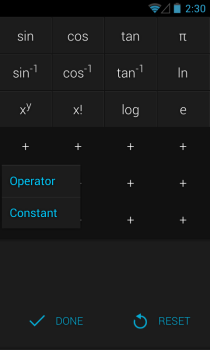
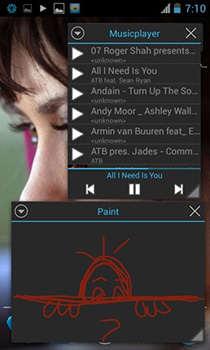
There are quite a few computer users out there who have sticky notes stuck across their monitor’s border - and why not, since that information is always available at a glance. These notes made their way to computer users in form of note widgets for their desktops as well as apps for their smartphones and tablets. However, why stop at merely taking notes? Enter Tiny Apps – a package that contains five floating apps that act like omnipresent widgets. This reminds me of Small Apps for the newer Sony Xperia devices, but Tiny Apps has quite a few extra tricks up its sleeve. You get quick access to a sound recorder, music player, painting canvas, calculator, and of course, notes from anywhere across the OS, floating atop all other apps. Read More

Inkulator For Windows 8 & RT Solves Handwritten Math Expressions

Windows 8 has an integrated calculator that we’re long used to seeing in every iteration of Microsoft’s operating system. On Windows 8, the application runs in Desktop mode, and contains different calculation modes like standard, scientific, programmer and statistics, along with a built-in unit conversion system. Though if the standard calculator interface that aims to emulates a real calculator doesn't suit your taste or you just want to try out something entirely different, give Inkulator a shot. It’s a Windows 8 and RT app that takes an interesting approach to how you perform all your mathematical calculations. The application basically lets you input your queries via freehand writing on its canvas. You can write any number, calculation symbol and what not, either by touch gestures or with your mouse, and Inkulator will automatically interpret it into a computer-understandable mathematical expression. Read More

Tibi’s Mathematics Suite Combines Scientific, Graphical, Matrix & Factorization Calculators

Some love it, most hate it and many have tried their level best to avoid it at school, but Mathematics is everywhere all around us, and there's no escape from it in any field. Every element of the world is either based on or in some way related to numbers and mathematical calculations. Behind every piece of technology including your computer and smartphone, there are millions of calculations going on every second. While these complex, automatic calculations are handled by computers, there are many that are still needed to be done by humans, in order to create those machines. A calculator is one particular device that has helped almost everyone at some point in their lives, allowing them to perform complex calculations in a few seconds. Windows has its own calculator with basic arithmetic and scientific calculations, but it doesn't quite cut it for more complicated ones. Tibi’s Mathematics Suite is a portable open-source application featuring a Scientific calculator, Graphical calculator, Matrix calculator and Factorizator, each with its own feature set to let you to perform complex calculations with ease. Read More

MyScript Calculator Is A Handwriting-Based Number Cruncher For Android

Android’s stock calculator app is handy enough to let users easily perform standard mathematical and scientific calculations. That being said, we’ve been frequently bringing you several useful and feature-rich alternatives in the form of CALCNEXT, AirCalc, Statistic Calculator and Handymate etc. Where almost all aforementioned options present you with a button-laden, tap-to-input calculator interface, MyScript Calculator takes an entirely different route to offer you a canvas on which you can draw/write mathematical expressions to get all the required answers. Supporting several basic mathematical operations and functions, the app has the capacity to automatically interpret input (user-drawn) data, complete with both the operator and the operands detection, and perform requested operation on any amount of operands that you provide via drawing. Interesting, isn’t it? What’s even more fascinating about MyScript Calculator is that, unless you wipe the canvas clear, the app lets you continue with further operations, thereby amending the results accordingly. It accepts input via finger as well as stylus, and supports palm rejection, with additional support for left-handed users. Read More

Wolfram Alpha+: Comprehensive Search Engine & Scientific Calculator For WP7

Wolfram Alpha has always been popular, but in recent times, it has been more in the news owing to Siri’s dependency on the service. For those who don’t know much about Wolfram Alpha, it is a service that can be useful if you are looking for some piece of information, but don’t want to sort through a lot of search results. Wolfram Alpha is intelligent enough to come up with all the necessary information related to your query, and you can even perform complex calculation using the service’s calculator. Wolfram Alpha+, although not an official Windows Phone 7 client for Wolfram Alpha, comes with all the features offered by the web version of the service. You can perform calculations, simplify mathematical equations and ask Wolfram Alpha+ anything you want. Read More

Grafikal: A Free, Comprehensive Graphing Calculator For iPhone & iPad

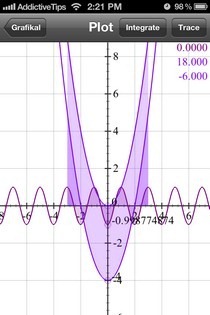
Everyone who has ever studied mathematics in college (or even high school) is sure to have come across the dreaded topics of integration, algebra and functional calculations. Regular calculators can help you to some extent, but not if you have to plot elaborate graphs or solve long equations by performing integration or differentiation. For that, you need graphing calculators, which aren't all that cheap. Grafikal is a free app will let you perform just about any fundamental mathematical operation, no matter how simple or complex, on your iPhone, iPad or iPod touch. The app takes a graphical approach to most problems posed to it, and presents answers in the form of plots, allowing you to even perform further actions on those graphs. So, are you an Engineering student or working in a field where you have to perform lengthy calculations regularly? Whatever the case may be, Grafikal could prove to be a good option for your requirements. Read More

Calculator2 Is A Programmable Scientific Calculator, Unit & Currency Converter For WP7

If you look at the stock Calculator on offer in Windows Phone 7, you are sure to notice that it is pretty similar to the one in Android, and is not lacking in functionality and features at all. Holding the device in portrait mode gives you a simple calculator, while tilting it sideways allows you to switch to scientific calculations. You might not feel the need for any other calculator app in the presence of the stock app, but that is only if you use your phone for calculations on occasion. However, if you are a Mathematics student or a businessman, you might want to take a look at some of the third-party calculator apps available in the Marketplace. One of the best in this category is Calculator². The app is a complete calculation suite, and acts a tool for unit conversion in addition to being a programmable, advanced calculator. Read More

Convex: Unit Conversion With Animations & Intuitive Understanding [iOS]

An iOS app which converts a value from one unit to another is nothing new, and you can even perform most such calculations using the stock calculator app present in the iPhone. There is one unit conversion app, however, which might force you to change your mind. Meet Convex, an app for iPhone, iPad and iPod touch, which does nothing more than unit conversion, on the surface at least. You will know what we mean as soon as you launch it for the first time. Convex has a strikingly beautiful interface, and that alone is enough to take it out of the “just another unit converter” category, but wait - there’s more to the app than that. Convex deals with a staggeringly large number of units (close to a thousand), and the best thing about it is that you are sure to find your desired units in no time at all. There are interactive animations associated with every genre of units, and you can learn more about them by heading past the break. Read More

Handymate: Geometry Calculator, Estimator & Conversion Tool For Android

So far, what we have been able to see with most apps based around Mathematics, engineering or those referring to a solution of some sort of calculation is that they all come in the from of a standalone apps. For instance, you might be able to find plenty of Mathematics-related apps in the Android Market; lots of them might be meant to only help you with designing graphs and scientific models, whereas other available solutions might revolve around assisting you with the routine calculation tasks. In short, there are not too many solutions that comprise a rather expansive set of calculation, analysis and measurement tools to cater to the needs of a large continget of users. Well, seems as if we might have come across a very handy solution in this regard. Developed by BRICK, Handymate is a comprehensive suite of various calculation, conversion, builder and estimation tools for Android that is meant to make the life of students, engineers, architects and mathematicians simpler. Ranging from basic unit conversion features to extensive construction estimation tools, Handymate provides you with plenty of quick calculation options that would otherwise demand a lot of time and effort or multiple apps. The best part about Handymate is its uncluttered, user-friendly interface. Each tool within the app contains several options of its own, and is aptly supplemented by relevant graphics/shapes, equations, formulae templates, units and substantial on-screen help to assist you with calculation/conversion chores. Read More

Statistics Calculator: Statistical Graphs, Formulae & More On Android

The recently reviewed Mathway app provids Android users with a very useful means to instantly and conveniently solve a wide array of Mathematical problems on their devices. Although said app also had a dedicated Statistics segment, it was rather feature-constrained to be deemed as a viable tool for users concerned with the subject. Developed by XDA member cgollner, Statistics Calculator is a free, multilingual Android app designed specifically to help you calculate some of the most sought-after statistical values on the go. Using the app, you can easily find the sample size, Arithmetic/Geometric mean, median, mode, variance, coefficient of variation, quartiles, Outliers barrier, and lower/upper whisker of the input values. The app also displays Bar Chart, Histogram and Box Plot of the provided values, and supports saving and exporting these graphs in PNG/JPEG format in an image resolution of your choice. That’s not all; Statistics Calculator also features a separate segment dedicated to display formulae to all the aforementioned statistical components. Read More

Mathway Helps Android Users Solve Mathematical Problems On The Go

As a student, you either love Mathematics or you hate it (which most of us do), but you can’t ignore it. By hook or by crook, you have to apply a set of required tools/formulae in order to somehow get your Mathematical problems solved. Apart from resorting to the years-old technique of learning the art of problem-solving through Mathematical guides and key books, you can now get adequate help from plenty of online resources, including educational blogs, web portals and services, virtual academies, and various distant learning facilities. Mathway is one of those extremely helpful web service that helps students and teachers find instant and easy solutions to all their Mathematical problems pertaining to almost any field/subject, including fundamental Mathematics, Algebra (and pre-Algebra), Trigonometry, Calculus (and pre-Calculus) and Statistics etc. To help Android-using students solve their problems on the go, Mathway has just rolled out its official app into the Android Market. Laced with plenty of handy problem solving tools, predefined examples, and most important of them all, a function-packed Mathematical calculator/keyboard, Mathway ensures that you don’t have to carry multiple guides and handbooks to find accurate and swift solutions to your Mathematical problems. Read More

Dashboard For Chrome: Take Notes & Perform Calculations via A Pop-up

Often, while we work online, we need to jot down important tasks, reminders, contacts or perform simple calculations. *Dashboard For Chrome* is a extension that offers users with a compact side-by-side notepad and calculator with an autosave feature, as well as a handy search tool. The extension allows you to take notes and everything is automatically saved. The search toolbar supports multiple search engines, such as Google, Yahoo!, Bing, Wikipedia, YouTube, Facebook and more. The numbers on the calculator have a similar layout to your numeric keypad, so you can easily use it to enter numbers. Moreover, the cursor focus is always on the notepad, so press tab for it to go to the search toolbar, and again to go to the calculator. Read More

AirCalc Is An Adjustable, Persistent On-Screen Calculator For Android

The stock calculator app that comes bundled with Android OS is undoubtedly a handy utility to have, especially if you are often required to perform various calculations on your device. However, said tool might just not suffice if you were to perform rather prolonged calculations by reading and feeding in multiple entries from, say, an image, email, document files (DOC, XLS, PDF etc.) or a webpage that is opened on your device, simply because of the hassle involved in frequently switching back and forth between the calculator app, and the document. Enter AirCalc – an alternative calculator for Android that presents you with a persistent overlay so that you can perform your calculations from anywhere in the OS. The "floating" calculator is transparent, moveable, and resizable, and provides you with the same calculation operations found in the stock Android calculator app. Read More

CalcMadeEasy Free: Auto Record Calculations To Editable Notes [Mac]

We previously reviewed a Mac app called Numi, a very basic editor that allows you to add text within your calculations. The app is ideal if you do multiple interrelated arithmetic calculations and forgot why or how you arrived at a particular amount. CalcMadeEasy Free is a Mac app that automatically records the calculations you perform using the app’s built in calculator. You can add notes, and have the app record all calculations to it. The notes are simple text that can copy and paste anywhere. The app is ideal if you don’t want to be bothered with writing down your calculations, but would like a record of them nevertheless. Read More

RedCrab: Calculator With Formula Editing & Algebraic Equation Support

Probably one of the greatest inventions of mankind is mathematics - algebra to be more precise. Everything we do today revolves around numbers, and numbers have changed the world as we know it. If mathematics and statistics are great inventions, then calculator is even greater, which helps in performing various complex calculations, within a few seconds. Along with the evolution of Windows, the default Windows calculator has also gone from being the tool for just division, multiplication, addition and subtraction of digits to getting support for basic, scientific, programmer and statistical calculations. However, it still lacks options, such as creating charts and printing the calculations, and i suspect that these features would be ever added. While browsing the web, i stumbled upon something interesting that might delight maths and stats enthusiasts and make their job a lot easier. The application is called RedCrab and is a portable calculator with support for scientific mode, programmer, standard, fields and statistical calculations, which can then be printed directly from the application. It supports complex algebraic equations, fractions, square roots, log functions, trigonometric functions etc. Digits and symbols can be entered with the keyboard, the Function Panel or the virtual keyboard provided with the application. More on RedCrab after the break. Read More

Numi: Solve Word Problems & Keep Track Of Your Calculations [Mac]

Every OS comes with a a calculator, at least Mac, Windows and Ubuntu do. The Mac calculator app is definitely more feature rich than the one you find in Windows, but simply converting numbers from one base to another, or finding some exponential value isn’t always enough. For those who perform lengthy calculations that are simply arithmetic functions but all related to each other, and when you often find you lose track of what you just calculated or forget the last result, Numi is a free Mac app that not only performs simple arithmetic functions (addition, subtraction, multiplication, division and percentage calculations), but allows room for text as well. What it does is let you solve problems like they were word problems. It ignores the text, and reads the numbers and mathematical operands. Read More

CALCNEXT: Handy 7-In-1 Calculator/Converter For Android & iOS

The mobile/smartphone world is certainly no stranger to calculators and metric conversion tools. Whether you’re looking for a replacement to your device’s stock calculator app or a scientific one that offers extensive calculating options, rest assured that you’ll be able to find more than a significant amount of apps to choose from. CALCNEXT is yet another extremely useful addition to the long list of calculator apps for Android and iOS-powered devices that provides you with an option to work with no less than seven of the most essential calculation/conversion tools - a scientific and mortgage calculator as well as currency, area, mass, time and temperature converters. CALCNEXT comes with TTS (text-to-speech) support, that is, it reads aloud all entered data. Read More

Andie Graph For Android Emulates TI Graphing Calculators

Tired of your bulky, old and rusty TI graphing calculator? Looking for a lighter, more 'current' alternate? Look no further. Andie Graph for Android allows you to emulate Texas Instruments graphing calculators on your Android device. As of this writing, the emulator supports TI-82, TI-83, TI-85 and TI-86 graphing calculators. Unlike its predecessor (which was removed from the Android Market for illegal distribution of TI graphing calculator firmware), Andie Graph does not come packed with a ROM (TI firmware, not Android ROM), and requires you to extract your own, or grab one from the internet. Read More

Convert And Check Standard IPv6 Formats With IPv6 Address Converter

Internet Protocol version 6 (IPv6) is a version of the Internet Protocol that is designed to be the successor of IPV4 addresses. As IPv4 addresses reach exhaustion, IPv6 will soon become a viable alternative. Previously we reviewed,  Bitcricket IP Subnet Calculator which provides easy IPv4 and IPv6 related calculations. However, it does not contain an option for converting between the many standard IPv6 formats for Internet Protocol Version 6 addresses. IPv6 Address Convertor is a simple tool that converts IPv6 addresses between the many standard forms. Read More

Duckworth-Lewis Calculator For Cricket-Savvy Android Users

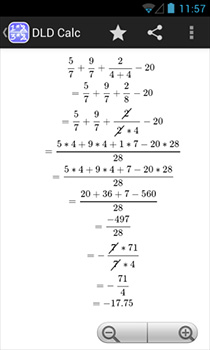
With the ICC Cricket World Cup in full swing, cricket based Android apps continue to hit the Market at a considerable frequency, most of them being freeware that report match scores. Duckworth-Lewis Calculator is probably the only cricket-based app of its kind on the Android Market. The application employs the recently adopted Duckworth-Lewis method to calculate “par scores and targets for rain-interrupted cricket matches”. Read More