MiniatureCam: Capture Videos & Photos With Tilt Shift Effect [iPhone]

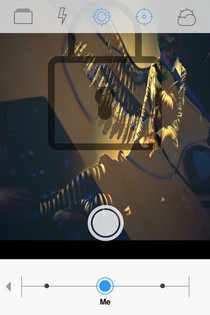
The iOS App Store has gotten to a point where very few new camera apps have the potential to entice users, specially if they are focused on providing just one feature or effect. Still, MiniatureCam is one such app that can prove to be a really welcome addition to your iPhone, iPad or iPod touch. It might not be as feature-rich as some of the other camera apps out there, but it does what it advertises, and that, too, in a really efficient manner. MiniatureCam is all about letting its users shoot videos and photos using the tilt shift effect. This means that the end results will be focused on just the main object, blurring everything else, making viewers believe that the target object is larger compared to its surroundings, owing to the reduction in depth of field. So, why would anyone be interested in an app that focuses on just one photo effect, when there are so many multi-purpose apps out there? The simplest answer to this questions is that MiniatureCam letts you use the tilt-shift effect ad excellence. Read More

How To Get iOS 5.1 Lockscreen Camera On iOS 5.0/5.0.1 [Cydia]

iOS was bumped to 5.1 a few weeks ago, and brought a few minor, yet useful, changes to the iPhone operating system. One such change is the new lockscreen camera shortcut, which has been altered in two respects. For one thing, you don’t have to double tap the home button to bring up the shortcut, and secondly, to avoid accidental launch, the camera icon has to be dragged upwards now and merely tapping it won’t launch the stock Camera app. If you are a fan of the Cydia store, however, you are mostly likely stuck on iOS 5 or iOS 5.0.1 for now, waiting for the jailbreak dev teams to give the green signal. If you really want to try the new lockscreen camera without having to update to iOS 5.1, there’s now a tweak for that. Enter Camera Grabber, a simple Cydia tweak which will let you enjoy the new camera shortcut on a pre-iOS 5.1 iPhone, iPad or iPod touch. Read More

Creative Studio: Edit/ Apply Effects To Photos On Lumia & Unlocked WP7

Not only has Nokia got the permission to customize Windows Phone 7 to be used in the Lumia series, they also keep a constant stream of exclusive Mango apps coming for their users. The latest addition to the Nokia section of the WP7 Marketplace is Creative Studio. It is a camera replacement app which will let you snap pictures and apply a bunch of stunning effects to them. Apart from that, the app can be used to make basic changes to your images, and just for fun, there is a whole section for giving funny faces to the photos you take using Creative Studio. The best feature of the app is its ability to let you take panorama images with complete ease, and the results are just stunning. Read More

InstaCamera: Quickly Capture Multiple Photos Of Fleeting Moments [Android]

While everyone was delighted by Galaxy Nexus' zero-shutter lag, most of us don't own it and the technology hasn't see its way to other devices yet. However, when hardware doesn't allow it we look to the software side, and thankfully enough there are numerous camera applications available in the at Google Play Store, each with its own set of features and settings. The camera application I have for you today might not fill the void that has created by zero-shutter lag technology, but you may find it useful at various instances. Simply labelled as InstaCamera for Android, the app aims to help you capture photos almost instantly. How? Well, the app automatically captures a single or multiple shots the moment it is launched. Along with auto start, you may also take pictures manually,  should you so desire. There aren't many options, with the UI being simple and minimal, with a few different settings. Does it work the way as its name implies? That's what I am going to find out. Read More

Launch iOS Camera App With An Activator Gesture Using CamFast [Cydia]

iOS users are pretty obsessed with launching their iPhone’s camera quickly, and that is why iOS 5 included a shortcut for launching the camera app straight from the lockscreen. This search for camera shortcuts is pretty understandable, owing to the fact that the cameras incorporated with iPhone, iPad and iPod touch devices are pretty good and extensively used. No one likes fumbling through their iPhone trying to find the camera app icon while their target moves out of the camera range. That is why one Cydia developer has gone a step further than adding a mere shortcut for camera, and now it is possible to launch the camera in your iDevice using any gesture of your choice, thanks to the newly released tweak named CamFast. Read More

Fast Camera Provides 800 Photos/Minute Time Lapse Photography [iOS]

Time-lapse photography was considered only the prerogative of high-end digital cameras just a few years back, but with the advent of smartphones and the technology being pushed into them, its quite possible now to create time-lapse photos even on smartphones. If you think that taking 800 pictures in a minute might sound insanely fast, then think again as that’s what this new iOS camera app is all about. Simply labelled Fast Camera for iPhone & iPad, it  can take pictures at an extremely fast rate (no, its not the speed of light folks), at up to 800 pictures in a minute, and that too with superior quality. As its more of a norm these days, it lets you capture images using both the front and rear camera, and you can also switch between them instantaneously, without stopping the photo shoot. And did we mention that the application can take pictures of the finest quality, i.e., up to 8 megapixels? Could it get any better? Keep reading to find out. Read More

CameraSharp: All-in-1 Camera App With Time Lapse & Voice Trigger [iOS]

A good camera app for iOS must be simple enough that you can use when in a hurry, but still has all the necessary features available in it. The stock camera app in iPhone, iPad and iPod touch is pretty simplistic, and does not have a lot of features. This is the reason there are many third-party apps in the App Store which provide an alternative to the stock camera. Once such app is CameraSharp, which contains just about any feature you can wish for in a camera app. It includes anti-shaking, voice triggering of camera shutter, time lapse and integration with the stock Photos app. There are many other features as well, and you can find everything about them by heading past the break. Read More

Shoot & Share 360 Degree Photos From iPhone With SpinCam

If you have read our list of 15 best photo editing apps for iOS devices, then you must have noticed that the one app which stands out from the crowd is Microsoft’s Photosynth. The panorama-stitching service brings something pretty unique to your iPhone, and lets you capture the scene around you in great detail, and from almost every angle. SpinCam is an app for iPhone, iPad and iPod touch which is based on essentially the same concept (though it is nowhere near as advanced as Photosynth), and using it, you can shoot photos in 360. This means that the targeted objected will be captured from all sides, and then the app automatically stitches all the images to provide you with a single animation. Confused? Read on to know more. Read More

FullLockCamera: Launch Complete Camera App From Lock Screen [Cydia]

There are many features which Apple has built into iOS to improve its security, but for most people, they can prove to be a bit of a nuisance. Take the example of the stock Camera app. Although it can be launched from the lockscreen of your iPhone, iPad or iPod touch (which was a big improvement in iOS 5), you can only shoot a photo and preview the ones you have taken in the present sessions only. This might be good for privacy reasons, but if you are pretty sure that no one else uses your phone other than yourself, it can get a bit annoying when you launch the camera from the lock screen and can’t view your older photos, or share them with friends. Now, there is a Cydia tweak for that. FullLockCamera makes sure that you don’t get a locked version of the camera app even when it has been launched from the lock screen of your iDevice. Read More

Camera Awesome: Adjust Focus/Exposure In Videos & Edit Photos [iPhone]

Although plenty of photo editors exist for iOS, not many of them can be used for tweaking with both videos and photos. So, it is always nice to see an iPhone app which can edit photos, as well as videos. Camera Awesome is one such app, and not only does it have an impressive collection of photo effects, frames and other editing options, it can also allows you to shoot videos after you have adjusted their exposure and focus, even before you hit the record button. The sharing options are great as well, and if you are looking for a comprehensive and complete photo editor for your iPhone, iPad or iPod touch, Camera Awesome just be the perfect app for you. Read on to know more. Read More

Camera ICS Gives Android 2.2/ 2.3 Devices A Taste Of ICS Camera App

Android 4.0 Ice Cream Sandwich brought with it a variety of new and improved features, and the revamped stock camera app of the OS is one of them. The stylish and user-friendly interface, in-built file sharing options, the zero shutter lag, tap-to-focus, integrated support for capturing panoramic images, face detection, enhanced gallery, convenient zooming via a slider, and a plethora of customizable options to adjust your image/video quality as per requirement are among some of the goodies that the stock camera app of the latest version of Android supports. However, all said are available only to the devices running Android 3.0 Honeycomb or higher. Not any more, because a new camera replacement app, Camera ICS, has just arrived in the Android Market to give any Android device running Froyo or Gingerbread a taste of the stock ICS camera app. Read More

aremaC Is The Most Comprehensive Camera & Photo Editing App For iPhone

If you’ve been following me anywhere – AddictiveTips included – you may have guessed that I am a huge fan of photography apps for the iPhone. It’s not only because of my interest in photography, but also owing to the fact that the capable cameras on iPhone 4 and iPhone 4S get really complemented by all the good apps out there in the iTunes App Store. AddictiveTips’ archives are full of brilliant photo apps, including the likes of Magic Hour and IncrediBooth, disposable camera replicas like Dotti, and Mosaic & Collage makers like Fotoyaki. Then there are feature rich photo editors like Pho.to Lab and Luminance, which let you tweak about any aspect of your photos, and capable camera replacement apps such as King Camera and TapShot, which can change the entire scope of how you handle your iPhone’s already-pretty-decent camera. What’s more, this is merely the tip of the iceberg, as the App Store is teeming with several other alternatives, many of which might be even better. Read More

TapShot: Gesture Controlled Camera Replacement App For iPhone

As soon as you hear of a new camera replacement app for iOS, you might be tempted to think that it can’t be anything new, as there are so many of them already in the App Store. TapShot, however, is one camera app for iPhone which is sure to change this perception. TapShot relies completely on gestures to function, and using it, taking photos becomes so easy that you don’t have to do anything more than pointing your iDevice towards your target. The gestures are highly customizable, and you can learn all about them by heading past the break. Read More

Cartoon Camera: Real-Time Sketch Photo Effects For Android

As smartphones and digital cameras become mainstream, more and more people are becoming fascinated by the excitement of photography. This is the precise reason as to why you can find plenty of photography-related apps across various mobile platforms. In fact, you might’ve come across quite a few Android photo editing and styling apps that let you apply various effects and filters to your images to give them a cartoonish or drawn look after they are captured. New to the Android Market, Cartoon Camera by Fingersoft is a handy camera replacement app that lets you preview said effect live within the camera's viewfinder. That is, the app applies the effect to whatever the camera is looking at in real time, so that you know exactly how a photo is going to turn out before you capture it and even lets you adjust the Sensitivity of the effect. Read More

[Giveaway] QuickShot For iPhone: Automatically Upload Photos & Videos To Dropbox

If you are an iPhone user running iOS 5, then you must be aware of the iCloud integration offered by this latest iOS version. One of the most used feature of iCloud is Photo Stream, which automatically uploads all your Camera Roll photos to the cloud. No one can doubt the usefulness of this capability, but if you are already using some other cloud storage service, like SkyDrive or Dropbox, then it poses a bit of a problem, as your photos are divided across different services, and it becomes relatively hard to manage them. Fortunately, for Dropbox users, now it is possible to easily share your photos and videos over the cloud storage service with the amazingly useful app QuickShot. The app will automatically upload all the photos and videos shot with its camera to Dropbox, and you can even sync older media with ease, too. Read More

SlyCam: Quickly & Discretely Capture Photos From Within iOS Notification Center [Cydia Tweak]

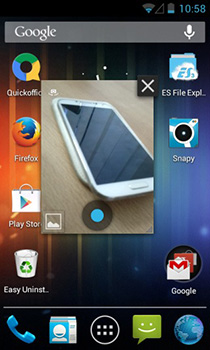
Cydia tweaks for Notification Center just won’t stop coming, and keep getting better. SlyCam is the latest addition to the collection of tweaks available for jailbroken iPhone, iPad and iPod touch devices running iOS 5. However, rather than being an ordinary, slightly redundant widget, or a simple color changer, SlyCam is much more useful. The tweak allows you to quickly and discretely capture photos right from within the Notification Center. The tweak even sports a small window housing the camera's viewfinder to help you get a better idea of what the camera is looking at without having to worry about prying eyes. Details to follow. Read More

Sketch Cam: Make Your Photos Look Hand-Drawn Or Pixelated

Although the stock camera app for iOS is pretty good, there are a lot of apps out there which make shooting photos even more fun. It is one thing to apply effects to a photo which has already been taken, but it does look impressive if you can get a preview of the scene in front of you before you actually take the picture. Sketch Cam is an app for the iPhone, using which you can snap photos with 8 different effects, and all of the effects offered by the app give really good end results. Read More

CamSlideshow: Add Camera Button To iPad’s Lock Screen [Cydia Tweak]

When Apple released iOS 5, there were a few differences between the versions of iOS that came out for iPhone and iPad. One small, but rather annoying, omission suffered by the iPad 2 is the lock screen camera button. Users of iPhone and iPod touch can launch the camera app straight from their lock screen by tapping the button present next to the slider. In iPad 2, you just get the slideshow button in its place, and there is no way of launching the camera when you are in a hurry. That’s what CamSlideshow is for, and using this new Cydia tweak, you will be able to launch the camera with a single touch on your jailbroken iPad. Read More

ContaCam: Create Surveillance System With Webcams, WDM And DV

ContaCam is a simple tool for creating your very own video surveillance mechanism. This application can turn a webcam into a motion detection camera with customized alerts. It can monitor the area within camera view, and auto-start recording once it detects motion. The recorded cam videos can then be saved in AVI or Flash video formats. Additionally, you can also upload the video to an FTP server or send it via email. ContaCam is also capable of capturing still images at regular intervals, and creates a thumbnail history log, which can be remotely accessed. Other than video surveillance, ContaCam can also function as a DVR for manual recording and scheduling on-demand recording. ContaCam supports numerous advanced configuration options, including customizable detection zones, snapshot editing, various video settings, detection scheduling, network based streaming, audio recording, and the like. ContaCam is capable of supporting Webcams, WDM, DV and other devices. Read More

Shoot Photos With Funny Overlay Effects Using Funny Faces For WP7

Microsoft Research launched a fun-oriented Windows Phone 7 app pretty recently, named Face Swap. That app allowed user to choose a photo having two people, and then exchanged their faces with each other. Funny Faces makes changing faces a whole lot funnier and better. The app is based on augmented reality, and acts as a camera that overlays funny effects on the faces found in any view. There are some hilarious effects offered by Funny Faces, and you can find out all about them by heading past the break. Read More