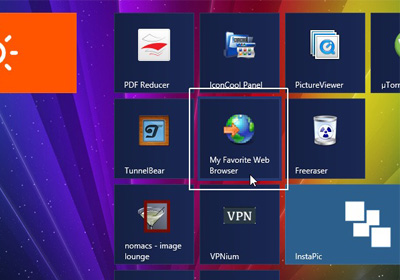
Disable Windows 8 Start Screen Launch Animation To Make It Feel Faster

As many of you already know, Windows 8 follows Microsoft’s “Modern UI” design language, which emphasizes “content” over “chrome”, with heavy use of typography and empty space. Now, the use of elaborate animations throughout the user interface are one of its biggest, most distinctive features, and these are most prevalent in Windows 8’s Start screen, logon screen and “Modern” apps that can be downloaded from the Windows Store. Read More

How To Change Location Of Default Screenshot Folder In Windows 8

One of the many new bright spots of Windows 8 is the freshly designed screenshot feature. You no longer need to launch the Snipping Tool or any third-party screenshot app like Greenshot for the purpose; simply press Win + Print screen and everything is taken care of; this hotkey saves a snapshot of any on-screen activity to the Screenshots folder under your Pictures library. By default, the screenshots are saved in C:\Users\(user-name)\Pictures\Screenshots directory. If you’re looking for a way to move this folder to a different location on your computer, there’s a fairly easy solution for that. In what follows, we will guide you through the process of changing the screenshot folder, as well as restoring it back to its default location. Read More

How To View & Change Default Install Location Of Windows 8 Store Apps

On Windows 8, x86 apps are installed in the same way as they were in the previous versions of Windows. During each setup, you can choose the directory where you want the application to be installed. However, Windows Store apps (Modern UI apps) are downloaded and installed automatically. Neither does the Store provide you with the option to choose where they go nor does it indicate the location where they are downloaded to by default. In this post, we will show you how to view the default install location of Windows Store apps and how to change it in Windows 8. Read More

Quote Part Of An Email When Forwarding Or Replying In Gmail & Mail App

Lengthy email threads are difficult to follow, especially if you haven’t been included in them from the beginning. What makes it easier to follow them is text from old emails that’s forwarded along with a message, but just going through particularly long emails is itself time consuming. Even when you try to keep emails short and to the point, they can become extremely long. Filtering out unimportant information from one of these long emails can take quite a bit of time. A better way to keep everyone in an email conversation informed without subjecting them to the torturous task of reading long emails is to only quote the part of an email that’s important to the discussion. Gmail, the OS X Mail app and its iOS counterpart have a really neat little trick for quoting a snippet from an email when you forward or reply to it. If you select part of the message and then hit reply or forward, only the selected text is quoted in the message body. Read More

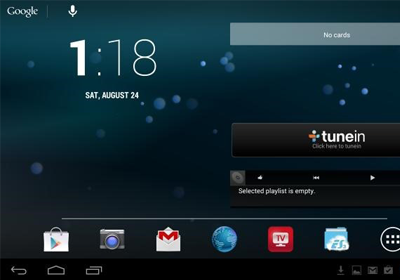
How To Enable 4G LTE On Google Nexus 4

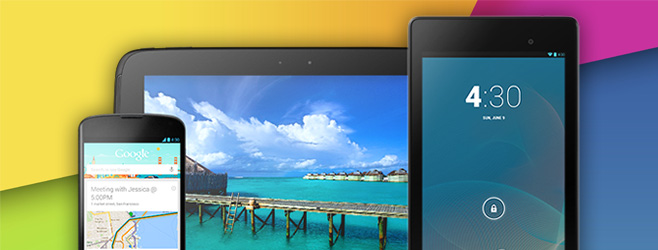
When the folks over at iFixit tore open the Nexus 4 a few days ago, they discovered that the smartphone actually comes with a 4G LTE chip installed, but without any 4G LTE radio, apparently rendering the chip useless. So, every Nexus 4 owner moved on with their boring, stuck-in-3G lives; that is, until today, when hackers from XDA-Developers discovered that it is actually possible to enable and use 4G LTE on Nexus 4. All it takes is dialing a number! Check out all the details after the jump. Read More

How To Root Google Nexus 10 & Install ClockworkMod Touch Recovery

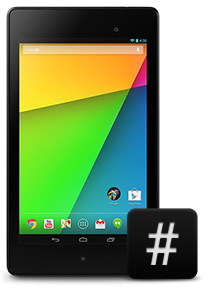
Google Nexus 10 rooted! Google seems to be churning up some very effective and potent Android devices this year with the likes of the Nexus 4 and Nexus 7, both of which have already gained root access. The Nexus 10 was not going to fall behind and why should it, it’s Google’s most prized tablet to date with a screen resolution and ppi density that out-specs Apple's 4th generation iPad. If you are one of the lucky few who have ordered the Nexus 10 or have already got your hands on one, you can thank XDA-Developers forum member ‘Kidgoo’ for testing and coming up with the root method, and recognized developer, ‘Chainfire’ for the SuperSU zip and binaries. If you need a little push with rooting the Nexus 10, here are our top 10 reasons for rooting an Android device. Read More

Install TWRP Touch Based Recovery On The HTC DROID DNA

Touch recovery from the folks at Team Win Recovery Project (TWRP) has now made its way onto the recently-rooted, monstrous HTC DROID DNA. In a league of its own for now, I’m sure if you’re here by now, you are already well versed with the screaming specs of this phone and have either rooted it and planning on installing a custom recovery, or are weighing your options. Either way, this touch based TWRP recovery is a must have if you’re planning on an extensive try out of custom ROMs or mods which will be headed the DNA’s way in no time now. Not sure why you need a custom recovery? See our guide on what is ClockworkMod recovery and how to use it. It is by no means what TWRP recovery is actually like, but TWRP recovery will serve the same functions with the added functionality of a touch based interface. More on it and how you can install this recovery on the Droid DNA, after the jump. Read More

Root HTC DROID DNA On Android 4.1 Jelly Bean & Install ClockworkMod

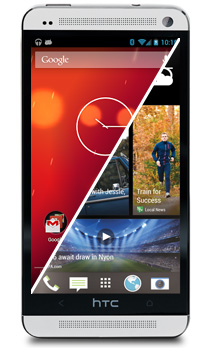
HTC’s DROID DNA is the most technically stunning phone I’ve seen this year. Besides a top-of-the-line quad-core Qualcomm Snapdragon S4 chip clocked at 1.5GHz, it comes with 2GB of RAM, an 8MP/2.1MP camera combo, 4G LTE and a truly awesome 5” Full HD 1080p Super LCD3 display unheard of on smartphones! Those of you interested in buying the smartphone will be glad to know that it has already been rooted, and ClockworkMod Recovery / TWRP recovery have been released for it. Follow our step-by-step guide after the jump for rooting and installing a custom recovery on your DROID DNA! Read More

Quickly Message Someone On Facebook After Deleting Their Comment

There are two big online social networks in the world today: Facebook and Twitter. I don’t know about you, but I use them quite differently. I am more reserved on Facebook since I have a good number of family members added there, while I am pretty much the exact opposite on Twitter because of, well, my family members not really having knowledge of its existence. As a result, I use tight privacy settings and regularly moderate comments and wall posts on Facebook, and do nothing of the sort on Twitter. Now, with that in mind, I came across an interesting feature on Facebook that lets you easily give feedback to someone after deleting their comment. It’s quick, efficient and you can check it out after the jump. Read More

Install Official Android 4.2 Jelly Bean On Galaxy Nexus GSM [Complete Guide]

Galaxy Nexus owners rejoice – Google has officially started pushing the Android 4.2 Jelly Bean update to the device. The update is currently being pushed to users of the US GSM/HSPA+ variant of the device but it can be installed manually to the international GSM/HSPA+ variants as well and as ever, we’ve got you covered with our detailed installation guides. So read on, and get Jelly Bean 4.2 up and running on your Galaxy Nexus in no time. Read More

All-In-One Galaxy Note II Toolkit Makes It Easy To Root, Unroot & Flash Recovery

Samsung’s phones are amongst the most popular ones in the Android developer community, since the company regularly releases source code for their devices to allow for easier hacking and development. As a result, there are easy-to-use hacking tools available for most of their lineup. The Galaxy Note II is no exception. There are all-in-one toolkits available that root, flash custom recoveries and perform many other advanced tasks in just a click or two. In addition to the international GSM/LTE version (GT-N7100, GT-N7105) and T-Mobile (SGH-T889) variant, there is one now available for the Sprint US variant (SPH-L900). Read More

How To Root Motorola RAZR M, RAZR HD, ATRIX HD & PHOTON Q

Motorola’s devices aren’t the most popular among Android’s developer community. Up till the recent past, their Android smartphones came with locked bootloaders and no official way of unlocking them for purposes of hacking and development. Thankfully, their latest crop of phones – Droid RAZR M/HD – do come with solutions for unlocking their bootloader and, as such, make it somewhat easier for interested users to root their phone and enjoy amazing root-enabled apps. We’ve come across a way to do exactly that: root Droid RAZR M, RAZR HD, ATRIX HD, RAZR i and PHOTON Q. Read More

How To Install Adobe Flash Player On Any Android 4.1/4.2 Jelly Bean Device

Almost every smartphone enthusiast knows the story. Apple refused to include Adobe Flash in Mobile Safari. Google did. Steve Jobs published an open letter on Apple’s decision to not support Flash. Earlier this year, after repeated, failed attempts to make Flash work well for the mobile web, Adobe announced that they won’t support Flash for Android 4.1 and above. HTML5 – an “open” alternative to Adobe Flash – emerged victorious, becoming the go-to technology for displaying rich media on mobile browsers. But that didn’t stop folks from Android’s vibrant developer community to get the technology to work on the latest versions of the OS and latest devices like the Galaxy S III, HTC One X+, Nexus 4, Nexus 7 and Nexus 10, as there are still plenty of places on the internet that still use Flash and Flash only. Yes, there is a very simple way to get Adobe Flash back on your Android 4.1 or 4.2 Jelly Bean device. Check out how after the jump! Read More

How To Root HTC One X+ On Android 4.1 Jelly Bean

2011 was a tough year for HTC. As a result of announcing so many phones with a senseless naming scheme and little technical differences between them, the company lost a significant chunk of its market share to Samsung. In 2012, however, the Taiwanese smartphone manufacturer has reinvented itself by focusing on a smaller, but higher-quality, well-supported, consistently named lineup called the One series. The latest phone in the One series of smartphones – the One X+ – was announced earlier last month and publicly launched a few days ago. With a higher-clocked Tegra 3 chip, improved optics, and Android 4.1 Jelly Bean, it’s one of the most capable Android smartphones in the market. Those of you who bought it will likely want to root it, for reasons mentioned in our earlier article on why you should root your Android smartphone. Read More

How To Create A Portable Windows 8 Enterprise To Go Workspace

If you’re an avid Linux user, then you may be familiar with the Linux Live CD/USB, which makes it possible to use a Linux distribution without having to go through the hassle of installing it on your primary storage device. Linux distros such as Ubuntu, Fedora, Debian, Mint OS, etc., all provide an easy way to load the OS into the computer’s memory using just a bootable CD or USB drive. Windows, on the other hand, is devoid of such a feature, or has been, until now. The enterprise version of Windows 8 implements a fairly new concept of booting and running a fully-manageable Windows Enterprise OS from a USB drive using the Windows To Go feature. Read More

Enable AirDrop Over Ethernet On Unsupported Macs [Tip]

AirDrop is OS X’s native utility for sharing files between Macs over Wi-Fi. You can find a lot of apps that add this same functionality, but the default utility does it best (and for free). Unfortunately, not all Macs support AirDrop (the earliest Mac models that support it are Late 2008 MacBooks, Late 2012 MacBook Airs, early 2009 iMacs and Mid 2010 Mac Minis). MacBook Airs and Mac Mini’s that are more than two or three years old do not support it. However, since apps you download from the Mac App Store allow you to do somewhat the same thing, there is a workaround for some of the unsupported Mac models. With the slight limitation of being connected with an Ethernet wire, you can enable AirDrop on an old Mac by running a simple Terminal command. Read More

How To Hide Newsstand & Other Stock iOS App Icons Without Jailbreak

For a while now, users have been complaining that Apple has keeps increasing the amount of useless apps in iOS with each new update. There is quite a valid argument that as apps like Stocks are targeted at a very narrow range of audience, Apple should allow users to delete them at will. Unfortunately, that is not the case for now, and unless you have a jailbroken iPhone or iPad, you will have to learn to live with these excess icons. This issue was further aggravated when Newsstand was announced with iOS 5, and people learnt that its icon cannot be hidden away in a folder. The jailbreak community was quick to come up with a boatload of tweaks to counter this problem, and some desktop-oriented solutions have appeared for non-jailbroken devices as well. With so much focus on Newsstand, you might have forgotten that your SpringBoard has a few other barely-used tenants. It’s a good thing that the developers behind Rag3Hack took note of the issue. Thanks to this web-based hack, it is now possible to hide any iOS system app icon without jailbreak. What’s even better is that, as the hack works completely through Safari, you don’t have to connect your iPhone or iPad to your computer. Read More

Prevent Users From Changing Windows 8 Start Screen Background On Your PC [Tip]

The Windows 8 Start Screen acts as a central hub for accessing all your apps, system components, control panel applets, Windows Store apps and more. Apart from providing quick access to apps that are arranged in a well-crafted tiled design, the Start Screen lets you customize the background according to your liking. You may know that Windows 8 comes packed with a slew of different Start Screen backgrounds, and you can switch between them from the PC Settings > Personalize window. It sounds cool, but what if your Windows 8 PC or tablet is shared among other folks and you frequently find the Start Screen background changed without your consent? If you don’t want anyone to manipulate the Start Screen background, you can disable the option entirely from the Local Group Policy Editor, provided you have administrative rights. In what follows, we will guide you through the process of restricting users from changing the Start Screen background. Read More

What Are iOS 6 Game Center Challenges & How Do You Send Them To Friends?

Although we’ve seen a flurry of popular mobile games going cross-platform this year, the iOS App Store as yet remains the richest gallery of smartphone games, while Game Center, owing to little or no competition, retains its crown as king of mobile gaming ecosystems. The iPod touch isn’t the world’s most popular handheld gaming device for nothing. With the release of Mountain Lion, Game Center expanded beyond iOS and onto OS X, adding cross-platform gaming to the mix, but Apple didn’t stop there. Out of the many new features brought on by iOS 6, there is one that encourages users to be more social on Game Center. Labeled ‘Challenges’, this feature allows you to invite your friends to beat your score or unlock a certain achievement in a game of choice. The process, though fairly simple, has the tendency to confuse novice users. Hence, a brief guide is in order. Read More

What Are iOS 6 Shared Photo Streams And How Do They Work?

Photo Stream was among the most controversial features in iOS 5, as a lot of people had trouble understanding its usage, and many of them ended up inadvertently sharing inappropriate or embarrassing photos via iCloud. While Apple soon resolved that issue by allowing users to delete photos from their stream, the feature did leave a bad taste in many mouths. Redemption is on the cards now, however, as iOS 6 brings the awesome Shared Photo Streams to the mix. Once you start using Shared Photo Streams, you are not likely to need any other photo sharing service for your iPhone or iPad ever again! Read More