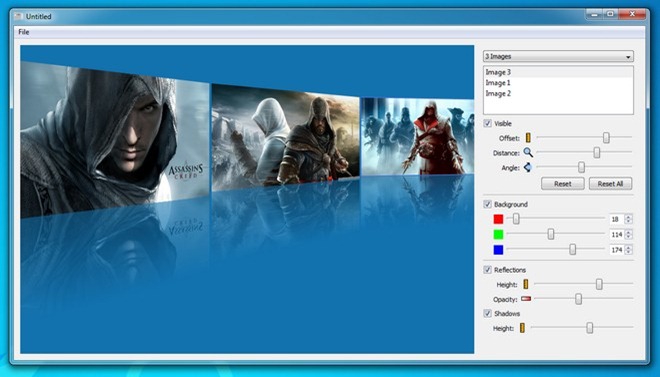
BonAView Is An Image Viewer, Manager & Editor With A 3D Carousel View

Photos...we all love them, and we love to take them! And as much as we like taking photos that look great, most of us also like to keep them well-organized and accessible in one place so we can instantly go back and view those incredible moments we once caught in our camera. BonAView is a feature-rich photo manager and image viewer for Windows that also doubles as a powerful image editor. Sporting an elegant UI, the application is designed to help you organize and access all your photos in a user-friendly manner. It boasts a host of features and houses a fascinating 3D View option that makes photo viewing more enjoyable and intuitive. Read More

[Giveaway] Kestrel GX: Elegant, Feature-Rich Photo Manager & Editor For Windows

Back in 2010, we covered a feature-rich photo manager for Windows called Kestrel GX. It was unarguably one the most elegant image management applications that we had come across, not only because of its sophisticated design but also because of its slew of handy features. Unfortunately, since last year, the application is no longer available for free and has been replaced by a paid variant that carries hefty price tags of $59 and $89 for home and commercial licenses respectively. Here's where you being a regular reader at AddictiveTips pays off. Details past the break. Read More

Photo Date Is An iOS Photos App Alternative That Shows Date Taken

The iPhone has partially (or, in some cases, fully) replaced many expensive portable gadgets within the space of 3-4 years. Starting with lower-cost items like graphing calculators, to more expensive ones like a point and shoot camera.  I say the iPhone has partially replaced such devices because despite all the significant advances in hardware within the last couple of years with the iPhone 4S and 5, small things like, for example, not being able to see the date you took a photo are incredibly frustrating. Read More

View 500 Image Formats, Convert Between 130 & Apply 50+ Effects With ImageCool

These days, one can find a large number of free and paid image editing tools. Some of them provide you with color correction controls like changing the hue, brightness, contrast and saturation, while others let you quickly apply different preset filters to your images. Most images captured with high resolution cameras are in resolutions much higher than our display devices. Having a 2560p image to view on a 720p or 1080p screen does not offer any benefit when it comes to the picture quality, and having a lot of such images on your disk can consume significantly high amounts of storage space. Image resizing is also very important if you need to frequently upload images online, because larger images take more time to upload and consume more space on the server. However, most image resizing applications can only handle the common image formats such as JPEG, PNG, BMP and GIF. Today, we bring to you ImageCool - an image converter for Windows that can handle up to 500 image formats. You can view images in any of these formats, convert between 130 formats, apply 50 different effects and filters, and perform other functions such as cropping and applying watermarks. Read More

AI Picture Explorer Is A Dual-Window Image Viewer, Editor & Manager

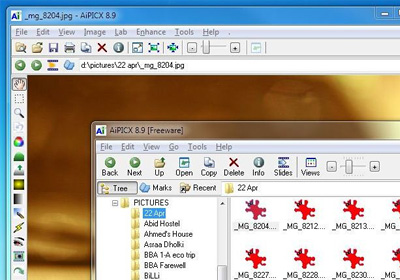
The native image viewer of Windows allows you to view images, set them as desktop background, rotate them and delete them, but that is where its functionality pretty much ends. Personally, I feel that the default Windows 7 Photo Viewer is not up to the mark, as it does not provide any image editing options, and even lags a bit when quickly switching between images. This can be especially annoying when you are trying to locate a particular image by browsing through an album. Previously, we have covered some great image viewing and editing applications such as Zoner Photo Studio and Fast Stone ImageViewer that serve as great alternatives to Windows 7 Photo Viewer. AI Picture Explorer is another Windows app that provides you with a two-window interface to manage and view your images. It features batch image editing, fixing and conversion, while allowing you to extract images from archives without having to use another tool. Moreover, you can create file and folder lists, and view the images in a slideshow with up to 173 transition effects. The tool also supports playing some common audio and video formats, in addition to images of resolutions exceeding 80 megapixels. Read More

Enhance Chrome Image Viewer With Zoom, Rotate & Pan Controls

Apart from being a web browser, Chrome is also a fairly good file viewer. It doesn't support a very large number of files but for the most common types, it works well. Since it’s a web browser, Google focuses primarily on enhancing its web capabilities, leaving its file viewer aspect on the back stove, and this keeps Chrome quite bare bones as a file viewer. Image Viewer is a Chrome extension that aims to enhance Chrome's image viewing capabilities, adding support to zoom in and out, pan, and rotate an image. It also gives Chrome a better interface when it comes to viewing images. The extension can open files dragged & dropped from local storage as well as from webpages. Read More

Phototheca Is An Image Manager With Duplicate Detection & Password Protection

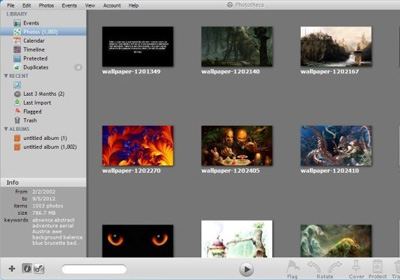
These days, people have thousands of images stored in their computers. The default image viewer in Windows does not provide you with a lot of options to manage them. You quickly view one image after the other, set them as desktop background, rotate and delete them, but that is where the functionality ends. You have to use third-party tools to get more image management options. Today, we have an application called Phototheca that allows you to easily view and manage large amounts of images. You can create events out of selected pictures, protect them with a password, view images according to calendar, create albums, etc. It has a built-in duplicate image detector, which automatically displays the duplicate images found inside added folders. You can quickly add available keywords to metadata of images and set images as wallpaper. Read More

Photo+: Exquisite Image Viewer With One-Click Social Sharing & Bookmarking

Photo viewers stand at the very top of our favorite Windows applications, the prime reason being their frequent usage. Being a photography fan myself, I love to view my snaps the way they are meant to be seen. For that matter, an elegant and ergonomically-friendly photo viewing software plays an essential role. I have come across numerous image viewers around the internet – both fancy and simple ones – but only a few actually left an impression on me. From those that I found quite enticing, Photo+ definitely holds its own place. Developed by ArcSoft, this tool is nothing short of a marvel. It’s semi-opaque black glass-like user interface simply looks stunning, and it renders and displays your photos in vivid bright colors. What’s astonishing about this image viewer is instant photo sharing to your Facebook, Twitter and Flickr profiles, everything from within the application. What’s more, while browsing through your photos, you can instantly add your most liked ones to your Favorites list – simply by pressing spacebar on your keyboard. In addition, you can also enjoy your photos as slideshows and full screen mode. Read More

TumbleOn Comes To iPhone; Lets You Create & View Custom Tumblr Image Streams

Tumblr might not be as popular as Twitter, but this microblogging service certainly has its fans. Tumblr is all about sharing media content quickly, and the platform does boast an enormous collection of photos related to just about any topic in the world. Although there is an official Tumblr app for iOS, and a pretty good one at that, there is still room for an app that focuses more on image viewing rather than account management. TumbleOn is just such an app. It allows you to create customized image groups even if you don’t have a Tumblr account. A large portion of the data on Tumblr is public, which is what TumbleOn aggregates. Of course, there are account management options available in the app as well, but its distinguishing feature is its personalized photo streams. Read More

Instamap For Android Lets You Browse Geotagged Instagram Photos On Google Maps

The release of the official Android client of the popular photo-editing and sharing app, Instagram, has to be lauded as a massive success. In a matter of a couple of months of its release in the Google Play Store, the app has seen an overwhelming response in terms of the number of downloads. In fact, Instagram now enjoys the status of being the best Android app from the social genre. Having said that, you can still find quite a few third-party Instagram clients for Android that focus on the features that the official app is currently lacking in. One good example of such app is Instamap that, at best, can be cited as a fine amalgamation of Google Maps and Instagram. Fresh to the Google Play Store, Instamap lets you explore geo-tagged Instagram photos on Google Maps. Using the app, you can navigate to virtually any part of the globe from where you wish to view various images shared by avid Instagram users. Whether you wish to explore your surroundings through Instagram-med photos, or want to check out the photographic taste of the users from Poland, Instamap is your best bet for now. Read More

Twimfeed: View Your Twitter Images & Tweeted Instagram Photos In One Place [Web]

Twitter is, primarily, a text-based microblogging platform. However, sharing images has always been trendy on the network, and has become even more so with the addition of Twitter's own image hosting service. Twimfeed is a web app that collects Twitter images from your timeline, and displays them in a basic, grid-like interface. Twimfeed retrieves tweeted images from pic.twitter.com, twitpic.com, yfrog.com, and instagr.am (Instagram photos), and lets you view all of them in one location. You can also retweet or navigate directly to Twitter as you scroll through the photos. Each image can be enlarged, and the associated profile can be visited simply by clicking the username. You will also find direct links at the bottom of each image that let you navigate to the original website. Read More

FreeVimager: View, Edit & Convert Images, Audio & Video, All In One Place

Not stylish but certainly usable to a good degree; these words just about sum up FreeVimager. FreeVimager is a 3-in-1 application that can display, edit and convert images, videos and audio files. It’s basically a viewer and editor geared towards camera related applications. It supports BMP, JPG, PNG, GIF (both still and animated), TIFF, PCX and EMF image extensions; for audio it supports AIF, WAV, MP3, WMA, AU, MID and CDA file extensions, and AVI files for video as well as ZIP files for archiving.

Read More

View Images & Articles Within Reddit By Hovering Over Their Links [Chrome]

Normally, whenever you want to take a better look at a particular image or link on Reddit, you have to open it in a new tab, and then switch tabs in order to return to the main page, which is neither convenient nor efficient. Seeit!, a Chrome extension, solves this common problem by providing you with preview capabilities for Reddit. The extension adds a button to the URL bar for all Reddit pages, and allows you to view images and read articles in a scrollable, resizable pop-up window by hovering over their links. Not only does it let you access content on the same page, but also lets you minimize interesting images/articles to the bottom of the website, so you can return to them at a later time. Read More

pViewer: A Fast & Minimalistic Image, Manga & Comics Viewer For Windows

Want to view those mesmerizing snaps that you took during your vacation in Sydney, but don't want to fiddle with plethora of menus and other on-screen controls blocking your way? If you're one of those people who adore minimalistic app designs, then you're probably gonna love pViewer, an open-source minimalistic application that allows you to view your pictures as well as read comics, under one hood. If you're wondering where the minimalism is, it lies in the app's interface. The UI has specifically been developed to let you view your photos and read comic books in a clutter-free environment. Although it’s a small application, it sports numerous features (which feel as if they are mocking its own design) such as viewing files as slideshows, read EXIF data of images, adding basic effects to images via a built-in image editor, keyboard shortcuts to navigate through comic book sections/pages and more. The integrated comic book reader supports comic books in ZIP, CBR and CBZ formats, and offers separate reading modes for Manga and comics. Read More

PhotoGrok: EXIF-Based Image & File Viewer With Metadata Filters

EXIF, or Exchangeable Image File Format, is a standard that specifies the formats for images, sound and other important tags commonly used by digital cameras, scanners and other systems, which handle recorded image and sound files. You can view this metadata information in the default Windows properties of images and other files. The default Windows Explorer lists down all meta data of images in the Details view, but it is a bit limited in its EXIF data representation. Handling an image collection using just the default options can be a bit difficult for a professional photographer. PhotoGrok is a Java-based application that allows you to view images and other file types grouped together according to metadata. More on PhotoGrok after the break. Read More

Visions: 3D Image Viewer With Customizable Layouts & Built-in Editor

Previously, we have covered some very useful image viewing and editing software, such as Zoner Photo Studio (an image browser, powerful editor, viewer and manager with a catchy interface that lets you manage edit and share your photos with ease) and Fast Stone ImageViewer (an image viewer with built in drawing, editing, image comparison etc tools). Today, we have another image viewer for you called Visions, that lets you easily view and search photos, apply effects, create albums, share images, create postcards, photo frames, birthday cards etc., all within a 3D interface. The application comes with layout configurations that you can tweak to give a fresh feel to the interface. More after the break. Read More

Showcase: View And Share 3D Photo Presentations With Your Friends

Bored of viewing your favorite photos as traditional slideshows? Looking for an exciting new way for showcasing the snaps you took last summer? Well, then try Showcase - an open source image viewing application that lets you view and save your images using different 3D visual effects. You can select and showcase up to five images, and then adjust them according to your preferences to create a 3D presentation. There are a number of different effects you can apply to your images like changing angle, zoom the images, flip and slide etc. There is also an option to change the background color of your album. The application is quite simple and easy to use, and you can quickly create fabulous image demonstrations to share them with your friends in a variety of ways.. Find out more after the jump with included screenshots. Read More

Photo Calendar For Android Displays Photos By Date Within A Calendar

If you're a compulsive photographer, and love to put your Android device's camera to good use to take plenty of pictures, you must have often felt the need to view your entire photo database in a chronological order. Photo Calendar is a comprehensive photo capturing and browsing app for Android that takes a rather different route to displaying images from your device’s gallery. The app displays all images within its built-in calendar, where each image is displayed under the exact date, and according to the exact time, at which it was captured, thereby helping you to take a trip down memory lane in a simple yet visually appealing manner. Apart from exploring images by albums or month, you can also play a slideshow of your photos, delete and share them on social networks of choice right from within the app. Read More

Alpha Build Of Social Photo Aggregator Pixable Released For Android

The crowd-favorite web-based social photo aggregator Pixable needs no long introduction. The service is popularly known for its elegant interface, and the way in which it gathers and displays all photos on your Facebook Wall and Twitter timeline. While the official Pixable client for iOS has been around for quite some time now, an alpha build of its Android variant has just surfaced on the Android Market. Unlike its iOS version, which supports displaying all your photos as well as videos from both social networks, the Android client of Pixable currently only shows Facebook photos. On the whole, the app follows the same conventional style of ranking, organizing and displaying your photos, for which Pixable is adored by users world over. Read More

ePic: Elegant Flickr, Picasa, 500px & iPhoto Image Viewer For Mac [Paid]

The default image viewer in Mac is pretty straightforward; it lets you view images and crop them. For normal bare bone image editing and viewing, it is more than enough, but if you compare it with the overall Mac interface, (which is downright gorgeous, to say the least) it looks ugly. ePic is an image viewer, available for $4.99 in the Mac App Store, which will make you want to view images just to have an excuse for using this app. It lets you view images from Flickr, 500px, iPhoto, Picasa and your local drive. The app also lets you use it’s stunning interface as a screensaver. Read More