Jailbreak iOS 6 Tethered On iPhone 4 & iPod touch 4G, Untethered On 3GS

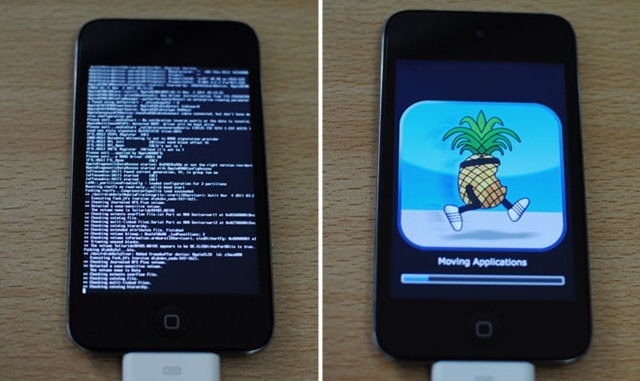
iOS 6 was released a year after iOS 5, almost to the day. The untethered jailbreak for the previous major update came out around Christmas last year, but the progress for iOS 6 has been a bit slower. We will be lucky even to have a tethered jailbreak for all iDevices before December (specially the newer ones with A5, A5x and A6 processors). However, this does not mean that the jailbreak community has been completely idle so far, as tethered jailbreaks for A4 and older devices have already been released, albeit with restrictions and compatibility issues. Until now, if you jailbroke your iOS 6-donning A4 device, you had to install the Cydia app manually (as outlined in our detailed guide on how to jailbreak  and install Cydia on iOS 6 Beta). Fortunately, things have finally started to move forward with the release of redsn0w 0.9.15b1. The latest update of the tool now installs Cydia itself with tethered jailbreak for A4 and older devices, and offers an untethered jailbreak for iPhone 3GS with the old bootrom. A step-by-step guide and more on supported devices past the break. Read More

aremaC Is The Most Comprehensive Camera & Photo Editing App For iPhone

If you’ve been following me anywhere – AddictiveTips included – you may have guessed that I am a huge fan of photography apps for the iPhone. It’s not only because of my interest in photography, but also owing to the fact that the capable cameras on iPhone 4 and iPhone 4S get really complemented by all the good apps out there in the iTunes App Store. AddictiveTips’ archives are full of brilliant photo apps, including the likes of Magic Hour and IncrediBooth, disposable camera replicas like Dotti, and Mosaic & Collage makers like Fotoyaki. Then there are feature rich photo editors like Pho.to Lab and Luminance, which let you tweak about any aspect of your photos, and capable camera replacement apps such as King Camera and TapShot, which can change the entire scope of how you handle your iPhone’s already-pretty-decent camera. What’s more, this is merely the tip of the iceberg, as the App Store is teeming with several other alternatives, many of which might be even better. Read More

Corona 5.0.1 Untether: Get Untethered Jailbreak On iOS 5.0.1 [Cydia Tweak]

Untethered jailbreak for iOS 5.0.1 has just been released and is available for download. As you’d already know, @pod2g, the hacker who discovered the untethered exploit for iOS 5.0.1, handed over his findings to both the Chronic Dev Team and iPhone Dev Team for packaging and final release. iPhone Dev Team just released updated version of their redsn0w tool, making it redns0w 0.9.10b1 for performing untethered jailbreak on all supported A4 (and lower) iOS devices (our full guide is linked above). Chronic Dev Team took things one step further, and released a Cydia package by the name of Corona 5.0.1, that can perform the same untether on any jailbroken iPhone 4, iPhone 4 CDMA, iPhone 3GS, iPad 1, iPod Touch 4G and iPod Touch 3G, running iOS 5.0.1. Details and instructions after the break. Read More

Redsn0w 0.9.10b1 Untethered Jailbreak For iOS 5.0.1 Now Available

Good news for iOS jailbreakers eagerly anticipating @pod2g’s untether to be released. The infamous iPhone Dev Team has just updated their redsn0w and Pwnage tools to jailbreak iPhone, iPod Touch and iPad 1 untethered on iOS 5.0.1, and is available for download. The updated redsn0w 0.9.10b1 for both Windows and Mac OS X can perform untethered jailbreak on iPhone 4, iPhone 3GS, iPad 1, iPod Touch 4G and iPod Touch 3G (all A4 devices) running iOS 5.0.1 (iOS 5.0 not supported). Details after the break. Read More

Fix iMessage/FaceTime & Push Notifications On Hacktivated iPhone 4/3GS

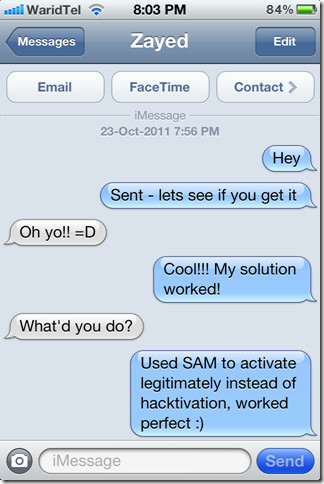
iOS 5 brought with it a plethora of new features, including the infamous iMessage that allowed users to communicate with any other iOS 5 device over a WiFi/mobile data connection, effectively eliminating the cost of carrier SMS plans. While highly appreciated and useful, iMessage was something jailbroken users remained envious of, particularly those on unofficial carriers, since iMessage requires activation with iTunes before it can be used. Hacktivating your iOS 5 device bypasses that, and while you can use your iPhone 4 or 3GS, features like iMessage, FaceTime and push notifications remain unavailable unless you’re willing to pay for solutions like PushFix and MiTime. This all changed with SAM (Subscriber Artificial Module), which allows you to activate your iPhone using legitimate certificates generated through iTunes. Advantage? You get fully working push notifications, FaceTime and iMessage (iOS 5 only) without needing to spend a single buck. Read on after the jump to find out how. Read More

Ultrasn0w Unlock for iPhone 3GS & iPhone 4 Updated for iOS 5

For all iPhone unlockers on iOS 5, we bring good news! iPhone Dev-Team has just released a critical update to their infamous ultrasn0w iPhone unlock daemon, bringing compatibility for iOS 5 devices – a mere two days after the official release of the OS. Hit the jump to read more about ultrasn0w 1.2.4 and its supported basebands. Read More

Roundup: Let’s Talk About 10 New Features In iOS 5

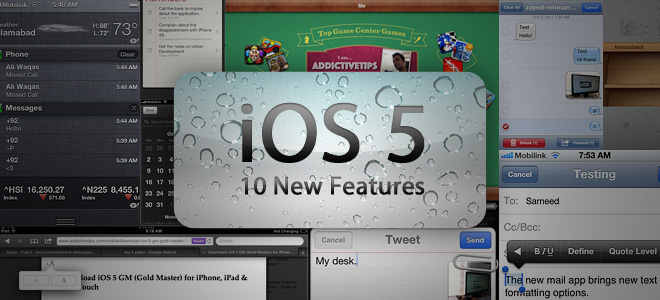
Apple’s much awaited ‘Let’s Talk iPhone’ event is over and while it may have left several disappointed due to the iPhone 4S being announced rather than the much eagerly anticipated iPhone 5, the launch of the final version of iOS 5 is still confirmed, which will start rolling out to end users from October 12th. The GM (Gold Master) version of iOS 5 – which is a pre-final version for developers that can be considered as a release candidate and as close to final as possible – was also released today and brought to us all the features that are to be a part of the final version. In what follows, we will take a look at all these new features of iOS 5 and what they mean for iPhone, iPad and iPod Touch users. Read More

New OTA Updates And Activation Feature In iOS 5, No PC Required

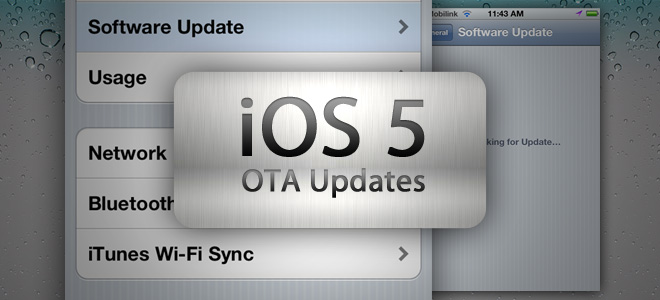
One of the key features announced back in WWDC 2011 for iOS 5 was the ability to update your iPhone, iPad or iPod Touch over-the-air (OTA) without the need of a PC. Earlier today in the Let’s Talk iPhone event, Apple’s Senior Vice President of iOS Software Scott Forstall again talked about this new feature that will remove the dependence of users on a PC to be able to update or activate their iOS devices. Read More

New iOS 5 Game Center Gets Social, Adds Profile Photo And Achievements

One of the major features of iPhone, iPad and iPod Touch that has contributed significantly to the massive success of these devices has been gaming and with iOS 5, this important part of the OS hasn’t been neglected. This latest update to Apple’s smartphone and tablet operating system brings with it new features to the Game Center, making it more personalized as well as social. Read More

iOS 5 Newsstand Brings All Your Newspaper & Magazine Subscriptions Together

Newsstand is one of the new features introduced by Apple in iOS 5 that aims to bring your newspaper and magazine subscriptions together under one app. Announced at the WWDC 2011 and discussed again in today’s Let’s Talk iPhone event, Newsstand is designed to be the central hub for the digital versions of all your periodicals on all your iOS 5 devices including iPhone, iPad and iPod Touch. Read More

Downgrade iPhone 3G & 3GS From iOS 4 To 3.1.2

Users who want to downgrade their iPhone 3G and iPhone 3GS devices after accidentally upgrading to iOS 4 will find this guide useful, thanks to commenter Kamrul for the simple and straight forward steps. It has been tested to work on both iPhone 3G and  iPhone 3GS. Please note that this only works with OLD bootrom and you need your SHSH blobs saved on cydia before you can do this downgrade. Read More

Jailbreak iPhone 3GS iOS 4

The news is now confirmed that iOS4 GM is being jailbroken right after one day of it’s release. The credit for this goes to Msft.guy, who along with some hacks and tweaks accomplished this Jailbreak. The jailbreak was done on iPhone 3GS with some pwnage tools that were previously used for fixing the blacksn0w for iPhone 3.1.3 carrying baseband 05.11.07. The tweet describing the requirements for Jailbreak also wants users to update their Cydia and add OpenSSH etc to make this jailbreak work. Although this seems to be a valid jailbreak courtesy this video here, but still we will recommend you to wait for the official dev team version of this tool to come out. Dev team has promised unlock and jailbreak official release in June and we can speculate that it will be somewhere after the iPhone 4 is released on the 24th of June to the public. Update: The full step by step guide to jailbreaking iPhone 3G can be found here. Update 2: The details on how to jailbreak iOS4 on 3GS using MAC have finally been released and here is the step-by-step guide:
  • You will firstly need to downland the Jailbreak Bundle for iPhone 3GS plus pwnagetool 3.1.5 for Mac.
  • You will also need RedSn0w beta 0.9.5 Beta 4 and iTunes 9.2 beta.
  • Now once you are finished downloading all these tools, make sure to keep them in a directory together for easy access.
  • Now go to contents and navigate through resources to Firmware Bundles.
  • Once you are at the Firmware bundles, now copy the custome iPhone 2.1_4.0_8A293_bundle.bundle to the Firmware Bundles of the pwnagetool.app.
  • Now go to the redsn0w app and click show package contents. Now navigate to the contents > Mac OS.
  • After you are MacOS root directory, copy the cydia.tar.gz on your desktop and extract the file.
  • After this you have to copy Cydia into the pwnage tool app. Just right click on the pwnagetool.app and browse to Contents> Resources> CustomPackages. Now click cydiainstaller.bundle and over-write all files with the ones you got for Redsn0w 0.9.5 Beta 4.
  • Now you need to load the pwnagetool.app and have to create the iOS 4.0 custom Firmware for iPhone 3GS
  • Once you get the custom .ipsw, restore your iPhone to iOS4.0 using iTunes.
This is all you need to do to jailbreak iOS 4 running on iPhone 3G. This is a very complicated method that will require you to be well-known to jailbreaking phenomenon. We will advise on waiting for the one-click tool to emerge from Dev team, which is expected after 24th June 2010.
Disclaimer: Please make sure that you have ample hands-on jailbreaking experience before trying your hands on this one. Addictivetips won’t be liable for any damages that may incur to your device during the process

iPhone 3GS Complete Specifications

Apple has announced the next generation iPhone called iPhone 3GS, where the ‘S’ stands for speed. The new iPhone is much more faster than it’s predecessors, according to Apple it loads the applications twice as fast as the original iPhone 3G. Below I have listed the complete specifications in full details. Read More