Install Leaked Android 4.2.2 Jelly Bean ROM On Samsung Galaxy S III

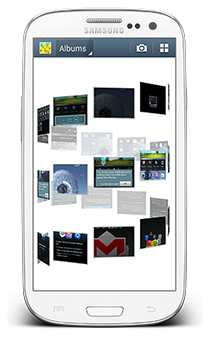
The entire Android world seems to be talking about two devices these days – Samsung Galaxy S4 and HTC One. Sammy’s latest offering comes with a lot of nifty features added to the software that make it smarter than your average smartphone. If you already have a Galaxy S III and are not sure whether you wanna shell out extra dough just to get those features or stick with what you’ve got, we have some amazing news for you! You can now get the latest S4 camera features and more on your S III without having to shell out a penny, thanks to SamMobile who have shared the latest official Android 4.2.2 XXUFME3 firmware with us that just got leaked hours ago. Read on for details & installation instructions. Read More

Get Android Jelly Bean-Style Lock Screen On iPhone With JellyLock

Imitation really is the best form of flattery, a lot of iOS users were quite flattered a few days back when Espier Screen Locker was released to replicate the iPhone lock screen on Android devices. Of course, we have seen similar apps and tweaks for iOS as well, like the previously covered ICSLock Pro. ICS is not the Android's latest version though, and all the newest devices come with Jelly Bean. So, it was just a matter of time before someone ported a few features of JB to jailbroken iOS devices. JellyLock is a new Cydia tweak that lets you enjoy a Jelly Bean-style lock screen on your iDevice. Those of you who aren't aware of the features of the JB lock screen can read our detailed post on the subject. Basically, you get to have a new kind of camera grabber and unlock slider on the lock screen that's in form of a ring. In addition, users can also place up to three app shortcuts of their choice alongside the camera shortcut - a feature found in several custom Jelly Bean-based Android ROMs. Read More

Get Android 4.2 Jelly Bean Style Toggles On Any Device With AnTek Quick Settings

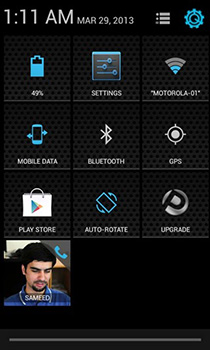
There are plenty of Android devices out there running Android 2.3 Gingerbread or Android 4.0 ICS, and ever since Android 4.2 Jelly Bean was released, users have been trying hard to get those sweet looking Quick Toggles on their devices. Needless to mention, even Jelly Bean 4.1 users had to ask around for some developer support to get the feature working on their devices as it did in 4.2. Though in a short while, quite a few apps surfaced mimicking the Jelly Bean 4.2 Quick Toggles. All was well till AnTek Quick Settings arrived on the scene. Forget all you know about Jelly Bean style quick toggles; this app takes the concept to an entirely new level with customizations that will definitely make any other Quick Toggles app feel primitive. Read on after the break to learn more about the various features of this app. Read More

Root AT&T Galaxy S III I747 In One Click On Windows, Linux & Mac With CASUAL

Yes, the Galaxy S III from AT&T has been rooted for quite some time now, but for anyone who has just purchased the device and is looking for a simple and foolproof way of rooting it, XDA Elite Recognized Developer AdamOutler has just released his famous CASUAL root tool for AT&T’s S III. Short for Cross-platform ADB Scripting, Universal Android Loader, CASUAL works as a one-click root method and it’s massive appeal lies in its ability to run on Windows, Mac and Linux. To take it one step further, there's support for even Raspberry Pi. The tool uses the famous CFAutoRoot by Chainfire to achieve root access on the device. Read More

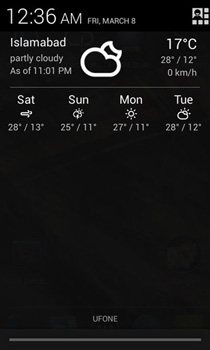
Get Weather Info With 4-Day Forecast In Android Notification Drawer

Android users are not new to weather apps, and there are is a wide array of those on the Play Store with features and functions to suit different tastes. One of the more sought after features is getting weather info in the Notification shade and not just on the Lock screen or Home screen. AOKP ROM brought users an awesome weather panel for the notification drawer, with a minimal design. Though AOKP ROMs are not available for all devices and not everyone might want to install a custom ROM just to get weather info in the notification area. Enter Notification Weather a no-nonsense, easy-to-set-up weather panel for the Notification drawer of your device running Android 4.1 or above. Let's take a more detailed look at it after the jump Read More

How To Root Sony Xperia Z [Guide]

The Xperia Z - Sony's flagship behemoth of a device running Android 4.1.2 Jelly Bean on a gorgeous 5" 1080p full HD screen - has been rooted before its actual launch. Sony’s new range of Android devices are becoming more and more developer-friendly, with Sony allowing official bootloader unlocks and releasing kernel sources to the developers to support third-party development. This rooting method comes courtesy of XDA Recognized Developer DooMLoRD, who remotely achieved root access via teamviewer without even getting his hands on the device. Planning on getting an Xperia Z for yourself? Here’s how you can root the device in a few very simple steps. Read More

Install Leaked Android 4.1.2 Jelly Bean ROM On Sony Xperia S

The Xperia S was Sony’s flagship device in its NXT series and while one would have expected Jelly Bean to have hit the device way back, it's still been a seemingly endless wait so far. However, there's finally some good news in this regard, albeit not from Sony itself. You can now install the leaked 6.2.B.0.68 Android 4.1.2 Jelly Bean firmware on your Sony Xperia S, thanks to XDA Recognized Developer DoomLoRD. While this firmware was originally meant for developer (brown) devices, DoomLoRD was able to successfully modify it to boot on productions devices. However, being a leak, you shouldn't expect everything to work flawlessly. If you still wish to given it a shot, you can install it right away. Read More

How To Root HTC Butterfly X920D & Install TWRP Recovery

HTC became the first smartphone manufacturer to release a phone with a screen resolution at 1920x1080 pixels, starting a trend among all major manufacturers who are following suit with their latest flagships. In addition to the Droid DNA, HTC's other flagship featuring this full HD resolution is the recently released HTC Butterfly, and if you've already got your hands on one of these beasts, we've got great news for you! The device has already been rooted, and as it turns out, rooting it is actually just a walk in the park. So if you want to root your HTC Butterfly and install TWRP recovery on it, let's show you how.

Read More

How To Unlock Verizon Galaxy Note II Bootloader

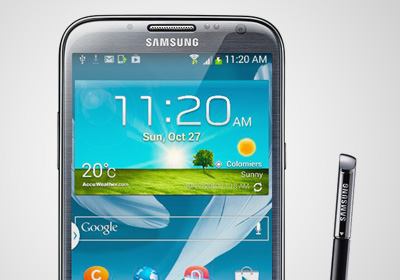
The Verizon Galaxy Note II’s bootloader has been unlocked! Verizon is and has been infamous for locking down all the devices it has to offer but fortunately, Android users have had the support of a massive developer community that is determined to defy all such ridiculous restrictions. Earlier, the DROID DNA from HTC had its shackles broken and now, the Note II has joined the list as well, thanks to recognized developer and XDA's Elite Recognized Developer AdamOutler. Custom recoveries and ROMs like CM 10.1 are now a possibility and luckily, the unlock method isn’t that complicated either, unlike the unlock for the DROID DNA. So if you own the Note II and are yearning for an 'in your face, Verizon!' moment, read on after the break! Read More

How To Install & Boot Into Multiple ROMs On Google Nexus 7

Dual booting or multi booting ROMs on an Android device is not entirely unheard of, but it has lacked the simplicity users often require for doing so. Our latest entrant in the multi boot club is the popular Google Nexus 7 tablet, which is now capable of not just running two Android ROMs, but multiple ROMs. What's more - you can even run add Ubuntu to the mix, as has been the trend lately. Yes, you heard it right, the Nexus 7 can now run multiple Android ROMs and Ubuntu, all from the same multiboot setup courtesy of XDA Recognized Developer ‘Tasssadar’ in form of MultiROM. More on this awesome mod and how you can get it up and running on your Nexus 7, after the break! Read More

How To Get The Note II Multi-Window Feature On Galaxy S II I9100

The latest Galaxy S3 Jelly Bean update brought the much talked about and well received Multi-Window feature to Samsung's flagship that was originally a marquee feature for the Galaxy Note II. The leaked and the official Jelly Bean update for the Galaxy S2 however, was a different story as the Multi-Window feature was left out. Don't be disappointed though, as XDA-Developers forum member ‘mythtrandyr’ decided to take matters into his own hands and released a fully working Multi-Window mod for the S2. The official Jelly Bean update coupled with this awesome Multi-Window mod has given the S2 a major boost and appeal to several owners who were considering ditching this phone for something newer. I know I’m not doing that anytime soon now! More on the mod and how you can get it up and running on your SGS II after the break. Read More

How To Enable Multi-Window Mode On Galaxy Note 10.1

To differentiate their smartphones from the competition, Samsung has included plenty of useful-but-at-times-gimmicky software-based features in their Galaxy S III and Galaxy Note II. One such feature is 'Multi-Window', which lets you use two apps at a time in a way similar to Windows 8’s 'Snap', making good use of the extra screen real estate offered by the Galaxy Note II. The feature was recently added to the Galaxy S III with the Android 4.1.2 update and now, you can enjoy it on your Galaxy Note 10.1 tablet as well, albeit after going through a somewhat tedious process. Read More

CF-Auto-Root Brings Easy Rooting To Nexus 4, Nexus 7 & Nexus 10

If you're an Android enthusiast and haven’t been living under a rock, you must have heard about the famous CF Root kernels that XDA Elite Recognized Developer Chainfire has been releasing, especially for Samsung devices. These kernels simply rooted your Android device once flashed and installed a custom recovery, keeping the rest of the firmware totally stock. Recently, Chainfire moved on to CF-Auto-Root that skips, even ditches, the recovery from the mix to keep the experience as close to stock as possible. Considering the popularity of this method, it is no surprise that it now supports the latest Nexus devices, i.e., Nexus 4, Nexus 7 and the Nexus 10. How does it work, what changes does it bring, and how can you use it to easily root your device while keeping everything else purely stock? Let's find out. Read More

Overclock HTC DROID DNA To 1.8GHz With Beastmode Kernel

HTC finally released the source code for the DROID DNA, while Verizon decided to locked down the bootloader. However, that didn't keep the developer community from doing something about it, and the bootloader was shortly unlocked, paving the way for custom kernel development. In the latest development on the kernel side, ‘Team blackout’ has just released the aptly named  Beastmode kernel that will rev up the DNA’s CPU frequency to 1.8GHz, with added overclocking for the GPU and FSB! You wonder if 1.5GHz is insufficient on Quad Core, and no it is not. Though the way things go in the developer community, if it can be done, why not? More on the kernel and how you can flash it on your DROID DNA after the jump. Read More

Android 4.2 Based Paranoid Android Brings Hybrid UI To Nexus 4 & Nexus 10

Phablet mode hits the Nexus 4 and the Nexus 10! The latest version of  Paranoid Android ROM based on Android 4.2 is one of the most exciting developments headed the Nexus 4 and Nexus 10’s way since the devices got rooted. In case you're wondering why I seem so excited, this custom ROM offers a hybrid interface - a perfect mix of both phone and tablet UI that works wonderfully phones with large screens as well as tablets. Considering Paranoid Android looked good on the Galaxy Nexus, we can already tell it'll look stunning on the new HD IPS display of its successor. As for the Nexus 10, a customizable tablet UI will only add to the pleasure of using it. The ROM is based on the new Android 4.2 AOSP so don’t be surprised if you run across some bugs or issues on the Nexus 4, since full AOSP source code for it hasn't been published yet. More on the ROM and installation instructions for both the Nexus 4 and Nexus 10 after the jump. Read More

HTC DROID DNA Toolkit: Root, Install Drivers & Flash Custom Recoveries

Earlier, we covered a guide on rooting the DROID DNA, and while it wasn’t the most complex root guide we have covered, manual root methods are never newbie friendly. So if you have been reluctant all this time - either out of fear of damaging your device or because you were waiting for a more convenient method - try recognized developer and XDA-Developers forum member hasoon2000’s HTC Droid DNA All-In-One Toolkit. The toolkit will help you easily root your device, install drivers for it on your PC, flash custom recoveries and kernels, install APKs, backup data and more. Note that it is meant for Windows only, and as specified by the developer, will not be getting Mac or Linux variants. Read More

Overclock Google Nexus 4 To 1.8GHz On Android 4.2 Jelly Bean

A wolf in a sheep’s clothing? Many of you might not agree, but looking at the simplistic design of the Nexus 4, it doesn’t exactly scream out the mighty specs it has on paper. At 1.5GHz, a quad-core CPU coupled with 2GB of RAM is more than enough to take whatever the world of Android throws at it. So how does overclocking to 1.8GHz and upping the GPU to 487MHz sound? All this courtesy of recognized developer ‘faux123’, who has just released a custom kernel for the Nexus 4, compatible with all stock (rooted) and custom ROMs based on Android 4.2. Some of you are probably wondering if there’s any need for this, but that’s for you to decide. I’m telling you it can be done, and just showing you how. Read More

Easily Root Google Nexus 10 On Windows, Linux & Mac With Superboot

One-Click root for the Nexus 10 has finally surfaced thanks to the efforts of recognized developer, ‘paulobrien’ of MoDaCo. Superboot is the famous no-nonsense script that has rooted the likes of the Nexus 7, HTC One X, Galaxy Nexus and many more Android devices. Earlier, we covered a manual root method for the Nexus 10. The method is quite straight forward, but if you're unfamiliar with ADB or other common requirements of conventional Android hacking, we'd suggest you go with Superboot. As always, the script is meant to be run on Windows, Linux and Mac. Read More

How To Root Google Nexus 10 & Install ClockworkMod Touch Recovery

Google Nexus 10 rooted! Google seems to be churning up some very effective and potent Android devices this year with the likes of the Nexus 4 and Nexus 7, both of which have already gained root access. The Nexus 10 was not going to fall behind and why should it, it’s Google’s most prized tablet to date with a screen resolution and ppi density that out-specs Apple's 4th generation iPad. If you are one of the lucky few who have ordered the Nexus 10 or have already got your hands on one, you can thank XDA-Developers forum member ‘Kidgoo’ for testing and coming up with the root method, and recognized developer, ‘Chainfire’ for the SuperSU zip and binaries. If you need a little push with rooting the Nexus 10, here are our top 10 reasons for rooting an Android device. Read More

Nexus 4 Toolkit: One-Click Root, Unlock, Recovery, Drivers & More

One click root for the Google Nexus 4 is now available! Earlier we brought to you an extensive guide on rooting and installing ClockworkMod recovery on Nexus 4, and it was no walk in the park, to be honest. However, thanks to the hard work and efforts of XDA-Developers forum member and recognized developer “mskip”, we now have a truly all-in-one Google Nexus 4 Toolkit. Now, what makes this deal even sweeter is the addition of more than just a one-click bootloader unlock and root. Automatic driver installation, backup, flashing, mods, recovery booting and more. The Toolkit is strictly available for the Windows platform for now. Normally, the paradigm of Android development related to specific devices is always unpredictable, but I’m looking at a Nexus here, so no surprises at how fast this has come our way. Read More