Change Color Set & Get Cycling Wallpapers On Windows 8 Lock Screen

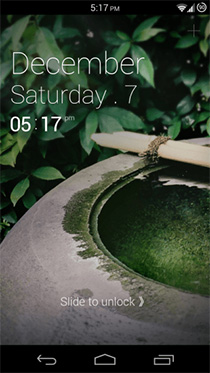
Along with all the other major changes in Windows 8, Microsoft also introduced an all new Lock Screen in its latest OS, and unlike the Start Screen, a lot of good things have been said about it. Besides displaying app notifications, the new lock screen also shows time and date, and lets you apply a wallpaper of your choice. However, it still feels quite primitive when it comes to customization, as it only allows users to change the background at most; you can neither change the time format, nor the display language. Lock Screen Customizer by WinAero is a new Windows 8 application that has come forth to provide a handy solution. It doesn't boast an enormous amount of features, but the ones that it does offer can be pretty useful. Lets dig a bit deeper. Read More

Espier Screen Locker Is An Accurate iOS Lock Screen Clone For Android

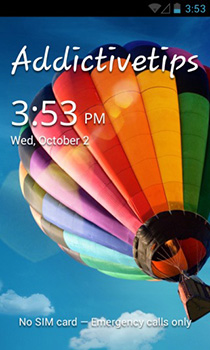
From the creators of Espier Launcher – the iOS SpringBoard replica for Android, comes Espier Screen Locker, an excellent iOS lockscreen clone for Android that doesn't just replicate basic UI elements. It shows you all incoming notifications, be they incoming messages, missed calls or notifications from third-party apps, has a camera grabber that can be swiped upward to unlock into the camera app, just like in iOS 6. Read on after the break as we take a closer look at how close Espier Screen Locker is to the real deal. Read More

Get Real-Time Notifications On Android Lock Screen With This Widget

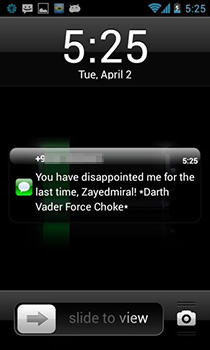
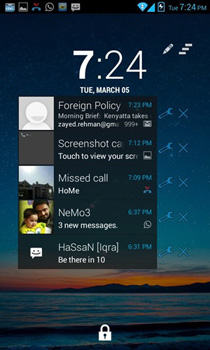
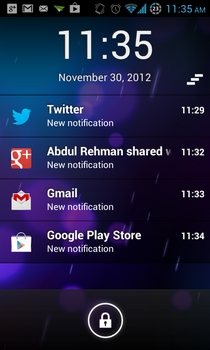
Android's notification system is great for staying informed about all your phone and app activities and updates from anywhere in the OS, but what if you want to access this information without having to unlock your phone's screen?  Notification LockScreen Widget allows you to do just that! We have seen the likes of DashClock widget bring a lot of extra functionality to the lock screen, but the AnyDash notifications extension for the widget only offered setting up notifications for selective apps, and had its own styling. Notifications Widget places real-time notifications of everything from your Notification Drawer into a very neat widget, complete with a handful of very useful customizable features. Read More

Get Android-Like Customizable Pattern Lock Security On Windows

Although most of us hate having to deal with (and often forget) multiple passwords for all our accounts, this decades-old security measure has been protecting our computers, mobile devices, emails, documents, and financial accounts from prying eyes for pretty well. That said, advancements in technology and computing power has also made it easier for hackers to breach your system’s security by cracking passwords via brute force attacks. If you want to guard your computer through other means of security, try the pattern based locking technique provided by Eusing Maze Lock. It’s a security application for Windows that lets you set up a pattern for unlocking your computer’s screen similar to Android's pattern lock, making it more difficult for someone to crack and thus, less vulnerable to breaching attempts. Read More

Get News, Social Feeds & Recent Apps On Android Lock Screen With Sulia Quick Launch

Custom Android lockscreen replacements are abound in the Play Store, but few have been able to impress me more than Condiut’s Quick Launch, which is capable of filling your Android device’s lock screen with iPhone-style notifications, favorite app widgets, sound profile toggles, custom backgrounds, direct unlocking buttons for the dialer, camera & recent apps, music playback controls and what not! If you wish your lockscreen could keep you updated with the latest news and social media feeds in the same elegant way, take the company’s latest brainchild, Sulia Quick Launch, for a spin. Like Quick Launch, this brand new lockscreen replacement app from Conduit sports a 4-way ring-shaped slider to help you unlock directly to the dialer, messaging, camera or a recently opened app. However, the standout feature of the entire package remains the interactive and beautiful cards displaying the latest news and your social network feeds. Read More

SubtleLock Creates More Room For Notifications On iPhone Lock Screen

The design and interface of iOS makes many people fall in love with the iPhone, but there will always be those who like tinkering with things and stamping their own personality on a device. You can make changes to your iPhone even without jailbreaking, but having access to the Cydia store unlocks a whole new world of themes and interface-related tweaks that apply to every nook and corner of your device. SubtleLock is a fine example of this category of Cydia tweaks, changing the lock screen to give it a much more personalized look. The lock screen is among the most frequently viewed areas of an iPhone, and the notifications that appear there are greatly useful as well. SubtleLock reduces the size of all the elements of the lock screen to show more of your wallpaper. Apart from giving your lock screen a fresh look overall, the tweak also makes more room for the notifications that appear on it. Read More

Add Custom Extensions To DashClock Lock Screen Widget For Android

Recently, we wrote about DashClock Widget - the brainchild of leading Google team member Roman Nurik - and the widget has already proved to be one of the most impressive and widely acknowledged Android app releases of the year. DashClock Widget basically looks to exploit true potential of Android lockscreen widgets announced in Android 4.2 Jelly Bean by presenting users with a plethora of information and notifications pertaining to various apps on the very same screen, which would otherwise mostly be accessed only by unlocking the device and navigating to the relevant apps. The widget’s own dedicated extensions aside, it’s the extensible nature of DashClock Widget that has done it a world of good. Almost every other day, a brand new third-party extension for the widget hits the Play Store, introducing us to yet another one of the countless possibilities offered by this simple little widget. Dashclock Custom Extension by Dominik Gross is one of the most interesting extensions we've seen for the widget so far. It lets you add a few customizable extensions to the widget that you can personalize according to your needs, complete with various user-defined actions. Read More

MacLoc Displays The ‘Switch User’ Screen Whenever You Lock Your Mac

OS X allows multiple accounts to be logged in on a single Mac at the same time. You can lock a user's account, switch to another one, and come back to the first one to find all your apps and windows untouched. The functionality is all there, but it takes an unnecessary number of clicks to get to it. Unless you have an app that triggers it, OS X can’t be locked with a keyboard shortcut; the easiest way to access the ‘Lock Screen’ option is by enabling Keychain's icon to appear in the Menu Bar. In that case, it takes two clicks to lock your screen. If you want the Switch User screen to appear instead of your own user profile already selected and ready to log in, you have to click the ‘Switch User’ option at the bottom of your lock screen. For something so simple and frequently used, this is a lot of clicks. MacLoc is a free Mac App that make it slightly easier; it locks your screen and switches to the ‘Switch User’ option for you so that you don't have to do it yourself. Read More

DashClock Is A Multi-Purpose Android Lock Screen Widget With Support For Add-ons

Ever since their introduction in Android 4.2 Jelly Bean, lock screen widgets have been lauded and loathed almost equally by Android users from all across the globe. While some cite the feature as an easy means for intruders to access your personal information, others relish the convenience with which they’re able to take a peek at crucial information without having to unlock their devices. If you’re one of the supporters of lockscreen widgets, we might have found an ideal replacement of the stock clock widget for you in DashClock. Developed by one of the leading design engineers of the Android team, Roman Nurik, DashClock is a neatly-designed and customizable Android clock widget capable of displaying a wealth of additional information right on your device’s home and lock screens. Let's find out all about this handy widget after the jump. Read More

Notifications Widget Displays All Alerts On Android Home & Lock Screen

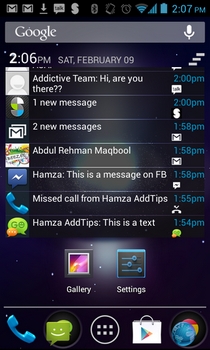
Developed by XDA member Roymam, Notifications Widget is a customizable widget for Android 4.0.3 Ice Cream Sandwich and higher devices that replicates the looks and functionality of dismissible notifications introduced in Android 4.1 Jelly Bean and later iterations. Using the widget, you can view and interact with all the notifications that show up in your Android device’s notification shade. Be it a notification regarding a missed call or a new SMS/email, update alerts from Play Store, a Gtalk message, or any third-party app notification for that matter, Notifications Widget is capable of displaying them all on a compact home screen widget. If you have an Android 4.2 Jelly Bean or higher device, you can install Notification Widget to your device’s lockscreen to take a peek at all your latest notifications without having to unlock the device. In addition, the widget lets you directly launch relevant apps and dismiss all notifications at once with a mere tap. Read More

Pin Any Reminder To The iPhone Lock Screen With Reminders+

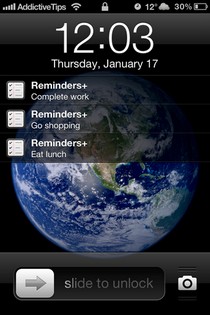
Setting an alarm for important tasks is useful to a certain extent but if you really want to get something done, persistent nagging often does the trick. Apple seems to realize that, as is evident from the constant presence of upcoming reminders in the Notification Center. While the idea is great, not everyone visits the Notification Center regularly. Your iPhone’s lock screen, on the other hand, comes into view quite frequently. Now, users of jailbroken iDevices have an easy way of pinning any reminder they want to the lock screen of their iPhone, thanks to a new Cydia tweak, Reminders+. Reminders+ calls this list of lock screen reminders 'Bulletin', and they are not shown in the form of lock screen notifications, so you don’t have to worry about inadvertently launching the Reminders app through them. Read More

Customize Status Bar Clock & Get AOSP Lock Screen On Stock Galaxy S III

Samsung’s flagship Galaxy S series of smartphones have always created a vibrant developer community around them, thanks to their hacker-friendly, relatively open nature, and the general popularity among the masses. With so many custom ROMs, and small “mods” available, the Galaxy S III is no different than its predecessors. The latest mod we’ve come across for the device is called Statusbar Clock for Galaxy S III running stock Android 4.1.2, which lets you customize the status bar time in a number of different ways common to custom ROMs like CyanogenMod, AOKP, Paranoid Android, etc. It adds "Status Bar" options under Settings > Date and time that let you choose to show AM/PM along with the current time, display day of the week, change font size and position of the text on the status bar. There’s also an option to switch to an AOSP-style lockscreen! Read More

Launcher8 Is A Great Windows Phone 8 Style Android Launcher With Live Tiles

In LauncherWP8, we found a very effective solution to give your Android’s home and lock screen a Metro Modern makeover. Seems like our beloved launcher has just got some serious competition, as the QiHang Dev Team has just released a similar alternative to the Play Store by the name of Launcher8. Filled with Windows Phone 8 style Modern goodness, Launcher8 is a free Android home and lock screen replacement app that pips ahead of the aforementioned alternative in a number of ways. For instance, it sports live tiles for contacts as well as Gallery photos. It also has a dedicated lock tile to help you quickly lock your device without requiring to reach for the power button. Unlike LauncherWP8, this app allows you to switch the app drawer between list and grid views, and offers as many as four different themes for the lockscreen. Launcher8’s home and lockscreen is customizable in a number of ways, and to top it all, you can backup and restore the app’s themes, complete with your custom alterations. Read More

Get iPhone Style Lock Screen Notifications On Android With LockerPro

There is no shortage of quality Android lockscreen replacement apps in the Play Store, and most of them focus on aesthetics more than anything else. However, we have frequently shared with you certain alternatives that add some much-needed interactivity to the lockscreen, in addition to the cosmetic tweaks. For instance, almost a month ago, we reviewed Quick Launch – an elegant Android lockscreen replacement app with widgets and iPhone-style notification support. While the app worked flawlessly with both said features, its lock screen notifications were limited to missed calls and text messages only. What if you wanted to take a peek at notifications from other apps right from your device’s lockscreen? This is where LockerPro Lockscreen can come in handy. Apart from displaying iPhone-like multiple lockscreen notifications of your preferred apps, the app is capable of showing real-time banner notifications on your home screen as well. LockerPro Lockscreen is currently available for Android 4.0 Ice Cream Sandwich or higher devices only. Read More

Add Sticky Notes & Other Widgets To Windows 8 Lock Screen With IncrediLock

It’s probably safe to say that Windows 8 has garnered mixed reactions from its user-base. But where elements like the Start Screen have received some backlash, one dainty new feature that is praised is the lock screen. The lock screen showcases the current time and date, along with the Wi-Fi signal strength.You can customize its background and have certain apps display notifications on it. Apart from this, there isn’t much to tinker with, but it seems third-party apps are soon going to remedy that. Enter TuneUp IncrediLock, a Windows Store app that lets you add widgets to the lock screen. Even though IncrediLock only lets you add sticky notes at the moment, additional widgets are likely to be added later down the road. What’s more, you can browse and apply about 400 gorgeous lock screen wallpapers. Read More

How To Disable Widgets & Camera Access On Android 4.2 Lock Screen

The ever-intensifying competition between the leading mobile platforms constantly keeps pushing companies to offer new, innovative features to their users, but how often have we seen a company overdoing things in an attempt to become ‘truly innovative’? As most Android fans have just recently found, the brand new widget-supported, multiple lockscreens in Android 4.2 Jelly Bean are proving to be more of a headache than a boon. Be it from the security perspective or from the usability point of view, the new lockscreen can prove to be annoying in a number of ways. The worst part about the whole thing is that, Google has provided its users with close to no control over the configuration of the lockscreen. Thankfully, there is now a very effective workaround available in the Play Store in the form of Lockscreen Policy. This simple Android app is an ideal solution for all Android 4.2 JB users who want to revert back to the Android 4.1-style solitary lockscreen. Read More

Add Multiple Widgets To The Lock Screen On Any Android Device

It seems that, of all the exciting Android 4.2 Jelly Bean features, the brand new lockscreen with widgets is the one that has succeeded to tickle the fancy of many a developer around the world. Just a few days after its announcement, the JB lockscreen got its very first third-party weather clock widgets courtesy of Beautiful Clock Widgets, with HD Widgets (a paid app) following suit. While the latest JB lockscreen remains prerogative of Android 4.2 users only, there is now a very handy alternative available in the Play Store for users stuck on older Android versions. In fact, provided your device is rocking Android 2.2 or above, you can now install an interactive widget-filled lockscreen atop your default lockscreen with the help of Widget Lock. Unlike the Android 4.2 lockscreen, Widget Lock supports addition of multiple resizable widgets of your favorite system and/or third-party apps. Better yet, you have the option to reposition your favorite widgets anywhere on the lockscreen as you like. In this particular app’s case, pressing the unlock/power button displays the additional Widget Lock screen, complete with your widgets, and a slider to unlock directly to the lockscreen itself or your home screen. Read More

Add Weather Clock Widgets To Android 4.2 Jelly Bean Lock Screen

Well, that didn’t take long! It’s barely been a couple of days since we explored in detail the brand new customizable Android 4.2 Jelly Bean lockscreen with support for widgets & multiple screens, and we already have come across our first third-party lockscreen widgets. Beautiful Clock Widgets is a comprehensive suite of several gorgeous Android clock and weather home screen widgets, with support for being placed on the Android 4.2 lockscreen. There are dozens of snazzy alternatives to pick from, all coming in multiple sizes. Users with older Android versions need not be envious, since they can still add these to their home screens. Each widget on offer is customizable in one way or the other, and can be set to depict time & weather of user-selected location and preferences. Read More

A Closer Look At Android 4.2 Jelly Bean Lock Screen With Widgets

As every Android enthusiast would know by now, Google's latest flagship Nexus devices - the LG Nexus 4 and Samsung Nexus 10 - are now available for sale on Google Play Store in select locations all across the globe. Both devices are powered by Google’s latest mobile operating system, Android 4.2 Jelly Bean. We have already seen the latest distinguished features of Android 4.2 in detail but for a quick recap, the freshest version of Android brings a totally revamped Camera & Gallery app with Photo Sphere, notification power controls, multi-user support (tablets only), verification of APKs prior to app installations, Daydream, wireless display with Miracast support, stock keyboard app & enhanced stock clock app with various additional goodies, including alarm, stopwatch, timer and revamped home screen widgets, amongst others. A relatively less talked about yet eye-catching feature of the firmware is its brand new customizable lockscreen app with multiple screens and widgets support. As we’ve just found out, this particular aspect of Android deserves a special mention, which is why we've decided to compile an entirely separate post on it. Continue reading past the break to find out exactly how the latest Android 4.2 Jelly Bean lockscreen looks like and operates. Read More

Place Widgets & App Shortcuts On iPhone Lock Screen With AnyLock

The introduction of Notification Center in iOS 5 really made widgets popular among users of jailbroken iDevices. There are many NC widgets available in the Cydia store, and tweaks like Dashboard X have gone one step further by bringing widgets to the iPhone Springboard. AnyLock is not a competitor of Dashboard X, as it does not add widgets to the Springboard, but the functionality it offers is rather similar to Dashboard X. Users of this new tweak will be able to customize the lockscreen of their iPhone by placing any widget or app icon there. If that isn’t enough for you, you can even choose to remove a few stock features of the lock screen, in order to optimize it for the accommodation of more app shortcuts and widgets. Read More