Auto-Organize Files Into Custom Folders Based On Extensions

Keeping our files organized goes a long way; with all our related files neatly organized together, it's easy to find our required files when we need them. With huge hard disks and broadband access becoming common, many of us don’t care about keeping everything organized anymore, and just keep on piling all our downloads in the default download folder. Later, the thought of going through such a huge pile often makes us shy away from the task. As a result, whenever you need a previously downloaded file, you have to do a manual search. One way to avoid all this mess is to transfer the files to different folders based on file types, as soon as they are downloaded. Desktop Intray lets you automate this process by organizing your files for you into folders of your choice, according to their types. Read More

Organize iTunes Library & Connect To Last.fm With Tune Instructor

As a Mac user, you never really see an end to the iTunes apps that run in the Menu Bar and you probably have one installed too because it offers easy control. The question is, what does you iTunes controlling app do for you? If you’re really only interested in playing/pausing songs, a simple app with a bunch of buttons is really all you need. If you want more, you’ll never really get tired of trying a new app and Tune Instructor is worth a try at the very least. It is a free Mac app that offers extensive organizing and renaming functions for songs in your iTunes library, connects with your Last.fm account,  extensively supports keyboard shortcuts and allows you to customize them all, search iTunes artwork and lyrics, remove dead entries and/or correct them, and add songs to your iTunes library. Read More

Gomigo: Organize & Access Frequently Used Programs From System Tray

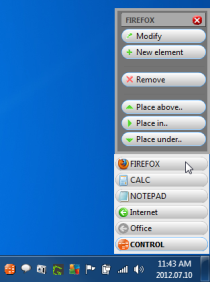
No matter how many software you use, there would always remain only a handful of applications that are the most frequently called to action. Some may search for applications using the Start Search, while others would highlight them as quick launch buttons to easily access them,  but, consider the situation where you need to simplify access to web pages as sub-categories of a browser through menu-like access layout with minimum possible clicks. Gomigo is a free tool that lets you create menus and access items from the system tray. Just click its system tray icon and access the most-used/important programs. You can assign, modify, and delete programs from the Gomigo system tray menu, as well as define sub-menus in a few clicks. Read More

Zotero: Organize, Manage, Cite & Share References

For researchers and analysts, citation and referencing are of critical importance. After finishing the research, most of us often end up compiling a list of sources, links and attachments as well as a detailed report. Zotero is a free, cross-platform utility that simplifies the collective goals of organization and management of references. Apart from the standalone application, Zotero fits nicely with your browsers and word processors in order to monitor and insert links of interest to relevant places in the workspace. It also generates bibliography and related documentation formats, automatically saving you a lot of valuable time. With features like duplicate detection, searching, sorting and syncing features, this powerful tool provides users with a unique reference management experience. Read More

ContLab Is A Comprehensive General-Purpose Workflow Manager

ContLab is a free business organizer for Windows that is currently still in its beta stages. Nevertheless, it shows promise of being a reliable tool for business enthusiasts who have trouble keeping records of their projects, contacts, agendas, reports and accounts. Also, the application comes packed with networking feature, which allows you to run the application from the server, so that all connected computers can easily use different features of the application from one central location. Details to follow after the jump. Read More

WorkFlowy Helps You Organize Thoughts & Collaborate With Others [Web]

WorkFlowy takes simplicity to a whole new level and provides you with a better way to organize your brain. It is a perfect tool for distraction task listing and outlining. The web app basically mimics the way you naturally think, and gives you one place to manage all the information in your life. WorkFlowy comes with blank interface with no guidelines or categories, whatsoever. You can start by adding new items, notes, tags and more. Moreover, mark tasks as complete, edit notes, export or delete tasks. Once a task has been marked as completed, it is crossed out. WorkFlowy lets you stay organized, and makes it incredibly easy for you to keep track of lists. It makes it easier to focus on tasks rather then getting distracted with categories, label, topics and other irrelevant content. Read More

Breezer Now Supports More Formats; Create Custom Sound Effects

A while back, we reviewed a nice audio asset management tool called, Breezer, which brought a whole lot of tools and options for professional sound editing engineers and music junkies to organize their music collection, search musical pieces from their library, and importantly to use them with audio editing workstations. Recently, Breezer has been updated with some new and interesting features and improvements. Before going into details, it is worth mentioning that all the bugs we encountered in previous version have been addressed and fixed. The latest version 1.1 doesn’t suck up too much of your system resources during the process of indexing, organizing and searching items from large music collection. Read More

Aggregator Is A Simple Yet Efficient RSS Feed Organizer For Android

News and RSS feed readers are great in a way that they bring you the updated content from your subscribed channels under one hood, thereby preventing you from visiting multiple websites and news sources. However, if you have subscribed to one source too many, chances are that you might feel intimidated by the rather extensive list of 'unread' posts in your feed reader. So, is your Android RSS feed reader getting overly cluttered? Tired of scanning through the countless feed items that appear in your reader everyday? Fret not, because now there is a solution that vows to bring some much needed discipline and customization to your Android's RSS feeds.  Aggregator for Android is a free (ad-supported) RSS feed organizer that can save you loads of time while you’re sifting through your feeds. The app allows you to choose separate update intervals or disable background updating for each feed you add. Update intervals can be as short as 15 minutes or as long as a day. Said feature along with the option to filter feed items by title lets you organize and peruse your feeds a lot more effectively than conventional RSS readers. More after the break. Read More

Create Calendar Events On Android With Audio & Photos Using ClickCal

Creating calendar events and managing them on your Android device has been made a whole lot cooler, thanks to ClickCal. One often finds oneself in a hurry while adding an event on the go, only to end up in a tedious battle with the virtual keyboard. With ClickCal, not only can you add events simply by taking photos of any related documents or webpages etc., but you can record an audio and add it to your event as well, removing the need to enter descriptions or anything. Read on for screenshots and how to use the app. Read More

Organize Downloads According To File Types With Download Mover

Download Mover is a small yet ingeniously intuitive application to observe user-defined source paths for specific file types in order to move them to target folders. For instance, you can set Downloads folder as source path for separating applications, music, movies, compressed archive files to their respective; Apps, Music, Movies, and Archive folders. This way you won't have to manually find and move the required types of files from Downloads folder to required location, as it will automatically move files having specified extensions to defined target folders. The application is primarily developed to unclutter Downloads directory, nevertheless, you can use it to automatically clean your desktop, documents folders, project folders, etc. Read More

Snippely Brings Notes And Code Organization Under One Window

If you’re in the habit of storing its and bits of text, quick notes, memos etc all over your hard-disk in small text files, with weird filenames like asdf.txt, abc.txt, note1, note2 and so on, this tool can certainly be a lifesaver for you. Snippely is a very basic open source text and code organizational tool that stores all your quick notes and texts in one place, categorized in groups for better management. Read More

SideSlide Is An Advanced Configurable Desktop Organizer And Launcher

SideSlide is an application which aims to bring a whole new way to organize programs, shortcuts, frequently visited locations, RSS Feeds, and much more, under one extensible workspace. According to the author “SideSlide is an advanced, unobtrusive, dockable, skinnable, instantly accessible, highly configurable Desktop Extension on Steroids!”. All settings of this application are stored inside a single folder, therefore it is completely safe to use Read More

Student DOG Organizer Is A Perfect Organizer For Students [Back To School]

Student DOG Organizer is an application to help students heading back to schools and is developed by David Capka, a recently graduated student to help other students. According to the developer, the idea is to help students keep different school-related activates in order. Since the ‘Back To School’ session has already started, most students will find this all-in-one organizer immensely helpful since it helps in organizing school-specific tasks, such as, marking calendars for specific activities, keeping track of lessons and classes, adding contacts, writing notes, and much more. Read More

Organize And Improve Work In Windows With SysPad

SysPad is a useful utility that enables you to take notes, launch applications and folders, organize network links, manage folders and much more right from the convenience of your system tray. This tiny utility simplifies day to day tasks especially in a business network setting where multiple folders are used on a regular basis. Read More

How To Organize Photos Collection Quickly And Easily

For photography buffs and image enthusiasts, keeping their photo collections in order is a huge issue. No matter how careful you remain, with images being downloaded from various digital cameras and other sources, temporary storage folders, meaningless filenames etc, your image gallery is bound to get out of shape. Reorganizing such a haphazard collection can be a real challenge, especially when you’re dealing with gigabytes of imagery. Read More

EssentialPIM – Free Portable Personal Information Manager/Organizer

Do you want to Schedule an event, make a to-do list, write some notes, or organize all contacts? PIMs, which stands for Personal Information Managers are programs designed to organize and manage all types of personal information, from tasks and notes to important contacts and emails.

EssentialPIM Portable is a free software for Windows that allows you to manage your personal information. It has five important features, Schedule, To Do, Notes, Contacts, and Mail. When you run it for the first time, you are taken to EPIM Today where you will find all information for a specific day.

Read More

Pictomio Is An Image Viewer That Lets You Organize And Tag Photos

Do you want to organize your photos by albums, category, rating, etc? Perhaps you want to tag your friends in the photo just like you do it on Facebook? Or maybe you want to mark the position on the map where you took the photo? The default Windows Image Viewer can neither organize the photos properly, nor can it tag or geo-tag them. Most people rely on 3rd party tools, such as Picasa to organize their photos. One reason why Picasa is popular is that it allows you to upload your photos, which makes it more easy to save images on the web.

Pictomio is a free photo and video organizer for Windows that makes organizing more simple. It allows you to edit your photo’s metadata by adding geo-tags, annotations, etc. One of thing you will notice about this app is the eye-candy look, it lets you browse your photos in different slideshow effects which makes it overall appealing.

Read More

My Photo Index – A Seriously Awesome Opensource Photo Organizer For Windows

Picasa is a great photo organizing tool, some might disagree. If you are using Windows OS, then Windows Live Photo Gallery is also a good alternative. But there is one software that has recently grabbed my attention, it is a free opensource photo organizing tool called My Photo Index. It is a simple-yet-powerful photo organizing too that is both flexible and easy-to-use.

You can import the pictures from your hard drive or a digital camera and organize them according to their categories and tags. You can also rate the pictures, which can help in distinguishing between professional and amateur photos.

Read More