Flickr Gets New Web, Android App Design, Cover Photos & 1TB Free Space

Flickr is a treasure trove of amazing photos. Comprising of stunning collections of original shots as well as stunning digital art created by its users, the service is one of the largest online picture collections you will find, and it has just been redesigned. I for one think it’s about time too; visiting Flickr in the past always made me ask myself why it was still the year 2000 on Flickr, but Yahoo has finally given the service a much needed makeover. The interface is now image-focused and instead of the tiny (and occasionally ineligible) text, you have an infinitely scrolling stream of images from your contacts as well as your own albums. There's a new image viewer as well, and the service now offers you one terabyte of storage space, saving and viewing photos in full resolutions, and a very handy little tool that tells you just how many full resolution images you can fit into a terabyte based on their resolution. Flickr’s new design isn't exactly unique or unconventional; it’s done what most image sharing services did a while back and plastered its background with images. Though regardless, it's still a major improvement.. Read More

Capture HD Time-Lapse Videos On Android With Droid Timelapse

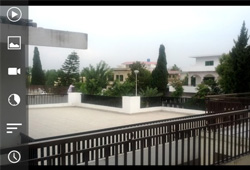
Time-lapse photography has become enormously popular during recent times, particularly since widespread DSLR adoption and the availability of some point-and-shoot cameras as well as smartphones that boast this feature. Even if the time-lapse option doesn't come as default on your smartphone, there are now plenty of mobile apps available on all major platforms that may turn anyone into a time-lapse photographer. Fresh in Google Play is Droid Timelapse – a new Android app that allows you to easily create time-lapse videos. The application is fairly feature-rich and powerful at what it does, letting you capture videos by specifying the total number of frames to be captured in a single second, resulting in a full fledged time-lapse sequence. Click Read More for our full review. Read More

Get Galaxy S4′s Dual Camera Photo Capture On Windows Phone 8

The importance of front-facing cameras in smartphones has increased manifolds due to apps like Tango and Skype, but there are other perks of having cameras on both sides of your phone. Front cameras make sure you don’t have to hand your device to strangers when you want to take a picture of yourself, or even use the front cam as a handy mirror every once in a while. Despite all these advantages though, there are some things that even two cameras can’t accomplish. While taking a group photo, there always has to be one person who is forced to assume the responsibilities of a photographer and is left out of the picture. iOS and Android already have a few apps that can solve this problem by simultaneously activating front and rear cams to take a photo with both views. Signature Camera is a perfect example of this, while eyeReport is based on the same principle as well. It is good to see that a similar app is now finally available for Windows Phone. With Dual Cam Photo, users can easily add a shot from the front camera every time they take a picture from the rear one. Read More

Add Stylized Weather Info To Photos With CamWeather For Android

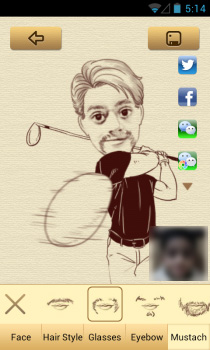
We have seen countless weather apps with several different approaches, but CamWeather delivers on what has crossed my mind quite a few times, and I’m sure there would be others out there too who have wanted something like this. The app works on a simple yet novel idea - it fuses local weather and social elements together, enabling users to share not just the weather for their location with others, but also add a picture to it for their friends to see. In short, let's say you're out on a vacation and want to share with others how it is there; you run CamWeather, take a photo, overlay your location and weather information on it, and share away via Instagram, Facebook and more. With several weather layout presets and an interface that even a child can easily understand and use, the app gives a whole new dimension to weather info sharing. Read More

Blux Lens Gives iDevices Remote Control Of Each Other’s Cameras

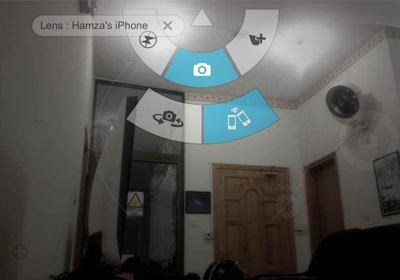
WiFi Camera and ReconBot are two very useful, but different iPhone apps. One of them lets you use iDevices as remote cameras, while the other turns your iPhone into a secret recording device. Won’t it be just great if an app combined these two functionalities, and threw in a lot of extra photo editing options for good measure? That’s exactly what Blux Lens does. We previously covered Blux Camera, and this new app acts as a remote lens for that awesome app. Using Blux Lens, you can connect any two iDevices to capture images remotely. You will still be able to use all the features of Blux Camera of course, but the scene you capture will be from the place where your other device is. This means it is possible to turn your iPhone into a spy camera or baby monitor, or use it just to capture a different angle of the scene. Read More

Shoopix Is A Great WP8 500px Viewer With Dynamic Lock Screen Support

Despite having some of the best cameras, Windows Phone devices have always been plagued by the lack of good photography apps to go with the hardware. While the official Instagram or even 500px apps might not have arrived for WP8 just yet, the WP Store now has some really good third-party clients for such services. Shoopix is a 500px client that is just about perfect for casual users of the photography website. The app lets you browse through the most popular sections of 500px in a really neat interface, and even lets you download photos to your camera roll. In addition to all this, if you like the dynamic lock screen feature of Windows Phone 8, Shoopix just might prove to be the app that you have always been looking for. Read More

Nokia Releases SophieLens, Glam Me Lenses & A Plea-For-Instagram App For Lumia

Camera quality has always been a major bragging right of the Nokia Lumia series. You can point out many shortcomings in the Windows Phone platform but when it comes to hardware, Windows Phone 8 devices can certainly hold their own against most competitors. Nokia realizes this advantage, and a lot of their apps focus on image editing and photography. Once it really catches on, the whole concept of ‘lenses’ is sure to make Lumia popular among photo-freaks even more. For now, Nokia is taking steps in the right direction, and has released three photo-related, apps exclusively for Lumia devices! Glam Me, SophieLens and #2InstaWithLove all let you make changes to your photos in one way or another, and that too without spending too much time. Read More

QuickShoot Is The Fastest, Most Discrete Way To Take Photos On iPhone

Most iPhone owners use their device’s camera quite frequently, but there are times when even the lock screen shortcut is not quick enough to let you capture that right moment. You can pin the Camera app to your dock, or use one of the many available Cydia tweaks that offer camera shortcut options for Notification Center. QuickShoot is a tweak that serves a dual purpose. For one thing, you get to snap photos secretly, since there won’t be any viewfinder on the screen. Secondly, it saves you the hassle of launching the camera app and waiting for it to load completely before shooting a photo. All it takes is going to the SpringBoard of your iPhone and double-tapping the camera icon. Sounds convenient, right? Read More

AiCamera Helps Position Your iPhone Just Right For Snapping Photos

It is often said that you need to have steady hands to be a good photographer, but there are times when you just can’t hold your camera straight to get that perfect shot. You might be in a moving vehicle, one of your hands might be busy elsewhere, or perhaps you might just want to make sure that the photo you snapp really is the best possible shot of the scene you are trying to capture. While professional photographers have tripods and a number of other gadgets for keeping their camera steady, iPhone owners can now use the amazing AiCamera app to snap perfectly aligned photos. You might be wondering how a mere app can keep your iPhone from moving during a photography session. Of course, AiCamera can’t do that; it captures an image only when your device is at a perfectly horizontal level, meaning there won’t be any skewed images in your camera roll. Even better, the app isn't only meant for snapping photos, but for shooting videos as well. Read More

Correct & Enhance Dim Photos With Orasis For iPhone & iPad

Before snapping a photo, most of us try to adjust the camera settings to perfection, but there are times when you can’t take too long, especially if you are using your iPhone. There are apps available for iOS devices that try to maximize the chances of getting a good photo each time, as unless you're always in perfect lighting, you are bound to take a photo that is too grainy or too dark. Orasis is an iPhone and iPad app designed precisely for such photos. It automatically enhances any image you want, maximizing the level of detail and letting you tinker with the picture’s brightness. In the app's manual mode, users can adjust every aspect of the photo just the way they want. Read More

500px iOS App Redesigned And Now Available For The iPhone

Almost a year after its iPad release, 500px has finally arrived on the iPhone. Unlike a lot of other popular apps, the iPhone version of 500px is quite feature-rich and sports just about everything on offer in its tablet counterpart. You can manage your 500px account from within the app, follow other users and, of course, view the staggeringly large collection of images that this service offers. The whole interface has been revamped, and users can now finally enjoy “Flow” on their iDevices. If you don’t already know, Flow is a customizable feed that can be used to view updates from your favorite professional photographers and other 500px users.  Read More

Camera+ For iOS Updated With Front Flash, Horizon Level, Live Exposure & More

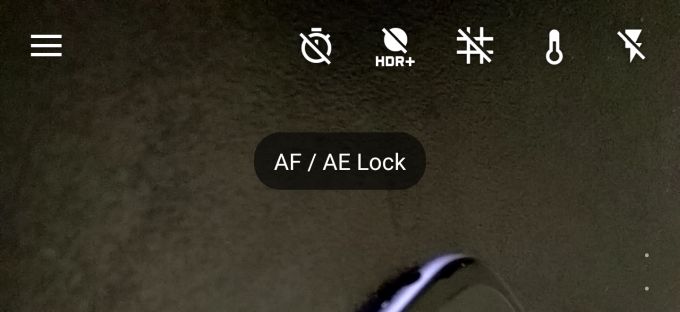
I don’t know about the rest of the AddictiveTips team, but Camera+ is my favorite photography app on the iOS. It offers a bunch of awesome features like separate focus and exposure, stabilizer mode for taking the clearest photographs, and powerful post-processing options including various filters, cropping, borders, “scenes”, etc. that improve photos taken on iPhone. Now, in the v3.6 update of the iPhone/iPad app, they’ve added in useful new features like a front-facing flash, “Horizon Level” to ensure your photos are horizontally level, Live exposure for reading exposure parameters in real-time and much more. We’ve discussed them in more detail after the jump. Read More

HelloCamera For iPhone Intelligently Suggests Live Photo Effects That Suit The Scene

Camera360 has been a favorite among both Android and iOS users for quite some time now, and many people use it as a default photo editor for their phone. Since the app is so successful, there has never been any real need to change it in a big way, but that doesn’t mean the team behind the app has stopped being creative. HelloCamera is the Camera360 dev team's newest addition to the photography genre of the App Store. While some areas of HelloCamera are reminiscent of its predecessor, the app has a sleeker, futuristic interface and comes with the ability to intelligently apply the most suitable photo effects to your photos (much like previously reviewed Blux Camera). You can manually choose filters as well, both while shooting photos and editing them. A decent native photo gallery and a comprehensive sharing menu add icing to the app's impressive feature list. Read More

Create Photo Cutouts & Use Them As Augmented Reality Effects With PhotoWithMe For iPhone

Photo stitching and merging two images together might be an easy task for the Photoshop savvy, but most common folk spend hours trying to get the combination right. How many times have you wished that you could change the background of your photo, or add someone to a group shot? While there are many comprehensive photo editors available for iOS, PhotoWithMe offers a completely new take on adding details and objects to your photos. The app makes use of augmented reality to overlay any cutout (labeled seed) on the scene in front of you. You can create your own augmented reality effects, or employ any of the ones shared by other users. Read More

Blux Camera For iPhone: Intelligent Photography Assistant With Real-Time Capture Modes & Filters

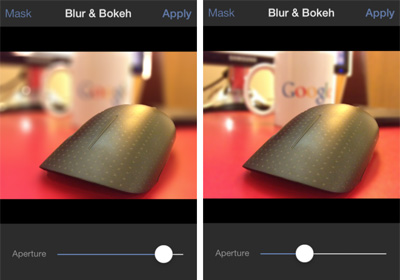
Applying filters to photos after capturing them is good and all, but having real-time, pre-shoot image effects is certainly a lot more fun. There are many iOS apps that let you apply photo filters before you shoot, but we haven’t seen one that does it quite as well as Blux Camera. Apart from sporting a unique interface, the app comes with a lengthy feature list and a little twist in the concept that drives most regular camera replacement apps. There are tons of photo effects available, which can be combined with any of the app’s numerous capture modes to snap gorgeous pictures. You may choose a filter or mode of your choice, or let the app analyze the scene and automatically choose a combination for you using what the team behind the app, Blux Touch, calls P.E.A.R. (Photographic Environment Analysis and Recommendation) technology. Other features include filter and capture mode randomization, tilt-shift effect, burst capture, voice activation, multiple grid overlays; you name it, Blux has it! Read More

Polatax For iPhone: Create Gorgeous, Captioned Polaroid-Style Photos

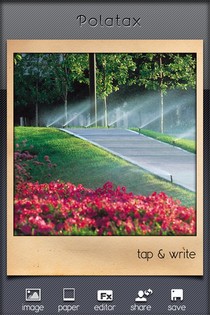
It has been about 20 years since polaroid cameras roamed the Earth. Aside from all the convenience these gadgets offered, their trademark output also gained popularity. Technology might have come light-years ahead of the polaroid age, but it never hurts to experience a wave of nostalgia occasionally. iOS has apps for almost every photo effect imaginable, and Polatax has become the latest major addition to the list of apps that focus on one particular photo filter. As you might already have guessed from our initial discussion, the filter that Polatax handles is the famous polaroid effect. However, this does not mean that the app is a one-trick pony. The theme of everything in Polatax might be polaroid, but there is a host of other photo effects available as well. Not only that, you can add highly-customizable captions to your photos, and then the results over social media. Read More

Control The Camera Of One Android Or iOS Device Using Another With Remote Shot

Just recently, one of my AddictiveTips colleagues covered WiFi Camera, an iOS app that, by pairing a couple of iDevices together over Wi-Fi or Bluetooth, allows one to snap photos with the camera of the other. As is often the case, whenever an interesting app arrives on one platform, users across the other platform tend to become curious about the availability of similar apps for their devices. While it is unknown whether or not WiFi Camera will be made available to Android users, we do have a very fine alternative for our readers. Remote Shot is a free Android and iOS app that works in almost the same way as WiFi Camera, meaning that you can remotely view and capture whatever the camera of the other device is looking at. However, connection can only be established over Bluetooth. Once paired, you have complete control over the camera of the target device, including toggling between front and rear camera view, capturing images or videos, selection of flashlight mode, and triggering the self-timer or burst mode. Read More

Foap Lets You Make Money By Putting Your iPhone Photos Up For Sale

The iPhone’s amazing camera, along with the plethora of photography apps available in the App Store to complement it, has enticed a lot of users to become quite serious photographers. Gone are the days when photos were taken on just important and memorable events. Now, everyone snaps pictures of just about everything. However, not many people think of their iPhone photography as anything more than a pleasant hobby. Foap is an iOS app that intends to change all that. Thanks to Foap, you will be able to show off your photos to the world, and if someone really likes your work, you might end up making a few bucks by selling the pics! Read More

Sony Releases “α” CLOCK for Mobile: A Time-Lapse Photography Android App Powered By “Time-shift UI”

Seems like Sony has decided to leave Android users with plenty of visual goodness to savor over the weekend through a couple of great new apps. Just yesterday, we saw a beautifully-designed photo gallery app called 'million moments' released by the technology giant. Today, we’re going to present you with yet another fine-looking Android app from the company. "α" CLOCK for Mobile lets you experience Sony’s new Time-shift UI on your Android device. The app presents you with photos of several worldwide destinations (UNESCO World Heritage Sites) taken with cameras that use "α" Interchangeable lenses. From a single point, countless photos of each location are snapped at various times of day, and compiled into a single time-lapse photography package. Using the aforementioned Time-shift UI feature, users can enjoy breathtaking sights of the selected location from a preferred time of day. Though, that's not all the app has to offer. Read More