Downgrade From iOS 6 To iOS 5.1.1 On iPhone 4, iPad 2 & iPod touch 4G Using Redsn0w 0.9.15b2

A lot of users have refrained from updating to iOS 6 due to the lack of a proper, untethered jailbreak. Another thing that has kept jailbreak users away from the new version of the OS up until now, is the fact that once you had updated, the way back to a firmware that Apple had stopped signing was riddled with confusion. Luckily, redsn0w has come to the rescue with its latest version, 0.9.15b2. The tool now makes it much easier for users to restore their iDevices after an iOS 6 update (devices with A4 or older processors in particular). If you updated to iOS 6, and are now planning to go back to 5.x, read on past the break to know whether you can, and for a step-by-step guide if restoring is possible on your device. Read More

Jailbreak iOS 6 Tethered On iPhone 4 & iPod touch 4G, Untethered On 3GS

iOS 6 was released a year after iOS 5, almost to the day. The untethered jailbreak for the previous major update came out around Christmas last year, but the progress for iOS 6 has been a bit slower. We will be lucky even to have a tethered jailbreak for all iDevices before December (specially the newer ones with A5, A5x and A6 processors). However, this does not mean that the jailbreak community has been completely idle so far, as tethered jailbreaks for A4 and older devices have already been released, albeit with restrictions and compatibility issues. Until now, if you jailbroke your iOS 6-donning A4 device, you had to install the Cydia app manually (as outlined in our detailed guide on how to jailbreak  and install Cydia on iOS 6 Beta). Fortunately, things have finally started to move forward with the release of redsn0w 0.9.15b1. The latest update of the tool now installs Cydia itself with tethered jailbreak for A4 and older devices, and offers an untethered jailbreak for iPhone 3GS with the old bootrom. A step-by-step guide and more on supported devices past the break. Read More

Jailbreak iOS 6 GM On iPhone 4 & Other A4 Devices Using redsn0w 0.9.13dev4

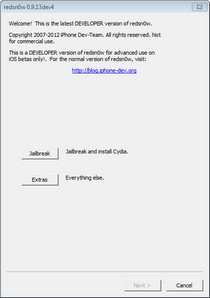
Although we know almost everything about iOS 6 by now, thanks to Wednesday’s release event, and the availability of the update’s beta versions for developers, the majority of iPhone, iPad and iPod touch users will have to wait till the 19th of this month to get their hands on the next iteration of iOS. If you do have a developer account, however, then you most likely have the iOS 6 GM already flashed to your iDevice. Apple released the GM soon after the iPhone 5 event ended, and the build does have a few features that were missing in the earlier betas. As is the case with every update of iOS, the quest for its jailbreak began as soon as the first beta of iOS 6 came out. Until now, only a tethered jailbreak for iOS 6 GM is available, and that, too, just for A4 devices. So, if you happen to be using the GM build of iOS 6 on an iPhone 4, the original iPad or iPod touch 4G, you can now use the latest version of redsn0w (0.9.13dev4) to jailbreak your device. Read More

Put iPhone, iPod touch Or iPad In DFU Mode Without Using Home/Power Buttons

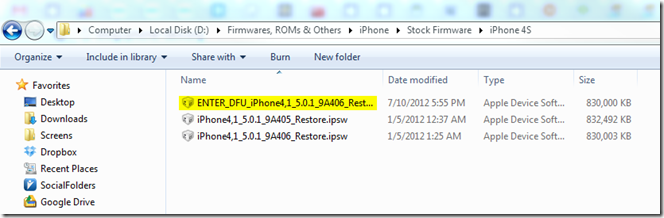
Jailbreaking an iPhone or any other iOS device yields many benefits, since the device literally opens up to any sort of modification and breaks free the shackles put in place by Apple. In its stock form, the powerhouse contained within an iPhone, iPod touch or iPad is quite tame, but once unleashed, these wild beasts can perform so much more than what you’d have previously thought, and I am not just talking about themes and aesthetic modifications. Apps and tweaks like MyWi, BiteSMS, InfiniFolders, Zephyr etc, change the entire scope of using an iDevice. In all honest, if you’re choosing to stick to Apple’s stock offering, you’re missing out on a lot. However, the sad truth is, not everyone is opting out of a jailbreak by choice – some people are just forced for it, mainly because of a faulty hardware. How, you may ask. Since most jailbreak methods require your device to be put in DFU mode, which, in turn, requires use of the Power and Home buttons, a broken button from either of these renders you pretty much helpless. There’s been a workaround for that for quite a while, in the form of a modified IPSW, but that required some manual working that might not have agreed with all users. Thankfully, the iPhone Dev Team, in their latest redsn0w release, redsn0w 0.9.14b2, have included an easy way to restore your iPhone, iPod touch or iPad to DFU mode without using any of the hardware buttons, making it a lifesaver for all users with faulty hardware. Read More

How To Jailbreak iOS 6 Beta & Install Cydia [Complete Guide]

Apple announced iOS 6 during WWDC 2012, and the world went into a frenzy (as it always does with any Apple offering). The 6th major iteration of the OS brought with it a lot of bells and whistles, like revamped Maps, more knowledgeable Siri, shared Photo Streams and loads more (you may want to check out the entire list of new goodies). On the same evening, iOS 6 beta became available for developers, ensuring that apps – the life and blood of iOS platform – became optimized before the operating system became available publicly. However, many, like us, just couldn’t wait to get their hands on the newest iOS for iPhone, iPod touch and iPad, and many devices, despite not belonging to developers, got the new OS up and running in a matter of days. However, doing so resulted in one thing that most jailbreakers don’t like at all – breaking the jailbreak! The good news is, iOS 6 is jailbreakable, publicly, and even Cydia can be installed through some unconventional methods. We’ll get to that just after the jump. Read More

Downgrade iPhone 3G/3GS Baseband 06.15.00 With Redsn0w 0.9.14b1 To Get Unlock & Fix GPS

Back in the days when the iPhone 3GS held the title of “the best iPhone yet”, there came a little problem with Ultrasn0w unlockers: some firmware required an upgrade to iPad's 06.15.00 baseband for the unlock to work. The reason behind this nuisance was the fact that the jailbreak gurus had managed to crash the iPad's 3G baseband, while 3GS' own 05.13.04 remained out of luck. While the unlock worked, it came with a rather hefty price of breaking push notifications and disabling GPS services. You just have to take a look at the number of apps that use GPS in their working to get an idea of the consequences of using iPad’s baseband on your iPhone 3Gs or 3G. Then, Ultrasn0w began supporting the 05.13.04 baseband, but there was no way to downgrade an iPhone 3GS or 3G from 06.15.00 to the former one. Now, thanks to redsn0w 0.9.14b1, users can downgrade the baseband on their jailbroken iPhone 3G/3GS to get working unlock, push notifications and GPS! Read More

Redsn0w 0.9.10b4 & Corona 1.0-5 Released, Include iBooks Fix For Untethered Jailbreak

The infamous jailbreak tool, redsn0w, has just been updated to version 0.9.10b4 (beta 4), incorporating the much awaited fix for iBooks for untethered jailbroken A4 devices. At the same time, Chronic Dev Team’s Corona Cydia package has also been updated to version 1.0-5, bringing the same fix for devices jailbroken using the said package. The updates are compatible with all devices that were supported originally, which includes all A4 devices (iPhone 4, iPhone 3GS, iPod Touch 3rd and 4th gen, and iPad) running iOS 5.0.1. Details after the break. Read More

Jailbreak iOS 5.0.1 Final Build Using Redsn0w 0.9.9b9

If you are one of those iOS users who like to use their iPhone, iPad or iPod touch jailbroken, then redsn0w is a name you must be familiar with. The jailbreaking tool has been around for quite a while, and the Dev Team is always quick to add support for newer versions of iOS. As iOS 5.0.1 got bumped to its final build a few weeks back, the Dev Team has done it again, and now it is possible to jailbreak iOS 5.0.1 using the latest version of redsn0w. Redsn0w 0.9.9b9 not only jailbreaks the latest iOS 5 update, but also comes with a bunch of new features and bug fixes. Read More

How To Make iOS 5 iPad 2 Gestures Work With iPad 1 Without Jailbreak

Apple certainly knows how to sell their products. iPad was quite a success as soon as it was launched, but surprisingly, the iOS-based tablet got its second version pretty quickly. Obviously, Apple wants its users to upgrade to the iPad 2, which is why the original iPad didn't get one of the new features of iOS 5's tablet variant. On the iPad 2 running iOS 5, you can use multi-touch gestures to navigate between apps, close an app or bring up the App Switcher, but you can't do so in iOS 5 for the first iPad. Not by default, that is. Using a free tool and a Mac system, you can enable all the iOS 5 capabilities on iPad, without even the need of having a jailbroken device! Read More

RedSn0w 0.9.8b5 Released To Jailbreak iOS 5 (Beta 5)

Just yesterday we were talking about the release of iOS 5’s Beta 5 version, and what do you know, the jailbreak for it is already here! As the exploits used to jailbreak the previous beta of iOS have not been touched by Apple, it makes sense that the jailbreak has been released so soon. The only question that remained to be answered was that which tool will be updated with the latest jailbreak. The tool is redsn0w, and thanks to it, now you can jailbreak your iOS 5 beta 5 running device with the ease that is a trademark of this tool. Just a few hours ago the Dev Team has unleashed RedSn0w 0.9.8b5! Of course, like all its predecessors for iOS 5's beta versions, this update of redsn0w only offers tethered jailbreak, but that should be good enough for people who are really desperate for a jailbreak. Read More

Fix SMS and Data Issues With Redsn0w 0.9.5b2

With the iPhone OS 4.0 jailbreak, some users have been facing unexpected SMS and data issues. MuscleNerd of the iPhone Dev-Team posted about an update to redsn0w which mainly addresses these issues. Please note that this is still a developer release and that you will need a registered developer UDID to get past activation.

Read More

Downgrade iPhone 3G OS 4.0 beta baseband with Fuzzyband

One of the rather more useful jailbreak tools has been Fuzzyband, the Cydia application that has been used frequently to downgrade an iPhone or iPod Touch’s baseband to an unlockable version instead of the latest one. Good news is, this application has been upgraded to support a very specific group; iPhone 3G users with the latest OS 4.0 baseband 05.13.03 but the rare old bootloader, 05.08. Yep, Fuzzyband mow supports iPhone OS 4.0 beta’s new baseband! Read More