MobiSpy Is A Remote Location, Calls & SMS Monitor For Android & iOS

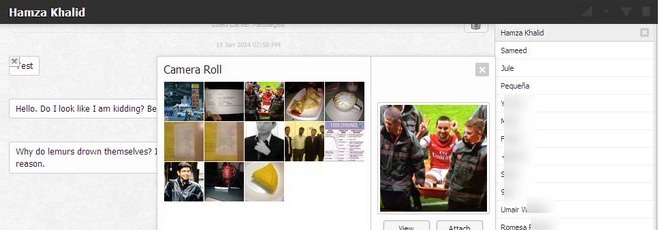
While most of us don't feel comfortable sharing their phones with others due to the amount of personal data we have on them, at times it is unavoidable to do so, especially with friends and family members that you can't say no to. Though one can always be curious about what activities have they performed on your phone while it was with them. MobiSpy is an Android, iOS and BlackBerry app that allows you to secretly monitor incoming and outgoing messages and calls made from a phone. You can discover messages and call logs remotely over the web by installing and activating MobiSpy on your desired phone. The app is fairly easy to configure and can be setup within a few minutes. Along with call and message logs, you can also track the phone’s location on Google Map, its call and web browsing history, calendar, contacts, bookmarks and more. All this makes it a viable app to use for phone tracking purposes as well, in case your device gets misplaced or stolen. Read More

Schedule Encrypted Backups On Android & Save To Dropbox With truBackup

A timely data backup can save you a lot of hassle. Android users have long been using NANDROID backups to make a ditto copy of their phone’s system and data storage to the device’s internal or external sdcard. These backups prove very useful in case you need to revert back to previous working state of your phone, especially if something goes wrong. However, NANDROID backups don’t let you store separate copies of each category of items, which means you cannot specifically backup or restore only your SMS, photos or applications separately. There are many solutions out there for this, Titanium Backup being the most famous, and truBackup is the latest one that you might like to give a try. This Android app works perfectly as advertised and lets you create as many backups as you want, allowing you to backup only the type of files you want, be it contacts, SMS, apps, or media files. Besides letting you store backups on internal/external storage, the app can save files straight to your Dropbox account as well. Read More

Schedule Text Messages, Emails, Tweets & Facebook Posts On Android With Schemes

Productivity is all about management and scheduling. And if you’re doing everything on a timely basis, why not have the ability to communicate with friends and family on a planned time? That’s what Schemes aims to address. In short, it is a very simple yet handy Android app that lets you schedule four types of outgoing communications: SMS, emails, Tweets, and Facebook statuses. The best thing is that all of this is done without any unnecessarily complicated steps. By the way, did you know that the name of this app is actually an acronym? Read on to find out what it means! Read More

biteSMS For iPhone Updated With A New Quick Compose NC Widget & More

Whenever I jailbreak an iPhone, biteSMS is among the first Cydia apps I download. It offers so much in terms of convenience that once you get used to biteSMS, it becomes nearly impossible to go back to the stock Messages app in iOS. Having said that, some other tweaks in the jailbreak store have recently starting coming up with decent alternatives to the features available in biteSMS. Fortunately, the team behind biteSMS isn’t resting on its laurels, and are always looking to make the famous app even better than it already is. Quick Compose is the feature of biteSMS that has managed to attract most fans to the app, and with the app’s latest update, it has become even better! In addition to a plethora of performance improvements and bug fixes, the beta version of biteSMS 7.6 also comes with a brand new Notification Center widget. This widget provides shortcuts that can be used to quickly get in touch with your favorite contacts. Read More

Create & Send Doodles From The iPhone Messages App

The great thing about Cydia tweaks is that they make stock apps perform tasks that can usually be done only via third-party apps. A few days ago, we covered MessageMe - an iOS messenger with a pretty decent feature list. Among other great things, MessageMe can also let you draw freehand and share your drawings with your contacts. Doodle Message is a new tweak that adds a similar feature to the stock Messages app! Now you can create colorful drawings without moving away from the SMS app, and send them to your friends all in one go. The tweak even lets you choose between several brush sizes, and makes it possible to use a photo as the background for your doodles. Read More

Raise iPhone To Your Ear While Messaging To Quickly Call A Contact

Users of jailbroken iOS devices have access to a lot of gestures, but there are a few gestures that Apple has made available for all users. One such gesture is the display’s automatic blackout whenever you are taking a call. The iPhone makes use of its proximity sensor to detect your face against the device during a call, and turns the screen off accordingly. Another use of this sensor is to launch Siri whenever your device is raised to the ear. There have also been a few tweaks in the past that utilize the proximity sensor for some useful purpose, like automatically turning off the screen when you put the phone in your pocket. There is now another Cydia tweak in the jailbreak store that brings a new touch of automation to your iPhone. Thanks to RaiseToCall, you can place a call to anyone right from their SMS thread simply by raising the phone to your ear. Read More

Hide Sensitive Call Logs & SMS From Stock Android Apps With Shady Contacts

We all have those moments where we know our friends will play around with our phone, and a major concern in such scenarios is them checking out your information you want to keep confidential. If a friend is borrowing your phone for making a call or sending a text, it's nearly inevitable that they will come across your call logs and text messages. If you have an Android phone and don't want that to happen, you can now hide your call logs and messages with a simple and effective tool called Shady Contacts from Droid Mate.  The app does so without arousing suspicion, as it hides call logs and messages from selected contacts. To add to its prowess, it has some very strict security measures, and can itself can be hidden to silently operate in the background as well. Let's take a closer look at its features and how well they function. Read More

Set Up Auto Replies For SMS & iMessage On iPhone With AutoResponder 2

Answering machines were insanely popular until smartphones with built-in voicemail capability came along. Now that we have smartphones, different solutions better than voicemail are also making their way to the the market. Though one thing that hasn't changed much for a long time in this regard is texting; there is no way of easily setting up automatic responses for texts received when you are busy. Fortunately, iOS users with jailbroken devices have had AutoResponder for a long time, which is a tweak that lets you configure automatic responses to texts that go unattended for a particular duration. Until now, AutoResponder only worked with older iDevices, and a lot of people on iOS have been missing it. Better late than never though, as the developer of the tweak has released AutoResponder 2 that is aimed just at iOS 6 users, and works with iMessage as well as SMS. Read More

Best Cross-Platform iMessage Alternatives For iOS Users

BlackBerry Messenger (BBM) is one of the biggest reasons why (a very small set of) people are still sticking to their BlackBerry devices. Apple saw this trend some time ago, and launched iMessage as part of iOS 5 in 2011. It’s almost exactly like BBM, right down to its propriety iOS and OS X-only nature. It’s great if you have lots of friends who own an iPhone, iPad or iPod touch, but it’s very limiting otherwise. In what follows, we will be discussing some of the most powerful and popular cross-platform iMessage alternatives for iOS users so they can communicate with their Android, Windows Phone, Symbian and BlackBerry-toting friends for free. Read More

MightyText Now Lets You Send & Receive SMS Messages On Your Android Tablet

The "iMessage for Android", MightyText (formerly Texty), is undoubtedly one of the most downloaded and highly-rated Android apps that allow wireless syncing and sharing of your phone's SMS messages directly from your desktop browser. A few weeks back, the company launched a private beta of its tablet-optimized app that allowed users to send and receive SMS messages as well as get notifications for incoming & missed calls. The good news is that the private phase of the beta version is over and it is now available for all in the Play Store. The app is available for free, and boasts some neat features such as complete thread-by-thread syncing of your SMS inbox with your tablet, option to send and receive text messages on the tablet, real-time notifications for new SMS/MMS as well as missed & incoming calls, and lots more. Read More

Hide Or Delete All Texts With A Tap In Stock iPhone Messages App & Set Auto Reply

While there are a lot of third-party SMS apps available in the Cydia store, there aren't many tweaks that try to enhance the stock Messages app itself. If you are a frequent user of iMessage, or a fan of the stock app’s simplistic interface, you might not be too keen on switching to clients like BiteSMS and GO SMS. Having said that, some of the features on offer in third-party apps do make one envy them. SMSOptions Pro has a nice solution for this dilemma. This new Cydia tweak adds a few very useful options to the stock iOS messaging app. The tweak lets you hide all SMS threads with a single tap, configure automatic replies for incoming messages, and anyone who has ever had to delete all message threads individually before selling an iPhone is sure to appreciate the "Clean All SMS" button. Read More

Share Any File Through Google Drive & SMS Using Send It For Android

Fresh to the Play Store, Send It is an innovative file sharing tool for Android smartphones and tablets. Using Send It, you can share any file stored on your Android device with your phone, email and / or social contacts without requiring the recipients to install any app on their end or register with a service. Basically, Send It utilizes your Google Drive storage to upload shared content to a dedicated folder. Once files are uploaded, the app then generates a short URL of the shared stuff that can be forwarded to the intended recipients via SMS, email or social media. A major advantage is that if sent via SMS, your recipients instantly receive the notification and download link of the shared content regardless of whether they’re currently connected to the internet or not. All Send It requires to work its trick is a valid Google Drive account (for storing uploaded files), a high speed internet connection for large uploads, and SMS credit available on your plan to share URL-containing texts. The app supports sharing virtually every file type with any number of recipients you desire, and integrates stringently with your Android’s universal file sharing menu to allow you to share content from the Gallery or any Android file manager. Read More

Reply To Texts From Anywhere On iPhone Without Opening Messages App

GO SMS for iOS shed its beta tag just a few days ago, and I have been using it as the default messaging client on my iPhone ever since. While the app is still full of bugs, the interactive pop-up notifications it offers are extremely handy. So, won’t it be great if notifications like that came without the added baggage of a buggy and rather slow app? That’s what ImmediateSend is all about. This new Cydia tweak for iPhone works with the stock Messages app without messing with any of its existing functionalities. It displays a pop-up whenever you hit a banner notification for a received text message, or tap a message alert from the Notification Center or lock screen. In short, every button or notification that will normally route you to the Messages app brings up the quick reply text box. You will still have to go to the app to create a new message or read old conversations, but replying becomes a breeze. Read More

GO SMS For iPhone Updated With iOS 5 Support & New Features

A couple of months after its iOS 4-exclusive beta release, GO SMS for iPhone is now available for all jailbroken iDevices running iOS 5. If you have already updated to iOS 6, you are still out of luck, but we know that a lot of users have chosen to refrain from updating due to the lack of an untethered iOS 6 jailbreak with support for sufficient Cydia tweaks and apps. Consider GO SMS a reward for your love of the Cydia store, as the app is everything a good messaging app should be. I can see many iOS users making GO SMS their default messaging client. The app has a few beautiful themes, supports contact photos in messaging threads, the Emoji integration is seamless and you can reply to messages right from within notification pop-ups for received SMS. Read More

SMS Stats Shows Total & Per-Contact Count Of Messages Sent Or Received On Your iPhone

I am sure most of us remember the days when feature phones were the only mobile devices around. Some people might call them “dumb phones” now that smartphones have taken over, but there were a few things about features phones that made them really convenient to use. The SMS menus in most older devices came with message counters that could be used to track your SMS usage with ease. iOS devices are so full of awesome features that such small yet handy features tend to get overlooked at times. Luckily, iOS has the App Store and Cydia to fill whatever void is left by the OS. SMS Stats is a new app for jailbroken iPhone and iPod touch that acts as a comprehensive messages counter. Not only does the app list the total number of messages sent and received on your device, it also shows the ratio of SMS and iMessage usage, your most frequently used contact and messaging stats for your conversations with any individual contact in your address book. Read More

Koush’s TabletSMS Lets You Send & Receive Text Messages On An Android Tablet

Koushik Dutta (or simply, Koush), the developer behind the popular ClockworkMod custom Android recovery, also known for the handy SMS forwarding solution DeskSMS, has made another commendable addition to the Play Store similar to the latter. Released last year, DeskSMS lets Android users tie their Google account with their mobile number, allowing them to respond to their SMS messages right from the Gmail web interface and/or the official Gtalk desktop client without having to rely on their devices. The developer's newest endeavor, TabletSMS, is effectively an extension of the DeskSMS app that lets you send and receive all your text messages (SMS and MMS) right from your Android tablet. Apart from adding texting capabilities on tablets, the app supports receiving text messages from various third-party IM clients, including Beejive and Trillian etc, and is capable of pushing incoming SMS directly to your Gmail client, Google Talk, as well as the DeskSMS extension for Google Chrome. Setting up TabletSMS is as simple as it can possibly get, since all you need to have is the DeskSMS app to be configured on your Android smartphone, and TabletSMS to be associated with the same email address you used to register DeskSMS. Read More

GO SMS Comes To iPhone With Themes, Emoji & Quick Reply Pop-Ups

GO SMS is among the most popular SMS apps for Android, and has successfully turned many people away from the stock messaging app in Android devices. The app offers everything you could ever want in a messaging app, and its integration with GO Messenger is the icing on the cake. Due to Apple’s strict App Store policies, the GO Dev Team hasn’t been able to bring their famous SMS client to the iOS Store, but that’s where Cydia comes into play. The official GO SMS client for iOS has just been released in the Cydia store, and you can start using it on your iPhone right now if you happen to be running iOS 4. We know that most of you have upgraded to iOS 5 and won’t be able to use the app, but GO SMS for iPhone gives the impression of being in a really early phase of development, and we might see major improvements (and the addition of iOS 5 support) in the app in the near future. However, the app is fully functional even now, and has the full potential of becoming a complete replacement for the stock Messaging app for iOS 4 users. Read More

FriendIn By Wondershare Is A Social Address Book For Android & iOS

Wondershare Software, a renowned name among computer and smartphone users, is one of those application developers that needs no long introduction. Having developed several fine multimedia apps for Android and iOS, including the previously-reviewed Wondershare Player, the team has decided to try its hand at a social contact book in the form of FriendIn. Available for Android as well as iOS-powered devices, FriendIn aims to consolidate your all your phone, social and mail contacts under one hood, allowing you to easily view and interact with them from within a single app. It lets you sneak peek into your contacts’ social profiles, status updates and business info from some of the leading social networks, such as Facebook, Twitter and LinkedIn, and lists all the emails that shared with your Gmail and Yahoo! contacts. In addition, the app supports a built-in texting and mail filtering tool, extended contact info/profile viewer, and a native Facebook, Twitter & LinkedIn explorer. Using the app’s Magic Shake feature, you can instantly switch to the list of your most frequent contacts by just shaking your device. That’s not all; FriendIn is also capable of reminding you of upcoming friends’ birthdays, and lets you filter contact lists in multiple ways. Read More

GO SMS Pro For Android Gets Facelift, Cloud Message Management & More

GO SMS Pro, the crowd-favorite and feature-filled alternative messaging Android app, has just received a massive update in the Google Play Store, which introduces us to a brand new UI and several handy features that you won’t want to miss out in a hurry. Currently standing at v4.60, the app gets a huge facelift, courtesy of a well-polished and crispier main interface, message bubbles, as well as notification style that help it get closer to Holo-style visual goodness. Also included within the package are several nifty free and premium features, including protection of your GO SMS Private Box via gesture lock and ability to hide the feature’s access icon, enhanced GO Chat experience, improved Facebook Friends sync and recognition via avatars, schedule-based local settings backup, native support for management of SMS backup files stored on cloud, and last but not the least, extensive cloud-based GO SMS messages, chat and backup management support through an interactive web app. Details on all the features to follow after the break. Read More